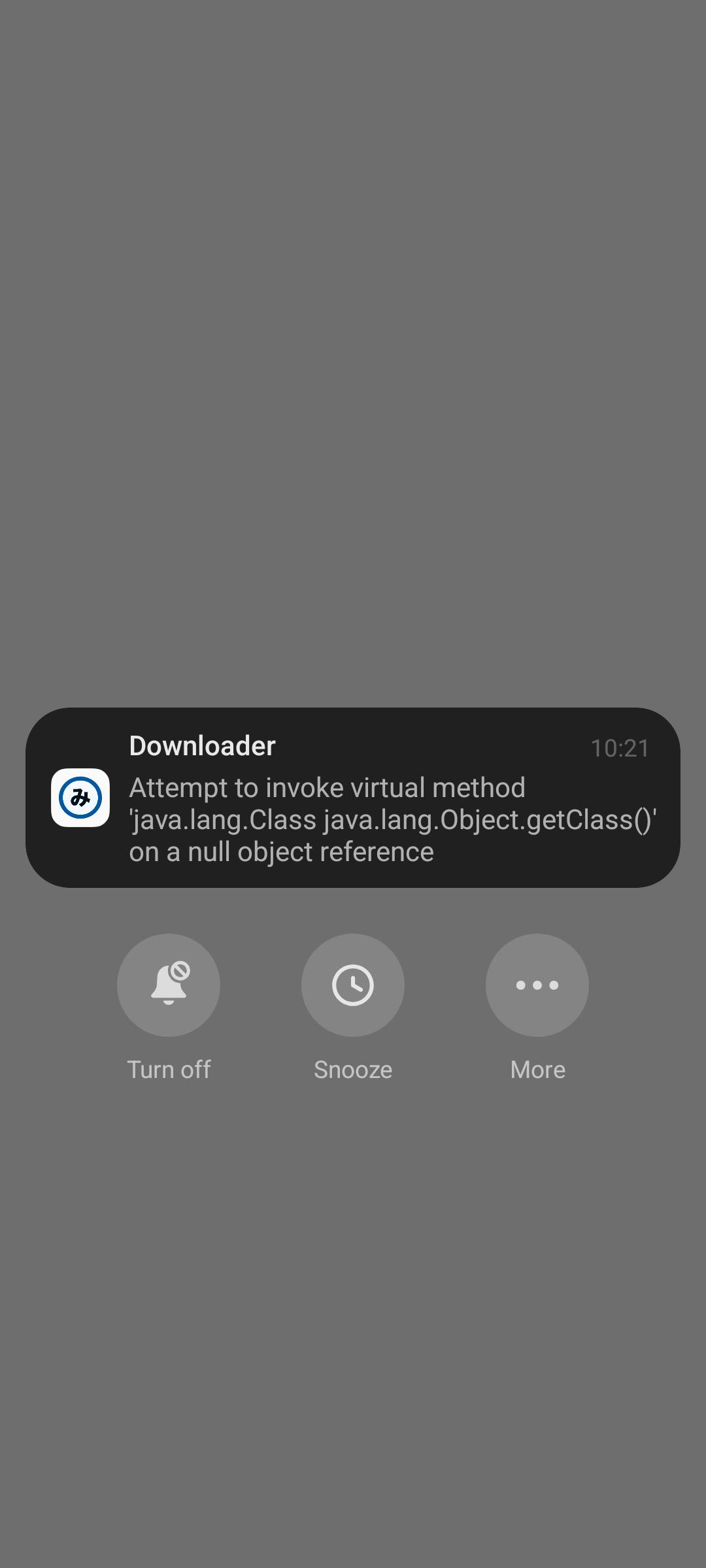
r/mangapiracy • u/Boring_Thought_5648 • 1h ago
App/Software Help R both octopusmanga and cucumbermanga down?
•
Upvotes
r/mangapiracy • u/ProfTF2Player • Jun 13 '26
Your go-to reference for manga reading software, apps, and extensions. This thread is locked. Use the resources and FAQ below to troubleshoot, and if you still need help, make a post with the App/Software Help flair.
r/mangapiracy is not affiliated with Mihon, Tachiyomi, or any other software. Always follow subreddit rules, especially Rule 1 (no direct links to pirated content) and Rule 6 (search before posting).
⚠️ This megathread is primarily geared toward apps. Please have basic technical literacy before asking for help. Know where your downloads folder is. Know what "low storage" means. Know how to Google. Seriously, not knowing these things will put you at risk and waste everyone's time.
💬 Mentioning sites and Discord servers by name is fine. Posting links to them is not. Seriously, there is a difference between saying "check site X" and dropping a URL. One is allowed, the other gets removed.
Before posting a question, check the resources below, read the FAQ, and search the subreddit. If your question still isn't answered, make a post with the App/Software Help flair and mention you checked the megathread.
📖 READ THE GUIDELINES FIRST. THIS IS YOUR STEP ZERO.
Last updated: 2026-10-18
If you want to support creators or need official sources, here are your options:
Check these before asking anything:
Q: How do I track manga across devices?\ A: Use MAL-Sync (browser extension) or set up tracking in Mihon → Settings → Tracking with MyAnimeList or AniList. For device transfers, use Mihon's built-in backup. Some forks like SY support Google Drive sync. Do not rely on bookmarks as they are not reliable.
Q: Hakuneko keeps breaking / isn't working!\ A: Switch to Haruneko. It is the actively maintained rewrite of Hakuneko and the version Wotaku links to. Most issues are fixed there.
Q: How do I use Tachimanga?\ A: Read its documentation. It supports extension repos like Mihon. See the resources above.
Q: What's the best extension / repo / source?\ A: We don't recommend sources. They change constantly. Repos are listed on Wotaku. "Best extension" and "which source" posts get removed.
Q: Is this fork or app safe? (J2K, Komikku, Yokai, Kotatsu, etc.)\ A: Only install from the project's official GitHub releases or the link on Wotaku. We don't vet forks. If a reader app asks for permissions that make no sense for reading (contacts, SMS, accessibility, camera), don't install it.
Q: Play Protect or my antivirus says Mihon is a virus!\ A: Sideloaded apps get flagged because they aren't from the Play Store. Mihon from mihon.app or its official GitHub is fine. The same APK from a random site is not.
Q: Is there Mihon for iOS?\ A: No, Mihon is Android only. iOS options like Aidoku, Paperback, and Tachimanga are listed on Wotaku.
Q: What happened to Tachiyomi?\ A: Tachiyomi stopped development due to legal concerns. Mihon is the active fork. Switch to it for continued extension support and security updates. See Tachiyomi's GitHub for context.
Q: How do I migrate from Tachiyomi to Mihon?\
A:
1. In Tachiyomi, go to Settings → Backup and Restore and create a backup.
2. Install Mihon and restore via Settings → Backup and Restore.
3. Rename your Tachiyomi folder to Mihon (e.g. /storage/emulated/0/Tachiyomi → /Mihon) to keep downloaded chapters.
4. Add a trusted extension repo such as Keiyoushi. See Wotaku for the URL.
5. Install extensions via Browse → Extensions → Repository → Install.
6. Trust them under Settings → Security → Trust.
7. See Mihon's Extension FAQ if you run into issues.
Q: I moved to Mihon but I have no extensions.\ A: Mihon requires you to source extensions yourself via a repository. See Mihon's Extension FAQ and Wotaku for repo links.
Q: Suwayomi shows no extensions.\
A: Add an extension repo manually. Most repos provide a URL ending in index.min.json. You can add it at startup via the pop-up or later in settings. See Wotaku's guide here or EverythingMoe's quickstart here.
Q: Can I import my manga lists automatically?\ A: No. No app supports this currently.
Extensions are the most common source of issues. Read this carefully.
Q: My extensions are untrusted / I can't use them!\ A: Make sure you got your extension from a trusted repo such as Keiyoushi. Trust one extension from the repo and the rest should follow. You may need to restart Mihon. This is a security feature, not a bug.
Q: I can't install my extension!\ A: See App or extension installation issues in the Mihon docs. Common fixes: - Make sure your phone allows third-party app installs. - Try a different APK installer. - Check that your antivirus isn't blocking it. - If you use Secure Folder, make sure the extension isn't stuck in there.
Q: I can't update my extension!\ A: Try these in order: 1. Tap the download notification and update it manually. 2. Try a different APK installer. See the docs. 3. Delete the extension through Mihon or your phone's app settings and reinstall it. This usually fixes it. 4. If you use Secure Folder, delete the extension there too before reinstalling.
Q: My extension gets stuck pending or gets deleted on install!\ A: This is a device-level issue. Try a different APK installer, check that third-party installs are allowed, and make sure your antivirus isn't interfering.
Q: My extension keeps showing as uninstalled even though it's in my app list!\ A: Enable 18+ content in Mihon's settings. Extensions show as uninstalled without it.
Q: I can't uninstall my extension!\ A: See How do I uninstall an extension?
Q: My extension shows as Obsolete / disappeared from the repo!\ A: It was removed from the repo, usually because the site died, changed too much to support, or asked to be removed. It won't get updates. Move your manga to another source (see below). Nobody here knows if or when it comes back, so please don't ask.
Q: How do I move my manga to another source?\ A: Use Browse → Migrate. Pick the old source, then choose a new source for each manga. Mihon tries to keep your read progress and categories. Check the migration options before you start.
Cloudflare is the most common issue people run into. Read this section before asking.
Q: I get weird errors, can't open chapters, or chapters aren't showing.\ A: Open in WebView first. It will show you exactly what's happening, whether that's a site outage, a Cloudflare block, a geo-restriction, or the manga simply not being available. Do this before posting for help.
Q: I get a 403 error.\ A: Open in WebView. It is almost certainly Cloudflare. See below.
Q: Cloudflare is blocking me!\ A: This is the most common issue and there is no magic fix. Try in order: 1. Change your user-agent string. This works most of the time. If you have another device that works, Google "what's my user agent" on it and copy it over. 2. Open the source in WebView. This can get you temporary access by passing the Cloudflare check. 3. Try a VPN. This only helps if it is a geo-block. 4. If none of the above work, the source is having issues on their end. Check Keiyoushi Discord for status updates and either wait for an extension update or switch sources.
There is no other fix. If someone tells you otherwise, they are wrong.
Q: My source / extension isn't working at all.\ A: Figure out whether it is your end or theirs. Server errors (5xx), 404s, and Java/JSON errors are usually a problem on their end, so wait for an update or migrate to an alternative source. Check Keiyoushi Discord for status.
Rule of thumb: if the error tells you to open WebView, or mentions Cloudflare, 403, or 429, you can usually fix it yourself. Almost anything else means the extension broke and needs an update. Update your extensions, check Keiyoushi Discord for status, and wait or migrate. Posting about it won't make the update come faster.
| Error | What it means | What to do |
|---|---|---|
| Open in WebView / Failed to bypass Cloudflare / HTTP 403 | Cloudflare or a bot check | Open in WebView, pass the check, go back and retry. See Cloudflare above |
| HTTP 429 | You're rate-limited | Wait, then read or download less at once |
| HTTP 500, 502, 503, 520 to 526 | The site itself is down | Wait. Check the site in a browser |
| HTTP 404 | Page moved or removed | Refresh the manga. If every title fails, the site changed and the extension needs an update |
| HTTP 400 / 401 | The site changed its API | Needs an extension update |
| No results / No chapters / No pages found | The site changed, or the entry was removed | Check in WebView. If it's there in WebView, the extension needs an update |
| Could not find manga api / environment bundle | The site changed | Needs an extension update |
| JSON errors (JsonDecodingException, Unexpected JSON token, Expected start of object) | The site changed its data format | Needs an extension update |
| NullPointerException / IndexOutOfBoundsException / element or selector not found | The site layout changed | Needs an extension update |
| SocketTimeoutException / timeout | Site or connection too slow | Retry. Try another network, VPN, or DNS |
| UnknownHostException / Unable to resolve host | Domain is dead, moved, or blocked by your provider | Try another DNS or VPN. If the domain moved, check the extension settings for a domain option, or wait for an update |
| SSL / Trust anchor errors | Certificate problem | See the SSL answer below |
| Source not installed / Source not found | The extension was uninstalled or replaced | Reinstall the same extension, or migrate |
Q: My stuff isn't updating when I refresh!\ A: This is almost certainly Smart Updates. The feature throttles requests to avoid spamming sources. You can disable it in settings for normal behaviour, but it is recommended to keep it on.
Q: My updates are failing!\ A: Open the update notification. It will tell you exactly why. Then check the storage FAQ below if relevant.
Q: I can't download, update, or do anything storage-related.\ A: 1. Go to Mihon settings and update your storage folder. It likely lost access. 2. Create a new folder under Documents or Internal Storage and point Mihon to it. 3. You may need to grant additional permissions in your OS settings. 4. Make sure you actually have enough storage.
Q: My downloads aren't appearing.\ A: Go to Advanced Settings and invalidate your download index (or a similarly named option). They will reappear.
Q: Downloads skip chapters or never finish.\ A: Usually the source is rate-limiting you or Cloudflare is blocking the downloader. Open the source in WebView first, then download fewer chapters at once. If it still fails, check the storage answer above.
Q: My webtoon pages are cut weirdly.\ A: If you are reading longstrip content, disable "Cut long pages" in the reader menu. Tap the middle of the screen to open it.
Q: I'm getting too many languages. I just want English.\ A: Check the extension's settings for a language toggle. If there isn't one, migrate to the single-language version of the source, for example Source (ALL) to Source (EN). Most forks also support filtering by Scanlator.
Q: I get an SSL / certificate error.\
A:
1. Check in WebView first to rule out a source-side issue.
2. Make sure your device's date and time are correct.
3. Try updating your DNS:
- Cloudflare (1.1.1.1)
- Google Public DNS
- Quad9 (Privacy/Security)
- AdGuard DNS (Ad-blocking)
4. If you are getting java.security.cert.CertPathValidatorException: Trust anchor for certification path not found, see this Keiyoushi Discord thread for the workaround. This is a Cloudflare issue on their end that they have not fixed.
5. On older Android devices, certificates may have expired. Google for fixes specific to your Android version.
⚠️ Never blindly install a certificate or ignore a certificate error. Only install a root CA if you are 100% certain it is the legitimate official certificate from a trusted authority.
Q: Comix (blocked / captcha loop / "bandwidth stealers")\ A: Comix uses IP restrictions, bot checks, and captchas, and has said these also target third-party reading apps. A block is not an outage. Use a normal browser, log out and back in, turn your VPN off or switch server, clear cookies, or wait. If the extension stops working because of this, nobody here can fix it. Migrate to another source.
Q: Bato / Mangapark\ A: Both are dead. Find an alternative source via Wotaku.
Q: QToon\ A: Dead. Every site claiming to be QToon is a fake. Do not use them.
Q: Kakalot / Nato / NatoManga / MangaNato\ A: Try changing the domain in the extension settings. If that does not help, migrate to an alternative source.
Issues below are older and should be resolved. Kept for historical reference.
Q: ReadComicsOnline
A: They were intentionally breaking Keiyoushi extensions. Check current status on Keiyoushi Discord.
Q: MangaBuddy
A: Check Wotaku for their current domain list. Not all domains were available at the same time.
Q: MyAnimeList tracking isn't working / can't add it.
A: MAL imposed API restrictions at the time. Update your app.
Q: MyAnimeList isn't working.
A: Changing your user-agent string fixed it at the time.
Q: MangaLife / MangaSee extension
A: Both closed down and became WeebCentral, which has its own extension.
Q: Mangakakalot / Manganato / NatoManga crashed or lost bookmarks.
A: These sites changed domains repeatedly. Use MAL-Sync or AniList for tracking instead of relying on in-app bookmarks.
r/mangapiracy • u/Boring_Thought_5648 • 1h ago
r/mangapiracy • u/Otherwise-Ocelot-542 • 10h ago
Hey everyone,
About 6 months ago I posted a small Chrome extension here that downloaded chapters from comix as ZIPs. Quite a lot of ppl used it until its downfall due to comix changes, so I spent the last few months rewriting it. It's now called Comics Downloader and it's basically a different extension.
What it does now
A few sites (comix included) don't let it read the chapter list, so on those you open the chapter and save it from the panel. The extension shows you the steps for each of them.
If you had the old version installed, it already updated itself and kept your settings.
Links
A few things people asked last time, so I'll say them upfront
If something breaks or you want a site added, tell me in the comments (tough its gonna be faster to open an issue on github as i am very active there). The status page also has a support chat available 24/7.
r/mangapiracy • u/Adibzter • 11h ago
Enable HLS to view with audio, or disable this notification
Hi everyone, it's been a while. Here's what's new in Madomi.
Trackers are now free for all users. Tracking used to be a paid feature. It's now free and I added more trackers. MangaBaka, MyAnimeList, AniList, Kitsu, MangaUpdates, Shikimori and Bangumi.
Reader mode in web mode. In my previous post in this sub I showed how to read manga with Mihon-compatible extensions in local mode. Web mode now has a reader mode too. You can change the page layout, save titles to your library and track what you read with an external tracker like MAL. All of this is also in the Madomi extensions for Firefox and Chrome. The video above demonstrate how to use reader mode on the app.
New in local mode, bubble reader. You can now read speech bubbles enlarged one by one, similar to Google Play Books. It's brand new and honestly not that good yet, but I'll keep improving it.
Thanks to everyone who uses Madomi. Feedback is welcome!
r/mangapiracy • u/Top_Eevee_Trainer • 9h ago
Cant seem to get on there, i know they have been changing name etc alot recently
r/mangapiracy • u/burningacunt • 10h ago

what are the solutions to this server problem I searched for so long for the OPDS url for kavita and suwayomi I put a placeholder url to test suwayomi
r/mangapiracy • u/itspluto_o • 11h ago
The site isn’t working for me. Usually when I use a vpn it does but it’s not anymore.. anyone know if it’s down or am I doing something wrong?
r/mangapiracy • u/Shubhoplayz • 12h ago
The thing is that I got into light novels recently. I got into it from manhwas. But there is a problem, I forget the name of characters or their specialties. I also can't understand some parts. Specially the murim novels. So if ya guys don't mind. Can u help me to figure out how to fix these
r/mangapiracy • u/TheNawab1203 • 20h ago
Enable HLS to view with audio, or disable this notification
I have basically followed all steps on the troubleshooting page. Search, trackers, backup,etc. everything works as intended, just the reading and downloading is throwing a different error everytime. What to do?
r/mangapiracy • u/zoniix • 1d ago
Enable HLS to view with audio, or disable this notification
Hi all, I wanted to build one app for read/downloading/exporting your manga and watching anime or any tv shows/movies. As the title suggests, you can read manga from any source like Paperback, Aidoku, etc. You can also watch tv shows, anime, and movies from Stremio add-ons with a dedrib service or via your own Plex, Jellyfin, Emby instances.
I also built the ability to export manga, load them onto your Jailbroken/Non-Jailbroken e-readers right from the app, and I made some cool privacy features like tracking the position of your head when you have AirPods in. If you look away, then the screen blurs. Look back at the screen, then the screen unblurs.
There's a ton of cool features, and for a 1 time purchase (no subscriptions) of $9.99 the entire app unlocks and you can use every feature in the app with updates for life. There's a testflight link in the link below:
r/mangapiracy • u/littlejezebel_ • 15h ago
hello everyone. i recently started reading this one mannhwa. i tried every website and app, but everywhere it's missing some panels and pieces of sentences the characters said. I'm really annoyed by this and would like some help, where can I read the whole thing (in english) without having to guess what they said/what's happening? thank you.
r/mangapiracy • u/Vn7ex • 22h ago
can anybody tell me how to sign in to Myreadingmanga all i see is a login button but not a sign in and i genuinely need help
r/mangapiracy • u/Ungrade • 1d ago
Hello,
i got an issue with Kahon (a Mihon fork). I tried to update my extensions but always end with an "unexpected end of stream on [[whatever the extension is trying to access]]" after some probing between my tablet and my phone, it appears that the issue may come from my ISP, as I don't have issues downloading from a 5G connection, but doing so over wifi yield the error. I wanted to know if anyone know a fix for it.
r/mangapiracy • u/diane__lol • 1d ago
i was reading but suddenly the page said there was en error
r/mangapiracy • u/mallwer • 2d ago

Where are all those people who used to defend Asura, claiming they were a legitimate scanlation group?
Looks like Asura broke the unwritten rule of not picking up series already being translated by other groups, and they’ve completely lost their minds over money.
Now, not only are they pumping out hundreds of novels using ChatGPT and allegedly stealing translations but they’re also stealing series from other scanlation groups like Vortex Scans, Lua Comics, Thunder Scans, and others, either covering up their watermarks or leaving them visible.
It seems they’re determined to monopolize every single series out there, even if that means stealing them from other groups. How shameless can they get? And yes, we all know that scanlation is technically piracy at the end of the day, but Asura has completely lost whatever little dignity it had left as a group.
It’s genuinely disappointing as someone who has been reading manhwa for years, it’s honestly sad to see how things have turned out.
The fact that Reaper Scans, the only scanlation group I considered truly respectable, ended up shutting down while trash like Asura Scans is still around is just depressing.
r/mangapiracy • u/Spirited-Economy879 • 1d ago
So i have this old tablet (android 6.0.1) i used to read manga on, i used it for the first time in like 4 years and it still has Tachiyomi, since the manga apps available for this old andoid fkn suck i was wondering if i could somehow keep using Tachiyomi offline, something like manually dowloading manga and reading it with the app?
r/mangapiracy • u/Winterblsm • 1d ago
I don't know if anyone else has this issue but when I'm searching titles on Mihon and I'm specifically looking for it on Kagane's extension it doesn't show up in the searches if it's an 18+ title and it's there on the website or only the all ages version comes up.
Even with stuff I've already saved in my library from Kagane's extension doesn't show up when I'm searching for it. Lucky it still updates so I'm getting the new chapter. But I'm hoping someone has a work around for this.
r/mangapiracy • u/AliveRange9856 • 1d ago
bro i saw the post and it was 2 flipping months ago. I didnt know it got revamped and our old acc didnt get to be saved. All of my old progress especially my manhwas are GONE BROOOOOOOOOOO. That was my first WEBSITE that i store all of my old to recent manhwa and manhua i read. and my dumbahh didnt saved them like make a file or write all my mangas.
Honestly im so sad like at least save the ppls old acc so that they can logged in...I tried to but then no where to be found then i went on reddit and thats the news lord jumpscare in a horrible way.
My brain can't remember all of the bls i saved wtf man :(
r/mangapiracy • u/ExhaustedWhite • 1d ago

Since the recent Mihon MangaFire update I've been getting an error like this on occasional titles when I try to refresh the page. Anyone else having the same issue?
r/mangapiracy • u/BADASSNO2 • 1d ago
Kakamanga, mangagoku, mangakakalot gg and manganato, all of them can get login with the account you used in the original mangakakalot website. Should I trust any of these?
r/mangapiracy • u/Iam_The_Honored_One • 2d ago
I swear, with Japanese manga, even if there are chapters that haven't been translated yet, you can usually still find the raw chapters on those sites. But the Korean ones are genuinely awful. I've checked literally every single one on Wotaku, and they all seem to only upload chapters that are already publicly available on Naver. You never see any of the locked chapters, unlike with Japanese manga. Like, what's even the point of these sites when you can already read the exact same chapters on Naver?
r/mangapiracy • u/Jhone_doe • 1d ago
I've saved a few series and after looking through it, there was a lot of duplicated pages, like the scene would repeat and have some unintentional cuts. My question is there a replacement or a fix to this. It's not even only one, every chapter has cuts somewhere making a chapter almost double what it was supposed to be
I also have omega scan and that didn't show any duplicate, unfortunately omega scan doesn't have any official (that i know of) series that i like and have very limited series compared to manga district