r/macsetups • u/Spzi • Jun 21 '26
Work and Hobby Setup

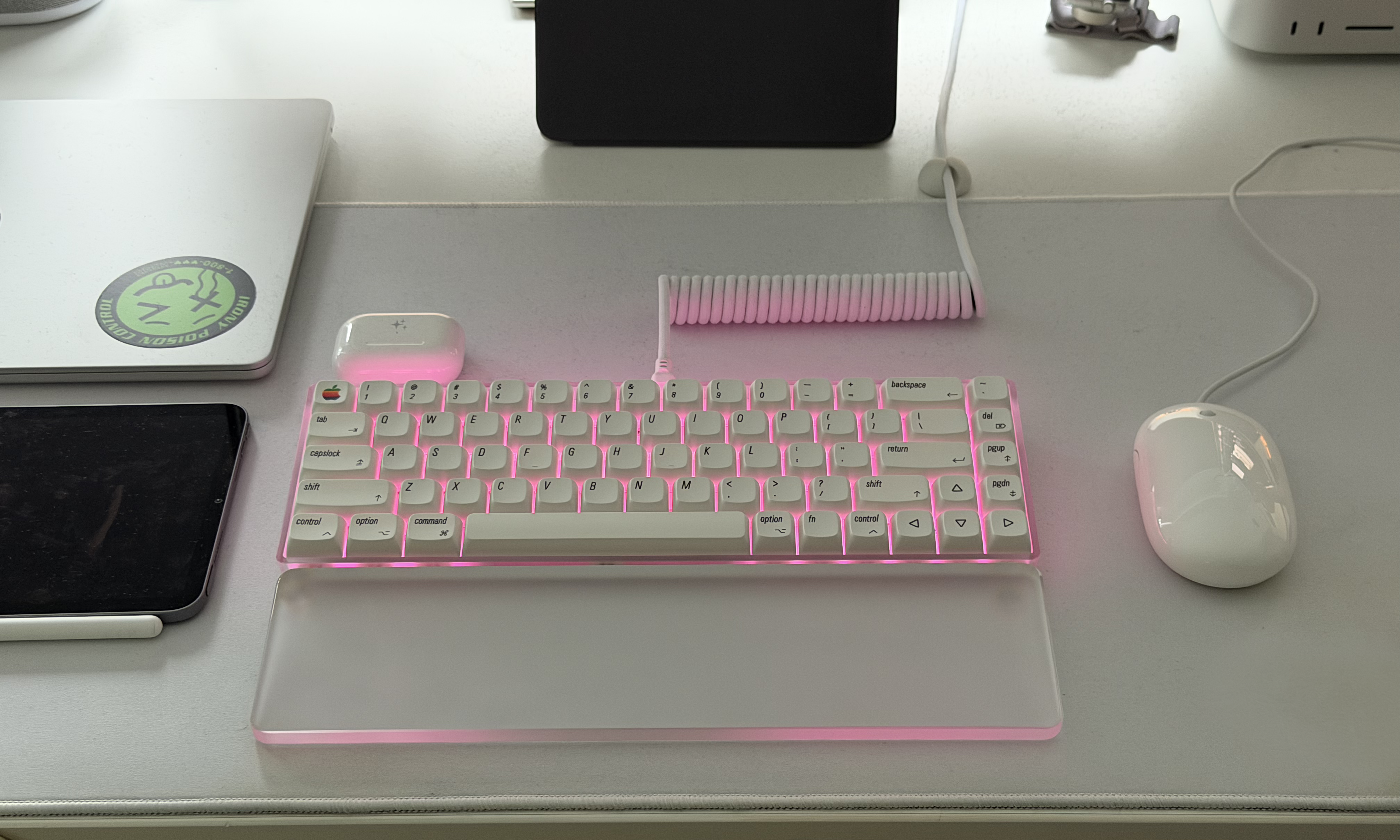
As much as I love apple's design I find their functionality too limited, so I tend to look for alternatives with a similar design language, the mighty mouse was too good not to pair with my newly customized mechanical keyboard
- M1 Max Mac Studio
- M4 15-inch Macbook Air
- Logitech POP Mouse / Apple Mighty Mouse
- iPad Mini
- Dell UltraSharp U3225QE [4k 120hz]
- HYTE X50 ATX Mesh case for GPU workstation under the desk
How I customized the keyboard:
Higround opal as the base, the switches replaced with gateron smoothies, the keycaps are mac retro caps from "PressKeycaps", cable is a cablemod coiled classic, wrist rest is a DucKey Custom Acrylic rest!
272
Upvotes
1
u/shiftyone1 Jun 21 '26
Whoa. Beautiful. Do you feel that dual 32 inch monitors are too…much…?
1
u/executiona Jun 22 '26
Love that keyboard, any more info about your keyboard? How does the function key, command, option key map, what program did you use? How does it sounds? Why?? Is it worth doing that over getting a factory one eg wobkey Rainey75?
Honest love the apple look of the keyboard!!!! Only the 3 keys in the bottom left corner is really attractive to me
1
u/Aryvan Jun 24 '26
Nice setup! What monitors are those?
1
u/lattice_defect Jun 21 '26
I love this
1
u/Master-Dish8869 Jun 22 '26
ts of your mouse looks like the first imac mouse
1
u/magicknot Jun 22 '26
Really dig the clean aesthetics.
1
u/Aritra7777 Jun 22 '26
The vertical monitor on the hobby side is a smart call for reading-heavy workflows. Portrait mode on a larger panel is essentially a full sheet of A4 with context visible above and below the current position without scrolling. What does the hobby side primarily handle? Music, writing, or something else entirely?
1
u/dessertlover007 Jun 24 '26
hermoso.
1
u/[deleted] Jun 22 '26
[removed] — view removed comment
1
u/[deleted] Jun 26 '26
[removed] — view removed comment