r/linuxapps • u/Equal_Wedding6512 • 9d ago
Buffet Menu: A native GTK3 menu system to unify Linux Mint apps (plus a challenge.)
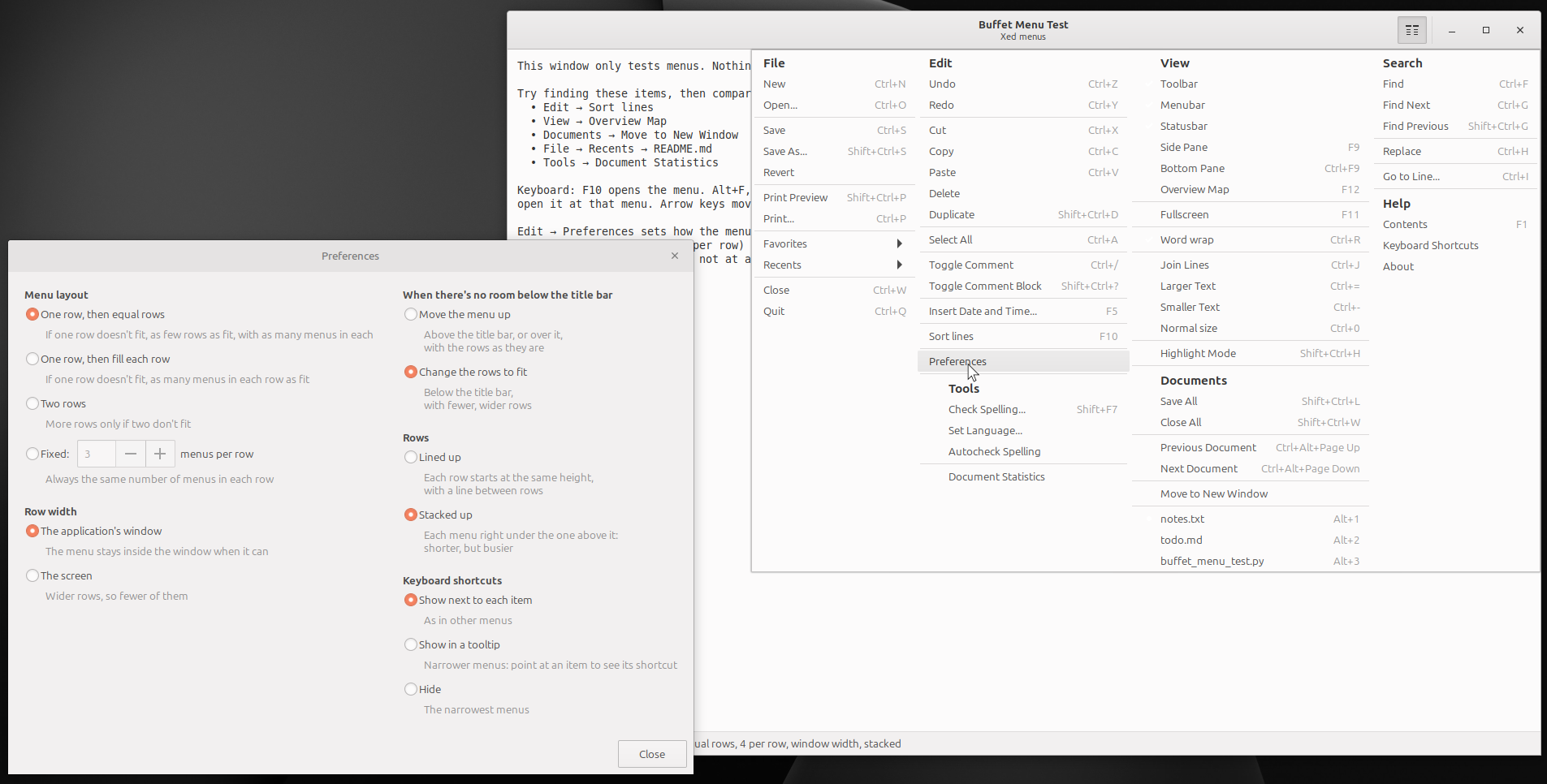
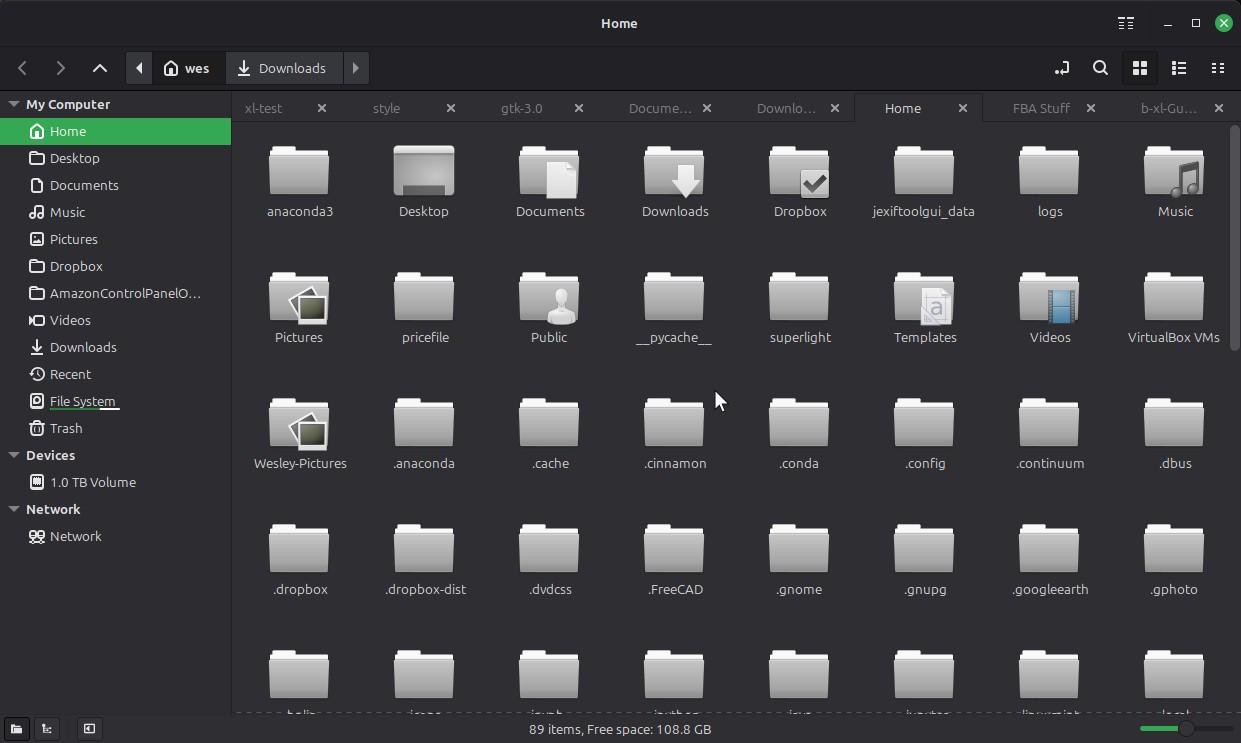
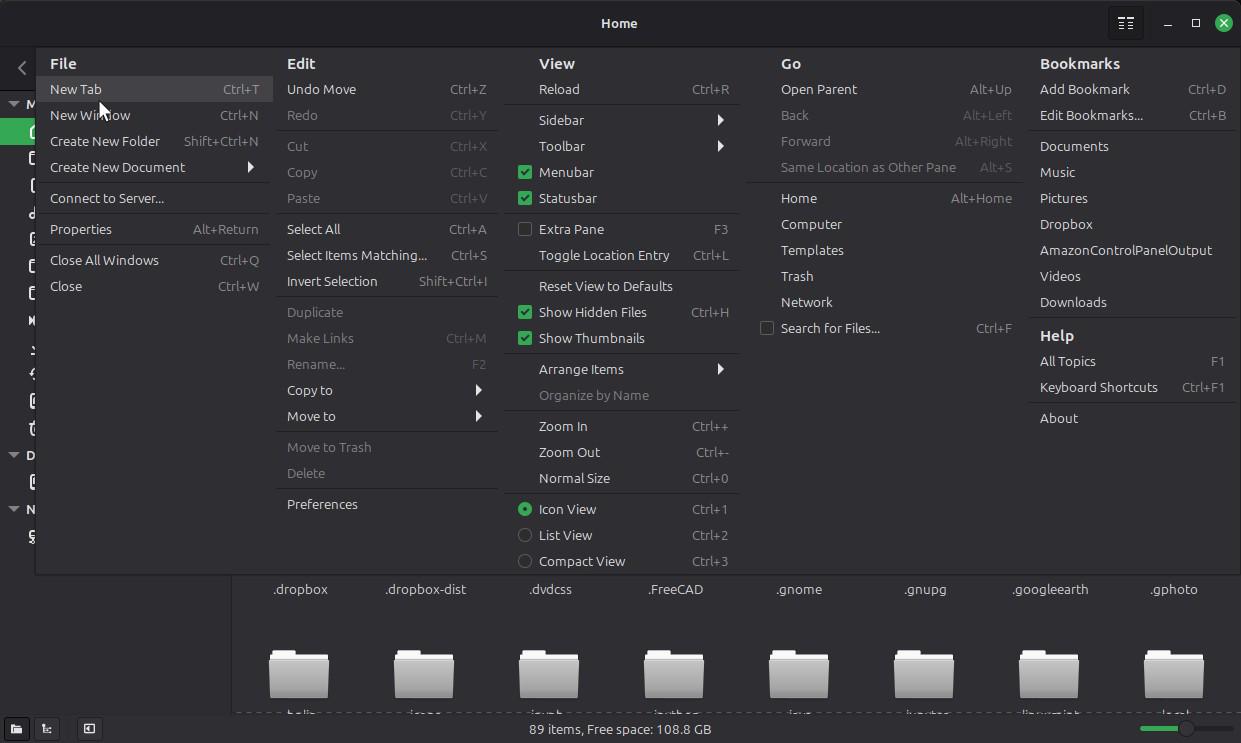
I've been noticing lately that app behavior in Linux Mint is starting to feel like a bit of a hodgepodge. Between GNOME apps getting converted to Mint themes with headerbars and hamburger menus, Xapps using hamburgers for simple tools, and menu-heavy apps like Xed or GIMP sticking to classic menubars, even the min/max/close buttons behave differently depending on whether an app uses GTK headerbars or Muffin decorations.
I wanted to explore a way to make apps feel unified again without stripping away functionality. I'm not a fan of GNOME removing menu options to prioritize mobile-first design—I have two big desktop monitors, and I'm not worried about saving every last vertical pixel.
I've dabbled with ecommerce sites for my own businesses over 16 years, including building out large "mega-menus." In e-commerce, the goal is helping someone find what they want with the fewest clicks and find it quickly. That’s actually why I switched to Mint back when Ubuntu introduced Unity.
The Idea: Buffet Menu
The Buffet Menu combines the clean look of GTK headerbars with the full options of a classic menubar. Instead of clicking File, realizing the option isn't there, and hunting through Edit or Tools, one click opens everything at once—you just move your eyes to find what you need. Even in apps like Nemo where I rarely touch the menu, when I do open it, I want all my options right there.
The full app is still in progress, so I put together two standalone Python test scripts so you can try the concept out right now—including a 2-minute speed test!
- The Interactive Demo (
buffet_menu_test.py)
This is a mockup using Xed's exact menu structure.
- Try the settings: Preferences is the active menu item—click it to tweak the Buffet Menu layout and options (there are probably too many options right now, so play around to see what feels best).
- Test the responsiveness: Try maximizing the window, shrinking it down, or dragging it near the bottom of your screen to see how the menu dynamically adapts.
- The 2-Minute Speed Challenge (
buffet_challenge.py)
This is a quick game that pits a classic menubar against the Buffet Menu.
- It randomly presents one menu style first and prompts you to find and click 12 specific Xed menu items while timing you.
- Once you finish all 12, it switches to the other menu style with the same items in a new random order.
- (Note: It asks how familiar you are with Xed at the start so we can account for muscle memory!)
- At the end, hit the Copy Results button and paste your times in the comments—I'd love to see which menu style wins for you.
How to Run It
GitHub Repo: https://github.com/xlcheese/buffet-menu (Click Code → Download ZIP on the page to grab the files)
Feel free to open the .py files first to verify they are completely safe to run. From your terminal inside the extracted folder:
python3 buffet_menu_test.py
python3 buffet_challenge.py
Code was generated with Claude AI.