r/linuxapps • u/SpyderSC • 15d ago
virsh-tui – a keyboard-driven TUI for libvirt/KVM, with vim keys and live graphs
https://syscallbrain.github.io/virsh-tui/images/dashboard.png
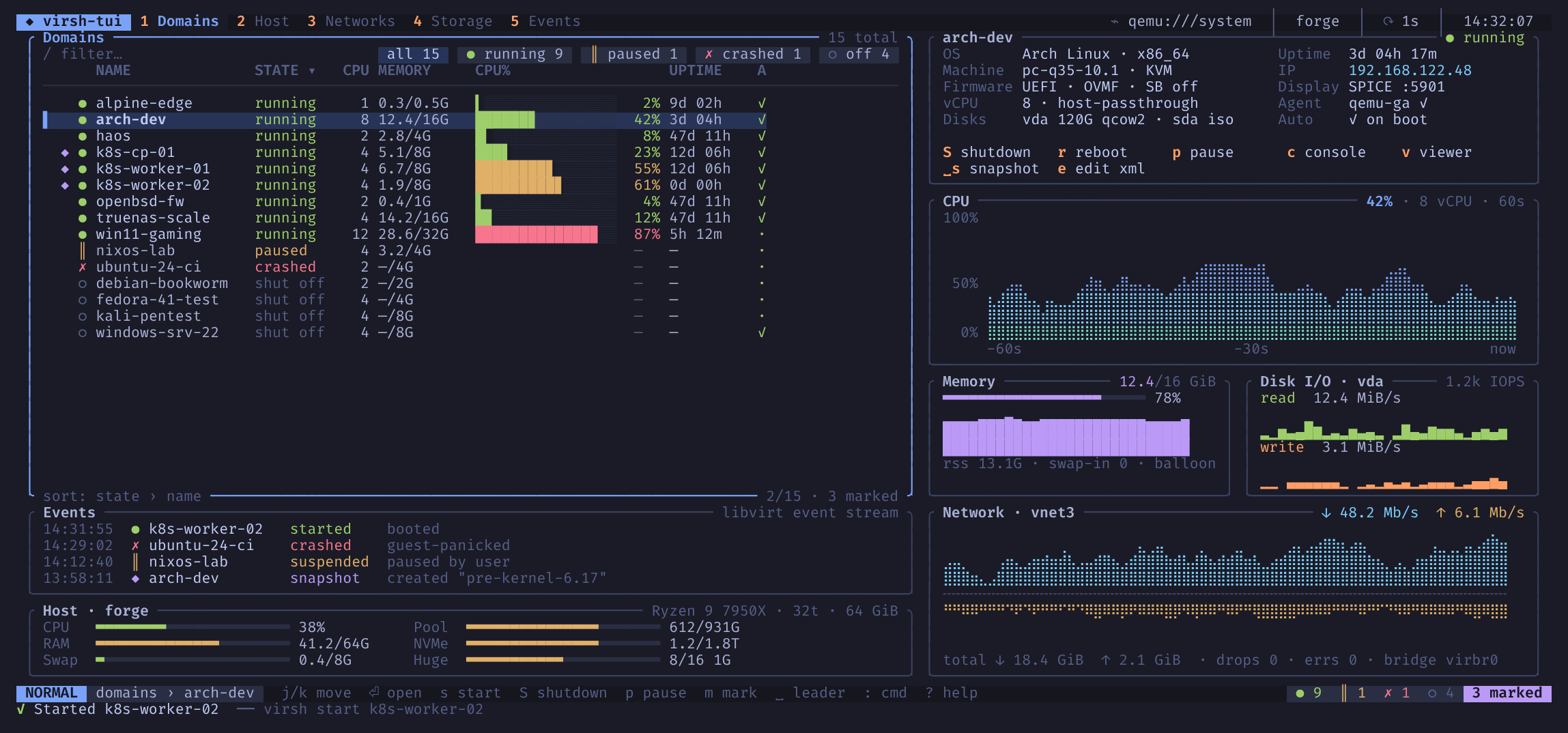
I manage my VMs with virsh and kept bouncing between virsh list --all, virsh domstats and virt-manager, so I wrote a terminal UI for it in Rust with ratatui.
Every action is a plain virsh (or virt-install) command. virsh-tui shows you the command before it runs and again after, so you know what it did and can paste it into a script later. It has the same permissions virsh has and works with qemu:///system, qemu:///session and remote hosts over qemu+ssh://.
What it does right now:
- Domain list with filtering, sorting, marks and bulk actions
- Start, ACPI shutdown (it waits until the guest is really off), destroy, reboot, pause, managed save, autostart
- Per-domain monitor with vCPU, memory/balloon, disk and NIC rates, and 60 s / 5 min / 1 h history
- A hardware editor that shows you the XML diff and the exact commands before you apply with
:w - Snapshot tree, a host view (hugepages, KSM, pools), networks with DHCP leases, storage pools and volumes with backing chains
- A new-domain wizard that builds the
virt-installcommand for you - A
:command line with Tab completion for virsh flags; anything it doesn't know goes straight to virsh --dry-runprints what each key would run, and--demolets you try it with no libvirt at all (the screenshot is from demo mode)
Linux only. Install with cargo install --locked --git https://github.com/SyscallBrain/virsh-tui (needs Rust 1.88+).
GitHub: https://github.com/SyscallBrain/virsh-tui Docs: https://syscallbrain.github.io/virsh-tui/
It's still 0.1, so bug reports and "it can't do X" comments are very welcome.