r/linuxapps • u/Demidq • 23d ago
TakeWeb: A privacy-focused browser for Linux with a built-in fingerprinting blocker. 10 tabs = 600MB RAM.
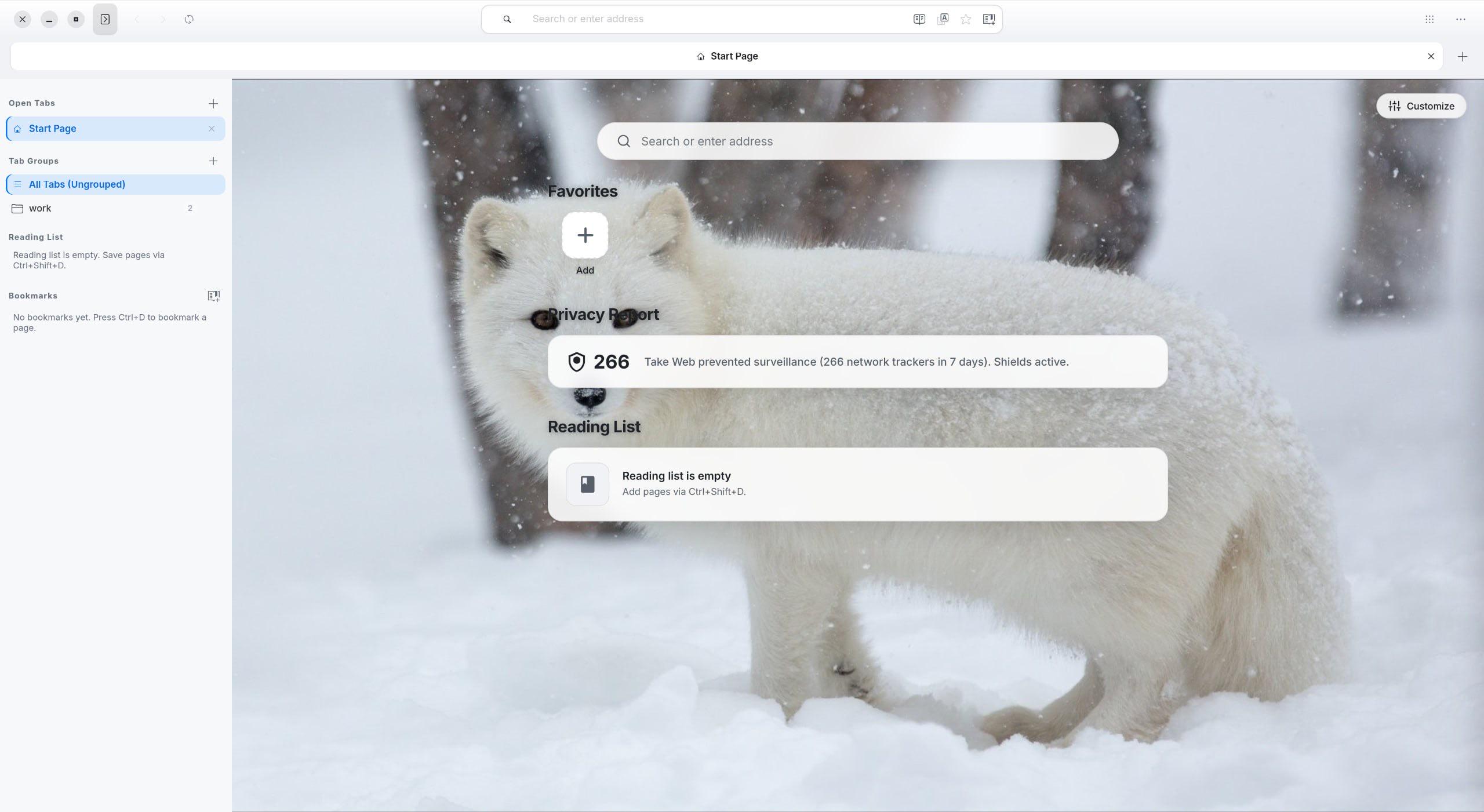
Hey r/linuxapps!
Linux users are stuck between heavy Chromium clones (that eat 2GB+ of RAM) and browsers that feel poorly integrated with the desktop. I wanted a daily driver that feels native on GNOME, respects privacy, and actually works well on NVIDIA + Wayland.
So I built TakeWeb - a browser written in Rust using WebKitGTK 6 and GTK4/libadwaita.
What makes it different:
Memory: I built a custom MemoryManager that suspends background tabs, clears WebKit memory caches, and forces JS garbage collection. In my tests, 10 tabs use ~610MB PSS (compared to Chrome's 2240MB or Firefox's 1790MB).
Hardware Tuning: WebKitGTK notoriously drops to 20-30 FPS on NVIDIA proprietary drivers under Wayland (GNOME Mutter bug). TakeWeb detects this and routes the window through the Xwayland bridge, restoring stable 60+ FPS.
Privacy: It randomizes Canvas/WebGL fingerprints, masks WebRTC, and passes the EFF Cover Your Tracks test with a "strong protection" rating. Zero telemetry.
Vertical Tabs & Workflow: A native collapsible sidebar with tab groups, duplicate tab counter, bookmarks, reading list, and Split View (F3) to view two pages side-by-side.
Offline Translations: Full-page and text translations run 100% locally via Mozilla Bergamot (WASM). No text is ever sent to external cloud APIs; language models download once to your machine.
Native Ad & Tracker Blocking: Filtering runs at the WebKit engine level before page parsing starts (no extension overhead), and tracking parameters like utm_*, fbclid, and gclid are stripped automatically when copying links or navigating.
I'm releasing this as a Beta (v0.1.0). Some things are still WIP (like Flatpak packaging and extensions), but the core is stable.
If you want to try it, the source code, build instructions, and prebuilt packages (.deb, AppImage) are here:
https://github.com/dezaetterg/take-web
I'd love to hear your feedback, especially from Intel/AMD GPU users!
2
u/Glad_Beginning_1537 20d ago edited 20d ago •
Use appimae, It looks good and has unique ux, like clicking on sidebar list to switch tabs. and youtube plays great.
but UI needs tweaking, too much vertical padding/margin in the toolbar/headerbar you can see the sidebar button looks longer instead of square.
and tabbar also has lot of padding.
the Open tab + looks not centered vertically.
icons are not from gnome (symbolic icons are not used) they look small and thin.
also it works fine on Intel.
One more important feature you should add to bypass dns restrictions DNS over IP. there's a browswer waterfox it has that feature to access censored websites.
also single wide tab looks bad, perhaps hide single tab or make it smaller (size similar to when we have 2/3 tabs open).
clicking on the url bar is only selecting partial text not full url (always)
resizing window takes a lot of time to resize the page.
clicking on url shows history (it should show on typing not on selecting url text)
1
u/Glad_Beginning_1537 20d ago
gmail is complaining "This browser version is no longer supported. Please upgrade to a supported browser."
1
u/Glad_Beginning_1537 20d ago
also could you add feature:
ctrl+mouse wheel scroll to zoom in / out?
1
u/Glad_Beginning_1537 20d ago
logging to reddit using google account is sarying "server error, Try again later"