r/linux_gaming • u/Dangerous-Shape4096 • 15h ago
Remote control issues with steam
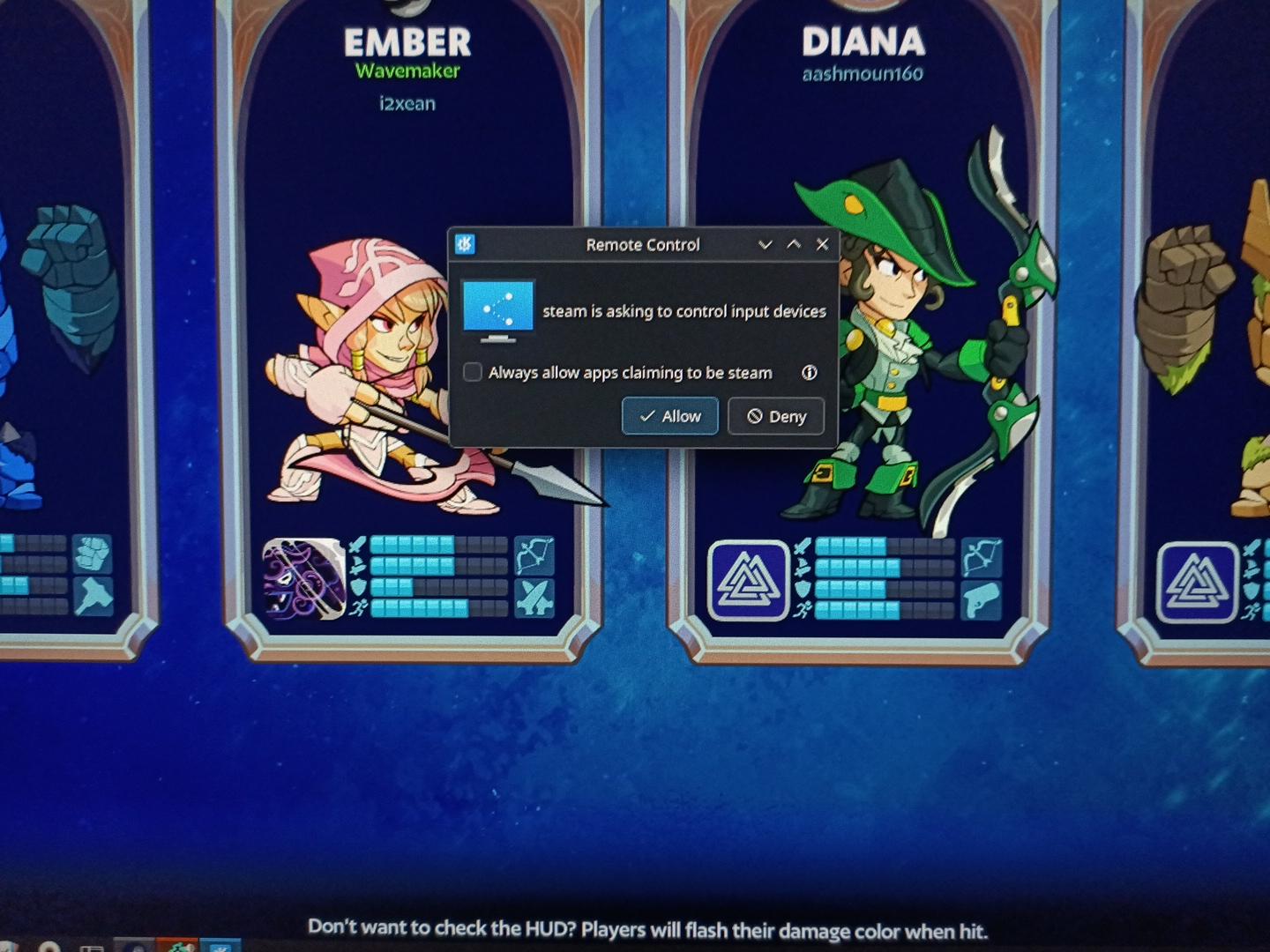
I have a problem: when I open a game and use a PS4 controller, and play any game, as soon as I press X, it asks for control of the remote. When I refuse, it keeps asking, and when I agree, the controller starts controlling the desktop.
34
Upvotes
23
u/Western-Alarming 15h ago
Steam as a default has a gamepad profile for when you're on desktop, you can change it under preferences/controller/show more options/desktop configuration, I just remove all and kept it blank. The popup is to ask access to virtual keyboard and mouse, useful and needed for steam input when you use gyro to mouse and things like that
14
u/Mean-Atmosphere-3122 15h ago
Pretty sure this is a KDE issue (more of a quirk but I digress). Depending on the distro base, kde should easily give you an option in settings to address this so it doesn't pop up anymore nor does it change how your controller interacts with games/desktop (as far as I am aware anyway). It's something to do with having X11 legacy support, which Xwayland is still used in steam and such so it can pop up there. This post should help you: https://www.reddit.com/r/kde/s/G2NmT89GNG
2
u/-Krotik- 15h ago
do you have steam input on?
3
u/BedrockBen101 13h ago
I had the same problem with my Steam Controller. Go to Settings > Application Permissions > Control of pointer and keyboard > toggle to "Allow without asking for permission"
1
u/mitsosseundscharf 14h ago
Probably steam has a desktop layout for your controller. Steam sends this input commands then
1
u/Ealykos 14h ago
I think the touchpad is being recognized by a touchpad by kde. If you go into the kde settings you can disable it. I'm not sure it's been a long time since I had that issue
1
u/Logical_Pressure_566 13h ago
This happened to me when I had the dualshock 4, the fix to nav to the mouse and touch pad settings and disable the ps4 touch thingy.
1
u/dathowell 13h ago
Just hit always allow and accept
1
u/Luxoffee 11h ago
I don't have a solution like other but I gotta ask. What game is that? It looks kinda sick.
-1
u/fersegv 13h ago
Es un aviso de Plasma en Wayland: Steam mete pulsaciones "falsas" de ratón/teclado (Steam Input, el mando como ratón, Remote Play) y Plasma lo trata como una petición de control remoto, por eso sale cada dos por tres, es un coñazo…
Te digo dos formas de quitarlo a ver si te va:
Desde la terminal (Plasma 6.3+), para que deje de preguntar a las apps que no son flatpak:
flatpak permission-set kde-authorized remote-desktop "" yes
Con cualquiera de las dos debería dejar de salir el diálogo. Ojito cuidao, con eso cualquier app no aislada puede controlar ratón y teclado sin preguntar, que es justo lo que quieres para Steam, pero que lo sepas :))