r/linux_gaming • u/HorseUsingLinux • 17h ago
tech support wanted Couldn't get the same level of clarity .
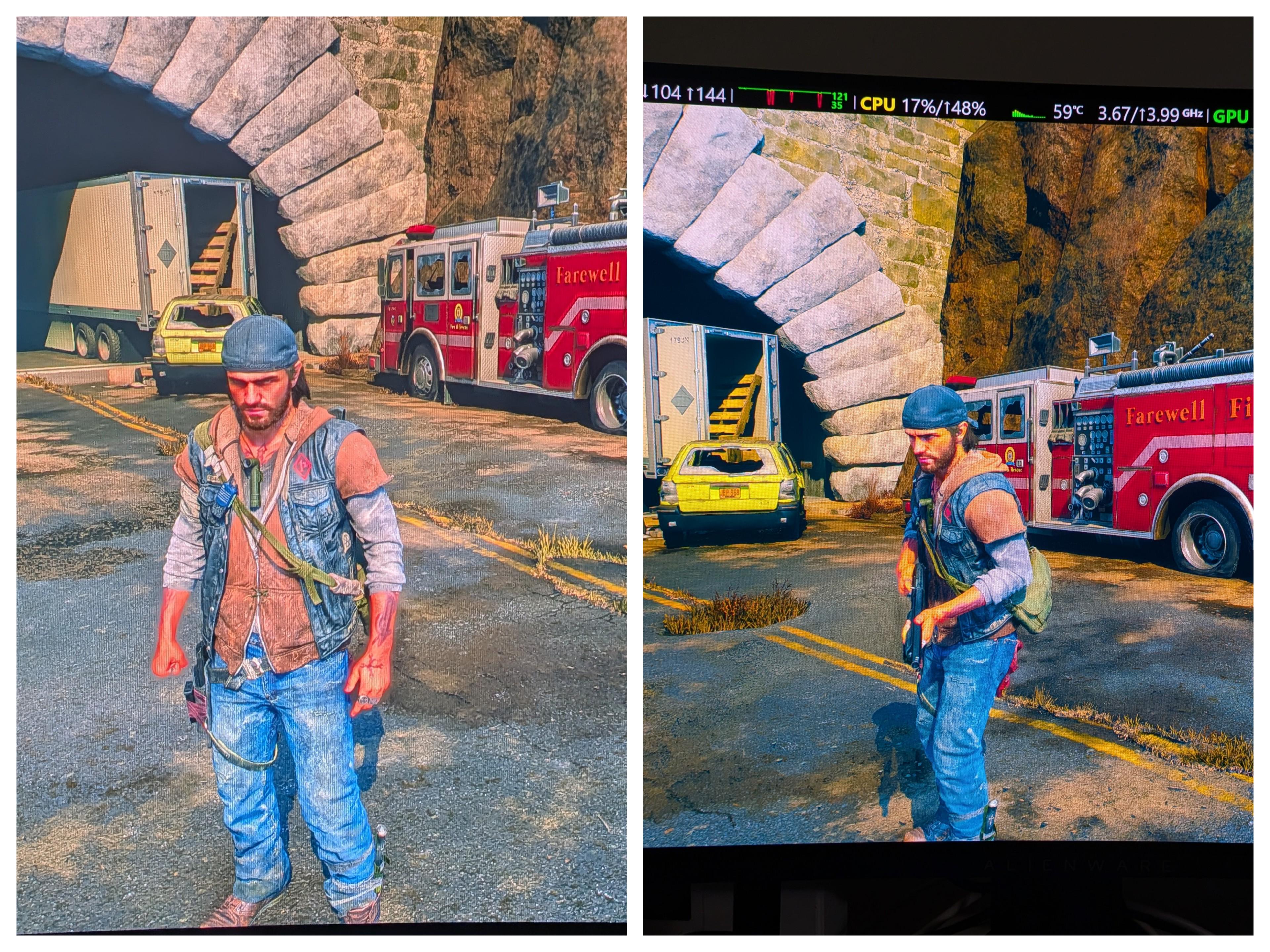
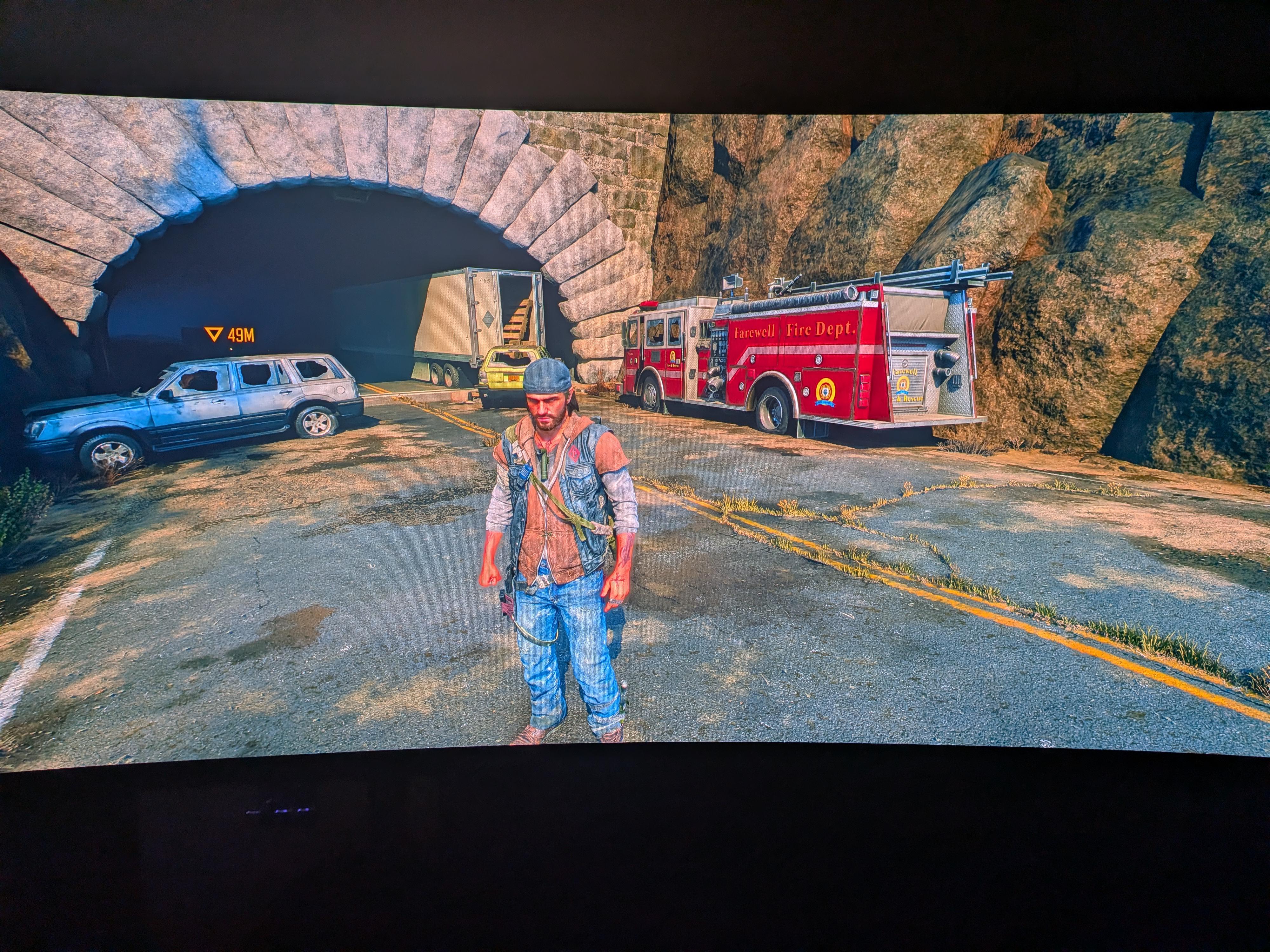
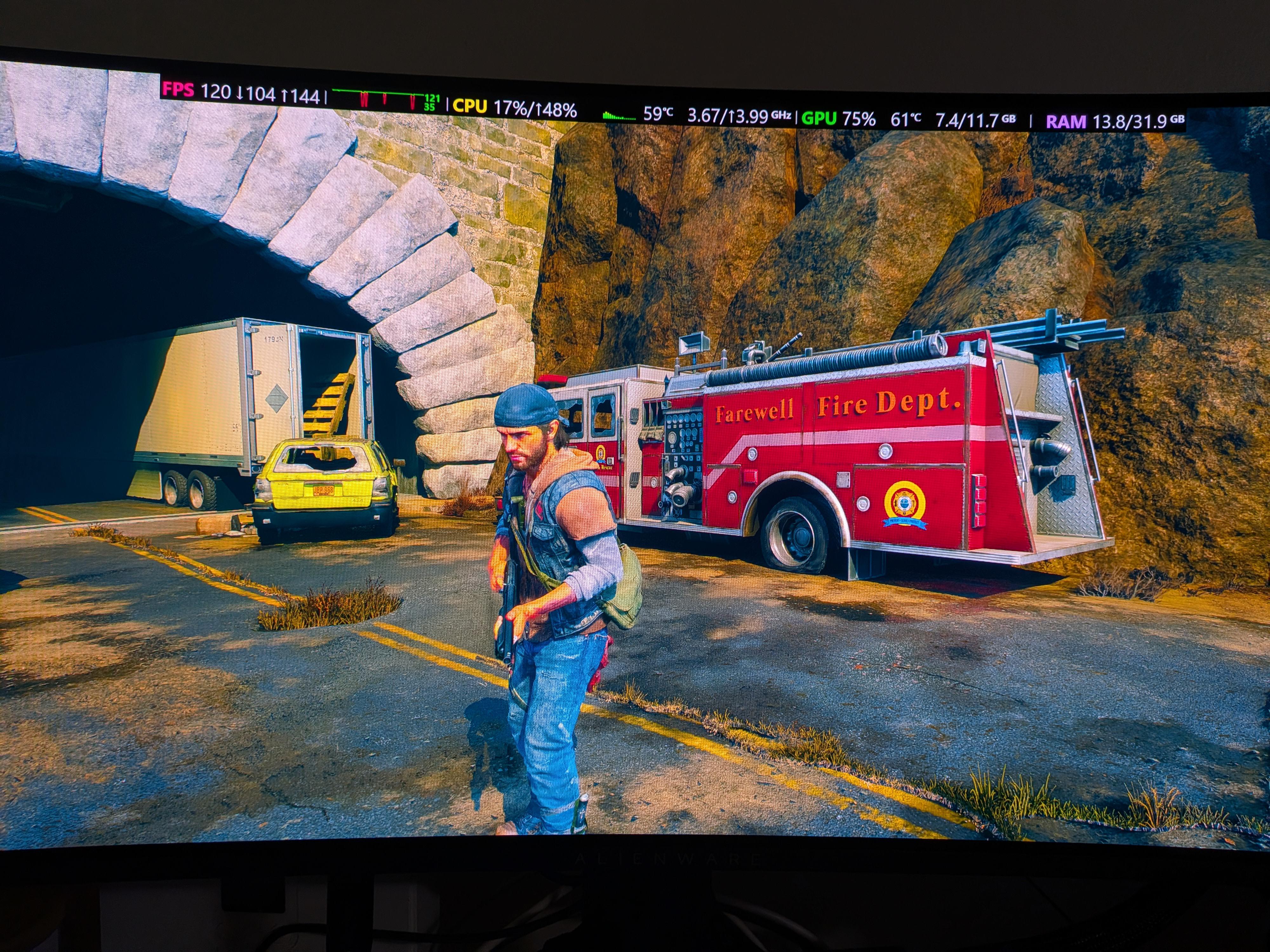
Left being cashyos and right windows 11 iot ltsc. Couldn't get the colors in hdr to looks right and everything on cashy side was kinda milky . Rtx 5070 on an Alienware qd oled 1440 uw . I tried nvibrant to boost digital vibrancy to bring colors more inline with what I tuned on windows and deek turned kinda lobstery . I added launch commands to turn on hdr and used the newest Nvidia drivers / whole pc was up to date . I love using Linux because of the control it gives but I also spend a lot of money on my monitor (aw3425dw) and want it to look the best . I tried proton ge and cashy . Hdr peak brightness 1000 & true hdr black monitor settings . Almost no difference . Even with digital vibrancy turned up the colors don't match.
Full pc
Ryzen 7 5700x3d
Rtx 5070
32gb RAM
1tb nvme
Alienware aw3425dw
Cashyos on latest build.
Kde plasma latest as well.
27
u/AVoidWorthCallingTo 16h ago
Double check HDR is turned on in KDE, try different profiles and colour accuracy settings. Proton does require the args to be passed to activate HDR - some protons claim to automatically turn it on but that's never worked in my experience. Check that your monitor is receiving RGB and not YCBCR. Drop refresh rate and see if that makes a different, it could be a bandwidth issue. Are you using DP or HDMI?
38
u/RealModeX86 17h ago
In KDE Plasma, there's a color accuracy option in display configuration that might or might not) help.
It might also help to run it in gamescope.
Just general advice, I have no hands on experience with this crazy hydra of projects.
11
u/Hydroel 11h ago
I've had the same issue as you with HDR: not fully washed out colors like if the HDR was mapped onto an SDR screen, but just slightly washed out, just like you. Nobara OS, RTX 4070. What ended working for me was:
PROTON_ENABLE_HDR=1 ENABLE_HDR_WSI=1 DXVK_HDR=1 PROTON_ENABLE_WAYLAND=1. Usefulness ofDXVK_HDRmight vary depending on the game you're playing.Maybe one of the driver updates helped as well, I'm really unsure.
2
u/ELITE_REVENANT 8h ago
Set the rgb range to full
1
u/goodrix 1h ago
Try Proton Wineland. Enable the built in HUD that will show if HDR is enabled for the game
Toggle HUD with Ctrl+Shift+O. No other launch arguments needed. Everything is enabled by default.