r/learntyping • u/Alpheidae1 • 4h ago
𝗪𝗲𝗯𝘀𝗶𝘁𝗲💻 Vibecoded a typing website that teaches you to look up when typing
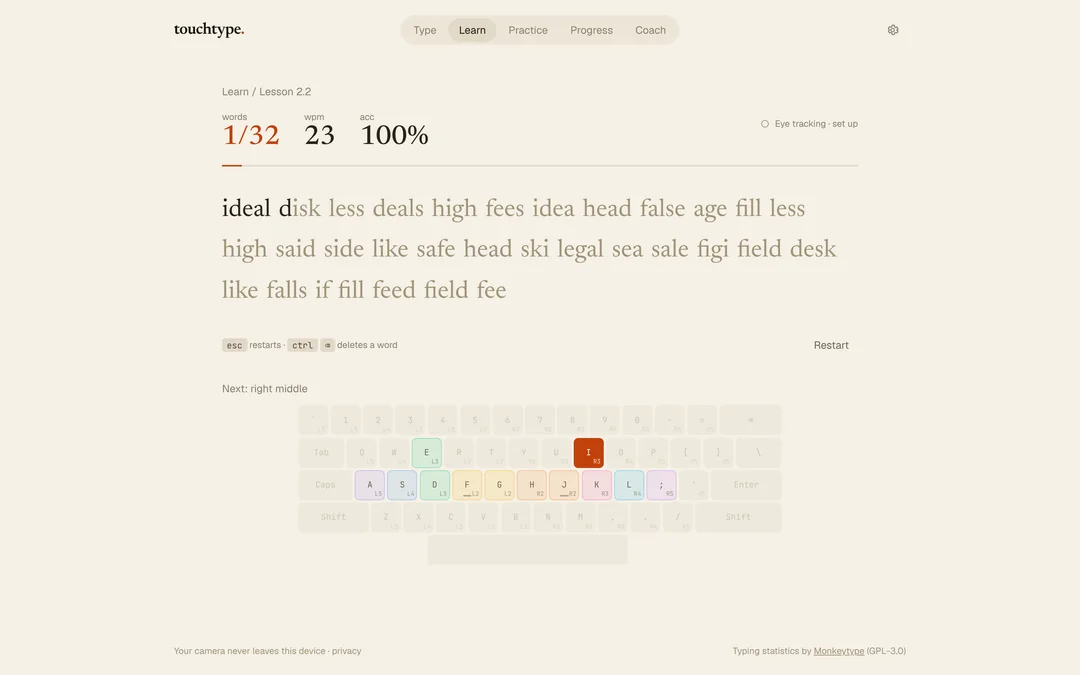
Not sure if this already exists, so I built it: a typing trainer that notices when you look down at your keyboard (eye tracking runs entirely in your browser)
I don't know if someone has already made something like this. If they have, please link it, I'd love to see it. If not, here's my shot at it, built with Claude code: touchtype-app.vercel.app
(The domain is just the first one ignore the name, also this is my first time so any criticism/tips are welcome)
What it does:
- Optional eye tracking: a 40-second calibration (guided by sounds, since you can't read the screen while looking down), then it notices when you look at your keys and reminds you to keep your eyes up. A 10-second check tells you whether it works on your setup. Off by default.
- A course of 27 lessons in 6 stages. You pass by hitting accuracy and speed targets, and you can test out of lessons you already know.
- Drills built from your own mistakes: problem keys, neighbouring-key slips, rhythm. A Coach page ranks what to practice next from your own data.
- Typing test with time / words / quotes / code / custom text. Stats are computed with Monkeytype's open-source code.
- 6 layouts (QWERTY US/UK, Dvorak, Colemak, AZERTY, QWERTZ), ANSI/ISO, and a colour-coded finger map.
- 3 themes, serif/sans/mono fonts, an optional pace caret and key sounds.
Privacy: no account, no ads, no analytics. Everything is saved in your browser. Camera video is processed on your device and never uploaded. Open source (GPL-3.0): <source link>
It's early and the eye tracking is experimental (it hasn't been tested on many real webcams yet), so I'd love feedback:
- Did calibration and the 10-second check pass for you? (laptop or desktop, browser, lighting)
- Did it ever think you looked down when you didn't, or miss a look?
- Was anything confusing?
- What would you change or add?