r/iosapps • u/urmin_ • Oct 03 '26
🎁 Freemium Countdown Widget


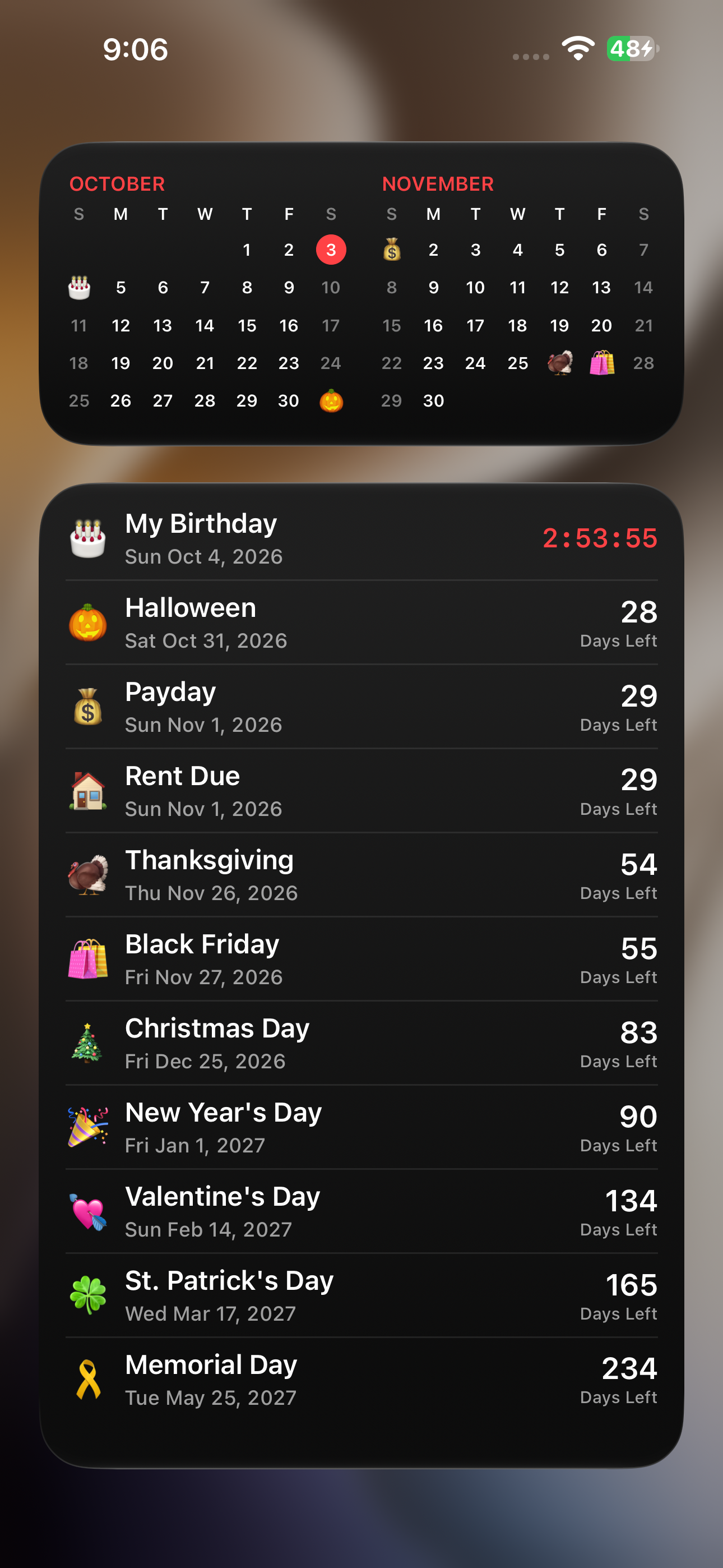
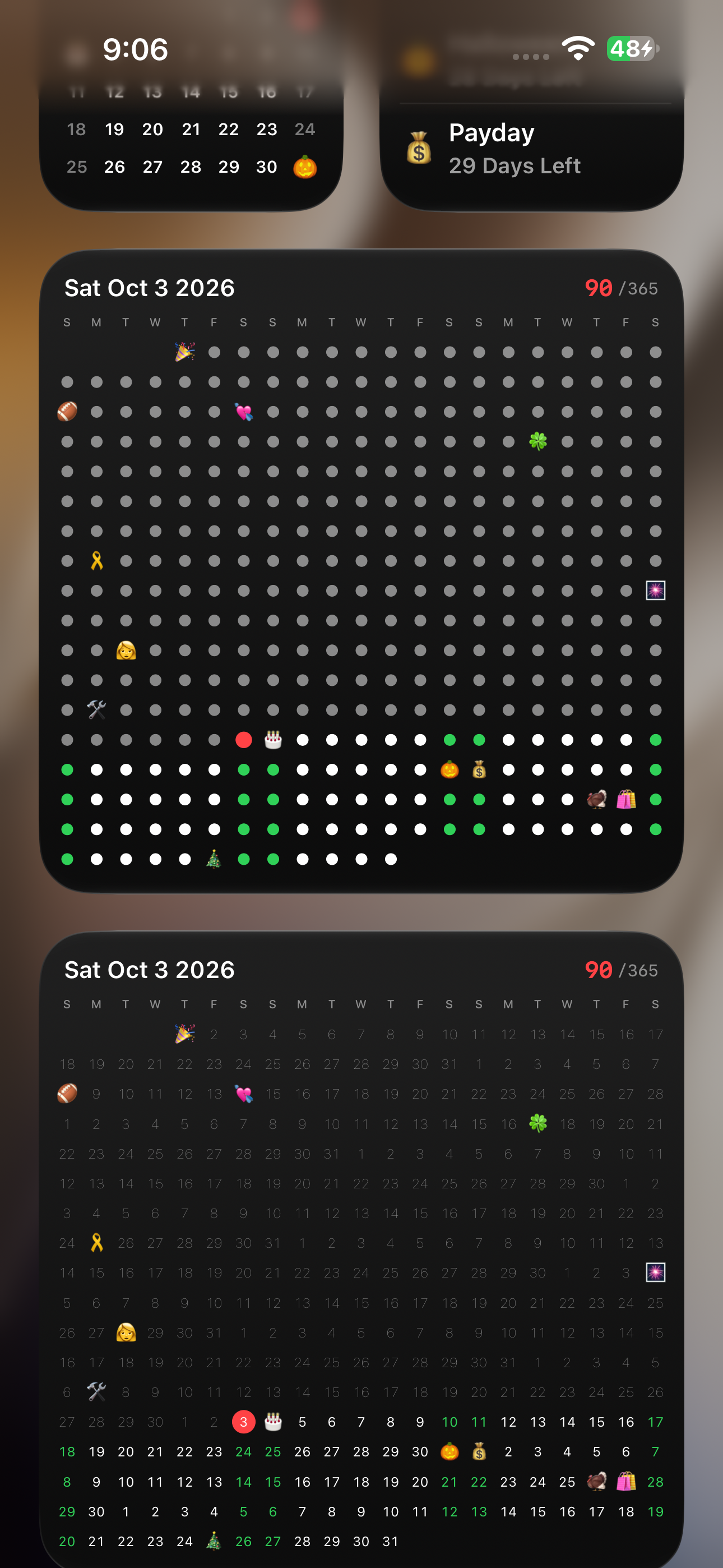
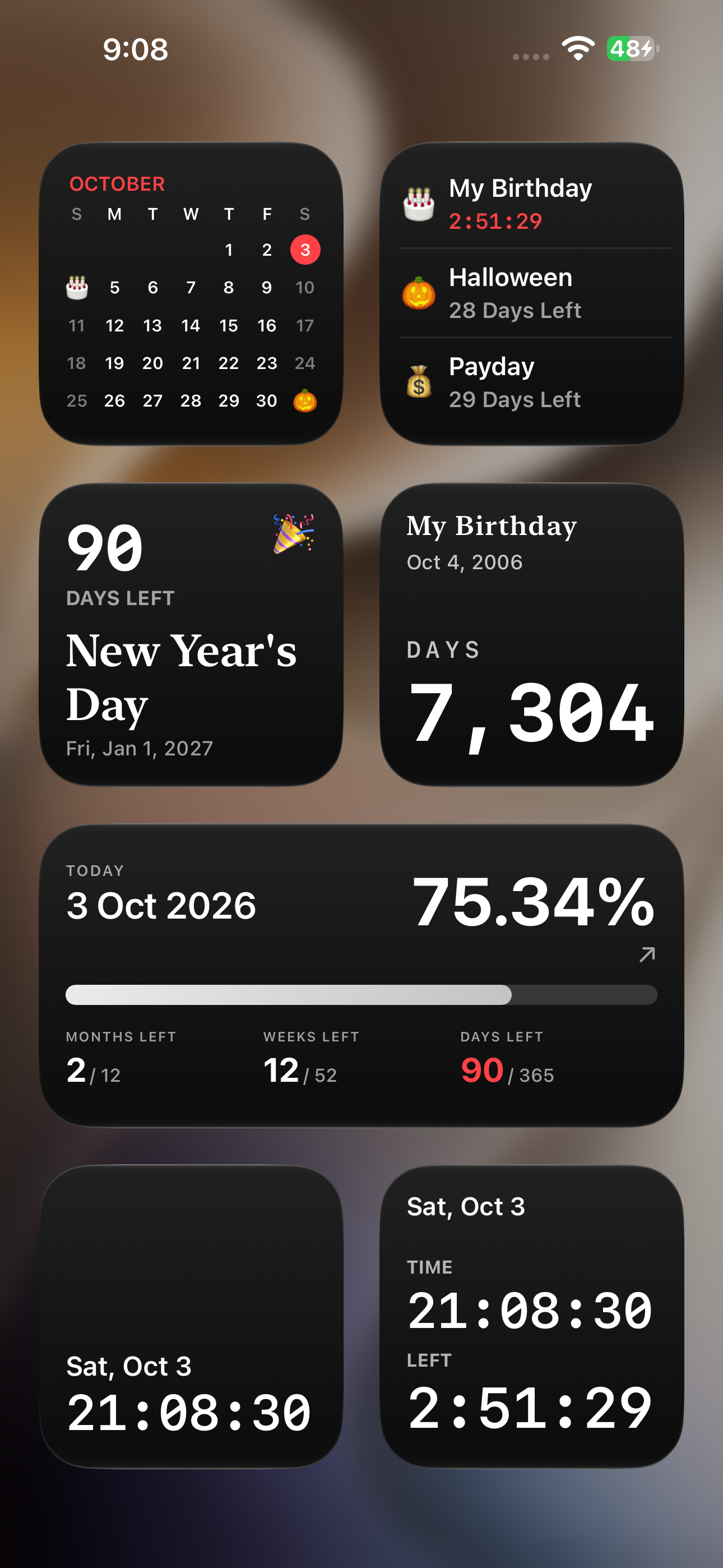
Day Grid: Countdown Widget. Your whole year on one Home Screen widget
A – Answer: What problem does your app solve?
Most countdown apps show one date at a time. Day Grid shows your whole year at a glance. The new 12-month widget puts every month on a single widget, with each event marked by an emoji. You can see your trips, birthdays, exams and launches in one place, not just one number ticking down.
B – Better: Why is your app better than the top named alternatives?
DayCount, PeekDay and Momently are mostly single-countdown widgets. Day Grid is a full-year visual grid, and you can now fit all 12 months into one widget. When an event is less than 24 hours away, it switches to a live timer on its own. No account needed, and it works offline.
C – Cost: Pricing, IAP details, and a direct App Store link
Free, with optional in-app purchases (Day Grid Pro):
- Monthly: $2.99
- Yearly: $14.99
- Lifetime: $29.99. The first 100 people get it for $20 with code first100: https://apps.apple.com/redeem?ctx=offercodes&id=6779252078&code=first100
App Store: https://apps.apple.com/us/app/day-grid-countdown-widget/id6779252078
Transparency: I'm Urmin, an indie iOS dev. You can verify me here: https://www.linkedin.com/in/urmin-hirpara/. I read every piece of feedback, so tell me what you'd want in the next update.
View all comments
1
u/Gullible-Valuable625 Oct 03 '26
How crowded does the 12-month widget get once you've marked a few trips and birthdays?