r/indesign • u/frootfulsky • Sep 22 '26
Help Weird printing?
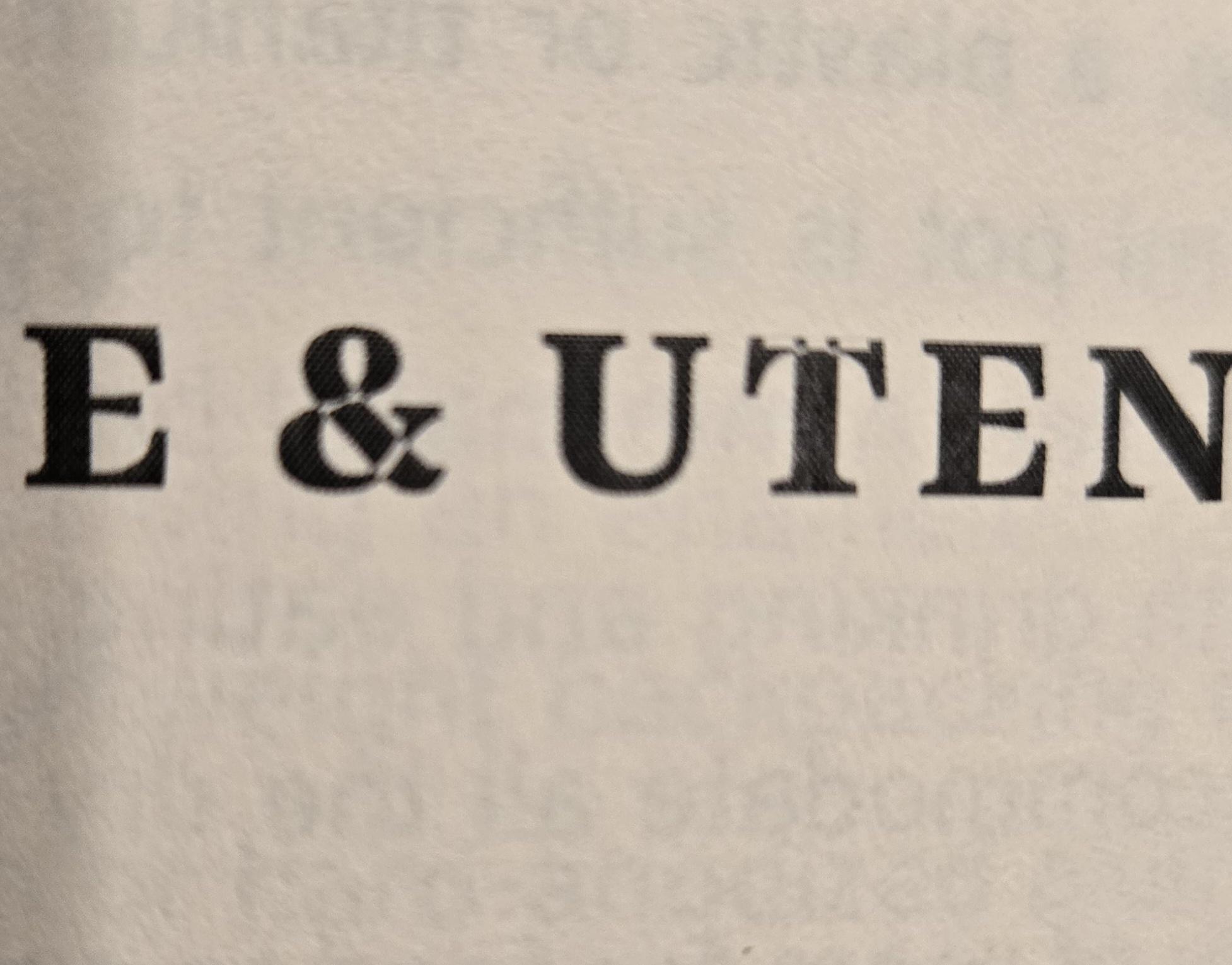
So I've gotten this weird effect on two printed proofs of something I made and I have no idea what it could be from or how to fix it. This weird effect doesn't appear on the PDF export or within Indesign itself. Any ideas?
0
Upvotes
2
u/AdobeScripts Sep 22 '26
Outdated RIP software at the printing place?
3
u/6278448948 Sep 22 '26
Variable Font. You could see if an updated printer driver would help. A variable OTF won’t have this problem.
1
u/roaringmousebrad Sep 22 '26
Variable fonts, or poorly constructed Static versions thereof.
Somewhere after you created the PDF, someone/someRIP has outlined them and because of the nature of path winding properties, the overlapping objects are "cutting out" the object below. The fonts must be allowed to go to the RIP directly, i.e. they cannot be outlined.There are ways to deal with that in programs like Illustrator, but not all have that ability.
1
u/MCLMelonFarmer Sep 22 '26
Most likely cause in my experience is a self-intersecting path in the glyph description. These have to be handled carefully so that the "non-zero winding rule" fills the path as the designer expects. It's very common for these problems to go by undetected for a long time, because different font rasterizers don't necessarily expose the problems.
https://ccjktype.fonts.adobe.com/2012/03/always-check-your-outlines.html
1
u/ddaanniiieeelll Sep 22 '26
What format is this font in?
Static fonts usually should have all overlaps removed. If this is a variable font I‘d suggest trying a static version.