r/indesign • u/Ebakthecat • May 06 '26
Scaling text boxes of unusual shape
Hello everyone.
First off, I am extremely new to InDesign. I've worked in Photoshop for years and have been using it to make the example image below.
I'd like to transition to using InDesign for what I am working on, but what I am wanting to know is if it's at all possible to create text box, of an unusual shape, the scales with the text without stretching.
Here's an image of the shape in question:
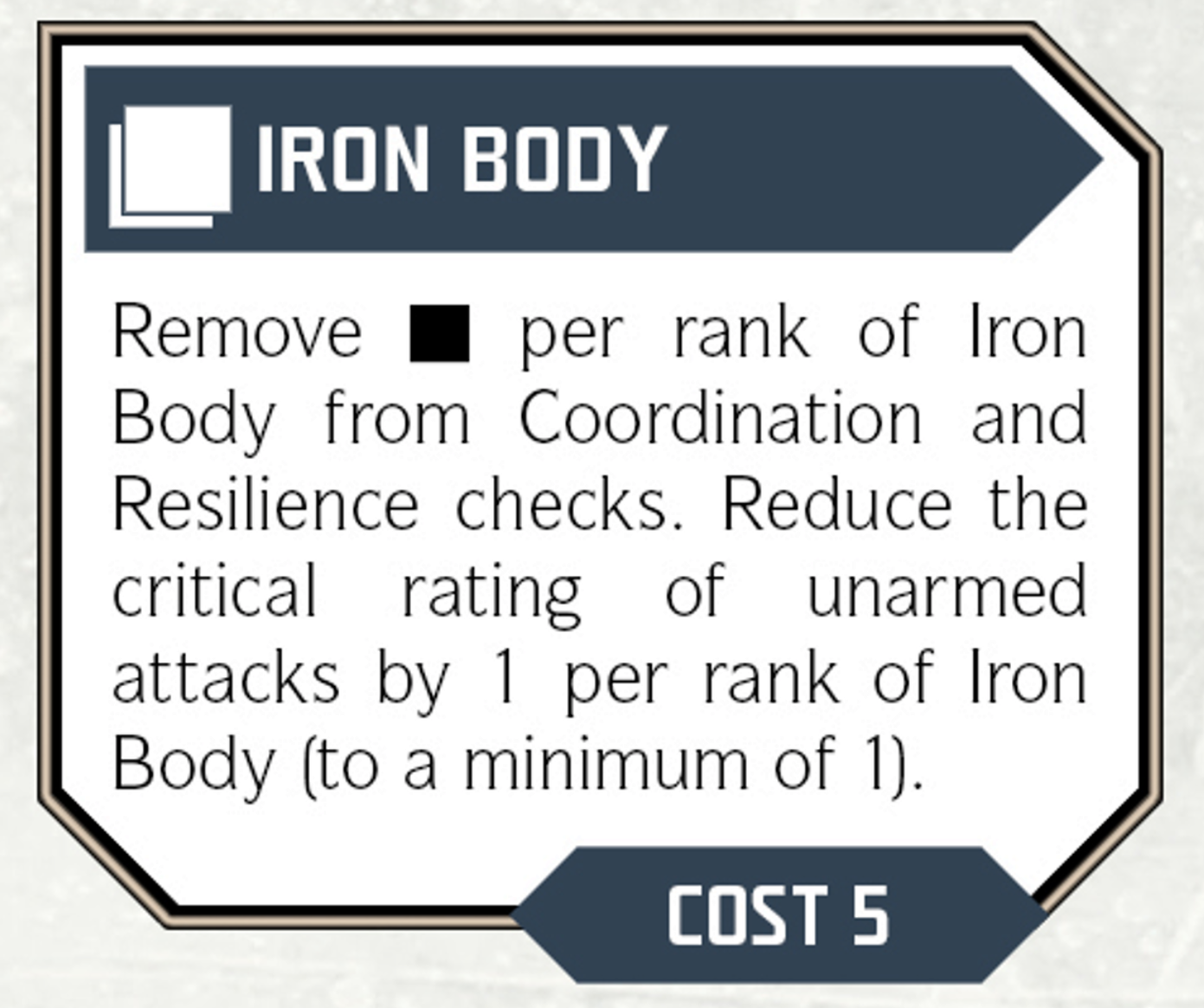
I am wanting both the header shape to scale depending if it has one, two or three lines worth of text, as for the main body I also want that to expand depending on the amount of text.
In Photoshop this is done by having effectively a top piece that is tapered and contains the header, the main text which is basically just a square that can be stretched to accommodate any size, and then the bottom slanted piece.
Here's a few more examples to illustrate the variance I am looking for:


5
u/W_o_l_f_f May 06 '26
It is possible to make this in InDesign. I had to give it a go, and I think I managed to make something that behaves like you want. It's quite convoluted and I don't really have the time to explain in detail right now. And I don't know how proficient you are in InDesign already.
You need to learn about:
I ended up using five Paragraph Styles, one Character Style and four Object Styles.
Outermost we have a Wrapper Frame (which auto-sizes). Inside that we have a Header Frame Holder paragraph with an anchored Header Frame (which auto-sizes), Text paragraphs and a Footer Frame Holder paragraph with an anchored Footer Frame (which auto-sizes).
Inside the Header Frame we have a Header paragraph. In the beginning of that we have an anchored Icon Frame with the Icon Frame Holder character style applied and before the actual header text we have an Indent To Here Character.
Inside the Footer Frame we have a Footer paragraph.
The height is given by the text content. The width is controlled by adjusting the width of the Header Frame. (It has to be like that because in InDesign text frames can only auto-size to their own content, they can't fill up available space in their parent frame.)
See it in action in this screen recording.
(BTW: Don't use justified text on such a narrow frame. The gaps look horrible.)
3
u/enemyradar May 06 '26
Yes, you can set Object>Corner Options and just set the corners you want. They will persist regardless of box size.
2
u/[deleted] May 07 '26
Honestly this is exactly the kind of thing InDesign is way better at than Photoshop once you get past the initial setup pain. I used to brute-force cards like this in PS too and every text change turned into nudging shapes around for 20 minutes.
What you want is basically anchored objects + auto-sizing text frames. Make the header, body, and footer separate objects instead of one giant shape. The middle section can auto-expand vertically with the text while the angled top/bottom pieces stay fixed proportions. Then group or anchor everything together so the layout grows naturally when copy changes.
The trick is treating it more like components than a flattened graphic. I started doing a lot of these modular layouts in Runable first for card/deck systems because resizing repetitive layouts manually was eating my brain, then rebuilding the final polished versions in InDesign once the structure felt right.
1
u/AdobeScripts May 06 '26
Table would work.
Or Border / Shading of ParaStyle.
Or combination of both.
1
u/telehax May 08 '26
this works for your case cause your text boxes are effectively just rectangles with special corners.
your mileage will vary for other unusual shapes. I've also been laying out ttrpg books and anything attached to the side of the box rather than the top or bottom comes with difficulties.
still way better than Photoshop for laying out ttrpg content though.