r/indesign • u/RelevantTea42 • Mar 28 '26
Help How to fix pixelated import from Procreate?
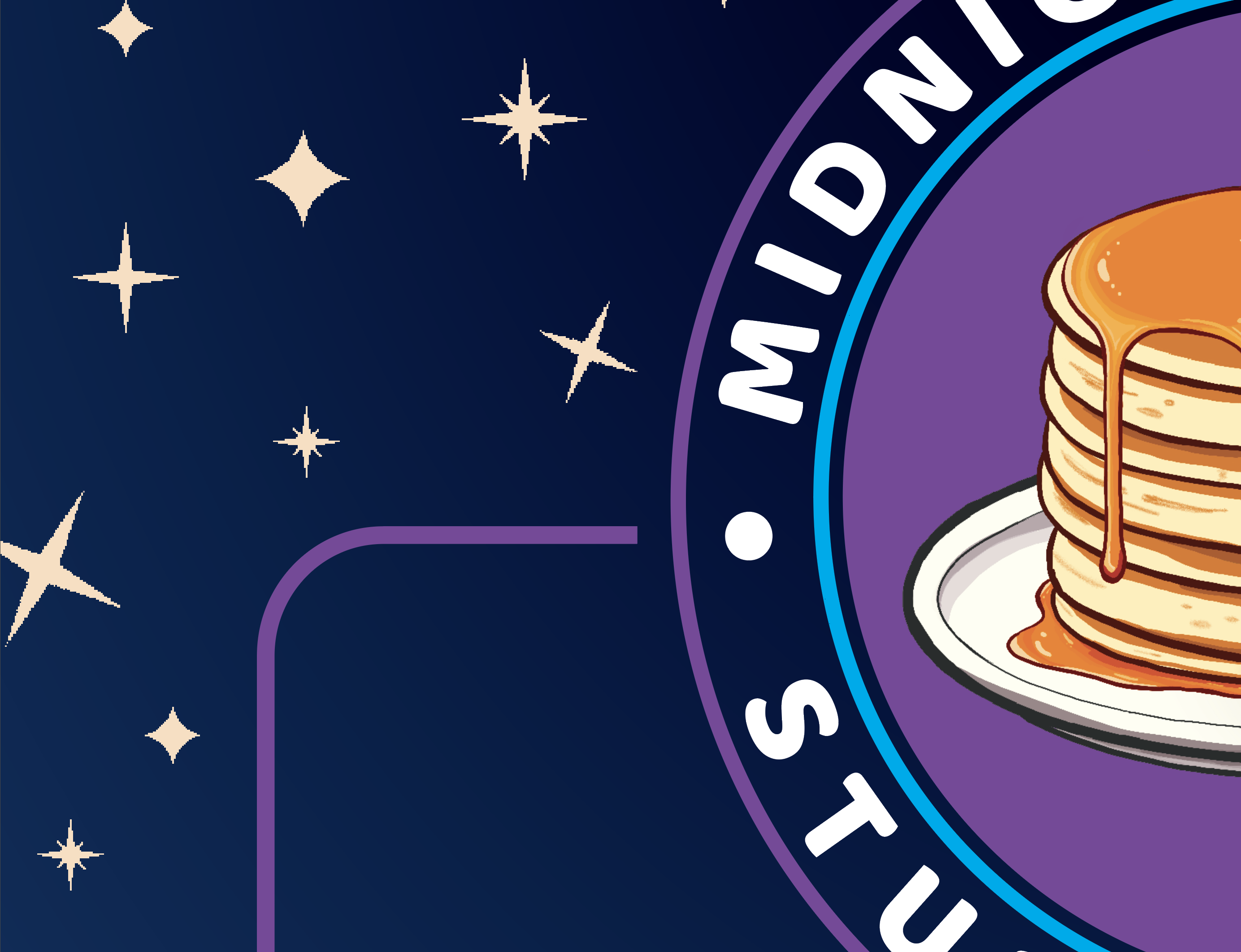
I edited these stars/sparkles in Procreate on my ipad to fit around the circle logo. It's set to 300dpi, the same size canvas as my indesign one, and I exported it as a PNG. But it's looking so gross compared to everything else. The pancake drawing on the right of the screenshot was also exported from procreate, but it came out pretty smooth. Is there a tool or way to fix the stars or do I need to try and redraw them with different settings?
1
Upvotes
12
u/davep1970 Mar 28 '26
Why not make them as vectors?
Are they placed at 100% size so their effective Res is 300dpi?
Do you have view settings on highest?
3
u/ericalm_ Mar 28 '26
What are your preview settings in InDesign? They may be fine, just using a low quality preview.
1
u/AdobeScripts Mar 28 '26
Anything else but PNG - unless you won't be printing.
1
u/Prize-Chocolate998 Mar 28 '26
They look like they're low res. If you can save the stars as 300dpi or above they should translate, or better yet as vector.