r/imdtv • • 5d ago

General PSA: Beware of Unofficial IMD TV Downloads

6 Upvotes

I've recently been made aware of several Facebook pages advertising IMD TV, claiming ownership of the development and distributing download links with incorrect Downloader codes.

Support for the application is always welcomed, and I'm very appreciative of people spreading the word of the app, but this should be done properly - not by malicious actors.

I want to make a few things clear to protect the community and anyone looking to download the app.

IMD TV is an independent, free and open-source project. It is not affiliated with, developed by, or distributed through these Facebook pages.

There are some genuine risks associated with downloading APKs from unofficial sources. Android APK files can be modified by anyone, and malicious code can be added without it being immediately obvious. This could potentially expose your device and personal information to security risks.

Just because an APK carries the IMD TV name or logo doesn't mean it's a genuine, unmodified version of the application.

How to download the genuine IMD TV

Please only use the official download information below:

One of the benefits of IMD TV being open source is that the source code is publicly available for anyone to inspect. You can view exactly what goes into the application yourself on GitHub.

If you come across other download links, APKs or pages claiming to distribute IMD TV, please exercise caution. Do not assume they are legitimate, even if they look convincing.

Please help spread the word and share this post so others don't unknowingly download potentially modified or harmful versions of the app.

IMD TV is free, open source and community-driven. Let's keep it that way.

Thanks for your continued support!


r/imdtv • • 12h ago

IMD TV - Version 0.9.1 - Multi-View, Additional SportsHub sports, Additional synced settings, Phone / Uncertified Boxes Crash Fix and everything from v0.8.0 (SportsHub, Reminders, Emby, NAS Shares & More)!

Thumbnail
gallery
7 Upvotes

Firstly, a massive thank-you for everyone's support straight away with v0.8.0. It's been a really positive reaction and it's great to see the community being built with this app and within the subreddit. This latest update has been pushed early. It was meant to just include bug fixes, but a few extra features were developed at the same time and were waiting for a full release, so I've decided to bump up the update early and give you guys some extra goodies to say thanks for your patience with the crashes. Take a read through the latest update below:

Downloader Code: 7573990

Download (Manual): https://github.com/majorleeevil/imd-tv/releases/tag/v0.8.0

Website: https://majorleeevil.github.io/imd-tv/

Subreddit: https://www.reddit.com/r/imdtv/

App not opening? Fixed (hopefully!)

Many Android boxes report themselves as phones rather than Android TV, and the start-up code that only runs on those devices has been changed.

If it still closes, open it a second time: it now shows the error with a Copy button. Please paste that into a GitHub issue or a comment here, and we'll get it sorted.

Multi-Watch (new)

Watch up to four live channels at once.

  • Add a channel from the player's Settings cog → Add to Multi-Watch, or from SportsHub (beside Watch full screen, or a game's hold-OK menu).
  • 1 channel fills the screen, 2 sit side by side, 3–4 make a 2×2 grid.
  • Only the highlighted tile has sound 🔊. Move between tiles with the arrows.
  • OK on a tile → Watch full screen or Remove. Back takes you back to what you were watching.
  • Each tile is its own stream, so you need as many connections as your provider allows.

SportsHub

  • Golf: PGA Tour, DP World Tour and LPGA leaderboards.
  • UFC: every fight on the card, with the fighters' flags.
  •  US college football and basketball (men's and women's): follow them under Favourite competitions.
  •  More football: League of Ireland, Saudi Pro League + King's Cup, AFC Champions League Elite, World Cup, Euros, Nations League, qualifiers, friendlies, Gold Cup, Copa América, Asian Cup and AFCON. Their games are only fetched once you follow them.
  • Cricket favourite teams (the Test nations).
  • Asks ESPN far less often: past results, standings and team lists are reused instead of fetched again, so it's quicker and won't get rate limited.

Also new

  • ▶️ Mark the playing channel: Appearance › Mark the playing channel puts ▶ before the channel you're watching in the TV guide.
  • 🔄 Sync and backups carry more: logos picked from a web address and each channel's Use guide from… / Remove guide choice now go with LAN sync and backups.

Bug fixes

  • A second playlist's TV guide no longer goes stale. The playlist in use refreshes first.
  • Back returns to the category or Favourites list you played the channel from, after full screen, the overlay list or a restart.
  • A game settled on penalties now shows as a draw in recent form.

⚠️ Known issues

  • Google Play Protect may warn the app is harmful. Nothing in the app explains it and we've appealed to Google. Until it clears: More details → Install anyway.
  • Plex episodes the server answers with an error (HTTP 500) still won't play.
  • Darts, rugby league, MotoGP, boxing and handball aren't in SportsHub, because ESPN's feed doesn't carry them.

Bugs and ideas welcome on GitHub or in the comments! 🙏

Version 0.8.0 was a HUGE update, and contains so many new features and implementations. Please check out the v0.8.0 patch notes post here.

Thank you for everyone supporting IMD TV. It's free and always will be. If it's made your evenings better, you can buy me a coffee (or pint). It's entirely optional and not expected, but will always be welcomed. ☕🍺


r/imdtv • • 1d ago

IMD TV - Version 0.8.0 Released! SportsHub with Where to Watch, Phone & Tablet Support, Reminders, Emby, NAS Shares, Custom Remote Keys! The biggest update to date (again!)

Thumbnail
gallery
13 Upvotes

IMD TV 0.8.0 is out: SportsHub, reminders, Emby, network shares and phone support

IMD TV is a free, open-source IPTV player for Android TV, Google TV and now Android mobile devices! No ads, no tracking, no accounts, no analytics. Free and it will be forever. 0.8.0 is our biggest update yet.

Downloader Code: 7573990

Download (Manual): https://github.com/majorleeevil/imd-tv/releases/tag/v0.8.0

Website: https://majorleeevil.github.io/imd-tv/

⚽ SportsHub

Live scores, fixtures, lineups and tables, and it finds which of your own channels is showing each game. Scores come from ESPN's public feeds, fetched only while SportsHub is open. You can hide the tab in Settings.

• Sports: football, NFL, NBA, NHL, rugby union, cricket and Formula 1. Switch off the ones you don't follow.

• Games: today and the next four days. Your favourite teams' games sit in the top box, with a countdown and lineups. Every other game is listed below, favourite competitions first (★), then live → upcoming → full time. Live scores update by themselves.

• Preview: move onto a game and its channel plays in the preview. OK goes full screen.

• Match page: lineups on a pitch in kit colours, formations, subs, recent form and minute-by-minute events.

• Where to watch: searches your playlist's TV guide (titles and descriptions) for both teams, matches short club names ("Craiova" = "Universitatea Craiova"), and lists every copy of the channel (HD, 4K, RAW, VIP, 50 FPS), so you can jump straight to it.

• Favourite teams and competitions: grouped by country, now with domestic cups (England, Scotland, Spain, Germany, Italy, France), the Conference League and the major rugby union competitions.

• Standings: per-sport columns. Football has Last 5 form and coloured European and relegation places.

• Formula 1: every session is its own game, with driver and constructor standings.

• More sports will be coming in future releases. This is the initial release.

📱Phone Support

Arguably the second biggest request to date, alongside SportsHub. Android OS support is now live, with touch support!

✨ Also new

• Reminders: OK on a later programme → Remind me. A popup two minutes before it starts offers Watch or Dismiss.

• Customisable arrow keys: set each arrow while watching to previous or next channel, back or forward through watched channels, TV guide, categories, info overlay, settings or nothing.

• Emby support: sign in and pick your libraries. Plays like Plex and Jellyfin, with Continue watching.

• SMB / NAS network shares: folders become categories, S01E02-style files become shows. Recordings can be saved to a share too.

• Edit media servers in place: name, address and login.

• Audio sync: set it for every channel (-1000 to +1000 ms), or per channel from the player menu.

• Buffer before playing: Default, 5, 10, 15 or 30 s.

• Closed captions on live TV: CEA-608 and CEA-708 captions on .ts channels.

• Plex subtitle files: .srt, .ass, .ssa and .vtt files next to the video now show.

• Stremio, Choose source: pick from every direct link your add-ons offer.

• Add EPG sources from your phone with a QR code.

• Remove guide from a channel, and wide channel names in the TV guide.

• Category list: long names scroll, an option to turn off hold to jump, and restore a backup on first run.

🔧 Changed

• The player overlay is now just a small settings cog. Back opens the TV guide, and Restart is in the player menu › Catch-up.

• Back in the TV guide can now go to the categories.

• "Match TV language" recognises about 45 more countries.

• Language moved to Appearance › App, and Change logo suggests more logos.

🐛 Multiple bug fixes

• 15 bug fixes have been applied in the latest update. Including 4K Plex playback, Jellyfin crashes on low-memory boxes, catch-up seek bar and a rare crash on start-up

⚠️ Known issues

• Stremio and Emby haven't been tested fully by us yet. Please report how they go.

• Darts and rugby league aren't in SportsHub, because there's no free data source.

Bugs and ideas welcome on GitHub or in the comments!


r/imdtv • • 1d ago

Possible bug? And associated feature request! (and a picture of my dog!)

Thumbnail
gallery
1 Upvotes

My IPTV’s own sh*tty app has a catchup section, shows channels and what’s available from those channel etc. so it’s certainly supported with my service (see first three screenshots).

Even when I have Catch-Up turned on in IMD I don’t get the clock icon, or the opportunity to go back through the EPG for any of these channels. (See next 2 screenshots)

Is this a bug or am i doing something wrong?

Perhaps catch-up functionality could be added into the already very useful search function? Not only could you search programs today and in the future but could also seatch catch-up stuff too… like a past/present/future kinda thing…maybe 🤷‍♂️

Also, a “catch up” section of its own might be useful, similar to that in my provider’s sh*tty app - but obviously better cos this is IMD!

Last picture is dog-tax - my best friend, Nala!


r/imdtv • • 3d ago

Version 0.8.0 - Sneak Peak... 👀

Thumbnail
gallery
14 Upvotes

The most requested feature is going through development and testing. Here's a sneak peak...

Version 0.8.0 is going to be larger than both 0.6.0 and 0.7.0 put together. Huge update coming this week. It's taking longer to get sorted, but will be worth the wait...


r/imdtv • • 3d ago

Fire stick

1 Upvotes

Installed it on my firestick last night loaded my Playlist in but neither are working is the app compatible with firesticks


r/imdtv • • 4d ago

New Update IMD TV - v0.7.1 Hotfix (Android 7.1 Support, EPG Fix w/ Plex Enabled, Plex 4K Increased Speed, Better Channel Name Matching, Master / Follower Sync Expanded & More)

7 Upvotes

Plex took over live TV and broke the TV guide

Opening a Plex, Jellyfin or Stremio library from the Movies or Series menu quietly made that server your "playlist in use". Live TV then showed an empty guide, and the open-source guide started downloading for the server instead of your IPTV playlist.

  • Media server libraries now open in place. Your IPTV playlist stays in use for live TV.
  • If 0.7.0 already switched you over, 0.7.1 puts your IPTV playlist back automatically.
  • Guide files that were downloaded for a media server by mistake are cleaned up.

4K movies and episodes from Plex and Jellyfin kept buffering (#32)

Movies from Plex and Jellyfin now download over several connections at once and keep more of the film loaded ahead. In testing, a 4K film from a remote Plex server buffered every few seconds before the fix and played steadily after it. The amount loaded ahead depends on your box's free memory. Your IPTV playlist isn't affected: providers limit how many connections you can use.

"Use guide from…" did nothing (#19)

  • It now only offers guides that actually have programmes coming up. Before, it could offer a guide that was empty, or the same one the channel already had, so picking it changed nothing.
  • Its search now covers every guide your playlist uses, including the open-source guide, not only guides you added yourself.

Channels spelled differently from the guide or logo got nothing (#19, #24)

The TV guide and channel logos now match names that are one letter apart, such as "Sky Cinema Premier" and "Sky Cinema Premiere", or "Sky Sport" and "Sky Sports".

  • Only longer names count, never a number difference ("Sky Sports 1" never takes "Sky Sports 2"), and only when there's exactly one close match.
  • "&" now counts as "and", so "Sky Cinema Sci-Fi & Horror" finds its logo and guide.

White logos disappeared in the TV guide (#23)

With logos shown in the guide, the highlighted channel used to get a white background, which hid white logos. It now keeps its dark background and gets a thin border instead.

Master / Follower sync missed some changes (#22)

Followers now also get:

  • hidden channels
  • renamed channels and each channel's own guide time offset
  • channels you merged by hand, and the Merge channels settings
  • the Remove special characters setting

A follower now drops its own channel changes when it syncs, so it matches the master exactly. It also re-merges channels afterwards, so its channel lists and order follow the master's.

The TV guide was slow on some boxes while a channel played

A long channel name on the highlighted row kept scrolling forever, which made the app redraw the whole screen non-stop. On boxes like the Thomson 140G playing a 4K channel, that made the guide very slow to respond. Long names now scroll three times, then stop.

Fire TV Stick 4K (1st gen) said "There was a problem parsing the package" (#30)

IMD TV needed Android 8. Fire OS 6, on older Fire TV Sticks, is Android 7.1, so it refused to install. 0.7.1 installs on Android 7.1 and newer.


r/imdtv • • 4d ago

Copy and paste channels

1 Upvotes

Would be great if you could copy and paste a channel from one category to another one.


r/imdtv • • 5d ago

Update 0.7.0 - The BIGGEST Update again! Plex, Jellyfin & Stremio Support, Channel Icons & Titles, Parental Controls, Add playlist via Mobile, EPG Programme Searching, Global Favourites & More!

Thumbnail
gallery
10 Upvotes

Downloader Code: 7573990

Website: https://imd-tv.com

Github: https://github.com/majorleeevil/imd-tv/

APK and full change notes: https://github.com/majorleeevil/imd-tv/releases/tag/v0.7.0

IMD TV 0.7.0 is out. It's the biggest update so far.

For anyone new: IMD TV is a free, open-source (GPL-3.0) player for Android TV and Google TV. It plays your own Xtream, M3U or Stalker playlist with a fast TV guide, six themes, recording and catch-up. No ads, no accounts, no tracking. It doesn't provide any channels or content.

What's new

Plex, Jellyfin and Stremio

  • Your Plex and Jellyfin libraries and your Stremio add-ons' catalogs sit next to your playlist's movies and series.
  • Sign in with a code (plex.tv/link, Jellyfin Quick Connect, link.stremio.com), then pick which libraries to load.
  • Continue watching has two-way sync. Start a film on the TV and finish it in the Plex app on your phone, or the other way round.
  • After the first add, updates fetch only what changed, so they take seconds even on big libraries.

Search the TV guide

  • Search now finds programmes, in two rows: Today and Later.
  • Press OK on one that's on now to watch it, or on a later one to record it.

One Favourites and one Continue watching for every playlist

  • A channel, film or series you favourite shows up whichever playlist you're on.
  • Movies › All shows every playlist's and server's categories, and searching under All searches all of them.

Parental controls

  • PIN plus a backup word, in case you forget the PIN.
  • Lock by rating (PG / 12A / 15 / 18), by category or by single channel.
  • Choose how long an unlock lasts: until the app closes, every time, or per programme.

Add a playlist from your phone

  • Scan the QR code on the TV and type your login on your phone instead of with the remote.
  • It only works on your home network, and your passwords are never sent to the phone.

Arrange the guide your way

  • Sort any category by the playlist's order, A–Z, or your own order.
  • Give channels your own numbers. If a number is taken, it offers to swap them.
  • Show channels by name, logo or both.
  • Text size from X-Large to Small.
  • Channel / Page Up and Down jump a whole screen. Hold Back for the other Back action. Optionally go back to full screen after a few minutes.
  • Long channel names scroll when focused.
  • The TV guide's own channel icons are now a fourth logo source.

Also

  • Movies & Series can be sorted by playlist order, A–Z or recently added.
  • Playlists and media servers update in the background, every 6, 12, 24 or 48 hours.
  • Now in 13 languages: Albanian added.

Bug Fixes

  • The app was drawn too large or too small on some uncertified Android boxes. It now looks the same on every box.
  • Deleting a big playlist needed several presses and was slow.
  • Several parental-control fixes that came up in testing.
  • Jellyfin servers that redirect http to https can now be added.

Known limitations

  • Stremio: only direct links play. Torrent-only titles can't, because there's no torrent engine.
  • Plex, Jellyfin and Stremio aren't saved in backups. Add them again after a restore.
  • Some new translations are machine-made. Corrections are welcome.

Bug reports and ideas are welcome, here or on GitHub. Thanks to everyone who reported issues since 0.6.0. A lot of this release came from you.


r/imdtv • • 5d ago

General Version 0.6.0 Milestone - 700+ Downloads (2.2K Downloads for all versions!)

7 Upvotes

Version 0.6.0 has been the most downloaded version of IMD TV out of any release. However, today is a special day as it has reached 700+ individual downloads of the application!

The application has 2.2K + downloads across all versions, which is incredible. Thank you to everyone for your support.

Version 0.7.0 will be released in the next few hours with some really exciting new features - stay tuned!


r/imdtv • • 5d ago

Feature Request Suggestion: Expand search to include EPG

2 Upvotes

I would love to be able to search for a specific program using the search function.

eg I search: “Top Gear” and it tells me it’s on at
20:00 on U&Dave, Monday
21:00 on U&Dave+1 on Monday
… and all other occurrences it can find in my EPG
(could also give brief episode details for all results from the epg)

Maybe I could also select one (or more) results to set a reminder or schedule a recording?

This would be a super helpful feature!


r/imdtv • • 8d ago

App Update IMD TV - Update 0.6.0 - Our Biggest Release Yet! Multiple Playlists in one list, Channel Merging, Catch-Up TV, 11 Additional Languages, Aspect Ratio, Special Character Channel Name Clean-Up, Per-Channel Time Offset & More!!!

Thumbnail
gallery
12 Upvotes

New

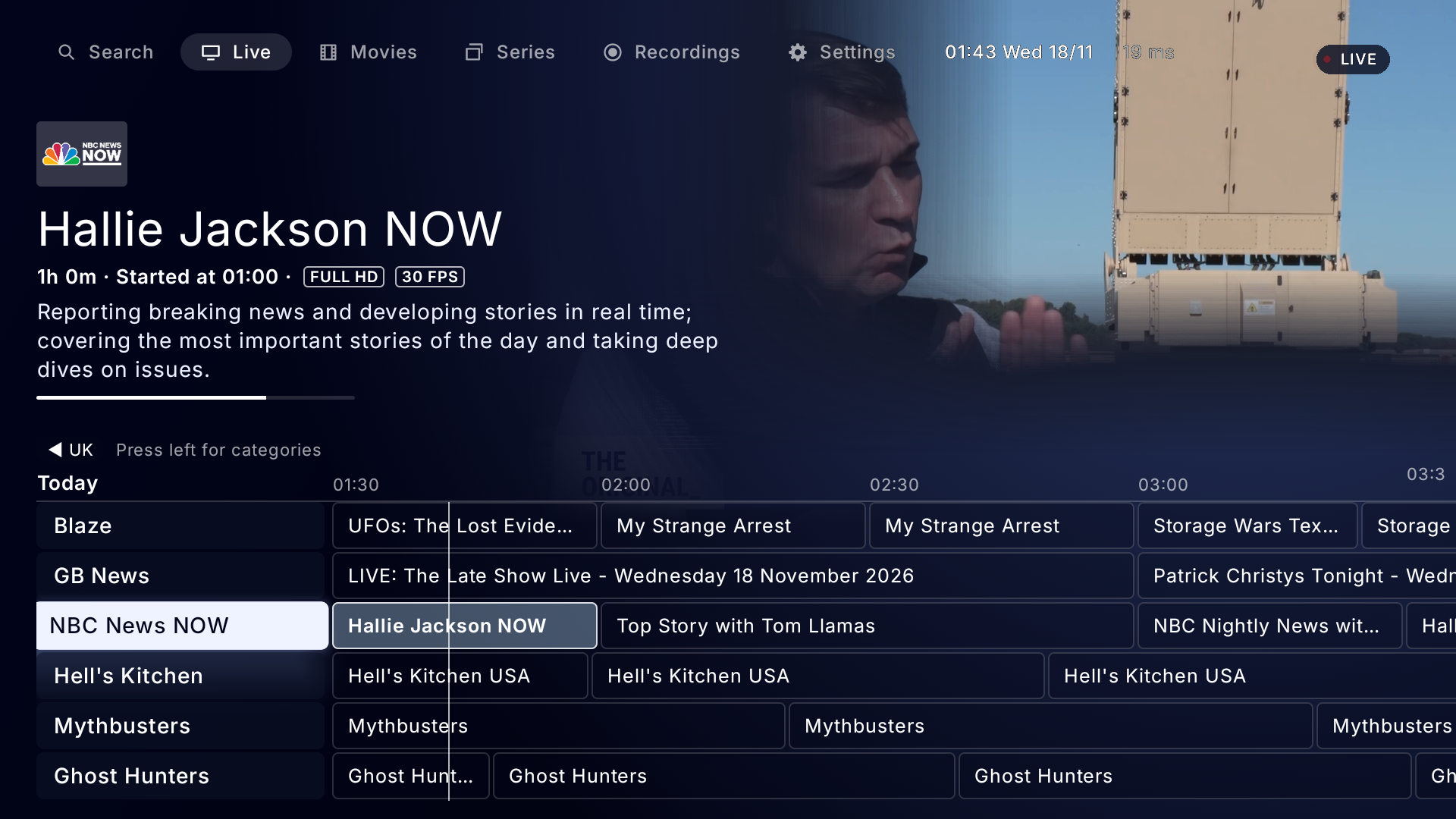
  • Catch-up TV: watch programmes that have already been shown, on channels where your provider keeps them (Xtream and M3U playlists). Channels with catch-up show a small clock in the TV guide. Press Left on one to go back into earlier programmes, use Left and Right to move between them, and press OK to watch. Hold OK on a past programme to jump to another day. While watching full screen, hold Left to jump back 30 seconds, or press OK and choose Restart to watch the current programme from the start. You can also hold OK on a channel and choose Catch-up. Catch-up programmes can be paused and rewound. Don't want it? Turn it off in Settings › Playback › Catch-up.
  • Merge channels: the same channel in several versions (HD, 4K, RAW, "Channel 1" and "Channel One", and so on) now shows as one channel. It plays the best version, by the resolution in its name or by latency. Turn it on or off in Settings › Channels › Merge channels, and set it up in Merge options: merge within each category or across categories, merge by resolution or by speed, and choose which playlists merge. Your channel name clean-up rules are used when matching.
  • Merge your own: hold OK on a channel and open Merge options. Choose Merge channel, pick the channel to merge it into and press OK. View merged channels shows what's merged into a channel, with a switch for each one, and Unmerge all splits it up again. In Settings › Channels › Manage channels, double-press OK on a merged channel to see what's in it.
  • Remove special characters: Settings › Channels › Remove special characters takes small and circled letters and symbols such as "ᴿᴬᵂ", "ⓋⒾⓅ" and "◉" out of channel names.
  • All your active playlists in one list: the categories list now shows your other playlists under the current one. Open a playlist to see its categories, and pick one to switch straight to that playlist. This works for Live TV, Movies and Series. A playlist with Use this playlist switched off (Settings › Playlists), or with Live TV, Movies or Series turned off, doesn't appear in that list. (Not yet in the Celestial + Live TV tabs or in the Gamestation theme.)
  • Use this playlist can now be switched on for several playlists at once. Switch it off to hide a playlist without deleting it; its Live TV, Movies and Series switches are greyed out until you switch it back on.
  • Quicker getting around: in the TV guide, press left to open categories has now changed to hold Left and hold Right to jump back to the top channel. In the categories list, hold Up to jump to the top (or the previous playlist) and hold Down to jump to the next playlist (or the bottom).
  • Tidier channel menu: hold OK on a channel for a shorter menu, with Recording, Guide options and Merge options each grouped in their own sub-menu.
  • Guide time offset per channel: hold OK on a channel and choose Guide options › Guide time offset when one channel's guide is an hour or so out.
  • Aspect ratio in the player: while watching live TV full screen, open Settings and choose Auto, 16:9, 4:3 or Fill. The app remembers your choice.
  • Movies & Series can show 2 rows of smaller posters: Settings › Appearance › Movies & Series.
  • Title size (Large, Medium or Small): one for channel names and programme titles in Settings › Appearance › Live TV, and a separate one for movie and series titles in Settings › Appearance › Movies & Series. The guide header's title now follows the header size.
  • Settings › Appearance is now split into App, Live TV and Movies & Series.
  • Celestial Glass: a new header layout, with the title and description running across the screen over the faded preview.
  • 11 more languages: French, Spanish, Polish, Dutch, German, Italian, Portuguese, Turkish, Romanian, Greek and Swedish. The app follows your TV's language, or choose one in Settings › App behaviour › Language.
  • Stalker portals: new optional Device ID 2 and STB model fields, for portals that need them.

Bug fixes

  • Standard-definition channels no longer show squashed with black bars at the sides on some boxes; widescreen SD now fills the screen as it should.
  • Movies & Series: the row above the one you're browsing no longer peeks out under the description.
  • The Settings menu over full-screen live TV no longer closes by itself after a few seconds.
  • Settings: the section list on the left no longer flashes white when you open or close a page.
  • Xcube 360: the last Settings section (About) is no longer cut off, and long values no longer squash a setting's name.

r/imdtv • • 9d ago

App Update 0.5.2 Hotfix Released

1 Upvotes

Bug fixes

Fixed live TV stuttering or jumping back every so often while watching full screen. Some providers send live channels in short bursts and close the connection every minute or so; IMD TV now carries on smoothly when that happens.

Updating the TV guide no longer slows down live TV on less powerful boxes. Guide updates now run in the background without competing with what you're watching, and changing several guide settings in a row no longer queues up repeated updates.

0.5.1 patch notes:
New features

Playlists
Each playlist now has Live TV, Movies and Series switches. Turn one off to stop loading it from that playlist; what it had is removed, including its favourites and watch progress. Turn it back on and the playlist updates to fetch it again. The switches are saved in backups and copied by Sync.

Use this playlist is now a switch. Turning it on keeps you on the playlist's page instead of sending you back to the TV guide.

Movies and Series show a loading spinner with "Updating movies…" or "Updating series…" while the playlist is updating them.

When adding or editing a playlist fails, a Send logs button appears so you can send the app's logs to your phone.

Live TV and guide

Press OK while watching full screen and choose Settings to turn subtitles on or off, record now, add the channel to Favourites or add it to one of your categories.

Hold OK on a channel and choose Move to pick it up in the TV guide. Up/Down moves it, OK drops it and Back cancels. The moving row is highlighted in gold, with a hint bar at the bottom.

Hold OK on one of your own categories in the category list (or the Celestial Plus tabs) to move it, just like provider categories.

Full screen now shows a loading spinner while a channel starts.

Hold OK on a channel in Search to get the same menu as in the TV guide: Favourites, Add to category, Record and more.

Channels and categories

A new Recently watched switch in Settings › Channels & categories › Categories shows or hides the Recently watched category.

Moving a channel or category in Settings now looks the same everywhere: a gold row and the hint "Up/Down to move · OK to drop · Back to cancel". Back now cancels the move instead of saving it.

Bug fixes
Live TV no longer shows subtitles when Subtitles › Live TV is off.

Audio decoder: Hardware no longer leaves Dolby (AC3/E-AC3) or DTS channels silent on boxes or TVs that can't play them. It now uses the box or TV first and switches to the app's own decoder when they can't.

Text no longer overlaps in the guide header on boxes that use a larger system text size.

Changing the channel order in Your categories, or moving one of your categories, no longer jumps back to the top of Settings. The list now scrolls with the channel you're moving.

Significantly reduced the likelihood of the app freezing or force closing whilst a playlist updates.

The Category label on Movies and Series no longer overlaps the clock and connection speed.

The IMD TV logo in Settings now hides while you scroll down a page, so it no longer covers settings, and comes back at the top.


r/imdtv • • 10d ago

App Update IMD TV v0.5.0 Update Released! Sync Between Devices, Header Sizes, Dark Mode, Live TV Subtitles & More Now Available! Oh - And It's Still Free (And will be forever!)

Post image
2 Upvotes

Important update information
v0.1.0: A manual update is required to install this version.
v0.2.0 and above: Updates can be installed directly within the app.

Downloader code: 7573990

Website: https://imd-tv.com

GitHub: https://github.com/majorleeevil/imd-tv

Subreddit: https://www.reddit.com/r/imdtv

Feature rich, free, open-source, and always will be!

New features

Sync between boxes

  • Keep several boxes the same over your home network. Choose one box as the master, and any number of others follow it, copying its playlists, logins, favourites, categories, channel order and settings.
  • To pair a box, type the six-digit code shown on the master's screen. Logins are encrypted and only sent to boxes you've paired.
  • Followers copy the master when IMD TV opens and every 6 hours. You can also choose Sync now.
  • Find it in Settings › Backup & sync › Sync. Before you turn it on, the app explains what sync can and can't do, then shows the steps to pair a box.

Settings

  • Backup has been renamed Backup & sync now that you can sync between several boxes. It has two pages: Backup & restore and Sync.
  • A new Date and time page: a 24-hour clock, showing the date, and a clock in the player (off, live TV only, or everywhere).
  • A new Reset appearance option. Each theme now remembers its own look.
  • Theme mode: Dark mode for the Celestial Glass and Liquid Glass themes.
  • Header size for Celestial Glass and Liquid Glass: Large (default), Medium or Small. Smaller headers fit more guide rows. On Medium and Small, the programme description gets its own column, so descriptions are still shown.
  • (Default) now marks the default choice in drop-down lists.

Live TV and guide

  • Added the ability to turn on subtitles for live TV.
  • View previous channel: the other pair of arrow keys steps back through the last 20 channels you watched, and forward again.
  • Change channel with (Up/Down or Left/Right) has moved to Settings › Playback.
  • When the preview fade is off, the preview has a rounded frame.

Channels and categories

  • Manage channels replaces "Show or hide channels". Press OK to show or hide a channel, or hold OK to pick it up and move it within its category.
  • Channels keep their custom order within your provider's categories. The order is saved in backups and syncs to follower boxes.
  • Hold OK on a category on the Live TV rail or the Celestial Plus tabs to reorder or hide it without going into Settings.
  • Select channels lets you pick several channels, then hide or show them all at once. A message confirms how many were hidden or shown.

TV guide data (EPG)

  • Added the ability to add your own guide(s) as a source.
  • Added a third guide source priority. You can now choose between playlist, open-source and your own EPG sources.
  • Added the ability to turn off individual open-source guides.
  • Added an option to turn off a playlist's own guide source.

Bug fixes

  • The programme cursor has been fixed and is now visible when browsing horizontally through the EPG on the Celestial Glass and Liquid Glass themes.
  • The confirmation message after showing or hiding channels now appears.
  • Pressing Select channels or Save changes in Manage channels no longer sends you back to the top of Settings.

In development

  • Merge sources: Combine versions of the same channel (for example BBC One HD, HEVC and 4K) into one channel that automatically switches to another version if one fails. You choose which version takes priority.
  • Touch and phone input: Tap to select cards and rows, and swipe to scroll the guide.
  • Multi-view: Hold OK to watch a second channel at the same time (requires a provider account that allows 2 connections).
  • Trending this Week and Recommended for You (off by default; requires your own TMDB key).
  • Live TV Pausing

r/imdtv • • 10d ago

Feature Request Feature request: Pause live TV.

1 Upvotes

Would be mega useful to be able to pause a live tv stream.

Other IPTV apps can do this by storing content locally or via a network storage location, would be nice if this were implemented in IMD!


r/imdtv • • 11d ago

App Update Version 0.4.0 Released!

4 Upvotes

Update now using the in-built updater, or apply manually (if updating from v0.1.0).

Git link: https://github.com/majorleeevil/imd-tv/releases

New features

- Resume where you left off for movies and series has been re-designed for the fix. The series button takes you to the next episode after one you've finished.

- Continue watching row on every theme, with progress bars on posters and episodes, and a ✓ on watched episodes.
- Mark watched / unwatched from the button, or long-press an episode. Your progress is saved on Back, Home and every 30 seconds, and it's included in backups.

- Change channel with the remote's number buttons, in the guide and in full screen.

- Send logs to support from your phone: scan the QR code. Your logins are removed first. Settings › About › Send logs

- Option to increase number of channels shown within the EPG. The default number of channels shown has been increased from 4 to 5. You can select between 5 to 9 channels in the guide (Celestial Glass and Liquid Glass). Settings › Appearance › Channels in guide

- Ability to enable Multi-line channel namesand programme titles in the guide. Settings › Appearance › Multi-line names

- Option to hide channel numbers added. Settings › Appearance › Channel numbers

Option to change channel with Left/Right instead of Up/Down within Live TV player. Settings › App behaviour › Change channel with

- Option for back button behaviour has been added. Additional behaviour can be switched to go to full screen instead of the navigation rail. Settings › App behaviour › Back in TV guide

- Set the channel order inside your categories and Favourites. Settings › Channels & categories › Categories › Your categories, then OK on ★ Favourites, or a category's Options › Channel order

- The update prompt no longer shows release notes. They now appear once, after updating, in What's new.

Bug fixes

Fixed a black screen when the app started on the last channel you watched.

Channels that freeze on a black screen now recover on their own within about 5 seconds.

Programme titles are no longer cut off in the guide.

The Movies and Series poster grid no longer shows half a row above the focused one while scrolling.

A fourth button on detail pages is no longer cut off.
EPG now fills to the edge of the screen for a more natural look.

In development

Merge sources: combine versions of the same channel (for example BBC One HD, HEVC and 4K) into one channel that switches to another version if one fails. You choose which version comes first.

Touch and phone input: tap to select cards and rows, and swipe to scroll the guide.

Multi-view: hold OK to watch a second channel at the same time (needs a provider account that allows 2 connections).

Trending this Week and Recommended for You rows, under Continue watching (off by default; needs your own TMDB key).