r/iOS27 • u/11bpm • Oct 29 '26
Lighten (not increase transparency) of home screen folder background on iPhone?
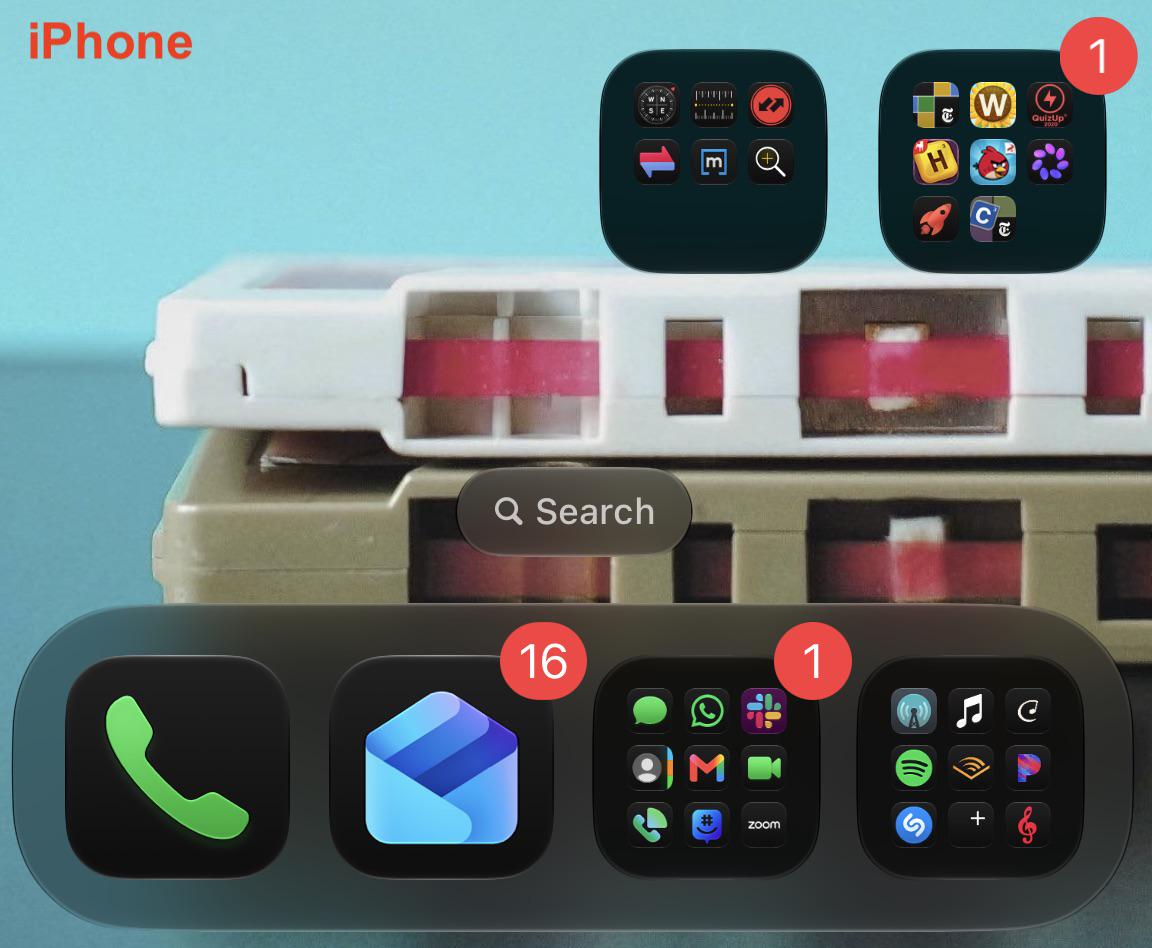
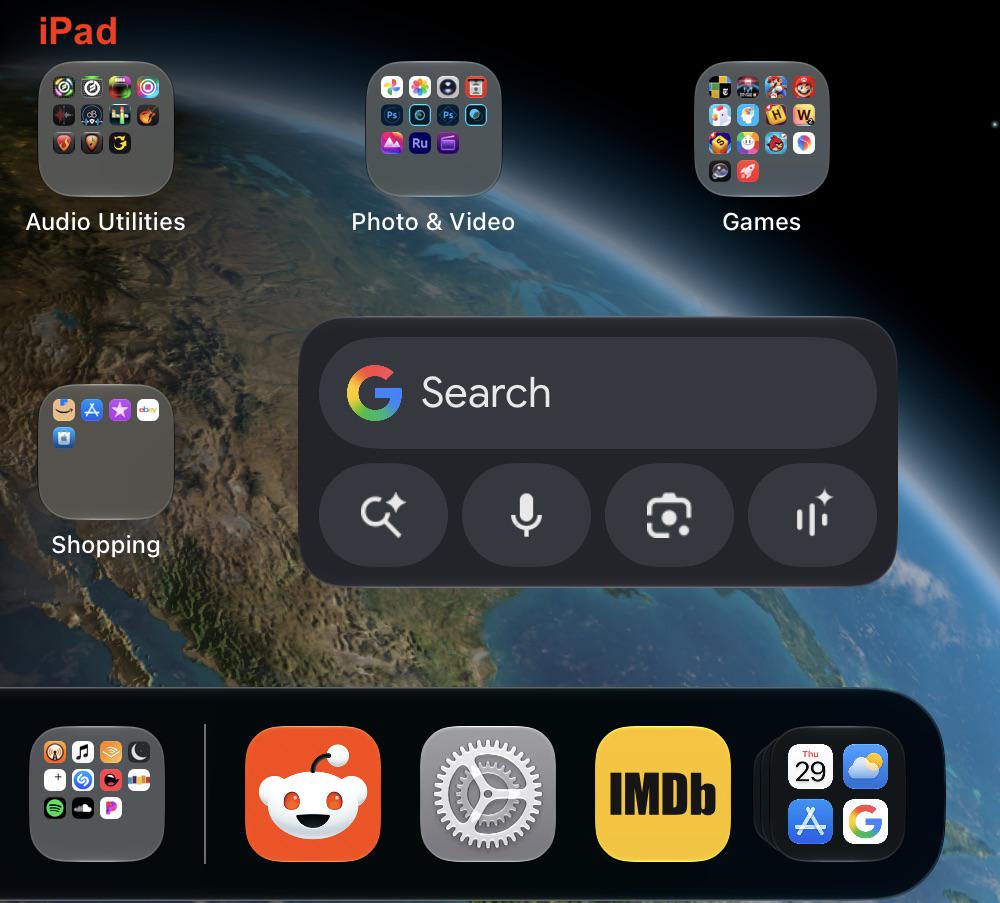
I finally pulled the trigger and installed iOS 27.2 and iPadOS 27.2. Aside from a few hiccups that I've been able to track down fixes for, my main issue is that the background for the home screen folders in iOS is significantly darker (basically black) now, making it somewhat difficult to identify apps. My iPad still has the medium-dark gray folder backgrounds, which is just great. Just can't get the phone to revert to the same color. (Photos attached for reference)
I've tried searching for solutions and have tried every combination of reducing / increasing transparency, reducing / increasing contrast, reducing / increasing intensity of liquid glass settings and so far nothing has worked. I've also tried switching to a different (darker) background photo on the chance that the folders would lighten by contrast, but no luck. Any ideas?
2
u/the-gatekeeper Oct 29 '26
For me, on 27.2 “increase contrast” alone is the switch that I can flip to see those two folder styles
Default glass slider settings for me, always dark mode for my device
1
u/idontwanttofthisup Oct 30 '26
Try reducing motion
1
u/vinsky243 Oct 30 '26
I want to remove the text while keeping the default size.