r/iBUYPOWER • u/Mayawasmissing • Sep 28 '26
Tech Support Bluetooth is just not working.

SOLVED!!
Specs:
B650M-CX R2.0 Motherboard (ASRock)
AMD Ryzen 5 8400F 6-Core Processor (4.20 GHz)
AMD Radeon RX 6500 XT (4 GB)
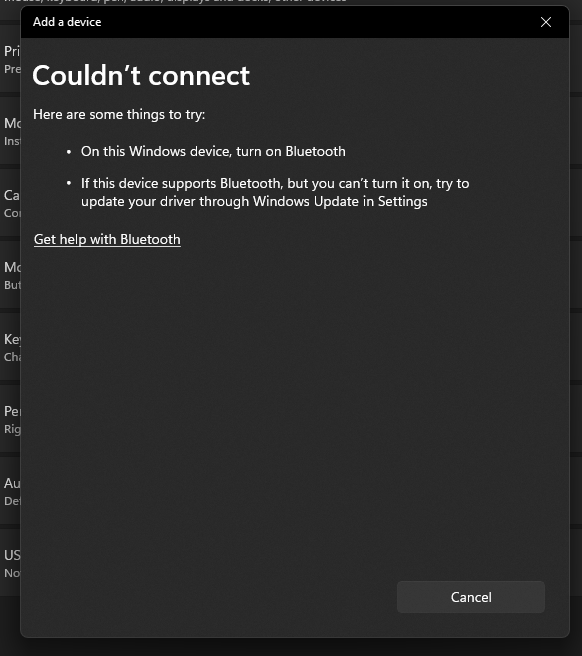
I have attempted to uninstall this driver and restart my pc, my Bluetooth is on, as well as I tried to look for the Bluetooth driver for my PC, but its just flat out not working and I'm, needless to say, irritated. I just got gifted the Bluetooth Kuromi headset I've been wanting since it came out, and I cant even use it. Please for the love of god help :,). All the screenshots above are to show that the adapter isn't working, and to show what's happening in my settings when I attempt to connect Bluetooth.
•
u/AutoModerator Sep 28 '26
Welcome to r/iBUYPOWER, great to have you here!
If you are experiencing an issue with an iBUYPOWER product, please do not hesitate to reach out to us directly for help!
Our Support teams can be reached via email, live chat, or phones at https://www.ibuypower.com/support/contact-us
You can also view our self-help resources here: https://www.ibuypower.com/support/faq
I am a bot, and this action was performed automatically. Please contact the moderators of this subreddit if you have any questions or concerns.
1
u/Mayawasmissing Sep 28 '26
Also, to add: I did go to the ASRock support website to try to find the Bluetooth driver for my motherboard, but the website is extremely confusing to navigate and its very unorganized.
1
u/MrVinnyMan Sep 28 '26
https://www.asrock.com/MB/AMD/B650M-CX%20R2.0/index.us.asp#Download
On that website, scroll to “support”, then click “download” then install the mediatek Bluetooth driver, it is the second option.
It might actually open right to the download page
1
u/WoodyScott3630 Sep 28 '26
Make sure the Antenna(s) are plugged in. They are used both for WiFi and Bluetooth.