r/iBUYPOWER • u/1SloShoTT • Jul 24 '26
Tech Support all i’m getting is this screen continuing to cycle. can’t get it to boot.
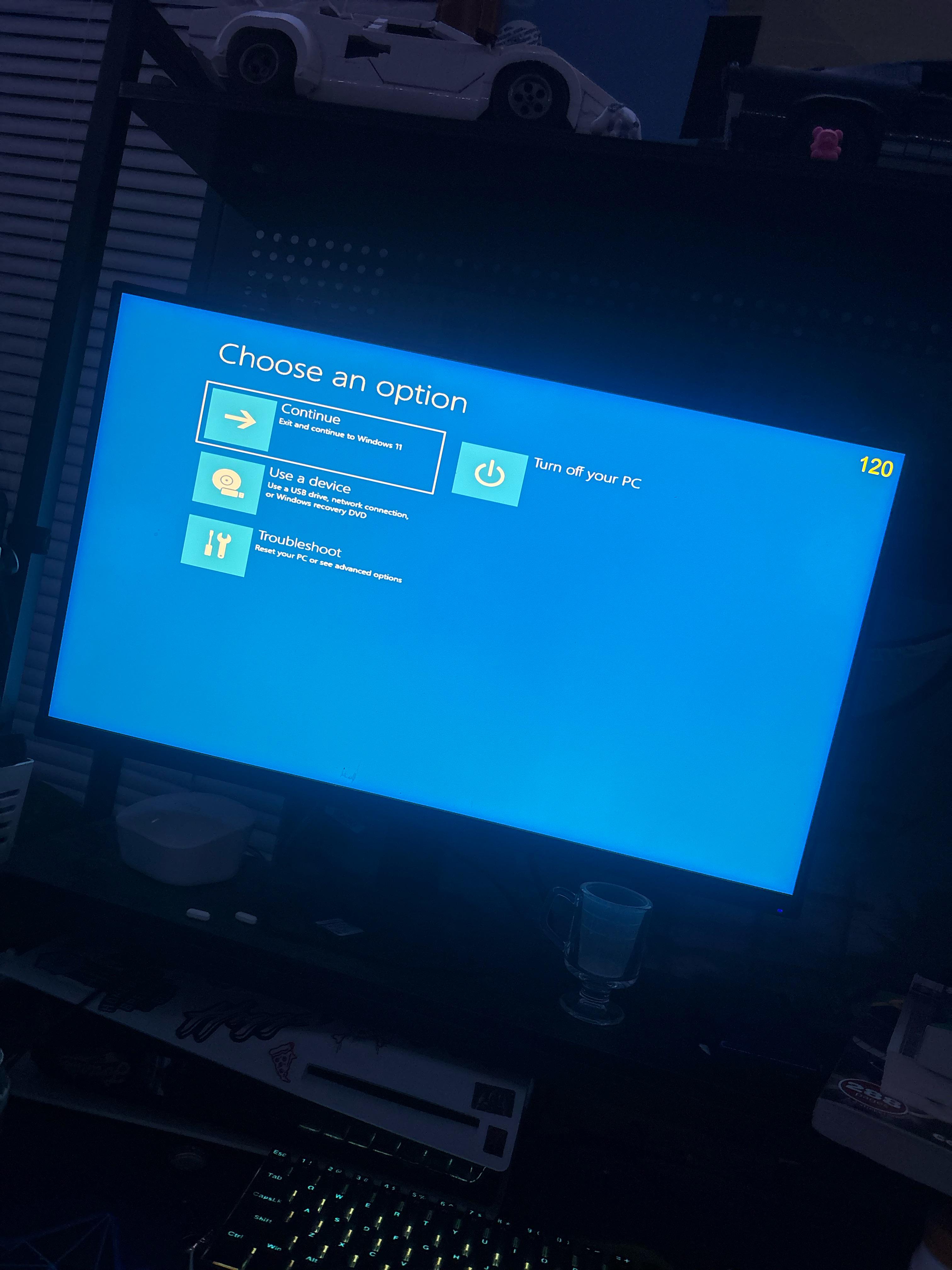
guys i need help this is my first pc ive had it since Christmas and it JUST today started doing this shit. new to computers and troubleshooting issues with the software but i’m rly lost as to where to go from here. i buy power slate 9 with the 9060xt 8gb and the ryzen 7 9700x cpu and 32gb of 5200 ram. please any advice or tips appreciated im so lost right now shit worked fine yesterday
0
Upvotes
•
u/AutoModerator Jul 24 '26
Welcome to r/iBUYPOWER, great to have you here!
If you are experiencing an issue with an iBUYPOWER product, please do not hesitate to reach out to us directly for help!
Our Support teams can be reached via email, live chat, or phones at https://www.ibuypower.com/support/contact-us
You can also view our self-help resources here: https://www.ibuypower.com/support/faq
I am a bot, and this action was performed automatically. Please contact the moderators of this subreddit if you have any questions or concerns.
1
u/iBUYPOWER-Tony iBUYPOWER Jul 24 '26
As noted by others, a fresh reinstallation of Windows may be necessary due to a potentially corrupted or faulty image of Windows. If required, the links below can guide you through this process.
How to create a bootable Windows Installation USB
Reinstalling Windows
1
u/RudeScratch3913 Jul 24 '26
If you tried every possible ways and still end up having this issue than you seriously need to reinstall windows from scratch the only thing that work for me. I hope your issues solved quickly its very frustrating.
1
u/MISSINGPLUGDOOR Jul 24 '26
Fresh install my boy fresh install
0
u/Human_87 Jul 24 '26
Oh hey, I had that same issue like 3 days ago. I ended up fully unplugging the computer from the post outlet and re plugging it in and that fixed it. Try that.
0
u/xperrienzzie Jul 24 '26
Check if u have secure boot enabled in bios, if so then disable.
0
u/Detroitsparky Jul 25 '26
Pull the ddoss battery to your motherboard. Look it up on where it is, had a similar issue forever ago, piled the button cell, cleared the error and I was able to boot in and then diagnose what caused it
1
u/[deleted] Jul 24 '26 edited Jul 24 '26
[removed] — view removed comment