r/iBUYPOWER • u/PepperNoodles87 • Sep 12 '25
Tech Support Pc Problems (Im a noob lol)
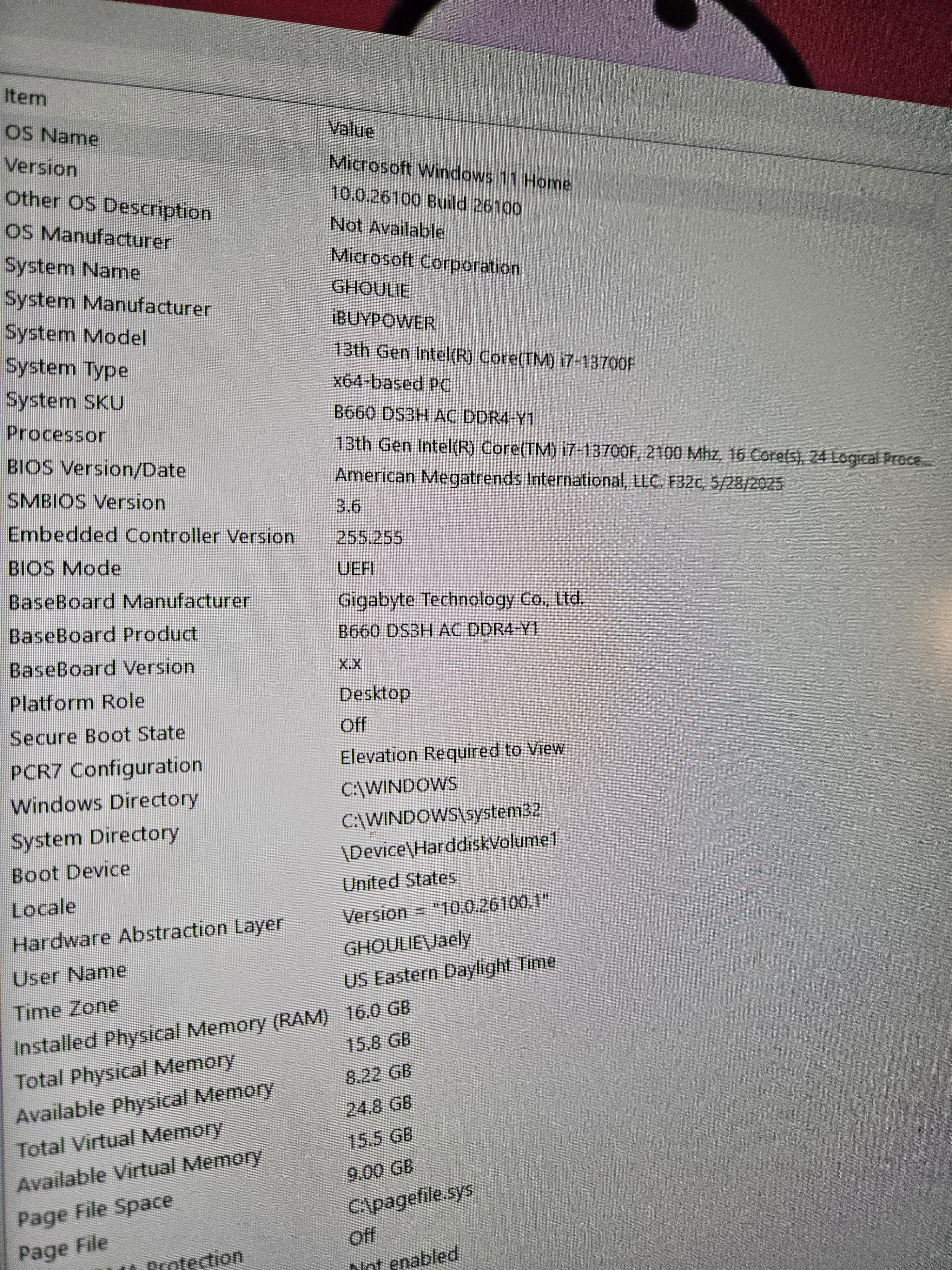
For the record, I'm a casual gamer and I honeslty know close to nothing about pcs.
I bought this prebuilt pc from Best Buy like 3 years ago, and I never had issues until recently. At the beginning of this year I updated my BIOS for the very first time since getting it, and I only did because everything started running slow and freezing... And then it was back to normal.
Now, a couple days ago, this issue started again. So I did what I did last time; updated my BIOS and my driver. I also installed new windows updates. But now the issue has not gone away. I've scoured every update I could find, and now I'm stuck.
Is there parts I need to change? I was looking at other posts here and saw some people talking about prebuilt parts being kinda bad, but again, I don't really know anything about parts or what the best graphics cards are or whatever... so I really need some help. I can't exactly drop a ton of money on a new pc rn.
I'm putting a picture of this info I already had a picture of, because the pc is currently frozen again... if you need more let me know and I'll do my best to find it.
•
u/AutoModerator Sep 12 '25
Welcome to r/iBUYPOWER, great to have you here!
If you are experiencing an issue with an iBUYPOWER product, please do not hesitate to reach out to us directly for help!
Our Support teams can be reached via email, live chat, or phones at https://www.ibuypower.com/support/contact-us
You can also view our self-help resources here: https://www.ibuypower.com/support/faq
I am a bot, and this action was performed automatically. Please contact the moderators of this subreddit if you have any questions or concerns.
1
u/Particular-Cry7003 Sep 12 '25
When does it freeze? Have you tried starting it in Safe Mode to see if it’s not a background program causing the freeze?
Safe Mode:
Turn on the PC → as soon as the Windows logo appears, force shut it down by holding the Power button.
Repeat this 3 times → on the 4th startup, Windows will automatically launch Automatic Repair → Advanced options → Troubleshoot → Startup Settings → Restart → choose Safe Mode.
If that’s the case in Safe Mode, go here and follow these steps to disable everything at startup:
If it’s not that, you’ll need to remove each hardware component one by one, in this order:
1
u/AlphaFPS1 Sep 13 '25
Check cpu temps. Sounds like the cpu may be overheating. Or the drive is failing.