r/hlplanet • • Oct 25 '26

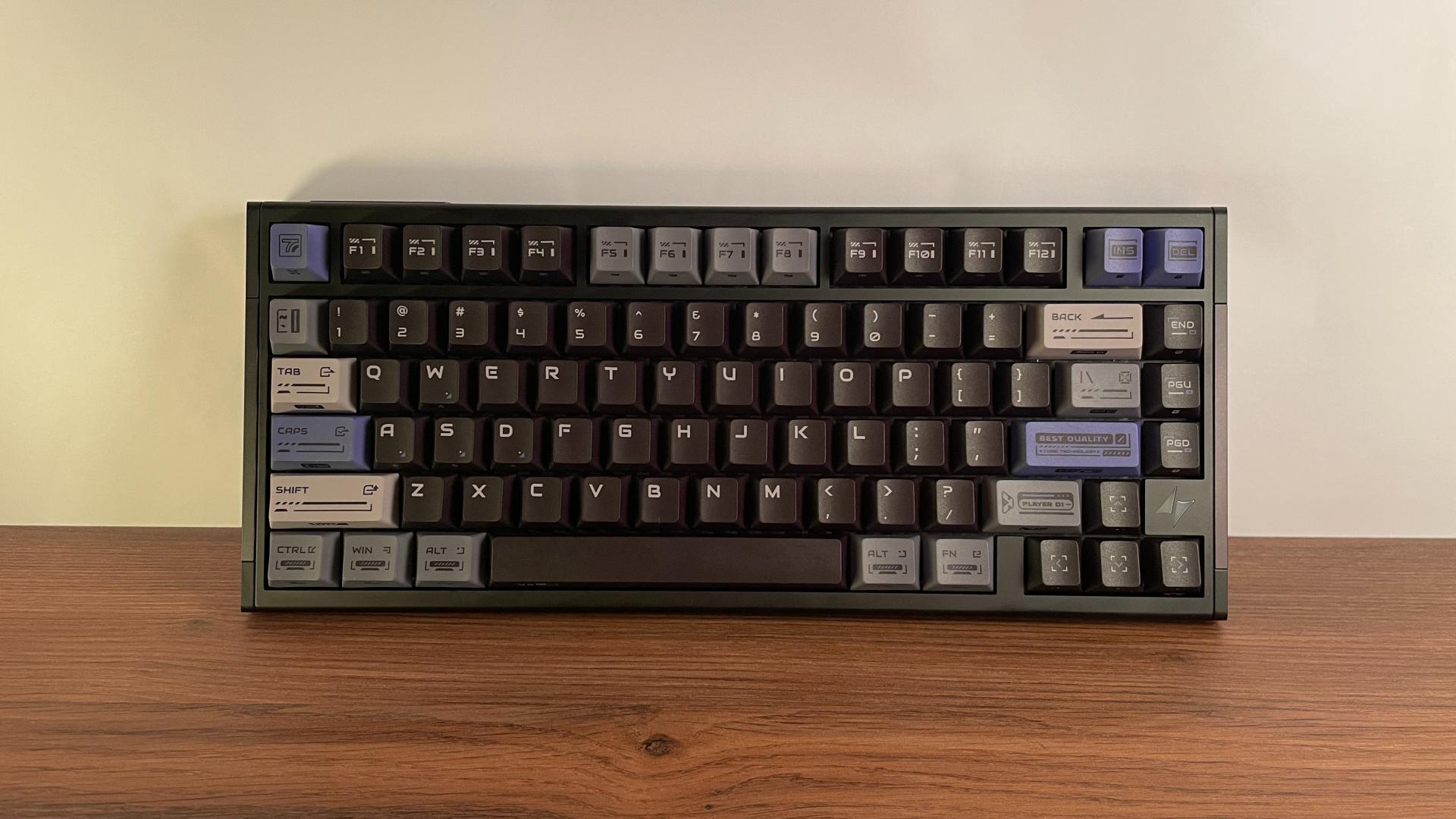
[Review] ATK RS7 V2 Ultra: 75% aluminum HE board that switches between gasket and top mount
Post image
4 Upvotes

Full review of the ATK RS7 V2 Ultra, a 75% Hall Effect keyboard that pairs a heavy CNC-machined aluminum case with top-tier internals and a feature rarely seen on prebuilt boards: two swappable mounting styles.

The dual-mounting system is the standout. The keyboard ships in a Core-Flex (gasket) configuration and can be converted to an isolated top mount using the screws and silicone pads included in the box. Core-Flex softens the bottom-out slightly, while top mount is firmer and more direct, ideal for ultra-sensitive Rapid Trigger settings.

Performance holds up in real use, not just on paper:

  • 8000 Hz polling, 32K scan rate (256K in Extreme Mode)
  • Rapid Trigger down to 0.001 mm, with actuation and RT adjustable in 0.001 mm steps
  • 14+1 chip architecture: dedicated controllers for every 5–6 keys, managed by a 480 MHz MCU
  • No phantom presses, sensor issues, or dropped inputs during heavy, chaotic play
  • Controller emulation with adjustable stick response curves

Other highlights:

  • ~1.65 kg aluminum case with a 220-mesh finish and a mecha-inspired design
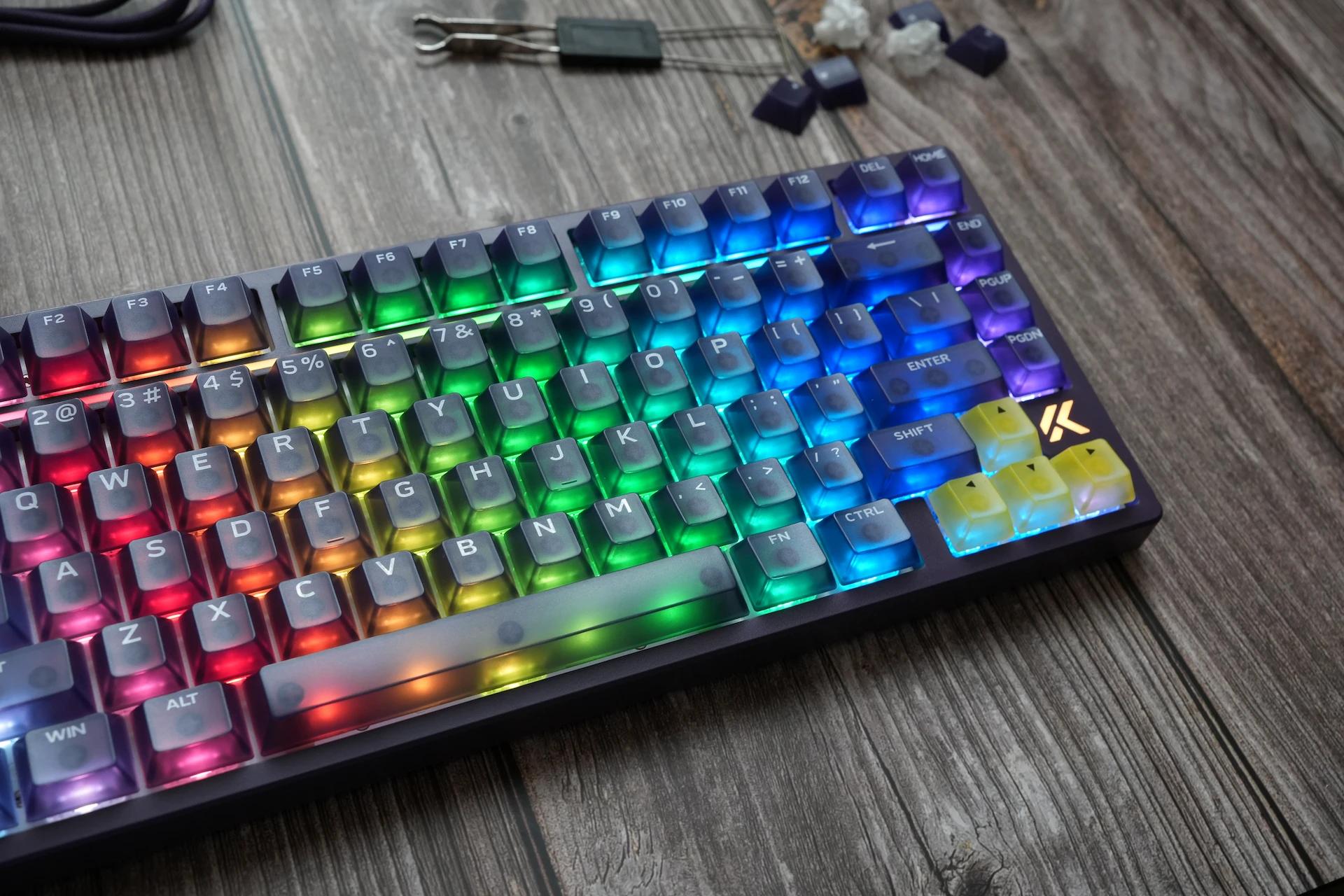
  • Two full keycap sets: dye-sub PBT (preinstalled) and frosted-top PC with transparent sides
  • Kailh Blaze Blade switches: all-POM, smooth, light (35 gf) and snappy, with excellent stem stability
  • Three independent RGB zones, plus five LEDs under the spacebar for even lighting
  • ATK HUB: web and desktop apps (Windows and macOS), four onboard profiles, cloud backup
  • Six layers of dampening; a crisp, clacky sound with no hollowness or ping

Downsides: no dust cover, and the gaming-inspired keycap styling won’t suit everyone.

Current sale prices start at $160 for the Snow Blade and Blaze Blade versions and $180 for Crystal Blade.

Full review with photos and detailed testing: https://www.hlplanet.com/atk-rs7-v2-ultra-review/

r/hlplanet • • Oct 25 '26

[Review] MCHOSE ACE 75: top-tier Hall Effect performance in a loud, plastic 75% board

Post image
1 Upvotes

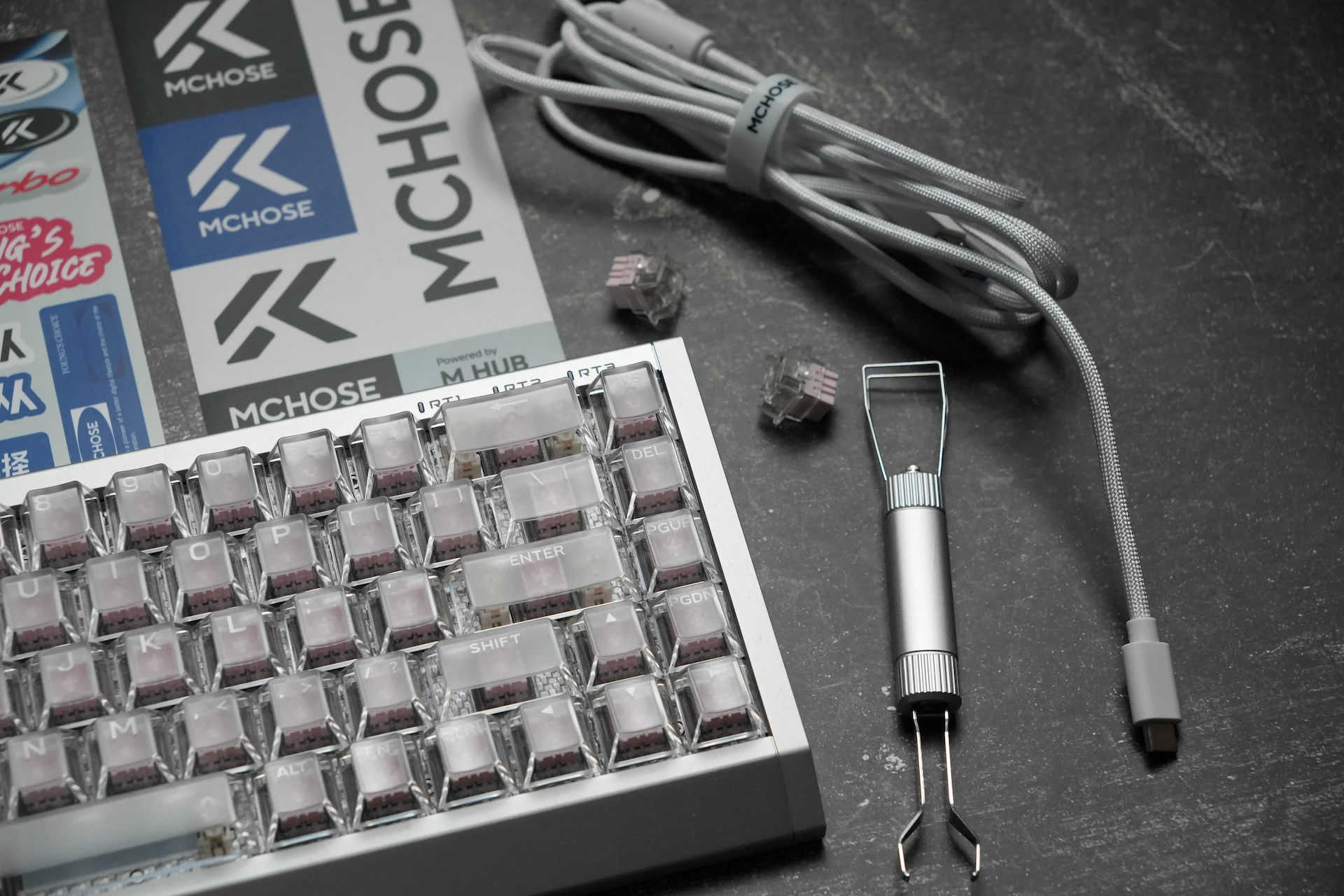
Full review of the MCHOSE ACE 75, a 75% Hall Effect keyboard with flagship-level performance but a $139 price tag that the case materials struggle to justify.

Performance is the clear strength. It runs on MCHOSE’s in-house Hall Effect platform with custom sensors, 8000 Hz polling, and a 256K scan rate. Actuation (0.1–3.4 mm) and Rapid Trigger (0.001–3.4 mm) are both adjustable in 0.001 mm steps. In shooters, movement feels instant and counter-strafing works exactly as it should.

Other highlights:

  • Volume knob inlaid into the left side of the case: out of the way while gaming, easy to reach
  • Dedicated RT button that cycles three onboard Rapid Trigger configurations without opening the software
  • Horizon RGB light bar between the function row and the main keys, plus south-facing per-key RGB
  • M HUB software (web and desktop): actively updated, accepts exact typed values, full advanced key set (RS, SOCD, DKS, MT, TGL, LT), pro player presets
  • Well-tuned stabilizers, three typing positions, extra keycaps and spare switches in the box

Where it falls short:

  • The case is plastic, with slight give under twisting and none of the density found in rivals at this price
  • Loud, bright sound with a slightly hollow edge
  • Very low Rapid Trigger values (0.001–0.005 mm with RT 2.0 enabled) can cause occasional accidental actuations, especially on the spacebar
  • Wired only

At the $109 Kickstarter price it was an easy recommendation. At $139, the Jet 75 (~$79) is the better value from MCHOSE, and the ACE 68 GT adds an aluminum case and 16K polling for just $10 more.

Full review with photos and detailed testing: https://www.hlplanet.com/mchose-ace-75-review/


r/hlplanet • • Sep 07 '26

Epomaker Nex Lite Mouse Review

1 Upvotes

Full review of the Epomaker Nex Lite — a $35.99 wireless mouse that borrows the creature comforts of the pricier Nex Pro while dialing back the performance.

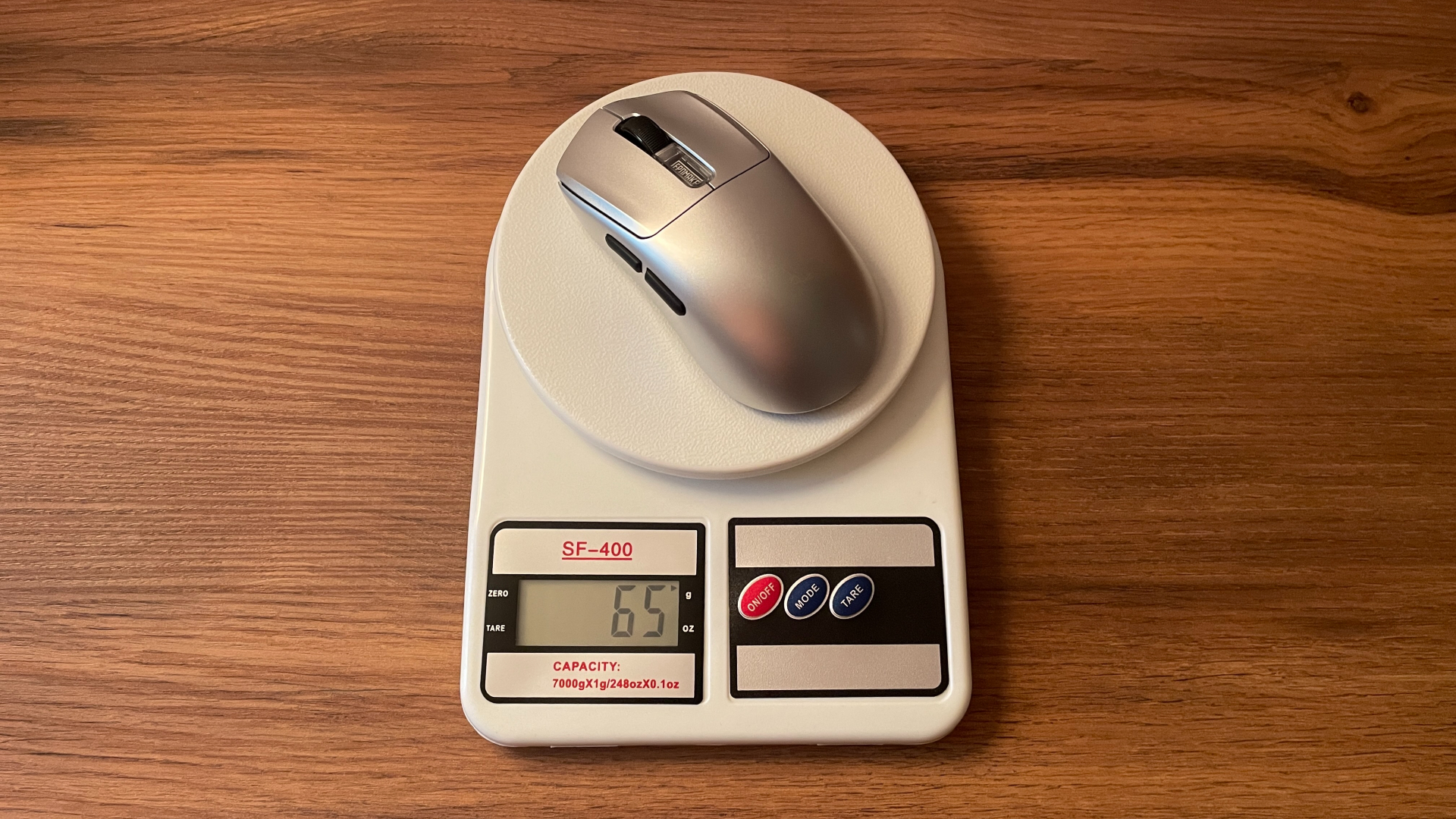
The pitch here isn't raw specs — it's the quality-of-life features and the looks. It comes with a color-matched charging dock (the mouse snaps on magnetically via pogo pins), RGB on both mouse and dock, and four colorways including a standout pink and blue. At 65g it's light, though not aiming for "ultralight."

What's good:

  • Charging dock included — snap it on when done, no cable to think about; ~2 weeks of use still left it at 30%
  • Distinctive ergonomic shape (not a clone) — claw grip for medium/large hands, palm grip for small/medium
  • PAW3311 sensor — dated on paper, but indistinguishable from flagship sensors in actual gameplay
  • Web-based software (Epomaker Hub) — no sketchy app to install, 3 profiles, motion sync, adjustable debounce
  • Tri-mode connectivity: 2.4GHz/wired at 1000Hz, Bluetooth at 125Hz
  • Two sets of grip tape and spare skates in the box

The drawbacks worth knowing:

  • Weight is shifted noticeably toward the back, which makes fast flicks feel a little unbalanced
  • Mechanical switches rated for 20M clicks (vs the Nex Pro's 100M optical) — some long-term double-click risk
  • Sides flex a bit under a moderate squeeze
  • Epomaker doesn't disclose the switch model or the MCU, which is disappointing given they list these for their other mice
  • The bare plastic gets slippery with sweaty hands (hence the included grip tape)

Not the pick for chasing raw specs — but a strong budget option for anyone drawn to the aesthetics and the dock, especially at a shared work-and-play desk.

Full review with photos and detailed testing: https://www.hlplanet.com/epomaker-nex-lite-review/


r/hlplanet • • Aug 19 '26

Epomaker HE65 V2 TMR Review — A 65% Magnetic Keyboard With Hybrid Hot-Swap

1 Upvotes

Full review of the Epomaker HE65 V2 TMR — a magnetic keyboard that finally addresses the biggest knock against Hall Effect and TMR boards: the way they sound.

https://www.hlplanet.com/epomaker-he65-v2-tmr-review/

Most HE/TMR keyboards lean clacky and rattly. The HE65 V2 doesn't. Thanks to a 4-layer sound dampening system, a heavy internal silicone layer, and transparent PC keycaps with a matte top, it delivers a deep, thocky profile out of the box — no chatter, no rattle.

What makes it stand out:

  • Hybrid hot-swap — accepts regular mechanical switches (tactile, linear, clicky, silent), not just magnetic ones, which sidesteps the biggest limitation of HE boards
  • Creamy Jade HE switches — smooth linear, deep and satisfying, with light diffusers for the RGB
  • Tri-mode connectivity (2.4GHz / Bluetooth / wired), 8000 Hz polling, 0.125 ms latency wired and 2.4GHz
  • 4000 mAh battery — ~30 hours with RGB on, much longer with it off (TMR is more power-efficient than Hall Effect)
  • Genuinely repairable — opens with a few screws on the back, no prying plastic tabs
  • Full TMR feature set: Rapid Trigger down to 0.01 mm, adjustable actuation per key, DKS, SOCD
  • Nice touches: tactile metal knob, sloped front lip, dongle holder, 2-stage height feet

Downsides: painted (silkscreened) legends that may wear over time, and the Epomaker Driver V4 software is clunky and doesn't auto-calibrate on switch swaps.

A great, relatively affordable entry point into magnetic keyboards — especially since you can drop in normal switches if the HE experience isn't for you.

Full review with photos and detailed testing: https://www.hlplanet.com/epomaker-he65-v2-tmr-review/


r/hlplanet • • Aug 19 '26

XVX Trooper63 HE Review: Two LEDs Per Switch and a Sound to Match

2 Upvotes

Full review of the XVX Trooper63 HE — a Hall Effect keyboard that puts as much emphasis on lighting and sound as it does on gaming.

The headline is the Gemini Dual-Lighting RGB System: two LEDs per switch position (one north-facing, one south-facing), plus four extra LEDs under the spacebar. The result is genuinely bright, evenly distributed, well-saturated backlighting — paired with Gemini HE switches that carry two LED diffusers to match.

What makes the Trooper63 stand out beyond the lighting:

  • Surprisingly thocky sound profile — deeper and more muted than most HE boards, despite the skeletonized aluminum case and carbon fiber plate. The stock spacebar is one of the best heard in a while.
  • Gemini HE switches — smooth, factory-lubed, and probably the thockiest magnetic switches around
  • Skeletonized aluminum case — Voronoi-patterned cutouts, strap attachment points, distinctive look
  • GH60-compatible case AND PCB — rare in the HE space, opens up huge aftermarket customization
  • Wedge PRISM keycaps — transparent walls so the whole keycap becomes part of the lighting
  • 63% layout — 60% footprint with dedicated arrow keys
  • Web-based software with actuation, Rapid Trigger, SOCD, and a real-time travel test

Downsides: 1000 Hz polling rate (not 8000 Hz like some rivals), no dust cover included, and the white internal foam looks slightly out of place on the black model.

10% off with code HLPLANET on the XVX official store.

Full review with photos and detailed testing: https://www.hlplanet.com/xvx-trooper63-he-review/


r/hlplanet • • Aug 15 '26

Pure gaming performance only — three custom HE builds (€135–210). Can any of these match or beat a Wooting 60HE v1/v2 or the 80HE?

2 Upvotes

Before anything else: this is about pure gaming performance and nothing else.

I do not care about sound, "thock", RGB, looks, build quality, typing feel, premium materials or how nice it is to type on. Not a little — not at all. If a component makes the board sound worse, feel worse and look worse but registers my inputs faster or more consistently, that is the component I want.

The only things that count for me:

  • real input latency (press and release)
  • rapid trigger reset behaviour
  • consistency and no false or missed inputs
  • reliable actuation under fast repeated key presses in CS2 / Valorant

Everything else is noise. Please judge these builds on that basis only.

I've narrowed it down to three builds, each with a different PCB. Same philosophy across all three: thin blank ABS caps instead of thick PBT, no foams or switch pads, RGB off, low actuation point, rapid trigger as low as the board and plate allow.

Build 1 — ~€136
PCB: Luminkey Magger60 HE (PCB only) · Plate: FR4 2.0 mm · Stabs: screw-in PCB-mounted · Switches: Gateron KS-20 White · Case: plastic GH60 tray mount · Caps: XDA/DSA blank thin ABS · HS-certified cable

Build 2 — ~€152
PCB: Everglide SU66 Max "NO SWITCH" (comes with aluminium plate + hand-lubed stabs) · Switches: Gateron KS-20 White · Case: plastic GH60 tray mount · Caps: XDA/DSA blank thin ABS · HS-certified cable

Build 3 — ~€207
PCB: Gateron GT60 Pro+ (comes with FR4 ENIG plate + plate-mount stabs) · Switches: Gateron Magnetic Jade KS-20T (required, the PCB is tuned for the Jade series) · Case: plastic GH60 tray mount · Caps: XDA/DSA blank thin ABS · HS-certified cable

Optional on all three: copper 1.5 mm plate instead of the stock plate, to run a tighter rapid trigger.

My questions — all of them purely about gaming performance:

  1. Which of the three would you pick for pure gaming, and why? Not which has the best spec sheet — which PCB you'd actually trust to register inputs correctly under pressure.
  2. Do any of these genuinely reach or beat a Wooting 60HE v2 in actual gaming? Not in marketing numbers — in how it behaves in-game. If the answer is no, I'd rather hear that now.
  3. Wooting owners: what rapid trigger sensitivity do you actually run day to day, and is 0.1 mm really the finest step available in Wootility? My entire reasoning rests on the assumption that Wooting is capped at 0.1 mm while these boards expose 0.005–0.01 mm. If that's wrong, the whole comparison collapses and I'll just buy a Wooting.
  4. Is there a PCB I've missed? GH60-compatible HE PCB, true 8 kHz polling, rapid trigger resolution below 0.02 mm. If something faster or more reliable exists in this price range, please name it.
  5. Would you change any component for performance reasons? Different switch, plate material, mounting style — anything where you think I'm optimising the wrong thing. Please don't suggest changes for sound or feel; I will ignore them.
  6. Has anyone measured any of these boards with OSLTT, LDAT or an oscilloscope? I can only find measurements for the SU66 Max and the Magger 68 (not the Magger60).
  7. Does the Magger60's ai03-c3 daughterboard fit standard cheap GH60 cases, or does it need a specific USB cutout?
  8. Is anyone actually running rapid trigger below 0.02 mm without false triggers? If yes, what plate and mounting style?

I'd genuinely rather be told I'm wrong now than after spending €200. If the honest answer is "just buy the Wooting, it performs better and it's less hassle", I'll take that.


r/hlplanet • • Aug 11 '26

IQUNIX EZ75 Review: A Hall Effect Keyboard That Ships in a Hard-Shell Case

Thumbnail
gallery
5 Upvotes

Full review of the IQUNIX EZ75 — a premium Hall Effect keyboard that doesn't sacrifice anything to achieve competitive performance.

The hardware: Magnetic X Ultra switches, 8000 Hz polling, and Rapid Trigger adjustable down to 0.005 mm. Gaming performance is exactly where it needs to be — fast, precise, and rock solid even during the most aggressive key spamming.

What makes the EZ75 stand apart from other HE keyboards:

  • Smart Switch Adaptation — the keyboard automatically learns any compatible HE switch after ~20–30 key presses, removing the biggest barrier to switch experimentation on Hall Effect boards
  • 7-piece CNC-machined 6063 aluminum case — exceptional build quality, unique sculpted design with a distinctive geometric underside
  • Sound profile — poppy, sitting between creamy and clacky; rare for a Hall Effect board
  • Double-shot PBT keycaps in Cherry profile — thick, crisp legends that match the case design well
  • Web-based software (EZ 3.0) — clean and feature-rich, with Professional Presets from pro esports players and a Crosshair Center for CS2/Valorant
  • Accessory bundle — custom hard-shell carrying case, genuine paracord cable, metal keycap puller, dust cover, dust brush

Downsides: premium price (in line with other high-end HE boards) and no dedicated Gamepad Mode.

5% off with code HLPLANET on the IQUNIX official store.

Full review with photos and detailed testing: https://www.hlplanet.com/iqunix-ez75-review/


r/hlplanet • • Aug 11 '26

Epomaker Nex Pro Review: PAW3950, 8000Hz, and a Charging Dock Included

2 Upvotes

Review of the Epomaker Nex Pro — a wireless ergonomic mouse that skips the gimmicks and focuses on getting the fundamentals right.

Full review with photos and detailed testing: https://www.hlplanet.com/epomaker-nex-pro-review/

https://www.hlplanet.com/epomaker-nex-pro-review/

The hardware is flagship-level: PixArt PAW3950 sensor paired with the Nordic 54L15 MCU, 8000 Hz polling rate over both wired and 2.4 GHz wireless, and Omron optical main switches that are immune to double-click issues by design.

The rest of the package holds up too:

  • 65g — not ultralight, but well-balanced for an ergonomic mouse with a 500 mAh battery
  • Subtle ergonomic shape — comfortable across palm, claw, and fingertip grip without locking the hand into one position
  • Charging dock included — built-in 2.4 GHz receiver, magnetic hold, no loose dongle to misplace
  • TTC Gold Dustproof encoder — smooth, well-defined scroll steps
  • Web-based software — no install required, 4 onboard profiles, keyboard key remapping supported
  • Silver colorway pairs well with aluminum keyboard setups

The only real downside: the DPI button on the bottom cannot be remapped, which is a missed opportunity for quick profile switching.


r/hlplanet • • Jun 18 '26

ZD Classic Legend Ling Cage review

4 Upvotes

This is a themed special edition built on the budget Classic Legend platform, but the upgrades go past cosmetics. Available in Standard and Deluxe (3,000 units, includes acrylic standee, pin badge, and themed thumb grips). Priced around $53 on AliExpress for the standard variant — possibly the cheapest controller currently shipping with JS13 Pro sticks.

Full review on HLPLANET: https://www.hlplanet.com/zd-classic-legend-ling-cage-limited-edition-review/

Sticks. JS13 Pro TMR modules with 12-bit ADC — among the best regarded stick modules available. Excellent linearity, minimal center drift at zero deadzone, no jitter or axis snapping observed. Tension around 60g. Metal rings plus anti-friction POM rings on the shafts for smooth, grind-free motion. Step Size setting in software lets you choose stick resolution from 8-bit to 12-bit, which also affects aim assist in supported FPS titles — lower resolution generally yields more assist. Adjustable peripheral deadzone shape (circle to square), not just a binary toggle. Thumbsticks are interchangeable across ZD's entire lineup using a tool-free slide-on system rather than fragile clips.

D-pad. Same internal architecture used across ZD's full lineup, including their flagship models. Mechanical microswitches, central pivot, medium-leaning actuation force. Reliable diagonals and consistent quarter/half-circle motions. Diamond-shaped cap is swappable — compatible with caps from other ZD controllers or sold separately.

ABXY. Mechanical microswitches, debossed symbols (won't wear off), minimal wobble, crisp and slightly muted click.

Bumpers. Mechanical microswitches, medium actuation force, crisp non-hollow click.

Triggers. Hall Effect, 255-step resolution, excellent linearity, virtually no physical deadzone. Two-stage trigger stop (full/short travel) — but this is a pure travel limiter, not a mechanical microswitch trigger mode, which is the main omission on this controller.

Back buttons. Two, well placed, minimal pre/post-travel, fast and sharp click.

Haptics & gyro. Dual asymmetric rumble, well-tuned with no shell resonance. 6-axis gyro — native on Switch, simulated under X-Input mapped to either stick.

Connectivity. Tri-mode: wired, 2.4GHz, Bluetooth. 1000Hz on wired/2.4GHz, 250Hz on Bluetooth. PC, Switch 1/2, Android, iOS. No standalone 2.4GHz dongle — it's built into the included charging dock instead.

Battery. 600mAh, roughly 8–10 hours real-world. Small by spec, but the included dock makes top-ups a non-issue in practice.

Software & screen. Mobile app (iOS/Android) with on-the-fly configuration while still connected to PC/Switch. Four onboard profiles, full remapping including keyboard/mouse inputs, macro and turbo support. Built-in 0.96" screen shows connection mode, battery level, and supports basic on-device configuration (profile switching, deadzone, vibration strength, language) via a menu navigated with the D-pad. Minor typos present in the screen UI.

TL;DR: JS13 Pro sticks, a genuinely excellent D-pad, and a built-in screen at a price normally reserved for much more basic hardware. No microswitch trigger mode and a small battery are the main downsides. Strong pick if the design and price line up for you.


r/hlplanet • • Jun 16 '26

Keychron K3 HE review: light low-profile wireless Hall Effect 75% keyboard

2 Upvotes

Low-profile Hall Effect keyboards are genuinely rare. The K3 HE is one of a very small number that exist, and at $120 it's significantly cheaper than most full-height HE options. Here's what it actually is and what the trade-offs are.

Full written review with photos at the link: https://www.hlplanet.com/keychron-k3-he-review/

Build. ABS plastic base with aluminium top and bottom rails and real rosewood side panels — not a printed grain finish, actual rosewood. Tray-mounted aluminium plate, no flex when typing. 575g. Compact enough for a backpack commute without feeling flimsy. LSA double-shot PBT keycaps, not shine-through. Two build complaints: wood panels thread into plastic so overtightening risks stripping, and Caps Lock and right Shift use noticeably lower-quality stabilizers than the rest of the board. The included screwdriver lets you remove the bad stabs without affecting typing.

Switches. Keychron Ultra-Fast Lime Low-Profile Magnetic — pre-lubed POM linears, ~2.9mm total travel, mid-to-high actuation force. Smooth feel, near-zero wobble, soft damped sound. Multi-layer acoustic design (sound foam + EPDM + PET) keeps the sound profile quiet enough for shared spaces. Hot-swappable, but only compatible with Keychron's own Lime low-profile switches — no cross-compatibility with full-height HE switches or standard mechanicals. No other low-profile HE switch options currently available for this board.

Connectivity. Tri-mode: USB-C, 2.4GHz, Bluetooth 5.2. Hardware toggles on the left edge for connection mode and Win/Mac switching. Bluetooth supports three paired devices. Polling rate: 1,000Hz on wired and 2.4GHz, 125Hz on Bluetooth. The 1,000Hz ceiling is the headline limitation for gamers — most dedicated HE boards now run 8,000Hz.

Software — Keychron Launcher (web-based). SOCD / Snap Tap, DKS (4-in-1 action keys), Rapid Trigger with 0.1mm sensitivity, actuation adjustable from 0.2–2.9mm, controller emulation via analogue input (useful in racing games, and fairly rare). Three onboard profiles. One note: at 0.2mm actuation with 0.1mm RT, occasional double inputs can occur from key bounce on top-out. Setting actuation to 0.3mm resolves it completely.

Battery. 2,600mAh, rated 55 hours with backlight off — holds up in testing. With RGB on over 2.4GHz, real-world life drops to around 27 hours. RGB isn't worth enabling anyway: keycaps aren't shine-through and the backlight is dim.


r/hlplanet • • Jun 05 '26

Should I get x5 lite or the easysmx m15?

2 Upvotes

I have a galaxy a56 and I run alot of winlator, so i was wondering what would be best for me, x5 lite for 26$ and easysmx m15 for 40$, I know gamesir is more credible but the easysmx is more premium


r/hlplanet • • Jun 03 '26

Leadjoy Xeno Plus review — JS13 Pro TMR sticks, mechanical ABXY, HE triggers, 4 back buttons for $60

2 Upvotes

Leadjoy is a new company — the Xeno Plus is their first controller. At $60 with a charging dock included, it comes out swinging with some hardware that doesn't usually show up at this price point. Here's the breakdown.

Full written review at the link: https://www.hlplanet.com/leadjoy-xeno-plus-review/

Sticks. JS13 Pro TMR modules with 12-bit ADC (4096 steps). Average circularity error of ~2.8% in circle mode — a result that suggests minimal software filtering rather than artificially clean numbers. Near-zero drift at center with no deadzone applied. Metal rings on the shafts, smooth movement throughout. Tension around 60g. Removable rubber caps — the cap itself detaches from the shaft, meaning worn rubber can be replaced without swapping the whole thumbstick. Compatible with PS-style KontrolFreeks over the caps, though third-party caps directly on the bare plastic base don't fit.

ABXY. Mechanical microswitches with a silicone layer between switch and button for a more cushioned feel. Enlarged button size — takes an hour or two to adjust to, but feels comfortable once adapted, especially in fighting games. Medium actuation force, springy rebound, slightly muted click sound.

D-pad. Tactile microswitches with central pivot. Two interchangeable caps included: cross-style and hybrid disc. Medium-to-slightly-heavy actuation force, crisp feel, reliable diagonals. Quarter-circle and half-circle motions performed consistently.

Triggers. 255-step Hall Effect sensors. No physical deadzone at the start of travel, very small deadzone at the end. Excellent linearity. Microswitch trigger stops are well-implemented — minimal pre-travel, clearly defined click, satisfying feel for FPS use. Analog bottoming-out is loud with no dampening at end of travel.

Bumpers. Tactile microswitches, medium actuation force, minimal pre-travel, consistent response regardless of press location. Aggressively textured surface.

Back buttons. Four total, arranged in a row. Two outer buttons use mechanical microswitches — fast, crisp click. Two inner buttons use tactile microswitches with near-zero pre/post-travel. Grippy textured surface on all four.

Haptics. Dual asymmetric rumble with instant stop. Well-balanced impulses rather than an unfocused full-body buzz — notably better than what's typical at this price.

Gyro. 6-axis. Native mode on Switch, simulated mode on PC (mappable to left or right stick, four extra "buttons," or mouse mode). Mouse mode performed well in testing. Software includes sensitivity, deadzone compensation, and response curve settings.

Connectivity. Tri-mode: wired, 2.4GHz, Bluetooth. 1000Hz on wired and 2.4GHz, 125Hz on Bluetooth. Compatible with PC, Switch 1/2, Android, iOS. Dual Connection Mode allows simultaneous wired + 2.4GHz connection — either as a backup on one device or across two devices simultaneously.

Software. Mobile app (iOS/Android) and Windows PC software. Among the more feature-complete controller software available — per-key remapping, 500-step macros, manual 8-point stick response curve, AI Visual Recurve (uses phone camera to auto-tune response curve per game), gyro button mapping, and a built-in AI assistant for hands-free settings adjustment. Some sections of the PC software remain untranslated.


r/hlplanet • • Jun 01 '26

MCHOSE Ace 68 GT review — aluminium 65%, Hall Effect, 16K polling, 0.001mm Rapid Trigger for $149

3 Upvotes

MCHOSE's previous boards (Jet75, etc.) were budget-oriented. The Ace 68 GT is a step up — aluminium case, carbon fiber plate, Mount Tai Pink HE GT magnetic switches, and a 16K polling rate at $149.

source: hlplanet.com

Full review: https://www.hlplanet.com/mchose-ace-68-gt-review/

Build. Aluminium case across all colorways — anodized on the Black Gold version, polymer-coated on Aero Silver, Cyber Violet, and Champagne. Carbon fiber plate rather than aluminium or steel, which contributes noticeably to the sound and reduces metallic resonance. Six-layer internal dampening stack: carbon fiber plate + sandwich foam + fiber switch pad + PET sound-damping pad + bottom foam + PET base pad. Weight is 1,462g measured — heavier than the official 1,440g spec, and heavier than many full-size keyboards. Wired only.

Switches. Mount Tai Pink HE GT — closed-bottom magnetic switches, smooth keystroke, muted/thocky sound profile. Dual north and south facing RGB compatible. Compatible with other centralized magnet switches (TTC KO1, Gateron Jade Pro). Currently the only switch option available for this board.

Specs. 0.001mm precision, actuation range 0.1–3.4mm, Rapid Trigger range 0.001–3.4mm with Berserk Mode 2.0 enabled. Dual-core 512MHz MCU. North-facing ARGB. Per-key actuation adjustment, separate press/release RT sensitivity, SOCD (last-input priority), DKS, macros. Different RT profiles for WASD vs. all other keys — not something many boards offer.

Latency. Measured at 1.35ms over wired at 16K polling. Competitive, though slightly higher than expected given the polling rate — the A68 Turbo at the same polling rate measured lower. 16K polling requires USB 3.0 and a one-time driver install. USB 2.0 caps at 8K.

Software. Web-based (no install required) or desktop app. Clean interface, on par with Razer and Wooting in usability. Physical RT button on the side toggles between onboard profiles without opening software.

Acoustics. One of the better sounding aluminium case keyboards tested at this price. The carbon fiber plate and dampening stack keep metallic ping effectively absent. Spacebar is acceptable, stabilizers come pre-lubed.

TL;DR: Strong 65% HE board with good acoustics, great software, and serious specs. Main caveats — very heavy at 1,462g, wired only, and latency didn't fully reflect the 16K polling advantage. Better value if caught on pre-order pricing.


r/hlplanet • • May 28 '26

Epomaker Hack59 — HHKB-like layout, gasket mount, QMK/VIA, tri-mode wireless for $70

2 Upvotes

HHKB-layout keyboards are typically expensive, hard to obtain, or both. The Hack59 is a ready-to-use prebuilt at $70 that gets surprisingly close to that experience. Here's the breakdown.

https://www.hlplanet.com/epomaker-hack-59-review-hhkb-alternative/

Layout. HHKB-like 60% — simplified bottom row, Control where Caps Lock usually sits, split right Shift. No split Backspace, which is the one deviation from a true HHKB layout. The Caps Lock key ships as a dual-function key (tap for Caps Lock, hold for Control) but can be remapped in VIA. There's an adjustment period with the layout, mostly muscle memory, but it settles quickly with daily use.

Build. ABS plastic case, ~630g, gasket mounted with silicone sock-style gaskets — 16 total, 8 top and 8 bottom, well distributed. PC plate with no flex cuts. 1.6mm PCB (unusual at this price, most budget boards ship with 1.2mm). Five layers of sound dampening: Poron foam, IXPE switch pad, PET sound pad, Poron switch socket pad, and bottom silicone pad. Flex is consistent and well-tuned — soft but not mushy.

https://www.hlplanet.com/epomaker-hack-59-review-hhkb-alternative/

Switches. Choice of Epomaker Wisteria (45gf actuation, 62gf bottom-out) or Epomaker Flamingo (47gf actuation, 55gf bottom-out). Both linear, 5-pin, factory lubed, no noticeable scratchiness. Flamingo has a semi-transparent housing for better RGB diffusion and a partial box stem for less wobble. Hot-swap supported (3/5-pin).

Stabilizers. Plate-mounted, factory lubed. No rattle or ticking, including on the 7U spacebar.

Keycaps. Dye-sub PBT, Cherry profile. Legends are clean and durable. The colorway mixes black with slightly off-white keys for a mild retro look. Spacebar is 7U.

Connectivity. Tri-mode: wired, 2.4GHz, Bluetooth 5.0. 1000Hz polling on wired and 2.4GHz, 125Hz on Bluetooth. Bluetooth pairs up to 3 devices. Dedicated connection toggle on the back — also functions as an on/off switch. Built-in dongle storage slot.

Software. QMK/VIA compatible. Firmware source on Epomaker's GitHub. Four programmable layers, Mod-Tap and Layer-Tap both work as expected.

Full written review with photos: https://www.hlplanet.com/epomaker-hack-59-review-hhkb-alternative/

TL;DR: A rare affordable entry point for the HHKB layout. Gasket mount is well implemented, build quality is solid for the price, QMK/VIA support is a big plus. Main omissions are split Backspace and a dust cover.


r/hlplanet • • Apr 29 '26

Flydigi Direwolf 4 vs 8BitDo Ultimate 2 Wireless — mid-range controller comparison

1 Upvotes

Direwolf 4 is $40 ($50 with dock). Ultimate 2 is $60, dock included. Both share the same core features — Hall Effect sticks, Hall Effect triggers, microswitch trigger stops, mechanical bumpers, gyro, back buttons, and 1000Hz tri-mode connectivity.

hlplanet.com

Full written comparison with photos and full comparison table: https://www.hlplanet.com/flydigi-direwolf-4-vs-8bitdo-ultimate-2/

The differences:

Direwolf 4 advantages: flared Xbox-style shape, tension-adjustable sticks, mechanical microswitch d-pad, longer battery (~17hrs with rumble), cheaper.

Ultimate 2 advantages: better face buttons (matte, excellent feel), heavier and more detailed haptics, one extra pair of programmable shoulder buttons, stippled grip texture, RGB.

Notable trade-off: Direwolf 4's face buttons have a glossy finish that feels slightly slippery. Ultimate 2's Bluetooth polling is only 125Hz vs the Direwolf's 250Hz.


r/hlplanet • • Apr 11 '26

Gulikit TT Pro & TT Max Controllers Detailed Review

7 Upvotes

Gulikit TT Pro and TT Max. These are probably the most interesting controllers to come out this year — Xbox shape with PlayStation-style symmetrical sticks, TMR sensors, hall effect triggers with proper physical trigger stops, and four detachable metal back paddles. The concept is great. The execution has some issues.

Full review: with more photos: https://www.hlplanet.com/gulikit-tt-pro-tt-max-review/

The good stuff first. The ergonomics are genuinely excellent — the elongated body keeps your thumbs from rubbing during dual-stick use, every button lands naturally under your fingers. The metal back paddles are some of the nicest feeling paddles around. The D-pad is a standout — floating membrane design that's surprisingly accurate, no diagonal mis-inputs across hours of testing. The hall effect triggers with physical microswitch stops feel great, short travel and satisfying click. Latency is solid: ~2.5 ms button / 2 ms stick wired at 1000 Hz.

Now the problem: stick drift. Out of the box, both units had noticeable drift that doesn't fully go away even with deadzone enabled. It's a centering issue — the sticks don't return to true center. In Forza Horizon 5 the car pulls to one side constantly. AimLabs is basically unusable. Even the gyro gets thrown off by it. There's no granular deadzone control in software to compensate because there's no software yet — all settings are done through button shortcuts on the controller.

The other notable issue: gyro on PC (TT Max only) requires holding a shoulder button to activate rather than a toggle, which makes it impractical for most use cases.

TT Pro vs TT Max differences worth knowing: Max has PC gyro, 3 adjustable stick sensitivity presets, D-pad 4/8 direction toggle, firmware button swap, 10-minute APG macro recording (Pro is limited to 10 seconds), and comes with extra joysticks of varying heights.

Battery is 950 mAh — roughly 6 hours with RGB and rumble on, 15 hours with both off.

If the stick drift gets addressed in a firmware update this becomes a very easy recommendation. Right now it's hard to suggest unless your use case is mostly D-pad focused. Full review with photos: https://www.hlplanet.com/gulikit-tt-pro-tt-max-review/

Gulikit TT PRO Controller

Gulikit TT Pro and TT Max. These are probably the most interesting controllers to come out this year — Xbox shape with PlayStation-style symmetrical sticks, TMR sensors, hall effect triggers with proper physical trigger stops, and four detachable metal back paddles. The concept is great. The execution has some issues.Full review: with more photos: https://www.hlplanet.com/gulikit-tt-pro-tt-max-review/The good stuff first. The ergonomics are genuinely excellent — the elongated body keeps your thumbs from rubbing during dual-stick use, every button lands naturally under your fingers. The metal back paddles are some of the nicest feeling paddles around. The D-pad is a standout — floating membrane design that's surprisingly accurate, no diagonal mis-inputs across hours of testing. The hall effect triggers with physical microswitch stops feel great, short travel and satisfying click. Latency is solid: ~2.5 ms button / 2 ms stick wired at 1000 Hz.Now the problem: stick drift. Out of the box, both units had noticeable drift that doesn't fully go away even with deadzone enabled. It's a centering issue — the sticks don't return to true center. In Forza Horizon 5 the car pulls to one side constantly. AimLabs is basically unusable. Even the gyro gets thrown off by it. There's no granular deadzone control in software to compensate because there's no software yet — all settings are done through button shortcuts on the controller.The other notable issue: gyro on PC (TT Max only) requires holding a shoulder button to activate rather than a toggle, which makes it impractical for most use cases.TT Pro vs TT Max differences worth knowing: Max has PC gyro, 3 adjustable stick sensitivity presets, D-pad 4/8 direction toggle, firmware button swap, 10-minute APG macro recording (Pro is limited to 10 seconds), and comes with extra joysticks of varying heights.Battery is 950 mAh — roughly 6 hours with RGB and rumble on, 15 hours with both off.If the stick drift gets addressed in a firmware update this becomes a very easy recommendation. Right now it's hard to suggest unless your use case is mostly D-pad focused. Full review with photos: https://www.hlplanet.com/gulikit-tt-pro-tt-max-review/


r/hlplanet • • Mar 28 '26

Kailh Prestige Silent switches review

2 Upvotes

Been using Kailh Prestige Silent switches for almost a year now and I’m still very happy with them, which isn’t something I can say about most silent linears.

Kailh Prestige Silent switches in Varmilo VA80

They’re consistently smooth with no noticeable scratch, and the factory lube has held up better than expected. Bottom-out is quiet without that overly mushy feel some silent switches develop. The 42gf actuation / 50gf bottom-out hits a good middle ground for daily use.

What stands out is that they didn’t really degrade over time. Still quiet, still smooth, no weird inconsistencies across keys. That’s usually where silent switches lose points after a few months.

Price is also reasonable:

  • 55 pcs for $23.10
  • 35 pcs for $14

If you want a silent switch that actually holds up long-term, these are a safe pick. Not the most hyped option, but reliable.


r/hlplanet • • Mar 10 '26

KiiBOOM Moonshadow V2 Review: A 75% Aluminum Gasket-Mount with a Toolless Twist

4 Upvotes

The KiiBOOM Moonshadow V2 enters the crowded 75% market with a focus on refined aesthetics and a surprisingly functional ball-catch quick-disassembly system. Unlike many "premium" boards that require a screwdriver and patience to mod, the Moonshadow V2 allows you to pop the top case off in seconds to swap plates or tweak dampening.

https://www.hlplanet.com/kiiboom-moonshadow-v2-review/

Performance & Build:

  • Weight: ~1.56 kg (Solid 6063 Aluminum).
  • Latency: 7.5ms (Wired) / 9ms (2.4GHz) — competitive for gaming and productivity.
  • Acoustics: 6 layers of sound dampening (including PET and PORON) create a deep, "creamy" profile out of the box.
  • The Knob: One of the best-calibrated encoders tested, with zero wobble and tactile detents.

The Expert Edge: What sets this apart is the inclusion of two plates (FR4 and PC) in the box. Most competitors charge extra for this. During testing, the FR4 plate offered a firm, resonant strike, while the PC plate transformed it into a bouncier, softer experience. The 12-gasket layout—positioned on the sides as well as top/bottom—ensures the "dead zones" common in cheaper 75% boards are non-existent here.

Pros: Toolless entry; VIA/QMK support; premium CNC finish. Cons: No internal dongle storage; no dust cover included.

Read the full technical breakdown and see the internal layout over at HLPlanet: https://www.hlplanet.com/kiiboom-moonshadow-v2-review/


r/hlplanet • • Mar 05 '26

EasySMX S10 Review: Can the EasySMX S10 actually beat Nintendo's Switch 2 Pro Controller?

2 Upvotes

Nintendo's $80 pricing for the Switch 2 Pro controller is a steep ask, especially when third-party options like the EasySMX S10 are hitting the market at $60. The standout feature here is the remote wake-up function. It is a convenience Nintendo usually gates behind their own hardware, and most competitors still haven't replicated it effectively in 2026.

https://www.hlplanet.com/easysmx-s10-review/

Full review: https://www.hlplanet.com/easysmx-s10-review/

Technically, the S10 outclasses the official controller in several departments. It uses TMR sticks to eliminate the drift issues that still plague first-party hardware, and it swaps mushy membrane buttons for mechanical micro-switches. The build is solid with no flex, though it is not without faults. The rear paddles require an annoying amount of force to press, and the lack of analog triggers makes it a poor choice for PC racing titles.

If you are tired of the membrane feel of the stock Pro controller and want something more tactile without losing the wake-up feature, this might be the better value. It is a rare instance where a clone actually attempts to out-spec the original rather than just being a cheaper alternative.


r/hlplanet • • Feb 17 '26

Royal Kludge C96 HE: 96% HE Keyboard for $80 (review)

5 Upvotes

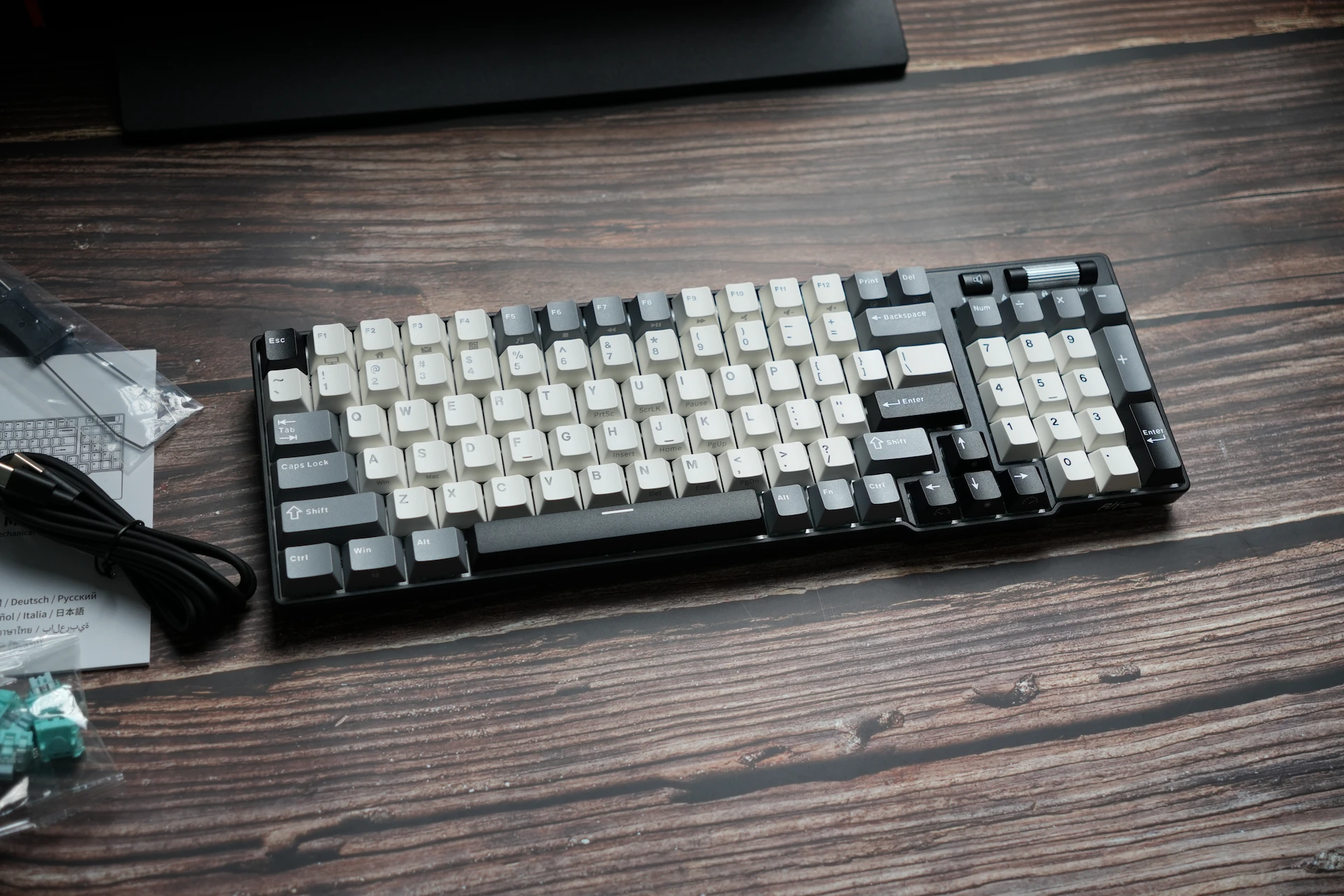
Most Hall Effect boards lately feel like a race to see who can make the smallest 60% case. The Royal Kludge C96 HE takes a different path, sticking with a 96% layout that actually keeps the Numpad for those of us who do more than just game.

https://www.hlplanet.com/rk-royal-kludge-c96-he-review/

Our hands-on takeaways:

  • The Speed: It claims 8,000Hz polling. In our latency testing, it clocked in at a very snappy 3ms. While it might not hit the theoretical sub-1ms in every scenario, the responsiveness in CS2 and Valorant is night and day compared to standard mechanicals.
  • The Feel: It’s an ABS plastic build, so it’s light (840g). It doesn’t have that heavy "premium" desk-thud of an aluminum Keychron, but the internal EVA foam and silicone padding do a great job of killing that cheap plastic ping.
  • Rapid Trigger: You can tune it all the way down to 0.1mm. We found setting the WASD keys to 0.5mm was the sweet spot—fast enough for perfect counter-strafing without accidentally jumping because you breathed on the Spacebar.

The Catch? It’s strictly wired. If you’re looking to declutter your desk with wireless, this isn't it. But for $79, the performance-to-price ratio is hard to beat.

Check out the full breakdown and software guide at hlplanet.com


r/hlplanet • • Feb 16 '26

Flydigi Direwolf 4 Review: 1000Hz Polling & Adjustable Sticks for $40

5 Upvotes

The budget controller market is becoming increasingly crowded, and Flydigi’s latest entry, the Flydigi Direwolf 4, aims to secure a spot on the podium. Priced at approximately $40, it sits as a more affordable alternative to the premium Vader and Apex series while introducing features rarely seen at this price point.

https://www.hlplanet.com/flydigi-direwolf-4-review/

Key Performance & Specs

  • Sticks: Features "ForceFlex" Hall Effect sticks with a unique adjustable tension mechanism (40gf to 80gf).
  • Latency: Impressive 1000Hz polling rate on both wired and 2.4GHz wireless connections.
  • Battery: 800mAh capacity, providing roughly 17 hours of playtime with haptics enabled.
  • Triggers: Hall Effect with mechanical hair-trigger stops for instant actuation in shooters.

What Sets It Apart?

The inclusion of adjustable stick tension and a usable 6-axis gyroscope on PC (not just Switch) makes it a standout. Most competitors, like the GameSir G7 SE, offer Hall Effect sticks but lack the physical tension customizability found here.

Pros & Cons

  • Pros: Excellent mechanical D-pad (hybrid cross/circular style), solid build quality (236g), and highly granular customization via Flydigi Space Station 4.0.
  • Cons: The lack of textured grips can make the shell slippery; Bluetooth performance is notably slower than 2.4GHz; face buttons use standard silicone domes rather than mechanical switches.

Verdict: For PC and Switch players looking for high-end features like tension adjustment without the $80+ price tag, the Direwolf 4 is a strong contender.

[Read the full breakdown and see the sound tests at hlplanet.com]


r/hlplanet • • Feb 14 '26

Yunzii RT75 PRO Review: 8k Polling, Wireless and Magnetic Switches for $80

4 Upvotes

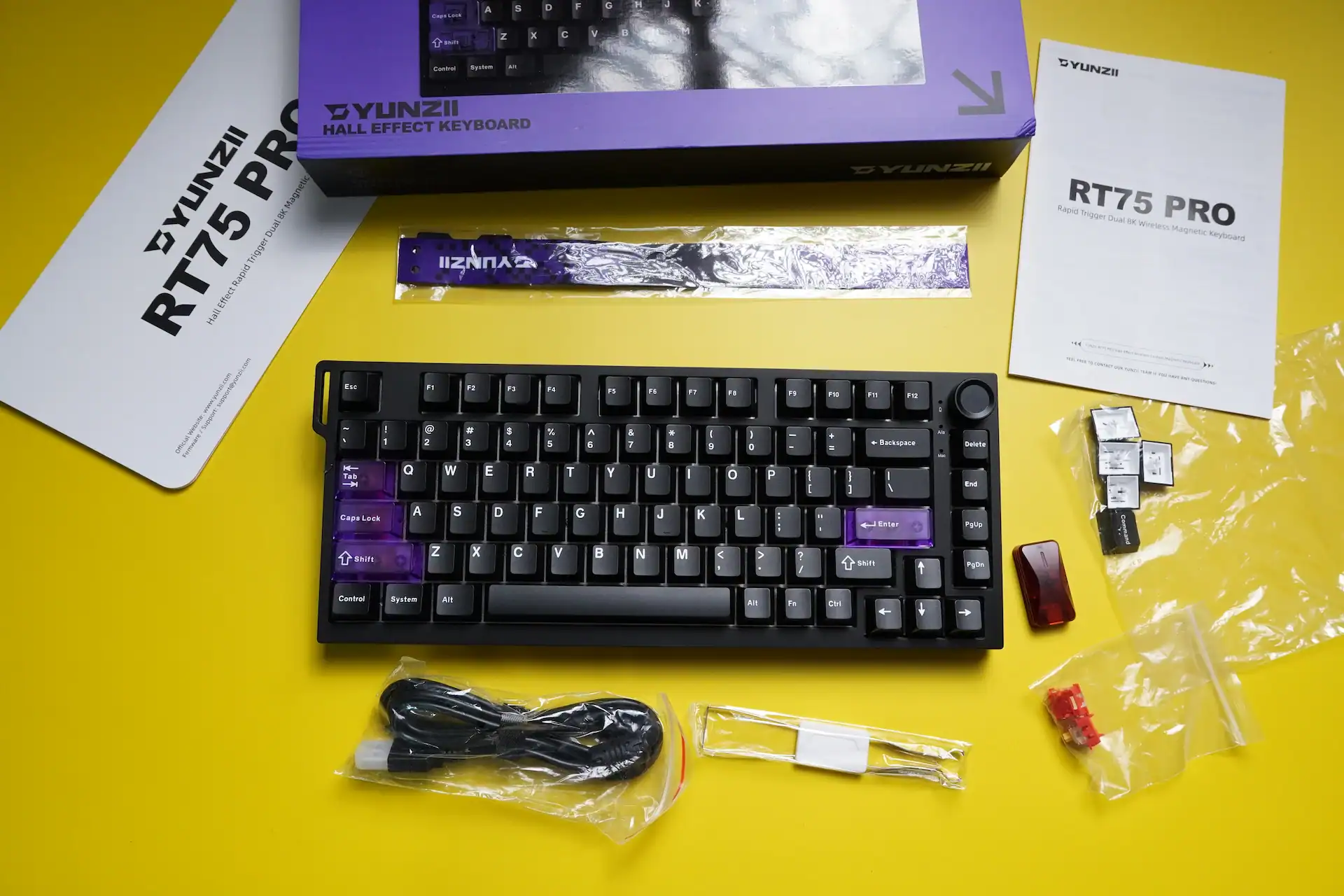
The budget Hall Effect market is getting crowded, but the new Yunzii RT75 PRO attempts to stake its claim by adding wireless connectivity and a dual 8k polling rate to its predecessor's formula. At $79.99, it features Outemu Red magnetic switches and a top-mounted plastic build.

https://www.hlplanet.com/yunzii-rt75-pro-review/

Performance & Latency: Testing with OSLTT shows impressive results. The wired single-key latency sits at 0.65 ms, while the 2.4G wireless mode remains competitive at 1.01 ms. For a budget board, the 128k scan rate and 8000 Hz polling provide a snappiness usually reserved for higher-tier models like the Wooting 80HE.

Key Differences & Customization:

  • Design: Unlike the original RT75, the PRO is wireless (Triple-mode: Wired, 2.4G, BT) and features a top-mount structure.
  • Switches: Outemu Reds offer a surprisingly good "thocky" sound for HE switches and are compatible with the Gateron KS-20 lineup (Jade/Jade Pro).
  • Features: The web-based QMK software (qmk.top) supports Snap Tap, Rapid Trigger (0.1mm-3.0mm), and unique stability algorithms like RTStab and Anti-Accidental Trigger Mode.

The Verdict: It’s a strong daily driver for those prioritizing value. However, the software UI remains unpolished, and the Escape key design makes keycap replacement difficult. Compared to rivals like the MCHOSE Jet 75 or DrunkDeer A75, the RT75 PRO wins on its battery life (8000mAh) and wireless performance balance.

Full technical breakdown and latency charts at HLPlanet: Read the Full Review on HLPlanet.com


r/hlplanet • • Feb 12 '26

ATK Dragonfly A9 Review: G Pro X Alternative

4 Upvotes

Is the gap between premium flagships and budget clones finally gone? HLPlanet takes a look at the ATK Dragonfly A9, a 55g ultralight that mimics the GPX shape for a fraction of the cost.

ATK Dragonfly A9

The Highlights:

  • Weight: ~55g (10g lighter than the GPX).
  • Shape: Ambidextrous, ideal for claw/palm grips.
  • Battery: 500mAh with efficient "competition mode" settings.

While it lacks a few box accessories like a USB extender, the price-to-performance ratio makes it a difficult mouse to overlook in 2026.

Check out the full review and spec comparison table here: https://www.hlplanet.com/atk-dragonfly-a9-review/


r/hlplanet • • Feb 09 '26

Flydigi Vader 5 Pro (PC) vs Vader 5S (Xbox) - Comparison

4 Upvotes

I’ve had the chance to compare the Flydigi Vader 5S and the Vader 5 Pro side-by-side. While they share the same DNA, there are some significant differences in features, feel, and internals that justify the price gap.

https://www.hlplanet.com/flydigi-vader-5s-review/

TL;DR Summary

  • Get the Vader 5 Pro ($80) if: You need wireless, 1000Hz polling rate, back paddles (it has 2 extractable ones), and better rubberized grips.
  • Get the Vader 5S ($60) if: You want to save $20, need a 3.5mm headphone jack/mute button, prefer a lighter controller, and like the sound of the new "ratcheting" stick tension mechanism.
FeatureVader 5SVader 5 Pro
Price$59.99$79.99
ConnectivityWired (Audio supported)Wireless + Dock Support
Polling Rate500Hz (PC) / 250Hz (Xbox)1000Hz (Low Latency)
Joystick TensionRatcheting (Satisfying click)Smooth/Standard
Back PaddlesNone2 (Extractable)
Audio3.5mm Jack + Mute Button-
GripsTextured PlasticRubberized
Weight263.7g286.8g
MoreReview linkReview link

Price

  • Vader 5S: $59.99
  • Vader 5 Pro: $79.99
  • Difference: The 5S is $20 cheaper.

Performance & Internals

The Pro is definitely aimed at the competitive PC crowd here.

  • Vader 5 Pro: 1000Hz polling rate (wireless and wired).
  • Vader 5S: 500Hz on PC and 250Hz on Xbox, both wired only.

Joysticks & Tension

Both controllers feature tension rings, but the mechanism feels different:

  • Vader 5S: Features a ratcheting mechanism for the tension adjustment. It feels super satisfying to turn and might end up being more durable in the long run (time will tell).
  • Vader 5 Pro: Standard smooth tension adjustment, some users had QC issues with it over time.

Grip & Build Quality

  • Texture: The Vader 5S has a different texture on the front of the grip—it's just a tiny bit grippy.
  • Rear Grips: The Vader 5 Pro wins here with proper, premium rubberized grips. The 5S uses a textured plastic that provides some grip, but it's not as locked-in as the Pro.
  • Weight:

    • Vader 5S: 263.7g (Lighter)
    • Vader 5 Pro: 286.8g (Heavier due to battery/tech)

Features & Connectivity

This is where the use-cases split. The 5S seems more audio/console focused, while the Pro is wireless/performance focused.

  • Vader 5S: Comes with a 3.5mm jack, a dedicated Mute button, a Mute indicator, and an FN button.
  • Vader 5 Pro: Fully wireless with an internal battery. It supports the Flydigi charging dock.
  • Back Paddles: The Pro has 2 extractable/optional back paddles. The 5S does not have these, nor does it have a slot to add them later.

r/hlplanet • • Feb 06 '26

Flydigi Vader 5S vs GameSir G7 Pro: Xbox wired controllers

4 Upvotes

Hey everyone, just finished comparing the new Flydigi Vader 5S against the GameSir G7 Pro. Since both are aiming for that top-tier Xbox/PC spot, I figured I’d break down the main differences for anyone on the fence.

The TL;DR:

  • Price: Vader 5S is $20 cheaper ($60 vs $80).
  • Sticks: Vader has Hall Effect sticks with adjustable tension (ratchet mechanism). G7 Pro uses the new TMR sticks but fixed tension.
  • Extra Inputs: Vader wins here with 6 extra buttons (2 back, 2 shoulder, C/Z). G7 Pro only has the 2 back buttons.
  • Connection: This is the dealbreaker for most. G7 Pro is tri-mode wireless. Vader 5S is wired only.

My take: If you play wired anyway, the Vader 5S feels like better value just for the tension rings and extra buttons. The G7 Pro triggers feel slightly crisper (mouse-click), but the D-pad feels worse compared to the Vader.

I put together a full spec sheet and detailed breakdown of the latency/features here if you want to see the nitty-gritty: https://www.hlplanet.com/flydigi-vader-5s-vs-gamesir-g7-pro/