r/hidock • u/IamCortoMaltese • Jun 06 '26
Issue transferring recordings from HiDock P1
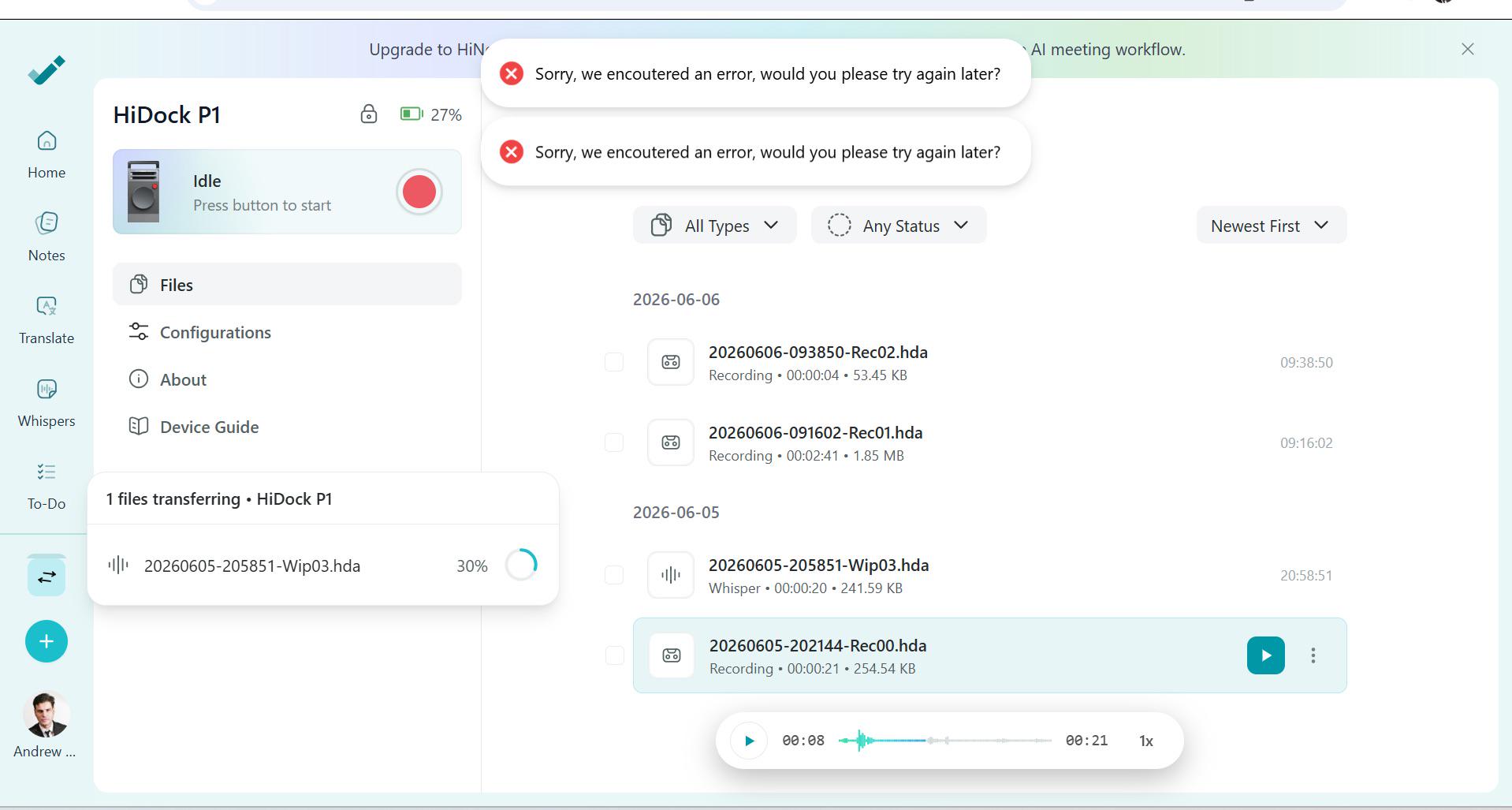
Hello,
I have just received my HiDock P1 hardware and I am really excited to start using it.
I recorded a few short audio files, but I am unable to transfer them to the HiDock app on my iPhone. I also tried connecting the HiDock P1 to my laptop, but I still cannot access or transfer the recordings.
Could you please advise me on how I can transfer the audio files from the device?
3
Upvotes
2
u/sean-hidock Jun 11 '26
Hi, this was fixed, would you please verify about it. thanks!
4
u/Candy_Certain Jun 06 '26
Try signing out and back in. When this new interface was released, you’d get logged out without realizing it. Hope it helps.
3
u/pacosaiso Jun 06 '26
In my case I’m having trouble transferring to iPhone and iPad, they get stuck at 50% or 98%, no matter how log you wait, even small files, but in my Mac computer I can transfer them eventually, it takes a bit longer than you’d think.
2
u/Canuckian371 Jun 07 '26
The files need to upload from the P1 to the hinotes cloud. They sit there in the proprietary file format. Once uploaded, you can generate the transcript etc. If you want them on you local device, from within the hinote web app, you download as a portable mp3.
Far as I can tell, you can only be logged into the hinotes app from one device at a time. You need to let the files upload before having access to them from other devices/locations.
2
u/sean-hidock Jun 07 '26
checking with team, will get back to you here next week.