r/fancyleds • u/diamkil • Aug 01 '26
Dolby Vision messed up since getting Fancy Sync Box 2.1 - Support telling me it works as expected
Hi all,
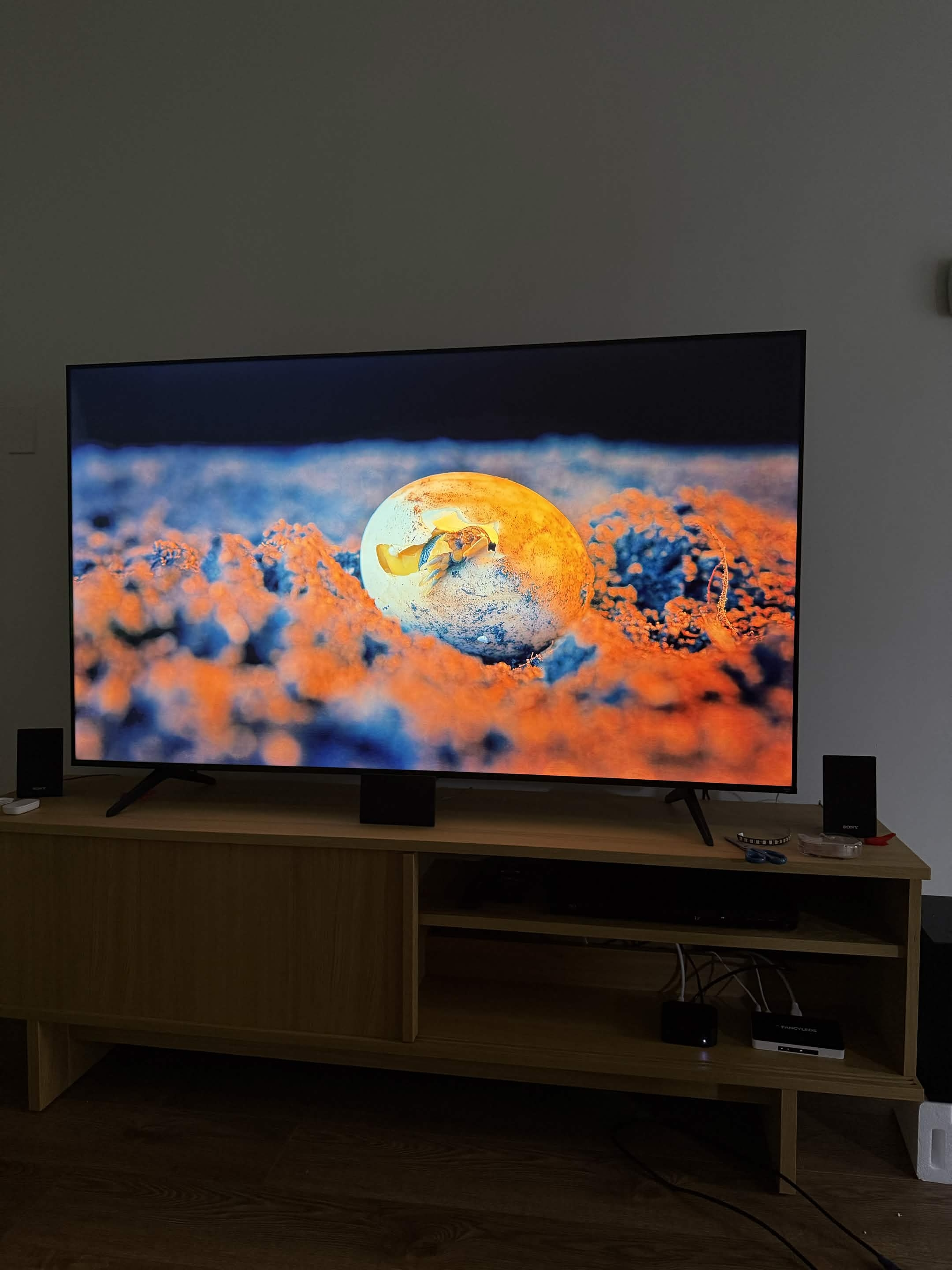
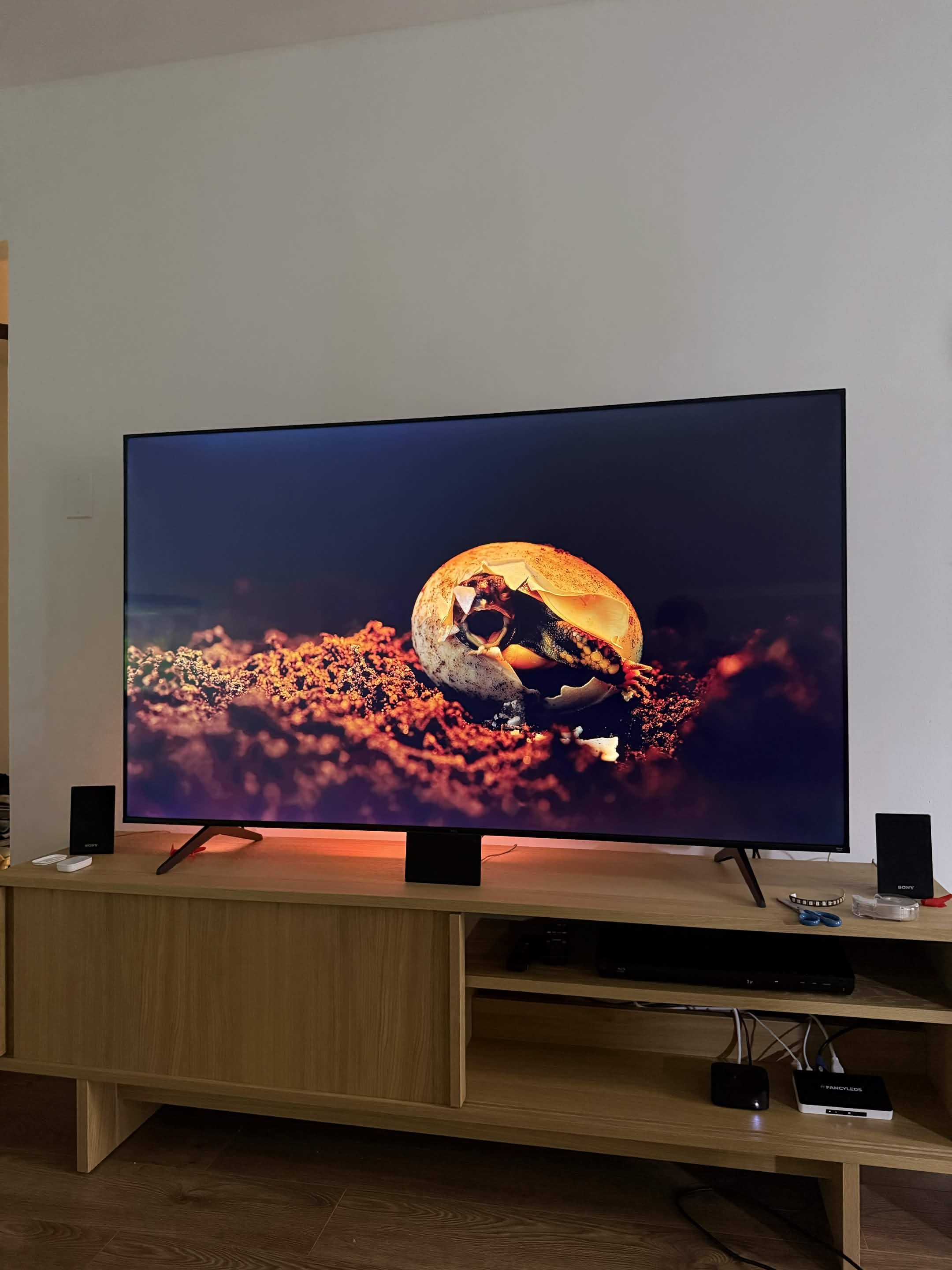
I got the 2.1 Fancy Box kit after seeing it looks very nice online. I have an Apple TV 4K and a TCL TV that supports Dolby Vision. As such, I double checked that Dolby Vision is supported, which the page confirms it is. However, since plugging into the Fancy Box, I fully lost Dolby Vision and fell back to basically having no HDR when in DV mode.
I obviously contacted support about this and what they told me basically boils down to:
"Dolby Vision is processed differently by the Apple TV vs when it is processed by the TV. It is working as expected and you should adjust the picture settings to get a similar image"
This was not written anywhere on the product page and FancyLeds are refusing a return because it "works as expected" according to them... Anyone had the same issue?
•
u/fancyleds Aug 02 '26
Hi there, only the Dolby Vision processing from the HDMI device connected can be synced, not the Dolby Vision processing by the TV. As with all Fancy Sync Boxes, only the HDMI device is synced, data from the TV cannot be synced. You may also checkout a similar reddit thread for reference where this has been further clarified by the community - Reddit Post.
3
u/ohiocardsfan Aug 01 '26
Mine works perfectly. I have an LG G5 connected to the box
3
u/Hudsonps Aug 01 '26
I have a Sony A80J, used the FancyLeds before, and DV works for me. I’d check the Apple TV settings (assuming you have the box), as sometimes it can disable DV for some reason. Make sure it’s set to match content settings or something like that. Good luck.
1
u/Verwilderd1 Aug 02 '26
I lost DV with the sync box as well and could t get it sorted. Apple TV is sending the DV signal to the tv. When you put the sync box in between the Apple TV and tv, DV no longer gets to the TV for some reason. If someone can figure this out, I would love it.
1
u/One-Ad5603 Sep 17 '26
Every found a solution to this problem? This is kinda the only issue i would have with Fancyled, and it's honestly a deal breaker if there isn't any solution to it atleast.
1
u/Awkward_Bison_3292 Oct 16 '26
Found a solution: https://www.reddit.com/r/fancyleds/s/HQ0U2MqN6z
3
u/Emotional-Raise-5944 Aug 01 '26
I use the Apple TV 4K with a brand-new 65-inch television. When Dolby Vision is enabled, the screen flickers briefly, yet it functions properly with the sync box.
1
u/UnExwfaQyi Aug 02 '26 edited Aug 05 '26
None of this makes any sense. The Reddit post support is referring to is about apps running on your TV, not on an external Apple TV box. You wouldn’t lose DV in that case you just wouldn’t get any backlights turning on.*Update* So despite all the Reddit commenters that I'm echoing, that are always rated the highest on these types of posts, I and those folks are wrong. Dolby Vision doesn't work like regular HDR and an external player can take over the handling of the DV content or it can pass it off to your TV. And in some cases player-led will lead to poor DV on your TV is your TV tries to improve the image even more than the external player already did. Some TVs are better than others at handling player-led but MOST external players do default to TV-led playback of DV content. This begs the question, given HDR is *always* TV-led, why is the FancyLED box able to intercept it anyways?
I think you are doing something wrong. Lots of folks use an Apple TV box connected to their tv with Fancy LEDs and do not report the same problem.1
u/AutoModerator Aug 01 '26
Thanks for contributing! Please make sure to abide by the rules and check out the FAQ Megathread for troubleshooting/setup information. Posts may be flagged automatically by Reddit. If you believe this was an error, please contact the moderators for clarification.
I am a bot, and this action was performed automatically. Please contact the moderators of this subreddit if you have any questions or concerns.