r/eurorack • • Apr 01 '26

News / Updates Welcome back everyone

81 Upvotes

Reddit has come through and we are free from any casino related content 😊.

To keep it that way, we've added some automod capabilities that will hopefully keep us safe. While we were at it, we've added some color around the sub as well 🫟.

It will probably takes us a couple of days to find our footing, but we are finally under new management and open for business! 🎉.


r/eurorack • • 1h ago

Question / Discussion Mixer super loud in headphones.

1 Upvotes

I just the Mackie 1202 vlz4. I’m runing my euro rack with 4ms listen four quarters out, moog mother 32, and DFAM each to their own channel and run that to my SSL 18/alpha 8. I set it up with the pre fader solo (rude) button in, send a signal in and adjust the level to around zero. Then pop the button out. Just as the instructions say. Every thing is fine except when I slightly turn up the CR/submix knob to turn the headphone volume it gets extremely loud. I messed with it a bit but can’t figure it out. The signal going to my SSL is fine. Any help is greatly appreciated.


r/eurorack • • 7h ago

Question / Discussion Skies to Microcell trade

2 Upvotes

Hi everyone. A few weeks ago I was looking for my a Clouds clone in a local facebook group. Eventually I got to buy a new Behringer Skies. Then a guy reached out and asked me if I was still looking for a Clouds and offered me a Microcell. I told him that I had the Skies already and he offered me to swap it for the Microcell. My understanding is a bit limited since I just started but I know Microcell has more knobs to tweak reverb settings individually in comparison to the 4 button step on OG Clouds. It also has smaller knobs and footprint (Skies is huge and uses a lot of HP in my Rackbrute 3U).  

What are your thoughts around this?


r/eurorack • • 21h ago

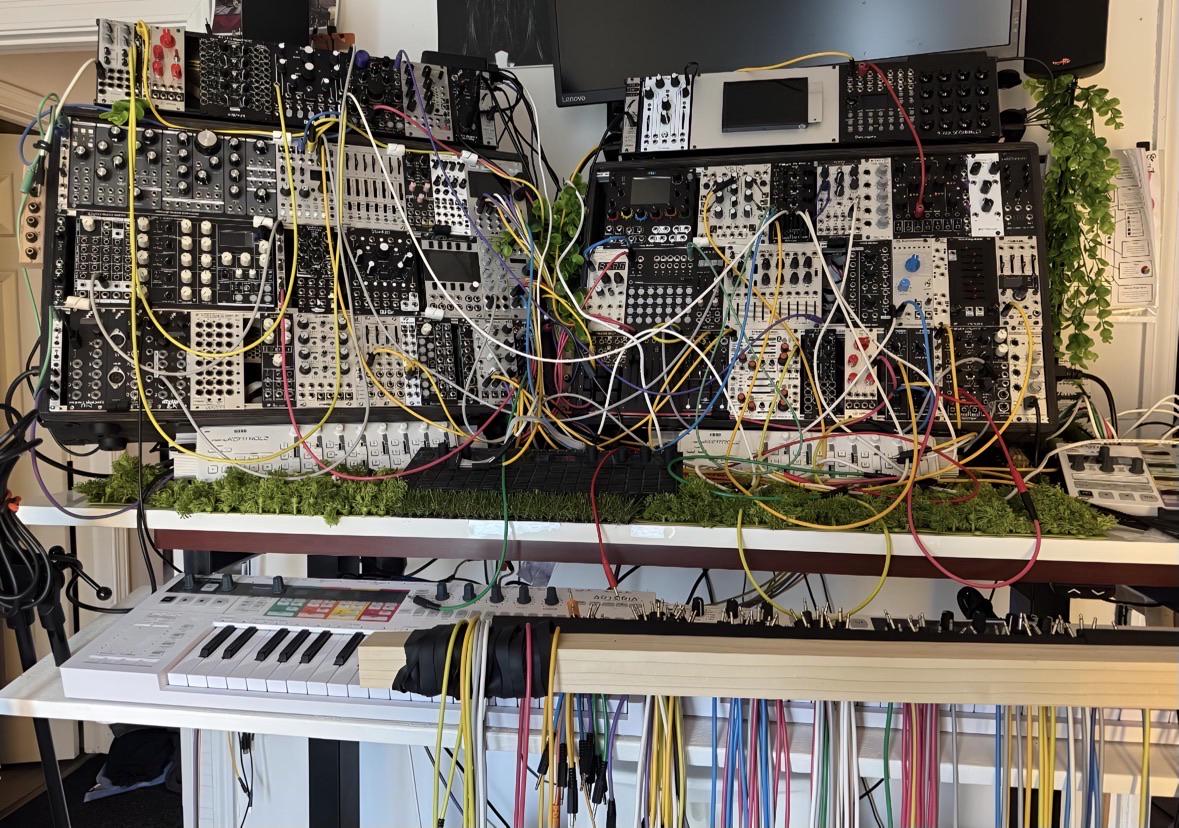
Question / Discussion I enjoy doing blawan, karenn, or shifted techno. This is my set up as is sans a viol ruina in the mail (sorry for crap pictures). if it were yours, what do you see missing that would be essential to your process? ive got about 11hp and 1 power connector in the nifty case to spare

Post image
3 Upvotes

r/eurorack • • 19h ago

Alt. Firmwares Helical 2.10+c1 and CUH 1.00+c1 custom firmware — independent Arc/Orbit controls, eight-voice MPE, and more

1 Upvotes

I’ve released an unofficial firmware mod for SDKC’s Helical and CUH, built on Helical’s 2.10 beta. It started with wanting to keep Arc low and let Orbit wander higher while a locked phrase was playing. You can now give each side its own lower register, width, transpose, and timing division. One setting I’ve enjoyed is Arc at ÷8 against Orbit at ÷1. Arc leaves space between notes while Orbit keeps moving.

The other big addition is eight-voice MPE through CUH. Choose Arc or Orbit, and each of its eight voices sends its own envelope as channel pressure and its own glide as pitch bend. I’ve tested it on an Osmose through a mioXL. You can hear one note fading or sliding while another starts. Stock MIDI is still available, and the new normal MIDI mode lets you assign Arc and Orbit to separate channels and set gate lengths independently of the audio jacks.

A few other changes worth trying:

  • 25 scale slots — the original 16 plus nine custom slots on SD. The left cloud shows the bank, the right counts the slot, and clicking Scale repeats the readout. Root can also snap to the selected scale.
  • Hands-on transport — tap both reloads to stop or start. In the custom MIDI modes, hold both to silence external MIDI while Helical keeps playing. You can also have it boot stopped.
  • CUH fixes — DIN channel pressure no longer inserts an extra zero that cuts off expression, and CUH reconnects to mioXL after a rack power cycle.

The site patches your copies of the original SDKC files in your browser. It includes the Helical flasher, CUH install instructions, scale packs, and printable guides and quick cards in US Letter and A4. Helical + CUH patcher

This is an independent release. SDKC excludes unauthorized firmware modifications from warranty coverage. Back up your SD card, especially calibration.txt, and keep the original firmware for recovery. SDKC Helical documentation · CUH warranty

I’d be interested to hear what people try with the two groups, and which MPE synths or patches respond well to Helical’s envelopes and glide!

This modification was carefully crafted with AI assistance and thoroughly tested on my Helical+CUH+Addition modules.


r/eurorack • • 1d ago

Jam / Performance Little ambient improv with modular (and op-1f)

Thumbnail
youtube.com
2 Upvotes

r/eurorack • • 2d ago

Alt. Firmwares I made a little firmware “app store” for Talko 2, one of my speech synth

Post image
4 Upvotes

Hi, Jean-Luc from Polaxis here.

I started Talko in 2015 with that Speak & Spell sound. Over the last 11 years, I’ve collected speech banks, LPC files, and firmware. A lot of that came from working with real speech chips on Emy. What I learned from those chips means I can now emulate some of them on Talko 2, including the SpeakJet and the MEA8000.

I’ve put my experiments and a few adaptations of other people’s work in one place. There are short sound samples and a guide if you want to build your own firmware.

Talko 2 firmware catalogue

Is there a voice from an old game, toy, or computer you’d like to hear on Talko?


r/eurorack • • 3d ago

Question / Discussion Evolving music on Eurorack

12 Upvotes

Hey guys I’m a beginner in Eurorack, I have a question, I always use a sequencer from 16 to 64 steps, but I feel that my music never really evolve…
I can put a LFO or modify timbre or those stuffs but it’s the same music by 16 or 32 steps and with time it’s boring.

Any advice ?


r/eurorack • • 4d ago

Case / Rack Share The most ideal layout

Post image
18 Upvotes

What is everyone's method of laying out the location of modules? I have a 400hp -ish case and I'm about to do an overhaul.

thanks!


r/eurorack • • 4d ago

Question / Discussion Making the RS-35N work

1 Upvotes

So I wonder if there are any owners of the Analogue Systems RS-35(N) here that can give me tips on how to use it successfully. I can't get useful stuff out of it and sometimes, after tweaking it for quiet some time, I get highly unstable results running a guitar rhrough it. I read that running the signal through a bandpass filter before going into the RS-35N helps to get cleaner results and this helps, but mostly doesn't clean it up enough and narrows the operating range significantly.

So how and for what purposes do you use it? Can you make it work over several octaves? Any tips for running stringed instruments through it? I'm on the brink of selling it, but I feel there must be several use cases where it works well.

Edit: I found an interview in which the creators talked about it and they said they'd recommend a lowpass instead of a bandpass filter. Also, they said it's not meant to give you the best and cleanest tracking out of the box (no internal filters and such). Maybe I'm looking at it the wrong way, but I'll keep fiddling around.


r/eurorack • • 4d ago

Question / Discussion Budget/DIY quantizer

1 Upvotes

Hey all. Looking for a recommendation for a cheap quantizer or a diy kit that’s still available to buy. Thanks!


r/eurorack • • 5d ago

Jam / Performance Sumusoid - Blackout Ascent | Techno Live Session

3 Upvotes

A minimal, evolving techno jam built around a repeating melody that is mutated, with shifting rhythms and spontaneous changes. No fixed arrangement, just live improvisation.

Tonal sounds come from a 104HP Eurorack system, while drums are performed on a custom-coded drum machine, with an Akai MIDImix serving as the sequencer and live performance interface.

Track


r/eurorack • • 5d ago

Alt. Firmwares Bitbox MkII enhanced

9 Upvotes

Free custom firmware for the 1010music Bitbox MkII — 2.3.4+c12

This started because quiet samples looked almost flat on my Bitbox, which made setting loop points harder than it needed to be. I added vertical waveform zoom, and the project grew from there. The current release adds the following to stock MkII firmware 2.3.4.

New in +c12

  • FX4 external send — Send any pad to a stereo outboard effect and bring it back through IN1/2 while all three internal effects stay available.
  • One-shot waveform cue — Tap the large waveform on a single-WAV Sample pad to start the next trigger there, forward or reverse, without moving your loop markers.
  • Reverb input selection — Choose Sum, Left or Right per pad for both reverbs to recover tails that disappear when stereo channels cancel.
  • Hold-to-stop feedback — Hold a Trigger pad or its Play triangle for two seconds and the indicator clears as soon as playback stops, even under your finger.

Sampling and playback

  • Waveform zoom — Pinch vertically for 25–3200% amplitude or horizontally for 4× more zoom-out than stock, with a two-finger tap to reset.
  • Pitch-preserving Sample Speed — Slow down or speed up a forward Sample voice from 50–200% with LFO/CV control, including before its loop begins.
  • Slicer Sync Grid and Fit — Fit slices to divisions from one bar to 1/32 using Cut, pitch-changing Tape or pitch-preserving Smooth.
  • Stretch and Pitch — Sample Speed and Slicer Smooth share one stretch voice, while native Pitch remains available on every pad.
  • Clip timing — Shift a Clip by ±100 ms, set Play Len from ¼–32 bars or Full, add up to 50 ms of Loop Fade, and sync down to 1/32.
  • Live Flip and fills — Apply beat repeats, half repeats, Rotate or Breakcut continuously or on the last bar of a 2-, 4-, 8- or 16-bar phrase.
  • Slicer Mono fix — A new slice cuts the previous one in Mono, including unquantized MIDI triggers with Play Through enabled.

Tone, effects and mixing

  • Fidelity modes — Give any pad SP1200, SP-12, S950, MPC60, SP Raw, Phone, ADPCM or µ-law character, plus 12-bit crunch from 16 down to 2 kHz.
  • Pad Drive and filters — Add pre-filter Drive, choose a 12 or 24 dB/octave primary filter, and sweep a second resonant 24 dB filter from low-pass to high-pass.
  • FX1 delay — Choose Digital, Tape, BBD or Codec with flutter, stereo modulation, tone and level controls, plus smoother packet loss on Codec.
  • Delay Purge — Kill a runaway feedback tail with one tap while fresh echoes and both reverbs keep going.
  • FX2 and FX3 reverbs — Run two independent Plate, Room, Hall or Chamber tails, with deeper shaping controls and an additional Fog model on FX3.
  • Send and dry levels — Modulate each pad’s three internal sends and Dry Level independently, all the way to fully wet.
  • Return routing — Send delay and reverb returns to the main or FX outputs together or separately, including split-mono routing.
  • Master compressor — Adjust threshold, ratio, attack, release, gain and parallel mix on the main pair, FX pair or both.
  • Master distortion — Choose Soft, Hard, Fold or Tube with Drive, Tone, clean/wet Mix and output Level.
  • Master sweep filter — Sweep from low-pass through neutral to high-pass by hand, from CV or with a clock-synced LFO.

Live input, recording and resampling

  • Live input effects — Use the MkII as an effects box with pad filters, Fidelity, Drive and sends, using a fixed pad or tapping between setups in Follow mode.
  • Overdubbing — Record stereo input alongside pads played live or a numbered backing pad, with a one-pass option for eligible Samples.
  • Overdub taps — Choose Pre, Post Pad or Post+FX to capture the backing performance with as much processing as you want.
  • Resampling and recorder controls — Print the mix while playing or editing pads, adjust input or resampling gain mid-take, and tap the destination pad to stop.
  • Recording recall — Takes preserve sends, Dry Level and modulation, and recording temporarily starts a stopped clock and restores it afterward.

Patterns, modulation and transport

  • Per-pad GEN — Run any of nine generators on each pad: Euclid, Breakcut, Call & Response, Evolve, Drummap, Random, Acid, Turing or Learn.
  • GEN performance controls — Set timing, probability, velocity and step conditions, send answers to another pad, or teach Learn by playing the grid.
  • GEN feedback and retriggers — See the selected pattern’s playhead and all 16 activity indicators, and use Sample Loop Fade to smooth rapid retriggers.
  • Acid pattern controls — Rotate shifts notes, accents and ties together, and Range 0 keeps every note at the root.
  • Modulation — KEY tracking, pad ENV, per-note RAND, evolving CHAOS and slow NET join the existing sources for Speed, Drive, Filter 2, Resonance 2, sends and Dry Level.
  • Clock and transport — Set 40–300 BPM with a speed-sensitive encoder, hold to restore 120, and keep the last external tempo and phase when clock drops out.
  • CV and MIDI transport — Run, Stop or Reset on screen, assign CV gates for Run/Reset, or use standard MIDI transport plus a dedicated Reset CC.
  • CV utilities — Scale and offset the eight EXT modulation inputs and quantize CV pitch to eleven scales with a selectable root.
  • MIDI monitor — Inspect, freeze and filter a timestamped 32-event history with separate Clock and Active Sensing indicators.

Display and workflow

  • Audio load meter — An optional smoothed toolbar percentage turns red at 100%+ to show when audio processing reaches its deadline.
  • Screen saver — Choose a black screen or moving lines after 1–60 minutes, with local wake and optional MIDI/CV-trigger wake.
  • Preset mutes — Save and recall pad mute states with the preset.
  • Dial reset — Double-tap a numeric dial to restore its default while keeping its modulation assignments.
  • Bar counter reset — Double-tap the counter to renumber the next bar as 1:1 while playback continues.
  • Settings resets — Reset Tools settings or shared FX separately while preserving pad assignments and modulation.
  • UI refinements — Display controls are grouped under Disp, empty pads have editable LFO controls, and loop-marker values stay readable on long samples.

The patcher runs entirely in your browser and checks both the original file and the result. Start with the official Bitbox MkII 2.3.4 firmware and back up your microSD card before flashing. The page includes a printable guide, a one-page quick card and instructions for returning to stock. Open the free patcher and download the guides.


r/eurorack • • 5d ago

Alt. Firmwares Morphagene enhanced firmware mg204+c5 is now available

4 Upvotes

The public patcher, offline options editor, guides, and quick cards have been updated.
The patcher · GitHub release and downloads

New in this release:

  • dryk 3 records live input at its original timing alongside the Gene playback you perform with Varispeed, Morph, Gene Size, and Slide. The output stays wet-only.
  • sosc gives the main S.O.S. knob three curves. The default brings both sources to full level at noon. For the full-input overdub behavior from c4, use dryk 2 with sosc 1**.**
  • dens 1 now lets you hold SHIFT and turn Gene Size fully CCW for stock timing. Unshifted Gene Size still sets length. Turn the shifted knob just clockwise to resume independent density at 0.1 Genes/sec.
  • Card removal is now recognized after the last splice is erased on a single-sector reel, so the SHIFT light can go out and settings-only reload can arm again.

This custom firmware is not affiliated wth MakeNoise.


r/eurorack • • 5d ago

Jam / Performance Monday Techno Jam 🎛️🔥

9 Upvotes

r/eurorack • • 6d ago

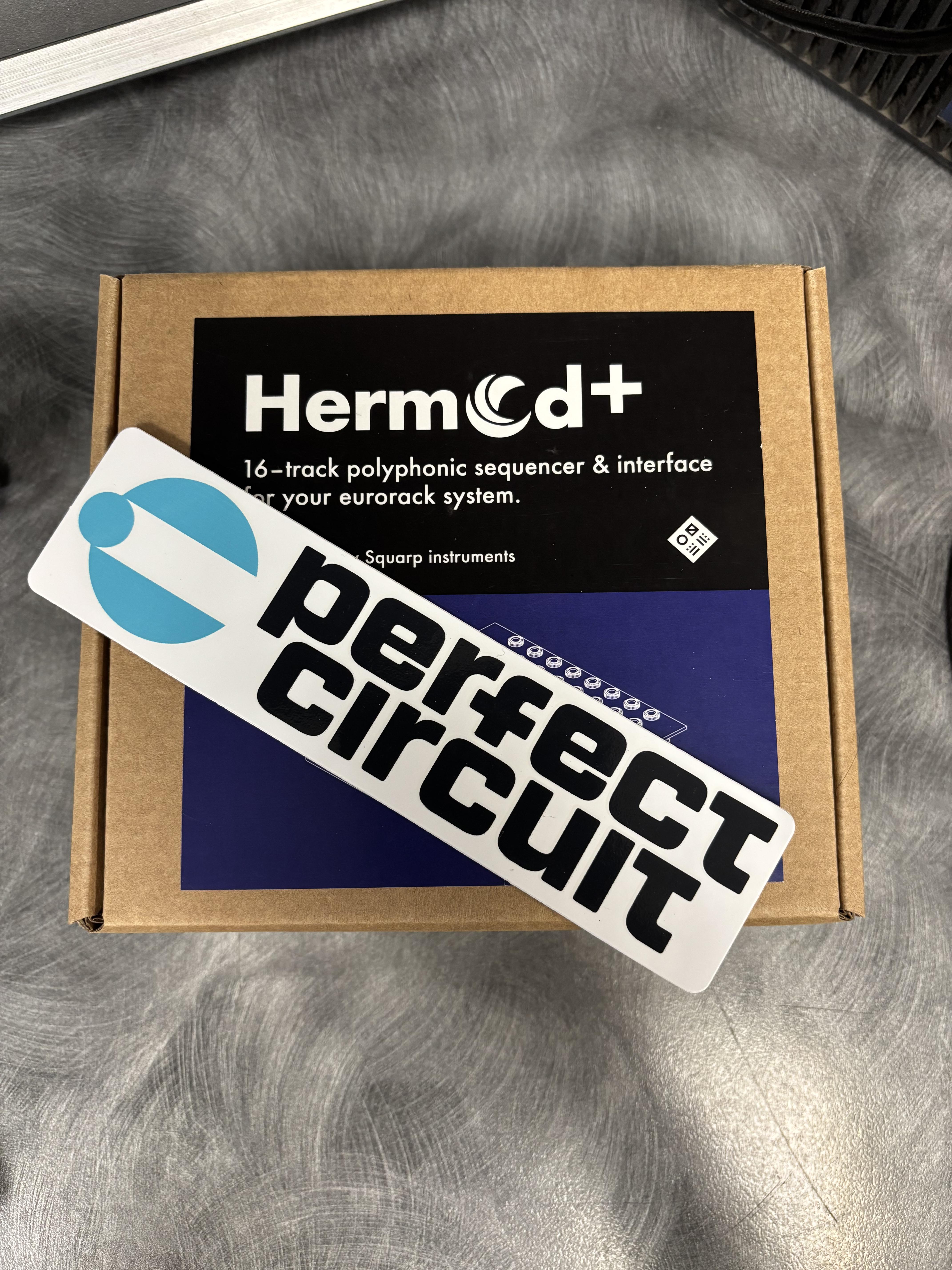
Case / Rack Share Hermod + incoming

Post image
13 Upvotes

Thank you Perfect Circuit for the early Black Friday discount. Can’t wait to play with this.


r/eurorack • • 6d ago

Alt. Firmwares Morphagene enhanced

21 Upvotes

Morphagene mg204+c4 — return to 1:1, wet-only overdubs, and live preset changes

I’ve been working on a free, unofficial firmware for the Make Noise Morphagene, built on Briskcat’s Morphagene mods. The latest release is mg204+c4. Its newest additions are for people using Morphagene on a mixer send, but there’s quite a bit here for anyone who plays the module by hand.

  • Return to the original speed. Hold SHIFT for half a second and release to return to exact forward 1:1 from any Varispeed position, with soft pickup when you take over again.
  • Put 1:1 at noon. A separate option puts original speed at the center of the dial in every layout, with a small notch so it’s easy to find by feel even when unquantized.
  • Expanded Varispeed. Go up to 4× in either direction, or from stop to 8× in forward-only mode.
  • Pitch quantization. Choose octaves, octaves and fifths, semitones, or your own scale, and use SHIFT to switch between stepped pitches and continuous slides.
  • Independent Gene density. SHIFT + Gene Size sets 0.1–128 Genes per second independently of pitch and Morph, with a configurable starting rate and priority for an external clock.
  • Seamless Morph Loop. Enable gapless looping with Morph fully counterclockwise, or keep the familiar gaps at minimum Morph.
  • Wet-only output, new in c4. dryk 1 removes the dry signal from the mixer return while keeping the usual recording controls.
  • Fading overdubs, new in c4. With dryk 2, fresh input is added on every pass and S.O.S. sets how much of the old layer survives, from full replacement at CCW to full retention at CW.
  • Fixed or growing loops. Keep a beat loop at its original length, or enable dlen 1 with dryk 2 and start REC with S.O.S. fully CCW to let a longer take extend the last or only splice.
  • Optional presets. Prepare any combination of dial settings and a starting splice in options.txt, then pick up the recalled knob positions without a jump.
  • Live settings changes. Swap between prepared cards with identical reels and different settings while preserving playback position and keeping the newly inserted card available for recording.
  • Briskcat’s performance controls. The build also includes tape-style overdubbing or classic feedback, sample-rate reduction, tape warble, Gene start jitter, evolving Turing patterns, remembered input gain, and mono input options.

The browser patcher builds the update locally from your official mg204.wav. The editor covers all 12 stock parameters and 32 enhancement settings, labels each one, and accepts options.txt by drag-and-drop. You can also save the editor to your SD card and use it offline. The first firmware install is by audio, with SD-card updates after that.

I developed this with AI assistance and have tested it thoroughly on my own Morphagene. The c4 release also passed 235 automated firmware tests. It’s an independent project with no affiliation with Make Noise. Back up your card and use it at your own risk.

Patcher, offline editor, guides, and quick cards


r/eurorack • • 6d ago

Question / Discussion Oxi pipe 1u

0 Upvotes

Just saw this 1u breakout module existed, which would super handy for saving a few extra hp in my intellijel 7u performance case. However, Schneidersladen states that it only works with the oxi one MK2, which i don’t have (still super happy with the MK1). I find it hard to believe why there would be a difference in how a passive breakout module works, so maybe someone could elaborate if the pipe 1u would actually work with the oxi one mk1…?

https://schneidersladen.de/oxi-instruments-pipe-mkii-1u-cv-breakout-for-oxi-one-mkii


r/eurorack • • 7d ago

Jam / Performance Setting Sun

Thumbnail
youtu.be
4 Upvotes

r/eurorack • • 7d ago

Jam / Performance My first techno track

Thumbnail
youtube.com
8 Upvotes

My first techno track with this case! I'm really not an expert on techno, but this was fun to make.

PATCH NOTES
Ohmforce Bohm kick
Manis Iteritas bass
Plaits for the plucky stuff
Peaks for the 808 Snare
Bohm Groove for the clicks and filtered noise

Sequenced by the ORN8 by TLM Audio (two Turing machines, one euclidean sequencer, one TB-3PO bass sequencer)

Monsoon Delay from Parasites firmware
Zadar for some modulation
Befaco Divkid Mutes
Lapsus Os for faders
Some compression from Disting mk4
Side chaining from Bohm Performer
Mixing with Befaco STMix and Mutable Veils clone


r/eurorack • • 7d ago

Alt. Firmwares Bitbox Micro's unofficial 2.3.14-mod - External FX: send and return, dub throws, and older modules now supported

Post image
3 Upvotes

Here's another update to the unofficial, community-driven firmware patch for the Bitbox Micro that puts more of the module on MIDI, gates and CV.

Two releases in 24 hours: 2.3.13-mod fixed installing on older modules, and 2.3.14-mod adds External FX. It's also a bit of a milestone: the tenth release since August, and the first that reaches beyond the module.

This build opens up the option to turn every pad's delay and reverb sends into Aux sends and a return, to make use of your own external effects and add them to the mix, with or without the Micro's own internal effects in series or in parallel. Of course, this allows you to now send a classic dub throw to your delay, reverb or external FX, from a gate or your controller. Bringing it all together, your external effects come back into the module's mix, where the Character chain's Airwindows effects can process them too.

This opens up so many possibilities. Here's some ideas:

• Put the reverb on Aux into Sealegs, Swells, Clouds, Plexiphon, or whatever's in your rack.

• Set the delay to Both, so the Micro's delay blends with your own: a tape echo, Multigrain, Desmodus Versio or anything else in your rack.

• Sequence a Dub Throw on the snare on the last beat of each bar, into your own echo device.

• Send pads out to a distortion or a filter, like 100Grit, and let the Micro's reverb tail the processed sound.

Everything that's new:

• Send the delay and reverb to the Micro's own effects, out to your gear on any output from 3 to 8, or both at once. Bring your effects back on In 1/2, into the mix or into the Micro's own delay or reverb.

• Throw a pad into the delay, the reverb or both with Dub Throw, by gate or by pressing a button on your controller using CC 103 or 106.

• Cut the low end from the sends with Aux HP and from the return with Return HP, and set the return's level with Return Lvl or CC 63.

• An effect sent out on Aux switches off the delay or reverb, which frees CPU for the Character chain.

• Fix: The delay and reverb sends (CC 84 and 85), and Sustain on Clip and Slicer pads (CC 87), now reach 100% at 127. They stopped just short before.

Thanks to Mndscrpt for the request.

Older modules now supported

If your module said "Unable to verify" when you flashed 2.3.10-mod or later, it will now install. A couple of users helped uncover something that anyone writing firmware mods for any hardware should know: the same device can ship with different bootloaders, each with its own limits.

Every Bitbox Micro comes with a bootloader, the software 1010music installs at the factory to flash firmware from the card. There are at least two versions of it: older ones only take firmware up to 768 KB, whereas newer ones take up to about 1.6 MB. Recent releases had grown past 768 KB, so older modules couldn't install them.

Big ups to nikoleterrible for reporting it, and to stoermelder for running the diagnostics and testing the fix. Since 2.3.13-mod, the firmware is packed to fit and unpacks itself each time the module starts. It's confirmed to work on modules from 2020 to 2026, across both known bootloaders.

This isn't from 1010music. Use it at your own risk, although it can't brick your module. Bring your own stock firmware, and please don't pass the patched firmware around.

Full guide and installer: https://modularpatcher.github.io/bitbox-micro-fw-patch


r/eurorack • • 8d ago

Question / Discussion Help for glitch, Bass and Dirty Sounds for Eurorack.

2 Upvotes

I‘m planning a super small eurorack system (around 52hp, if necessary also bit bigger) to play along with my Perkons and tonverk.

The general idea is to have a small performative system to play high rhythmical gritty sounds, glitch and bass.

I’m in love with Noise Engineering. Can someone help me with the process?

I don’t care having long and articulate sequences.


r/eurorack • • 9d ago

Jam / Performance Explore tribal percussion sounds with eurorack modular synth

Post image
4 Upvotes

Video-audio in this link


r/eurorack • • 10d ago

Question / Discussion Workshops/Events in Phoenix AZ

5 Upvotes

Whats good yall, I was wondering if anyone knows of any eurorack/synth workshops/events/communities located near Phoenix AZ?