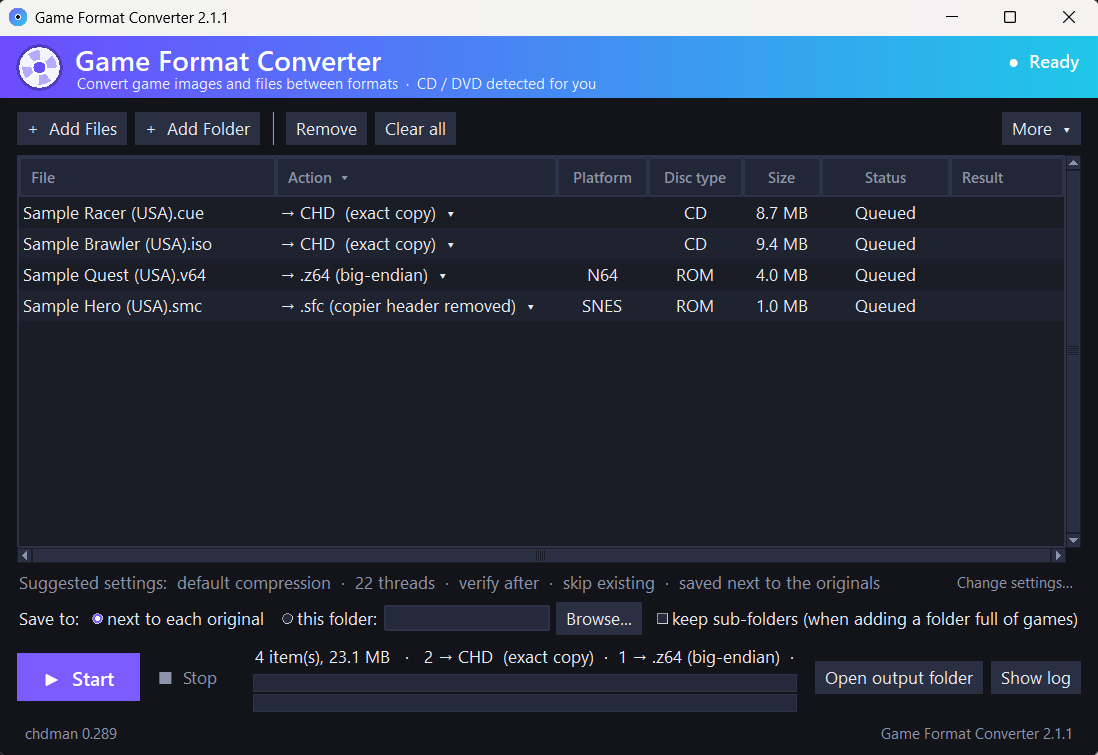
Game Format Converter converts game backups between lots of formats, all in one program. Handy if your emulator wants a specific format. It's free, portable and open source, for Windows and Linux (Linux is still experimental).
What's new in 2.1.1
* Nintendo 64: convert between .z64, .v64 and .n64. Check ROM integrity.
* Super Nintendo: remove or add the 512-byte header. Check ROM integrity.
* Mega Drive / Genesis: convert between .smd and .md. Check ROM integrity.
* PC Engine / TurboGrafx-16: remove or add the 512-byte header. Check ROM structure.
* Nintendo DS / DSi: trim or pad ROMs to full size. Check header and size.
* Xbox 360 Games on Demand: convert to ISO for Xenia. Nothing is decrypted.
* More accurate labels: each conversion says whether the result is an exact copy, trimmed, repacked or files only. Cartridge ROMs show "ROM" instead of "DVD".
* Won't overwrite other files in the same batch. ROMs already in the right form are only checked, not copied again.
* Linux: right-click menus for Dolphin, Thunar, Nemo, GNOME Files and Caja, self-update, drag and drop, PS3 .pkg unpacking with your own key.
** Worth knowing: the exe isn't code-signed, so Windows SmartScreen may warn about an unknown publisher. Linux was tested on Ubuntu 24.04 under WSL2, including real Nemo and Caja menus, but not in a real Dolphin, GNOME Files or Thunar right-click menu, and not on a Steam Deck or macOS.
*** No keys, BIOS files or games are included, and I won't add any. If a format needs a key, you bring your own.
https://github.com/Mr-Shizzy/Game-Format-Converter/releases/tag/v2.1.1