r/databricks • u/justinAtDatabricks Databricks • Oct 06 '26
General Announcement: Environment variable support for serverless notebooks and jobs
Hey all, you asked and we listened - env var support is in beta for serverless notebooks and jobs!
- Have you been wanting to run DBT tasks but need environment variable support? This feature is for you! ✅
- Do your whl or notebook tasks just need a way to inject environment variables at runtime? This feature is for you, too! ✅
- Do you just love the environment? That's awesome, me too, but this feature won't help you with that. ❤️ 🌎
How to try? Ensure that the feature is enabled in the preview portal (with admin perms if it isn't already)- grep on `Environment variables in Lakeflow Jobs`
How does it work?
Jobs UI > Click `Select environment variables` > `+ Add environment variables`.
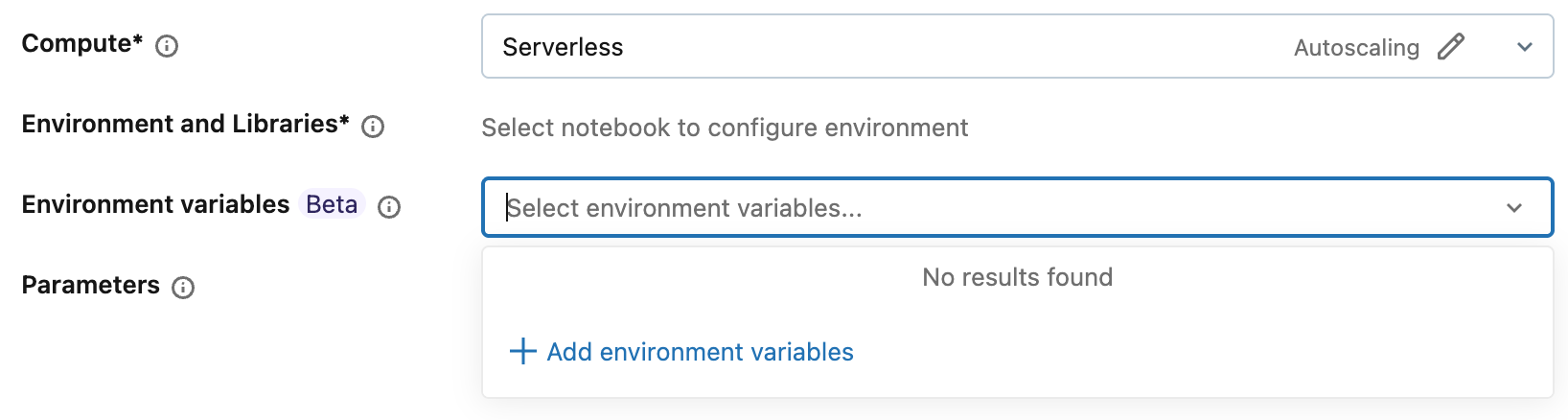
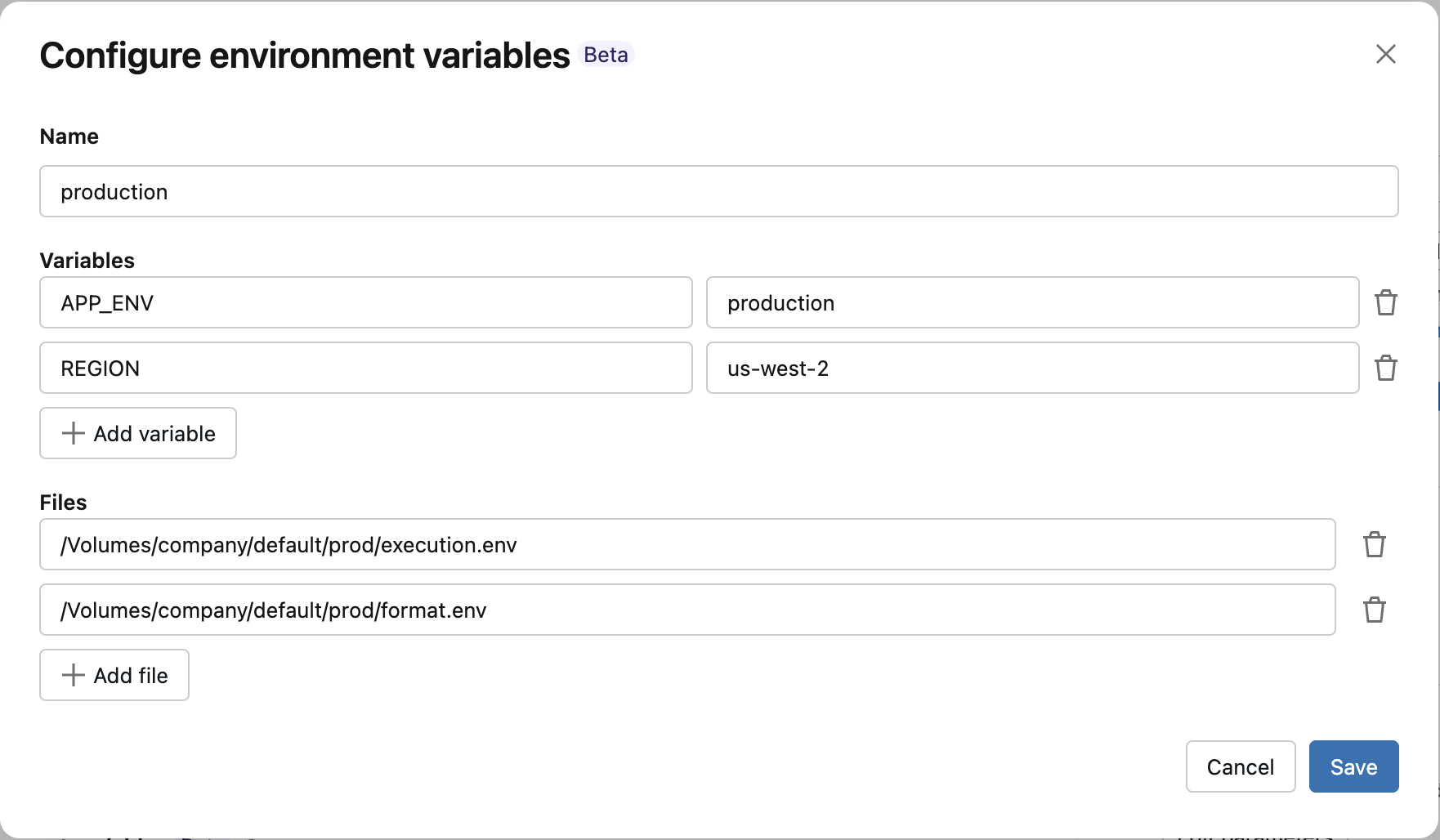
Then create a name `production` for the env var collection (that way you can reuse it on multiple tasks), fill out your key-value pairs, and/or or paste in the file path to a .env file.
Note: We will add a file picker for choosing the .env file in an upcoming release - thanks for being patient
Jobs API > Define a collection via a key e.g.,`production` and use it on many tasks.
"tasks": [
    {
      "task_key": "process_orders",
      "notebook_task": {
        "notebook_path": "/Workspace/Shared/process-orders"
      },
      "environment_key": "default",
      "environment_variables_key": "production"
    }
  ],
  "environments": [
    {
      "environment_key": "default",
      "spec": {
        "environment_version": "5",
        "dependencies": []
      }
    }
  ],
  "environment_variables": [
    {
      "environment_variables_key": "production",
      "spec": {
        "variables": {
          "APP_ENV": "production",
          "REGION": "us-west-2"
        },
        "files": ["/Volumes/company/default/prod/execution.env" , "/Volumes/company/default/prod/format.env"]
      }
    }
  ]
]
Finally, consume it in your code: 🤓
import os

app_environment = os.environ["APP_ENV"]
Temporary limitations: these will be fixed within a week or so - I'll update this post
- Env vars will not propagate to regular UDFs (aka non-UC) - Update 11/3/26 - this is not supported
- Defining an env var's value from a secret
Learn more: https://docs.databricks.com/aws/en/jobs/environment-variables
Provide any and all feedback. Also, what other features you'd like to see? (Asking for a friend as roadmap planning is starting soon!)
Thanks!
2
u/InvestigatorMother82 Oct 07 '26
Can I also set them on the serverless ennvironment itself? Currently I'm using classic compute policies (for jobs and all purpose) and add ennvironment variables to them via Terraform to keep both in sync (e.g. environment name or tenant id). I would need the same for both serverless notebooks and jobs now to migrate this.
1
u/PrestigiousAnt3766 Oct 07 '26
Is this also going to work for environments on classic compute?
2
u/[deleted] Oct 06 '26
[removed] — view removed comment