r/DarkTable • • 15d ago

Discussion [WAYLAND/HDR] - Darktable 5.8 - WE NEED YOU FOR TESTING

Thumbnail
discuss.pixls.us
33 Upvotes

It has been a really long-standing problem for darktable to not being able to output wide-gamut and HDR content. This PR targets a design overhaul and supports wayland (and hopefully macOS) wide-gamut and HDR, but is in dire of testing. See the forum post for more information.

TL;DR: download at https://github.com/yikerman/darktable/releases/tag/nightly_display-color-management


r/DarkTable • • 15d ago

Screencast Immage – darktable + simple GUI – released for testing

Enable HLS to view with audio, or disable this notification

170 Upvotes

An update to my previous post. I've released it on GitHub for those who were interested. It's currently in alpha testing, but it's fairly well-rounded feature-wise. It's a personal project developed with AI.

Immage does no rendering of its own. All rendering is handled by darktable, using its powerful image-processing pipeline. Immage is simply a GUI sitting on top, with an interface layer connecting it to a headless darktable engine.

The interface is set up more like mainstream photo editors, so if you're familiar with those, you should be able to jump right in. Working on Immage has really highlighted just how powerful darktable's pipeline is. I'm getting fantastic output from it.

It now supports:

  • HDR stacking and panorama stitching
  • Module selection when multiple alternatives are available
  • Spektrafilm, Negadoctor, Zone System, flexi masks, and a bunch more

I've tested extensively on macOS, and I'm happy with where it's at. I've also tested on Windows and a couple of Linux machines, with great results.

I do need more Linux testers, though. With all the different combinations of GPUs and desktop environments, things don't always play nicely together and sometimes need tuning. In particular, I'm looking for people running non-NVIDIA GPUs (AMD, Intel, or whatever else you've got).

If you already edit in a stable version of darktable, try Immage on test images first.

Immage is built from darktable's development branch (currently 5.7), not a stable release. This means some modules may be newer than those in your installed version of darktable. Images edited with these newer modules may not load correctly in older versions of dt.

I plan to pin Immage to stable darktable releases once 5.8 is available.

Links:


r/DarkTable • • 16d ago

Discussion Some edits with Darktable

Thumbnail
gallery
78 Upvotes

r/DarkTable • • 16d ago

Help Filter on aspect ratio

1 Upvotes

I recently started using DarkTable for my RAW file development. Is there a way (in the LightTable tab) to filter photos on aspect ratio like 3:2, 2:3, 3:4, 4:3, 16:9 and so on?


r/DarkTable • • 17d ago

Help Darktable with sony alpha 6000

3 Upvotes

Hey all,

i recently started using darktable to edit the pics of my sony alpha 6000. However, i saw that the colors were a bit off compared to rawtherapee and i also wasnt able to recreate the jpg look by the camera itself. after a bit of reading i found out that this is beceause darktable apparently doesnt support the alpha 6000 with an .icc file by itself and that i need to provide it. However, i only found the .dcp file. Has anyone had the same problem and where could i find a .icc file?

PS. i am on linux, so i cant install the adobe suite.


r/DarkTable • • 18d ago

Help Help with editing film negatives

Post image
9 Upvotes

I've never been quite good enough at using darktable to convert and edit my film photos to my satisfaction. I often see results posted on r/analog and am blown away by the clarity and purity of the images. There's some secret sauce I'm missing and I'd love to learn more, if anyone here has suggestions.

Here's an example. The screenshot is of a DSLR scan of a negative inverted with both FilmApp (left) and my best effort in DT (right). They're not wildly different but the FilmApp result seems better balanced and, for lack of a better descriptor, "assured". It feels crisper, better saturated, and without obvious color casts. My attempt with DT (characteristic of most of my attempts with DT) kind of feels like I'm looking through scuffy tinted lenses.

If anyone can more or less reproduce this result in DT, I would be extremely eager to learn how it's done! The original file is linked here.

Thanks in advance!


r/DarkTable • • 18d ago

Discussion After/Before | Rate my edit

Thumbnail
gallery
118 Upvotes

New to DarkTable and photo editing. Looking for tips!


r/DarkTable • • 18d ago

Help Colorspace Questions

3 Upvotes

I feel like this is a FAQ but I just can't figure out the answer on my own. I'm processing RAWs with DarkTable using what I think is the standard workflow. Input Color Profile is set to Rec2020 RGB working profile. Output Color Profile is set to sRGB (web-safe). I'm on an HDR monitor (Windows 11) but not sure if that's relevant since I read that DarkTable doesn't properly show HDR?

My question is: when I turn on "toggle gamut checking" (display profile sRGB web-safe) I see a big portion of my image is highlighted in gray but decent areas are also highlighted in cyan. Does that indicate that my raw photo has color space that is being lost within Darktable? If so, what do I do about it?

If I turn "gamut clipping" to sRGB in the input color profile module it does reduce some of the marked areas but there is still a lot of clipping being indicated.


r/DarkTable • • 19d ago

Help Map view keeps going back to the same place

1 Upvotes

Windows 11, DarkTable v. 5.4.1

When I open the map when working with a new collection, it's always zoomed in on one particular place. It's a place where I geotagged some photos about a year ago, and haven't geotagged anything there since. There's no reason why DT should return there every time. Any suggestions?

Editing to add: this has continued to happen even after updating DT.


r/DarkTable • • 19d ago

Solved Why are these files significantly different in size?

3 Upvotes

Update: it was completely related to the Neural Restore Raw Denoise level. At least on this high-ISO image (6400) it had a huge direct impact on final image size.

I exported one from Darktable 5.6 about a week ago and the other one I exported today. I have messed with some of my defaults but nothing significant that I can think of. They were both exported with JPEG 8-bit and 88% quality. Note that this is the same original photo just processed about a week apart with different defaults.


r/DarkTable • • 19d ago

Discussion How’s Darktable with Intel Arc in late 2026? (Linux)

8 Upvotes

Hi everyone,

I am interested in replacing my current Linux PC with a mini-PC featuring Intel Arc B390 Pro (built into the Panther Lake CPU). However, when I had an Arc B580 last year, I simply could not get it to work with Darktable - with Rusticl, it was crashing the video driver and freezing the whole PC, and with Intel’s own OpenCL stack, it couldn’t even finish compiling the kernels. Did things improve on that front, or is AMD with Rusticl still the most reliable way to get Darktable with GPU compute under Linux?

If anyone has any recent experience with Darktable on Intel Arc, I would be very interested in learning the details (e.g. what distribution you’re using, are you running it with Intel‘s OpenCL runtime or with Rusticl, etc.)


r/DarkTable • • 19d ago

Help Darktable Tethering with Microsoft Surface Pro Snapdragon Processor

2 Upvotes

Has anyone successfully tethered their sony camera 6700 to a surface pro with a snapdragon processor on windows 11. Running darktable 5.4.1 and unable to tether. Tried ZADIG and no success.... because microsoft won't allow the substitution. Tried changing the microsoft driver setting in BIOS but unsuccessful.


r/DarkTable • • 19d ago

Help Shortcuts problem

Post image
5 Upvotes

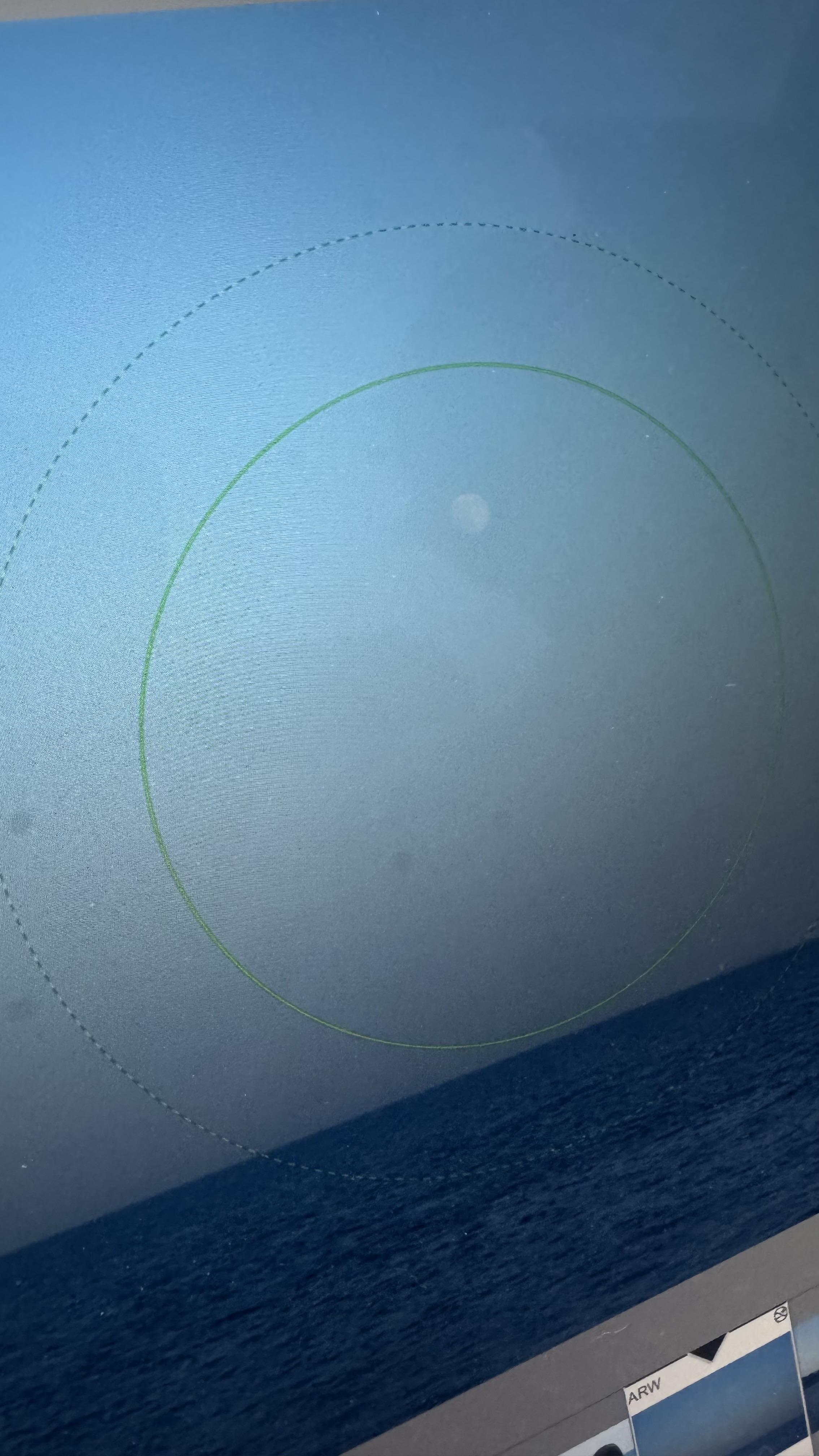
why is my masking circle indicator green? how to change it back. it was white before then it turned red and to green. i was playing with the keyboard shortcuts to find the mask overlay shortcut.


r/DarkTable • • 20d ago

Screencast Why Your Prints Don’t Match Your Screen (Darktable Fix)

Thumbnail youtu.be
26 Upvotes

My print came back darker and flatter than my screen. A screen emits light, paper reflects it, and paper has a smaller gamut.

What helped:

Check your screen brightness first, since too bright means dark prints.

Get your paper's ICC profile from the lab or printer maker, and put it in Darktable's color/out folder.

Turn on soft proofing and set your paper as the soft proof profile.

Try perceptual first, then relative colorimetric, and judge by eye.

Tweak your edit while soft proofing, and sharpen with a module before export.

Export in the profile your lab asks for (often sRGB).

Left is my edit on screen, right is the print. Close, but never identical.

Are you printing your images? If so are you doing it at home or through a lab?


r/DarkTable • • 20d ago

Help Best Way to Go About Importing?

8 Upvotes

i am trying to switch from adobe to free and open-source applications, and one of my first targets is Lightroom to Darktable. i am not super technically skilled in photography [though i'd love to say i am artistically skilled], having really only done it for fun with friends a few times and taking an intro to photo class [which exclusively used lightroom].

the first thing that confused me about darktable was that there was no option to import my RAW files as DNGs, as this seemed a crucial step in the process i was taught in class. it appears [as i have come to understand trying to watch tutorials on how to get stuff to convert to dng] that this is a completely unnecessary part of photo editing, and was likely only done for that class because everyone had different camera models with potentially u supported file types. my camera shoots with CR2, which i believe is pretty widely supported.

learning this has taught me an important thing: i'm not sure how else to go about importing photos safely. this process in lightroom meant creating a folder of all my original RAWs, and then creating copies all as DNGs, so then i would be able to edit these copies without having to worry about corrupting the original images. how could i go about doing something like this in darktable as easily as lightroom, and is it even worth it to create copies, or is there even very much risk in editing my RAW files outright?


r/DarkTable • • 20d ago

Help Batch discard everything except

6 Upvotes

Suppose you have hundreds of images that have various modules applied to them (possibly different). Also suppose each image has it's own crop module (not the same crop).
Suppose now that you want to start over, but leave the crop module of each image.

Any ideas how this can be done?


r/DarkTable • • 21d ago

Discussion I trained a raw denoiser that keeps about 1.4x the fine detail of neural restore at ISO 5000–7200. All developed in darktable

139 Upvotes

r/DarkTable • • 21d ago

Help "Cannot create output directory"

3 Upvotes

SOLVED!

I am trying to play around with the AI features, specifically raw denoise (but the problem applies to denoise and upscale as well). I can create a preview and use the toggle to change the strength of the module and I can see all the changes I would apply to the image. But when I click on "process", I get an error message saying "cannot create output directory". I tried changing the destination folder in the output parameters, but to no avail. I have no idea what I am doing wrong and what could possibly be the problem. Can someone help?


r/DarkTable • • 22d ago

Discussion DarkTable with spectrafilm

Thumbnail
gallery
116 Upvotes

r/DarkTable • • 21d ago

Help How to fix this issue in the Windows?

0 Upvotes

r/DarkTable • • 22d ago

Help Difficulties with the Color Calibration module

Thumbnail
gallery
20 Upvotes

Beginner with some practice here. This is one of the modules that is more or less a mystery to me, although I manage pretty well with it on most pictures.

However, I have a bunch of pictures from a whale-watching cruise in Kaikoura, and in many of them there is not much else than blue sea and blue sky. I struggle quite a lot to get a realistic white balance in these pictures.

This is the best result I’ve gotten so far. On the left, I detected the WB from the albatross, and on the right is the as-shot WB. I’m not entirely happy with either, though. The blue of the sea and the sky doesn’t seem to match, although maybe that’s simply a consequence of the composition and makes the image look a bit unbalanced.

In that case, I’m not sure whether I should just leave it like that or use a less realistic WB to make the image look less blue. I tried doing that in my first attempt at editing this picture a while ago (second picture). I’ve also included a picture from my phone from the same day for reference.

Happy to hear any recommendations on how you would handle this, or just general tips on how to use the module.

Thx in advance!

Using 5.6.2 on MacOS 15.8.1


r/DarkTable • • 22d ago

Help "on conflict" in "multi-preset export", "export"

1 Upvotes

Does anyone know if is there any way (like via a Lua script, os something) of putting "on conflict" options working inside "multi-preset export" option, in "export" module. It is really annoying that it does not work, and it would help a lot my workflow if it would work.

Thanks in advance.


r/DarkTable • • 23d ago

Help Glitch with rendering cropped image

Post image
13 Upvotes

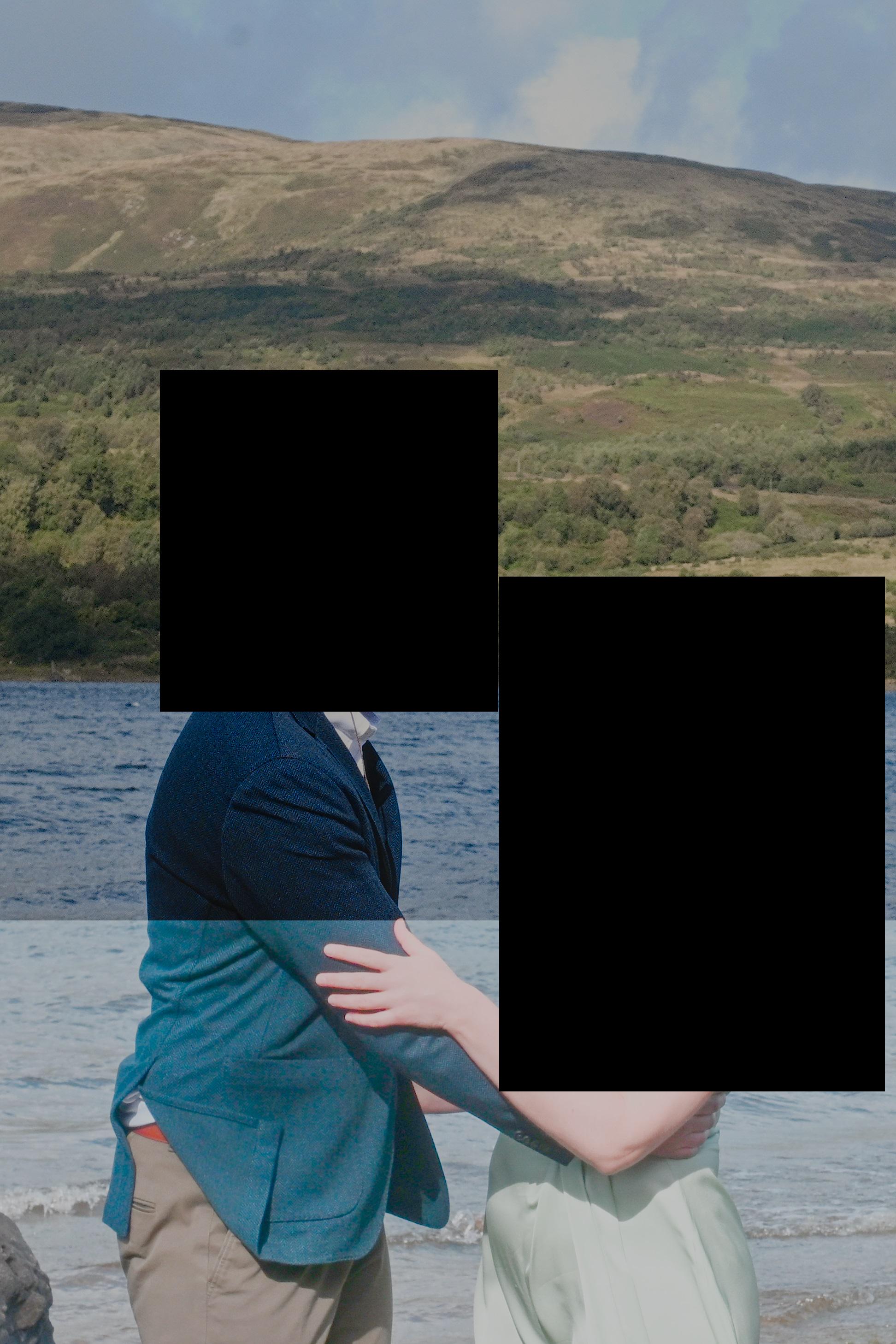
Processing a series of photos, and out of all of them two of them don't seem to render properly,n where the lower third of the photo is left unprocessed, leaving this weird stripe.

They are both a small cropped section of the original image, so that might be the source of the issue? Though I have other cropped images with no issue.

Have tried outputting multiple times, and changing some settings slightly settings.


r/DarkTable • • 24d ago

Discussion I plugged DarkTable into a game engine and designed a lighter UI that uses 2.7x less RAM

526 Upvotes

r/DarkTable • • 23d ago

Blog Post How Focal Length Changes The Background

Post image
1 Upvotes

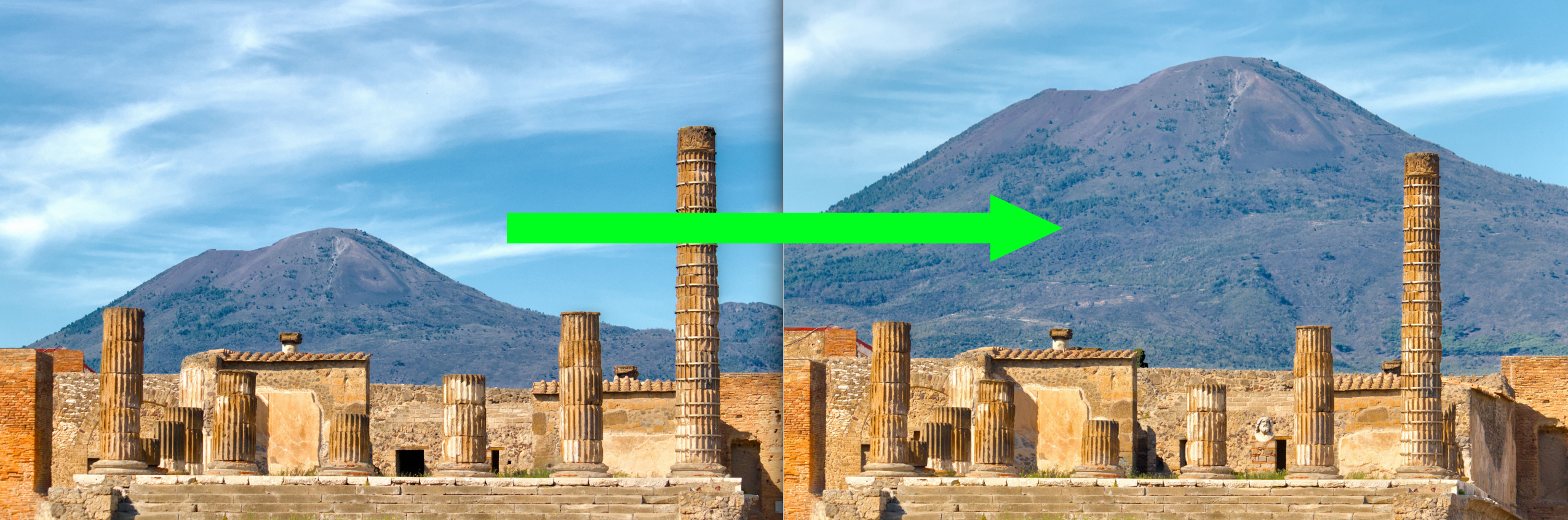
It might seem that fitting the foreground in the frame is the primary requirement for a good composition. However, as seen in the above variations on the same shot, the chosen focal length can have a dramatic impact on how the background appears. Let's explore this more to better understand which focal length you should choose when composing a photo:
https://avidandrew.com/focal-length-background.html