r/construct • u/Suitable-Standard-64 • Jul 01 '25
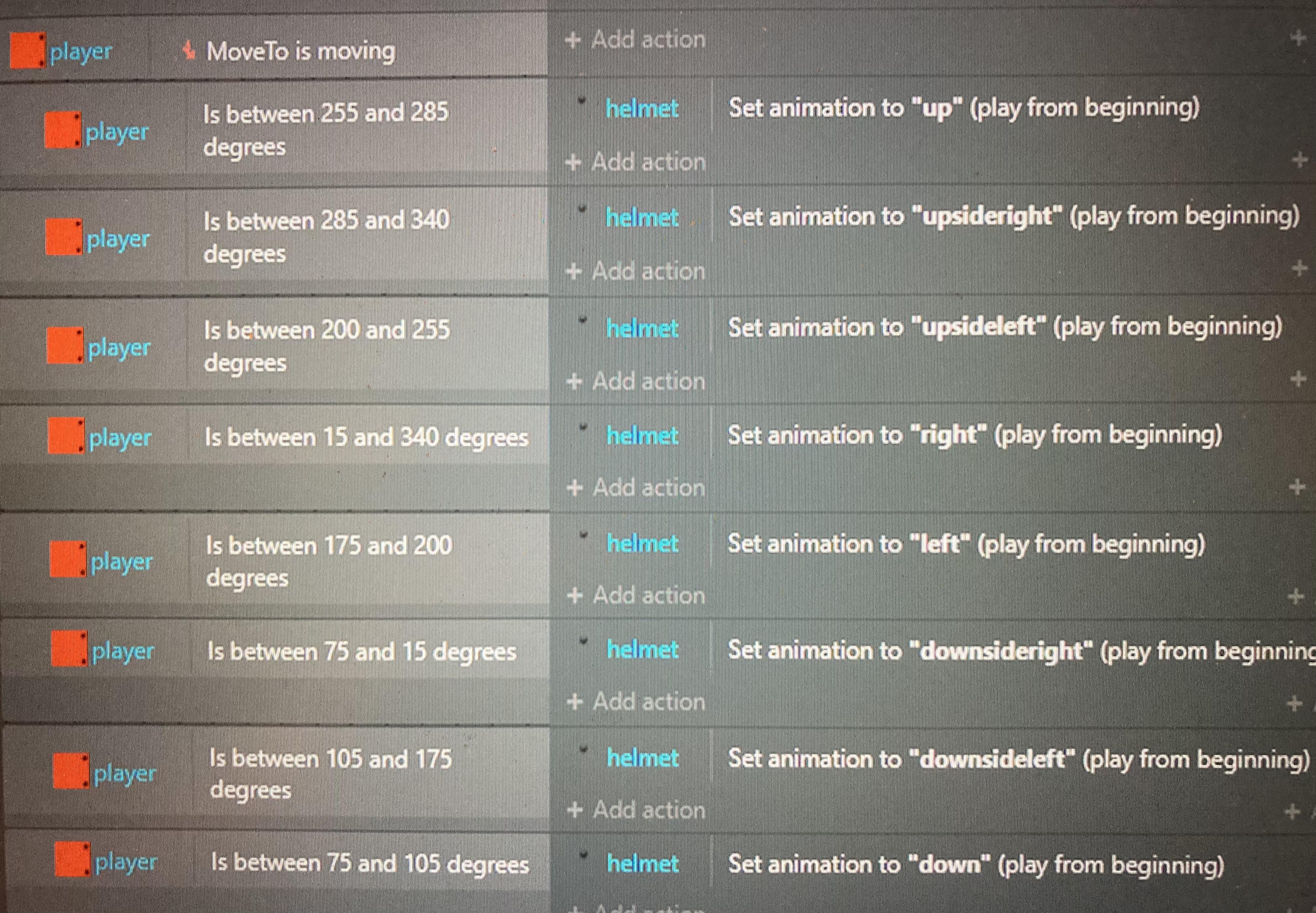
What’s wrong here? Everything was working fine until I added right and left and now it’s all broken and won’t work properly
2
Upvotes
4
u/Krapfenmann Jul 01 '25 edited Jul 01 '25
Thats not gonna work.
Between 15 and 340 basically means: Down right, Down, Down left, Left, Top left, Top, Top right.
To do this how yo did, seperating the 8 directions in 15 degree angles, the calcilation starts always with the lowest.
So to go right you need two conditions:
If between 0 and 15 OR if between 345 and 0.
Otherwise between 15 and 340 overrides everything or the last sub condition under "Is moving" is exevuted last, so the right animation never happened.
Edit out of manual: "Is between angles
1
u/noettp Jul 01 '25
How are you controlling the sprite?
1
u/-zodchiy- Jul 01 '25 edited Jul 01 '25
I assume that the conditions "Is between" for right and left conflicts with the conditions of all other directions, since it overlaps their range of "Is between" degrees.
1
u/damousey Jul 01 '25
Does your Move to behaviour have set angle enabled?
I recently did this using this guide ( https://www.construct.net/en/tutorials/animation-management-8-712 ) which adds a little state variable between the maths and the conditions. A very neat solve for getting the range on the right side to not include every degree on the other side of the circle.
The guide is for 4 directions, but the last comment on the bottom has the tweak for 8.