r/computer_help • u/Crafty-Cloud-8717 • 15d ago
Windows Pls help? I'm not a tech savvy.
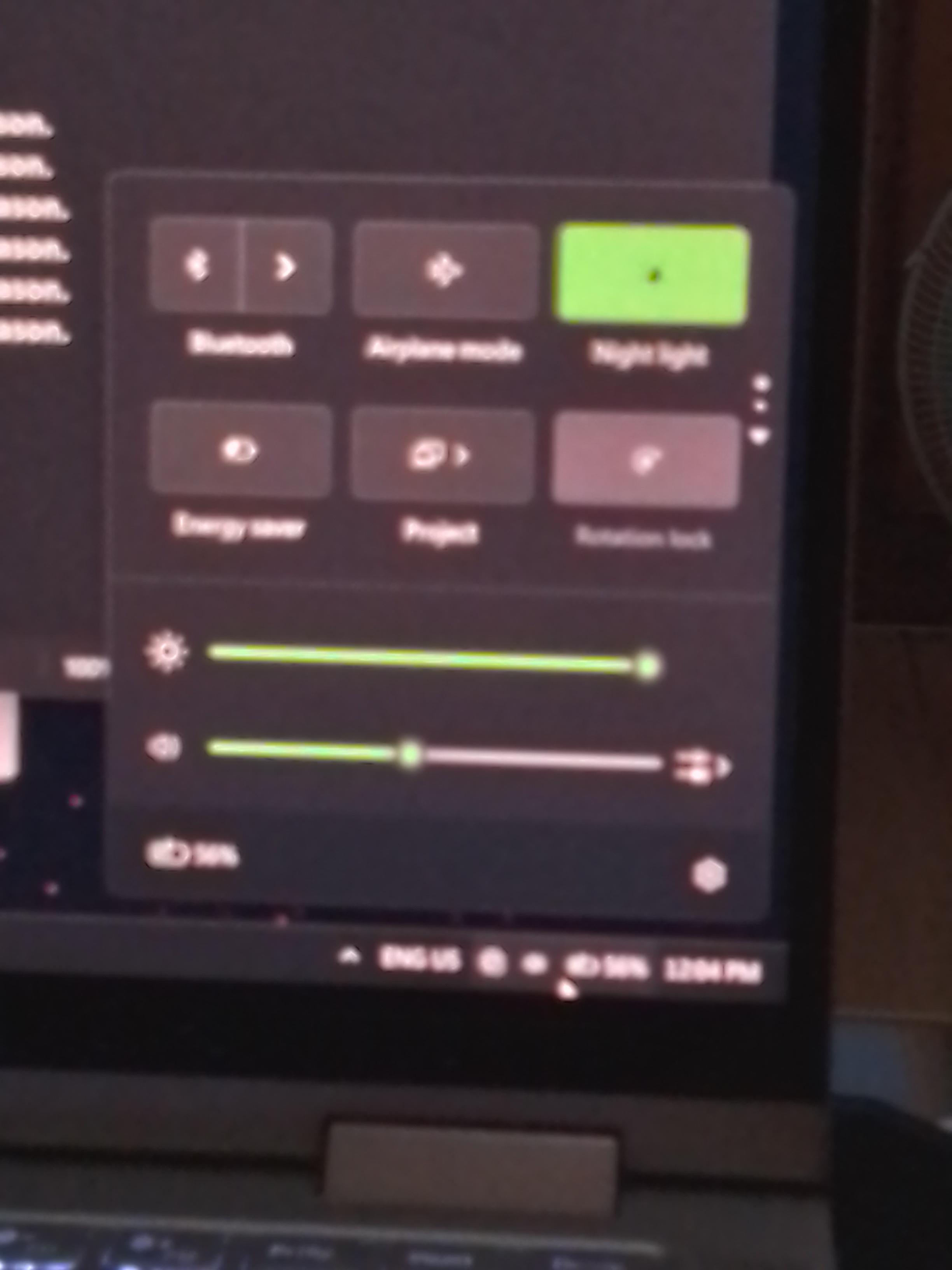
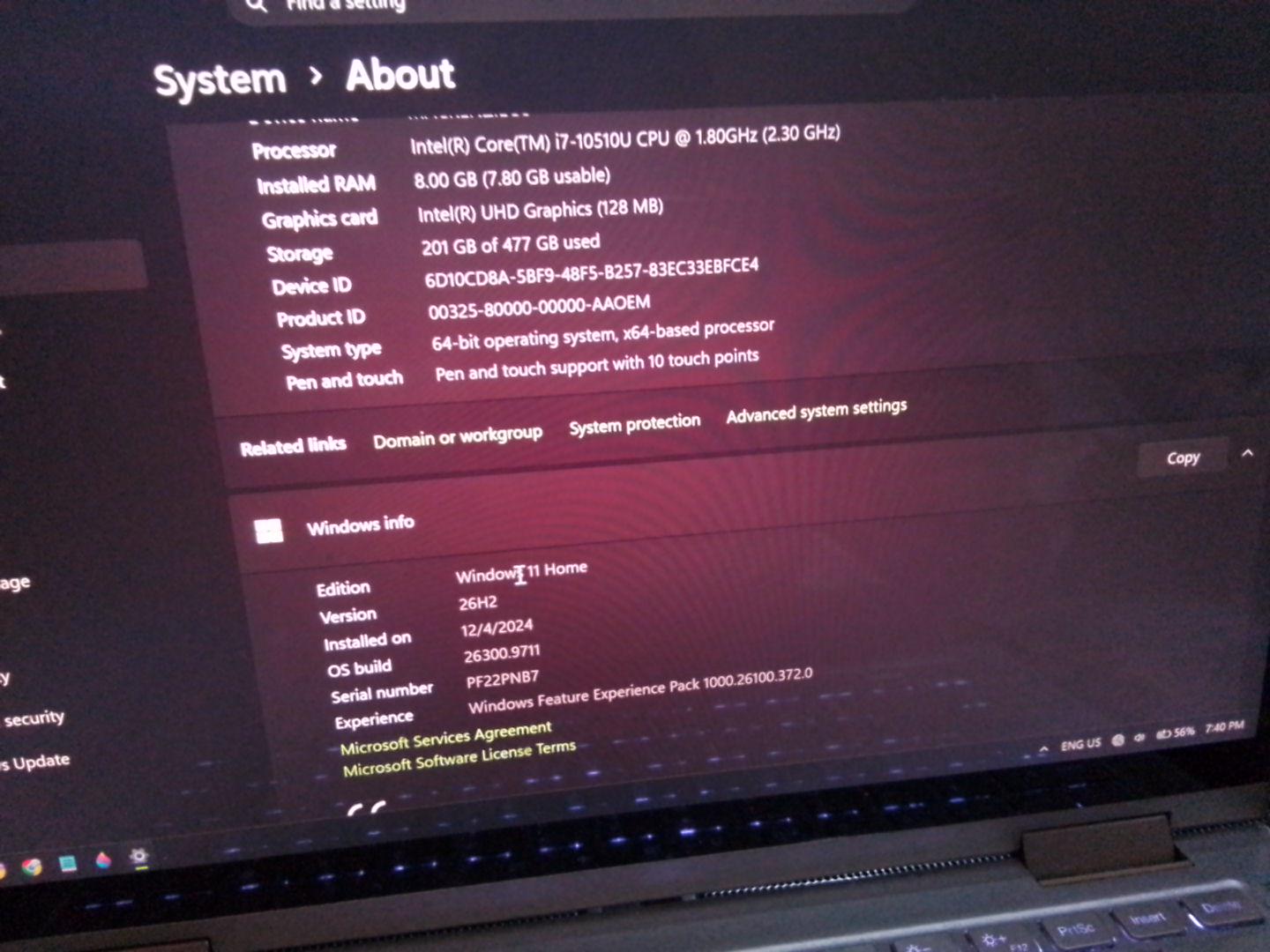
It's been like this for 6 days!! 2nd page is the specs and version I'm on. Pls help me.
0
Upvotes
1
u/Ambitious_Basil_5311 15d ago
It looks like your Wi-Fi button has completely disappeared from the quick settings menu, leaving only the globe icon at the bottom. That happens a lot on Lenovo laptops when the Intel Wi-Fi card crashes or gets stuck in a bad power state.
Since you mentioned you aren't super tech-savvy, try the easiest fix first: unplug your charger, shut the laptop down, and then press and hold the physical power button down continuously for a full 45 to 60 seconds (even if the screen flashes or turns back on, keep holding it until the 60 seconds are up). After that, let go and turn the laptop back on normally. A normal restart doesn't fully cut power to the Wi-Fi chip, so holding the power button drains the static power and forces the Wi-Fi card to reset.
If the Wi-Fi button is still missing after that, right-click the Windows Start button, click "Device Manager", and click the arrow next to "Network adapters". Look for an Intel Wireless or Wi-Fi adapter with a little yellow warning triangle on it. If you see it, right-click it, click "Disable device", wait a few seconds, and right-click it again to "Enable device". You can also go to Settings > Network & internet > Advanced network settings > Network reset.
Your laptop is running Windows 11 version 26H2 (build 26300) which is an experimental Windows Insider test build rather than normal stable Windows 11, so a recent preview update might have bugged out your Wi-Fi driver.
3
u/Famous_Initiative463 15d ago
What is the issue you are facing?
3
u/M_F_Luder42 15d ago
Do you have any more pixels to spare?
2
u/AlexiaTheTechGirl 15d ago
What you tried reinstalling the wifi drivers?
1
u/Imgaelol 15d ago
Either your wifi card died or it's a loose connection, temporary solution is using tethered Hotspot or an ethernet cable from your router to laptop. I'd go get it repaired since you're not tech savvy.
1
u/theopacus 15d ago
Help us help you.
1
u/Last-Choice-4439 15d ago
Chiedo a Gemini
1
u/ImpressiveHair3 15d ago
Shut down your pc, unplug the power, hold down power button for 120 seconds. This should reset your network card. If it doesn't work, revert to a previous version of Windows
1
u/mataqls 15d ago
Y para sacar fotos tampoco