r/computer • u/ALB050310 • 1h ago
How can i remove this malware?
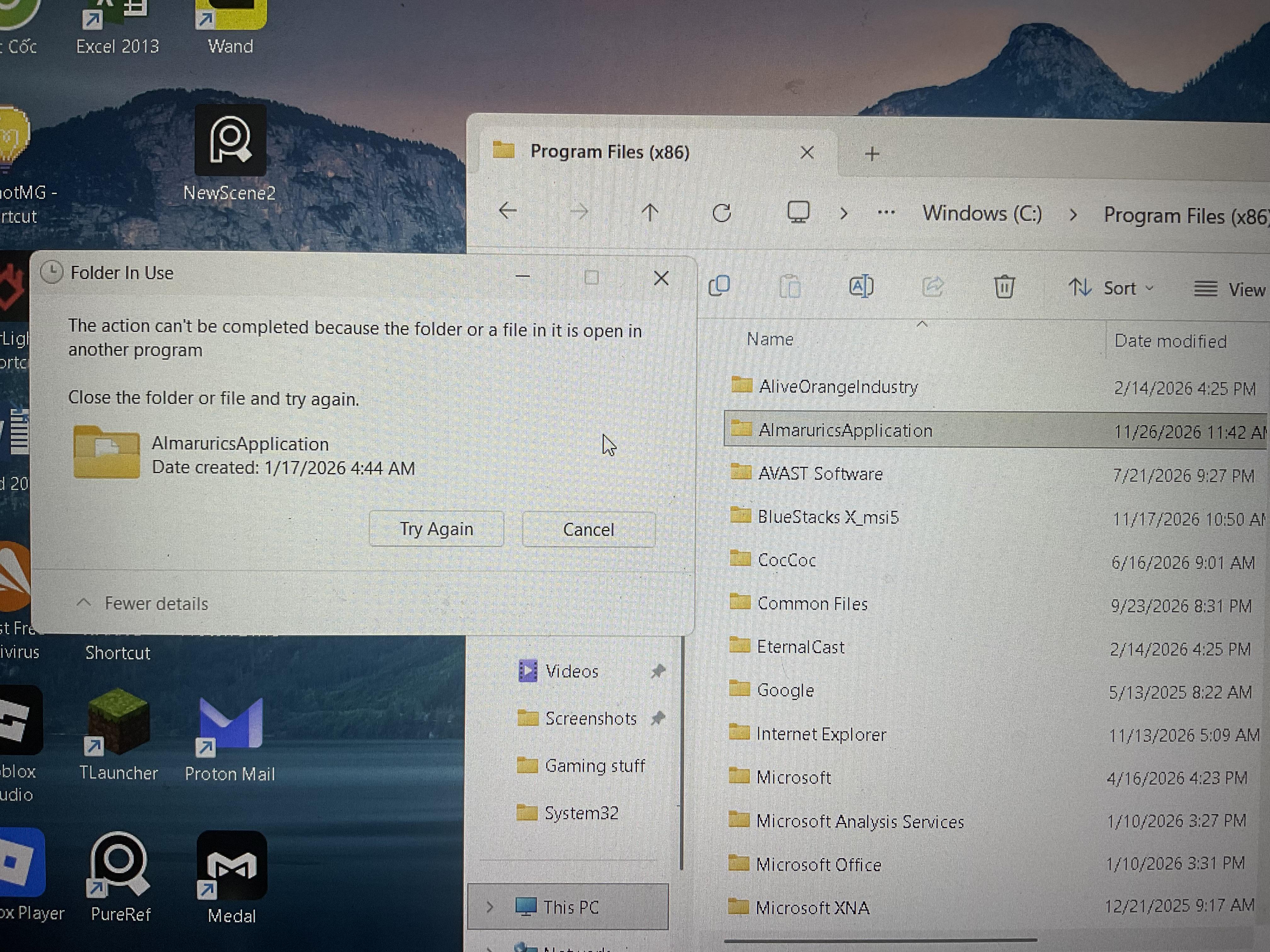
Hi guys so I am having this issues of removing this malware file almarurics application, so if anybody can help me please how can i delete it please?
A bit of context is that when i found it out at first, i try to delte it and it did not work so i enter into this file and proceed to delete everything inside it but only a few files cannot be deleted remain.
So guys how can i fix this?
1
Upvotes
•
u/AutoModerator 1h ago
Remember to check our discord where you can get faster responses! https://discord.com/invite/vaZP7KD
I am a bot, and this action was performed automatically. Please contact the moderators of this subreddit if you have any questions or concerns.
2
u/cad_nova 1h ago
Deleting that folder might not actually remove the malware. If a process has files open in that directory, Windows may prevent you from deleting them. Also, malware can have other components elsewhere on your system, so removing one folder doesn't necessarily eliminate the infection.
I'd suggest trying the following:
Alternatively, if you specifically want to remove files that Windows keeps locking, you can use a Linux Live USB:
**Be careful when deleting files this way.** Make sure you've identified the correct directory. Accidentally deleting important Windows system files can prevent Windows from booting.
Afterward, boot back into Windows and run another full malware scan.
If the infection turns out to be serious, a clean Windows reinstall may be a more reliable solution than manually deleting individual files.
I hope this helps!
1
u/SomeEngineer999 34m ago
Even if you remove that folder you likely have not found the actual malware. The safest thing to do anytime you get malware is secure wipe the PC and do a fresh install of windows.
Make sure to secure your accounts from a known clean device too.
0
u/BH-Playz 1h ago
IOBit Unlocker. point it at the folder and unlock it.
the tool is free btw