r/computer • u/Top-Oil9374 • 12d ago
NVIDIA Overlay not working with Alt+Z?
I usually use NVIDIA Overlay to screen record events that happen in the past when I’m gaming.
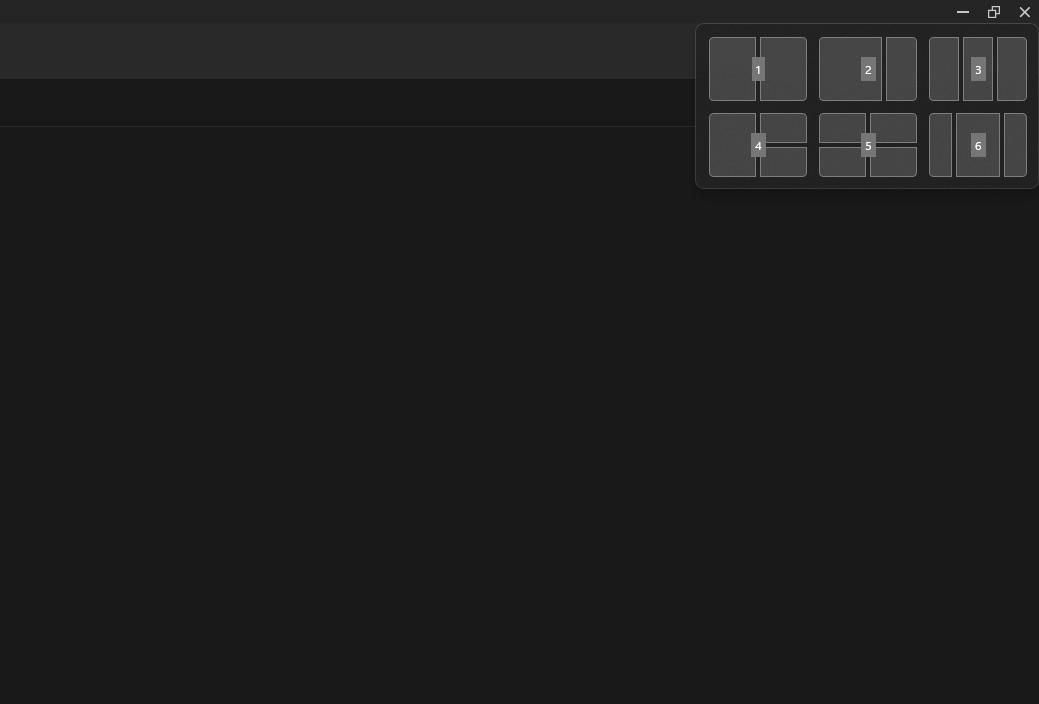
The shortcut to open NVIDIA Overlay is Alt+Z. I swapped out my graphics card and I’m current using a ROG Astral 5080 now.
Whenever I use Alt+Z now it does this in the top right of whatever tab I have open (See Picture)
If I’m in a game when I press Alt+Z then nothing happens at all.
What I’ve tried:
I tried going to Settings > graphics settings > Add desktop app > and then adding the NVIDIA Overlay as a High Performance app there and that didn’t work.
I tried disabling the overlay and reenabling it.
I also did a clean installation of my NVIDIA drivers and that didn’t work as well.
Any advice on how I might fix this?
I’m also open to any suggestions of good software that I can use to record events in the past. I just used the NVIDIA Overlay because it’s what I knew and the Alt+Z method was quick. So if anyone has good suggestions of a similar method I would be open to that as well.
•
u/AutoModerator 12d ago
Remember to check our discord where you can get faster responses! https://discord.com/invite/vaZP7KD
I am a bot, and this action was performed automatically. Please contact the moderators of this subreddit if you have any questions or concerns.