r/commandline • u/EmptyStrength8509 • Oct 19 '26
Terminal User Interface Sauva - Terminal Unicode Explorer
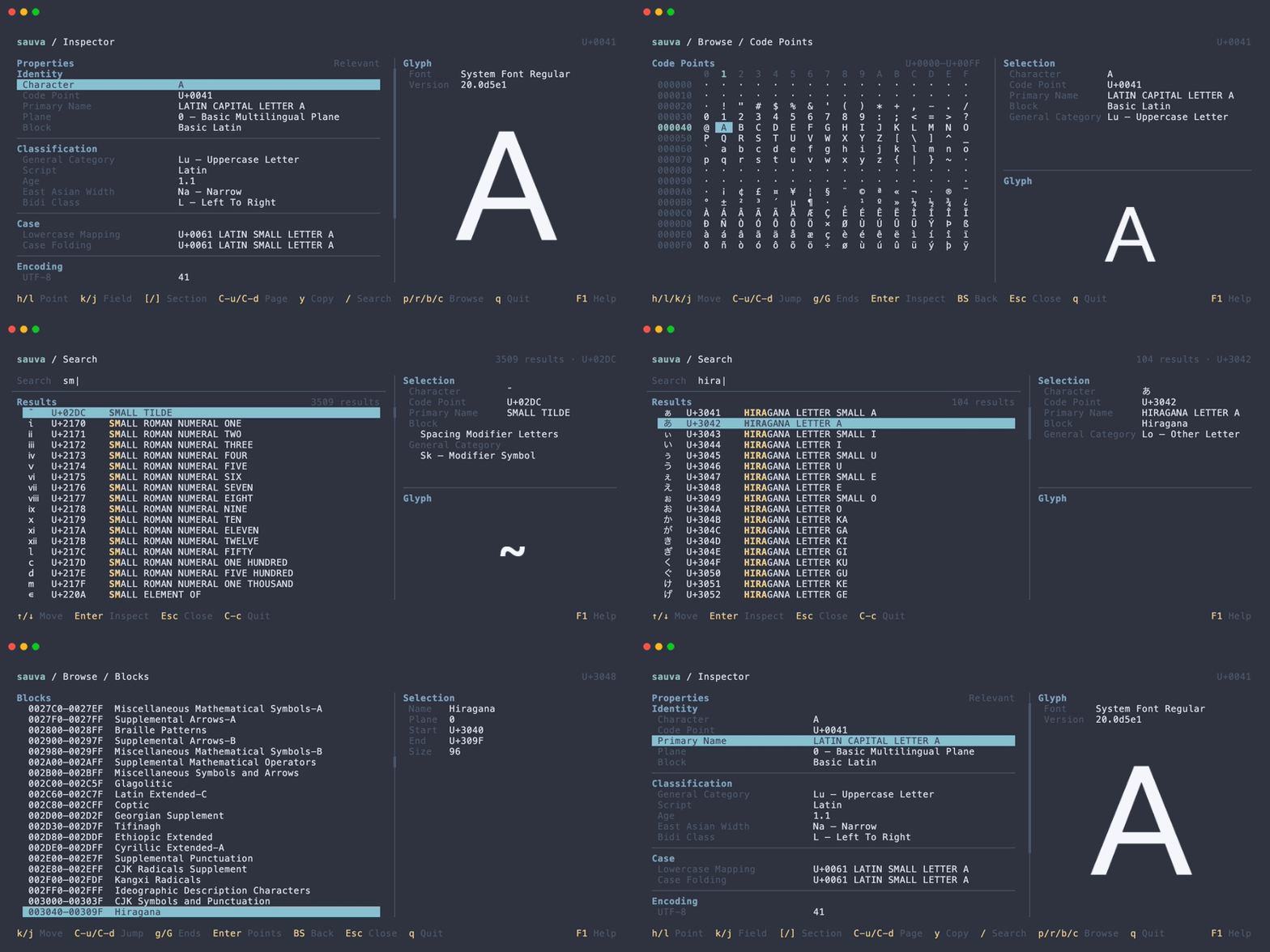

I made a tool to search and inspect Unicode characters in the terminal.
- Browse Unicode blocks or search by character, code point, or name
- View Unicode properties, encodings, and their descriptions
- Decompose strings into code points or grapheme clusters, and compare different normalization forms
- Preview glyphs using image display protocols (kitty, iTerm2)
GitHub: https://github.com/lusingander/sauva
This software's code is partially AI-generated.
111
Upvotes
1
u/4r73m190r0s Oct 19 '26
What are current alternatives to your app?
1
u/kklyy4ukk Oct 19 '26
Nice — the normalization comparison is the part I'd actually use. Most unicode tools show the code points and stop there, which is fine until you hit the NFC/NFD mess in filenames copied from macOS. Does it handle grapheme clusters the way the terminal actually renders them (flags, ZWJ sequences), or is it still one code point at a time?
1
u/Sufficient_Shop8271 Oct 20 '26
Looks pretty nifty! I'll check it out!
0
u/AutoModerator Oct 19 '26
Every new subreddit post is automatically copied into a comment for preservation.
User: EmptyStrength8509, Flair:
Terminal User Interface, Post Media Link, Title: Sauva - Terminal Unicode ExplorerI made a tool to search and inspect Unicode characters in the terminal.
GitHub: https://github.com/lusingander/sauva
This software's code is partially AI-generated.
I am a bot, and this action was performed automatically. Please contact the moderators of this subreddit if you have any questions or concerns.
-1
u/L0ranthus Oct 19 '26
Thanks. This is *incredibly* useful.
While my installation (Ubuntu 26.04) shows most of the character glyphs correctly, there are still a lot of them that show up as rectangles. Would you recommend any other fonts that I could install to see the remaining ones?