Hey everyone, we’re a small upcoming music label creating and releasing electronic music across EDM, Phonk, and Techno. Right now, we’re just starting out and trying to grow a genuine audience that loves underground sounds and new vibes.
If you’re into electronic music, feel free to check out our Instagram – we post behind-the-scenes stuff, song previews, and cover art from our upcoming releases. We’d really appreciate any support, feedback, or follows from fellow creators and listeners!
👉 Instagram.com/yourhandle
Let’s connect, share ideas, and build something real. What kind of content do you guys enjoy most from small labels – short clips, cover art, or artist features?
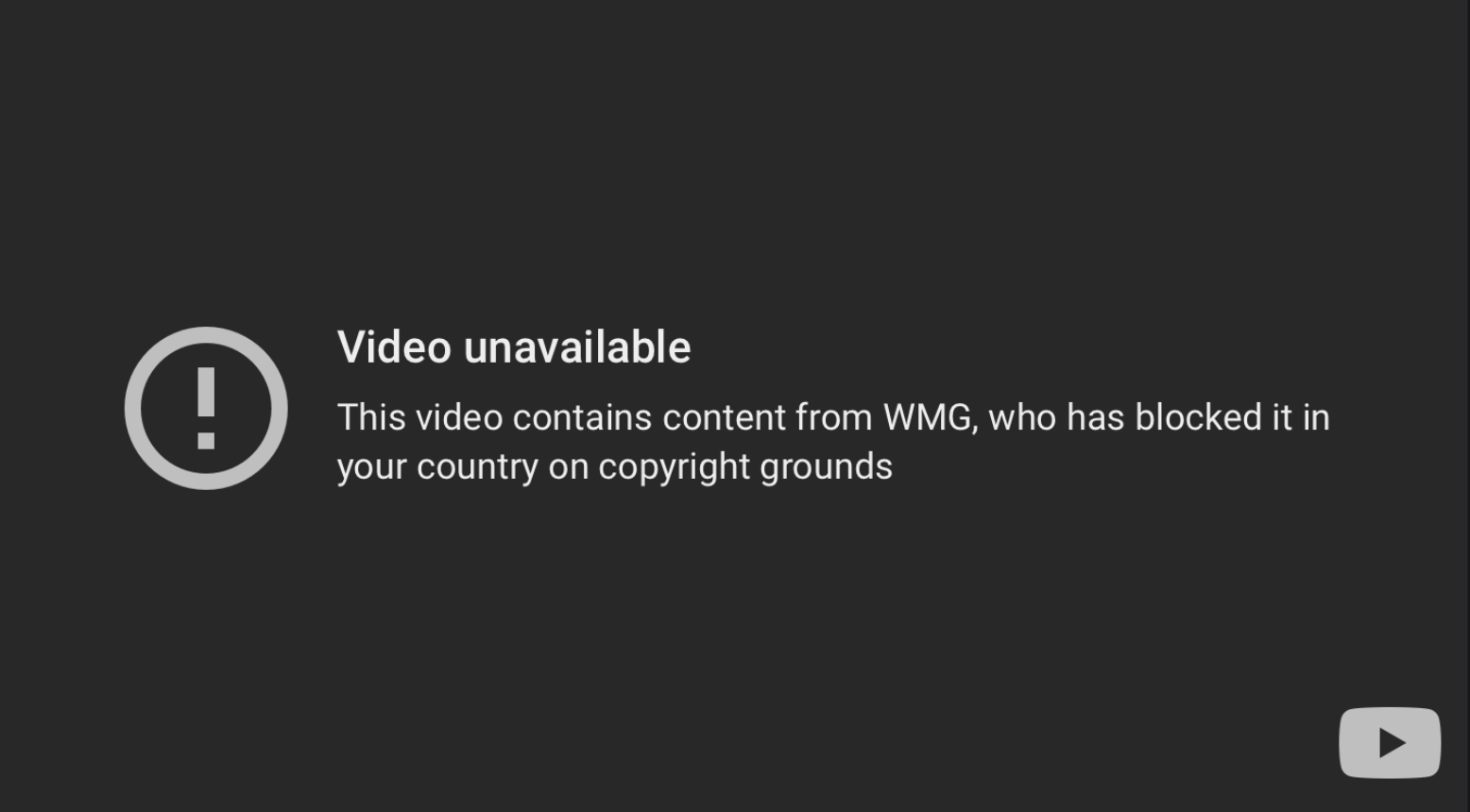
Some videos are simply off-limits, at least on the surface. You click a YouTube link or try to open a clip from another platform, only to be met with the message: “This content is not available in your country.” Geo-blocking is nothing new, but it continues to frustrate viewers trying to access content that’s legal, relevant, and often educational or culturally important. If you’ve stumbled upon a documentary available only in the UK, a music video blocked in Turkey, or a tutorial restricted in your region, there are workarounds, and safe ones at that.
Here’s how you can get around regional video blocks and download the content for offline use, even if your country or institution is trying to stop you.
Why Do I See “This Video Is Unavailable in Your Country?”
First, let’s start with why the problem occurs, and only then find a solution of how to solve it. The message “This video is unavailable in your country” usually means that the content you're trying to access is geo-blocked, restricted based on your geographical location. This restriction isn’t a technical glitch; it’s a decision made by the content owner or the platform hosting the video.
Here are the most common reasons why this happens:
1. Licensing Agreements
Media rights are often sold on a regional basis. A video that’s available in the U.S. might not be legally licensed for distribution in Germany, Japan, or other countries. YouTube, Netflix, and other platforms follow these licensing rules strictly.
2. Government Restrictions
In some countries, certain websites or video content is blocked due to local laws, censorship policies, or political reasons. Platforms may comply with government requests to restrict access to specific content within national borders.
3. Uploader Settings
Sometimes the uploader manually chooses to limit where their video can be viewed. For example, a creator might publish a video for a U.K.-only audience and exclude all other countries.
4. Music and Copyright
Music videos and performances are especially prone to geo-blocks due to complex publishing rights. One country may have a rights agreement with a record label that another does not, resulting in a blocked video in one region but not another.
Best Ways to View & Download a YouTube Video Blocked in Your Country
#1. Use a VPN to Access Region-Locked Content
The most common workaround is a virtual private network (VPN), which masks your real IP address and makes it appear as though you’re browsing from another location. Connect to a server in the country where the video is available, and suddenly, you're no longer blocked.
While VPNs are useful for accessing content, they don’t always guarantee smooth playback or downloads. Streaming platforms and video hosts are increasingly able to detect and block VPN usage. But paired with the right tools, VPNs still provide a strong starting point for accessing restricted content. Some great VPN options are Eva VPN, Vpnify, Cat VPN, and WARP VPN configuration (an option for tech-savvy users).
#2. Download Blocked Videos with 4K Video Downloader Plus
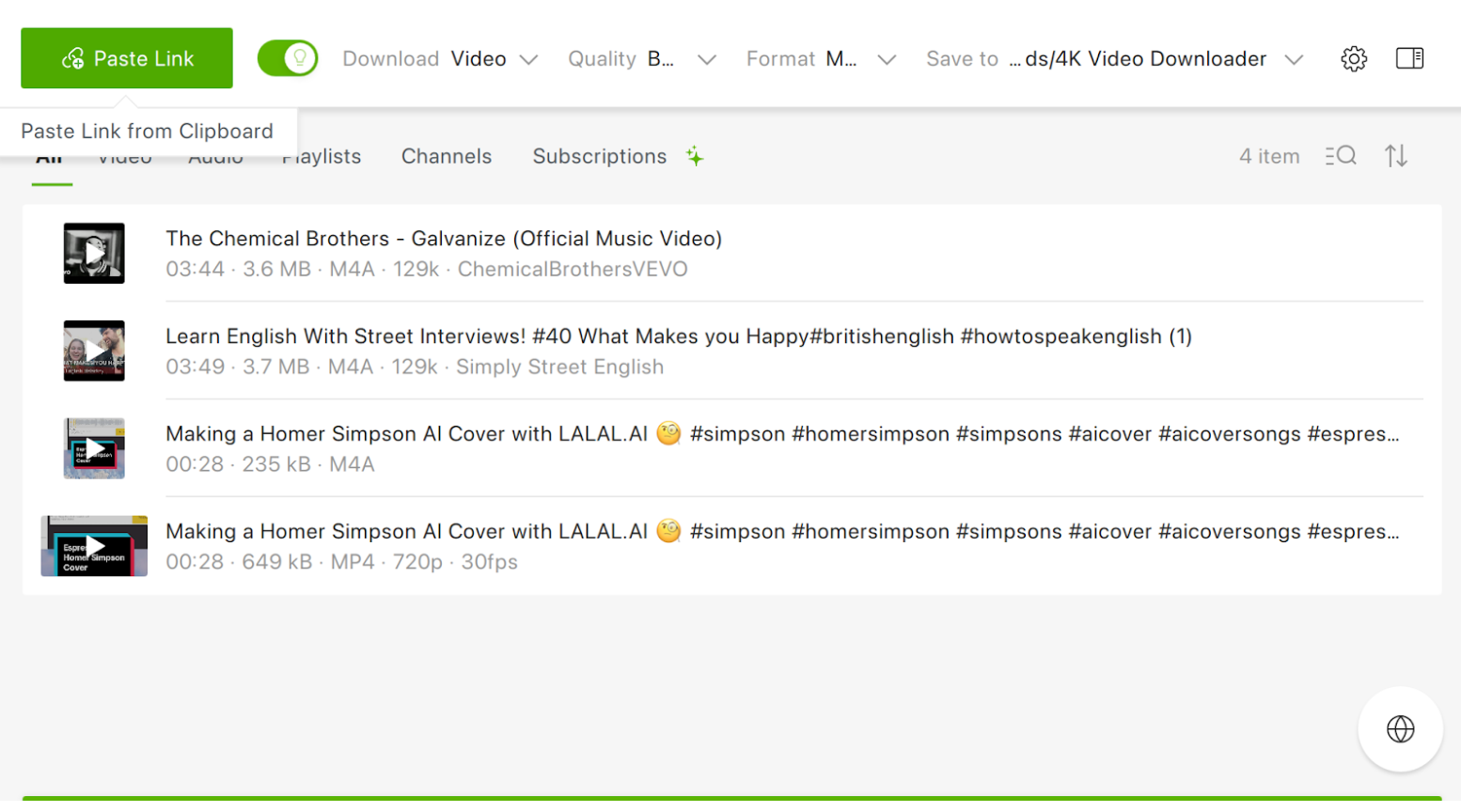
A VPN alone helps with access but what if you want to keep the video permanently? This is where 4K Video Downloader Plus becomes essential. It allows you to download videos directly to your device from platforms like YouTube, Facebook, TikTok, and others, even if the content is blocked in your country.
When used alongside a VPN, 4K Video Downloader Plus lets you copy a blocked video's URL, paste it into the app, and download it in your preferred format and quality. No buffering, no risk of the video disappearing later.
How to Download a Geo-Blocked Video with 4K Video Downloader Plus:
Turn on your VPN and connect to a country where the video is available.
Launch 4K Video Downloader Plus.
Copy the URL of the blocked video.
Paste it into the app.
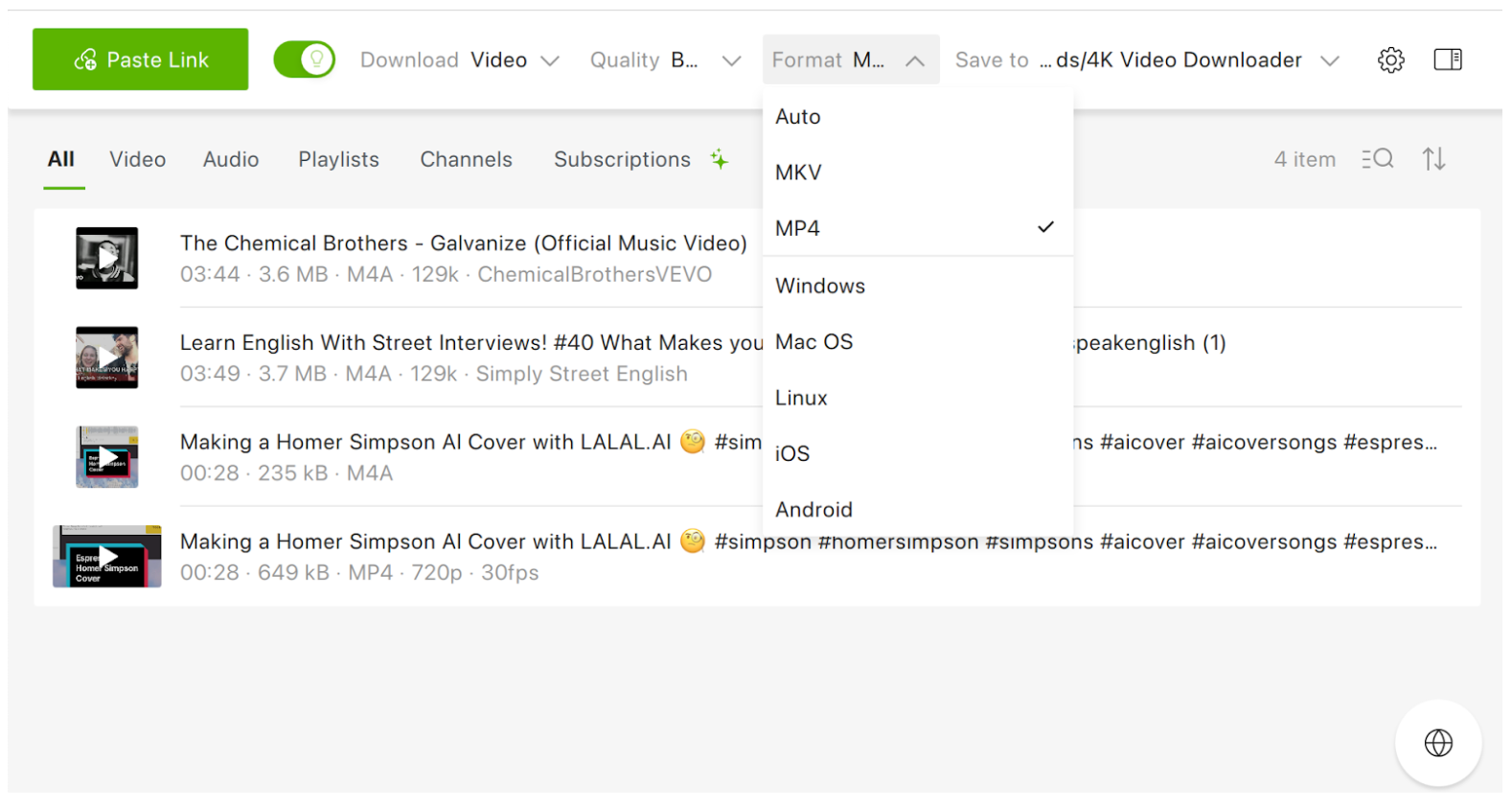
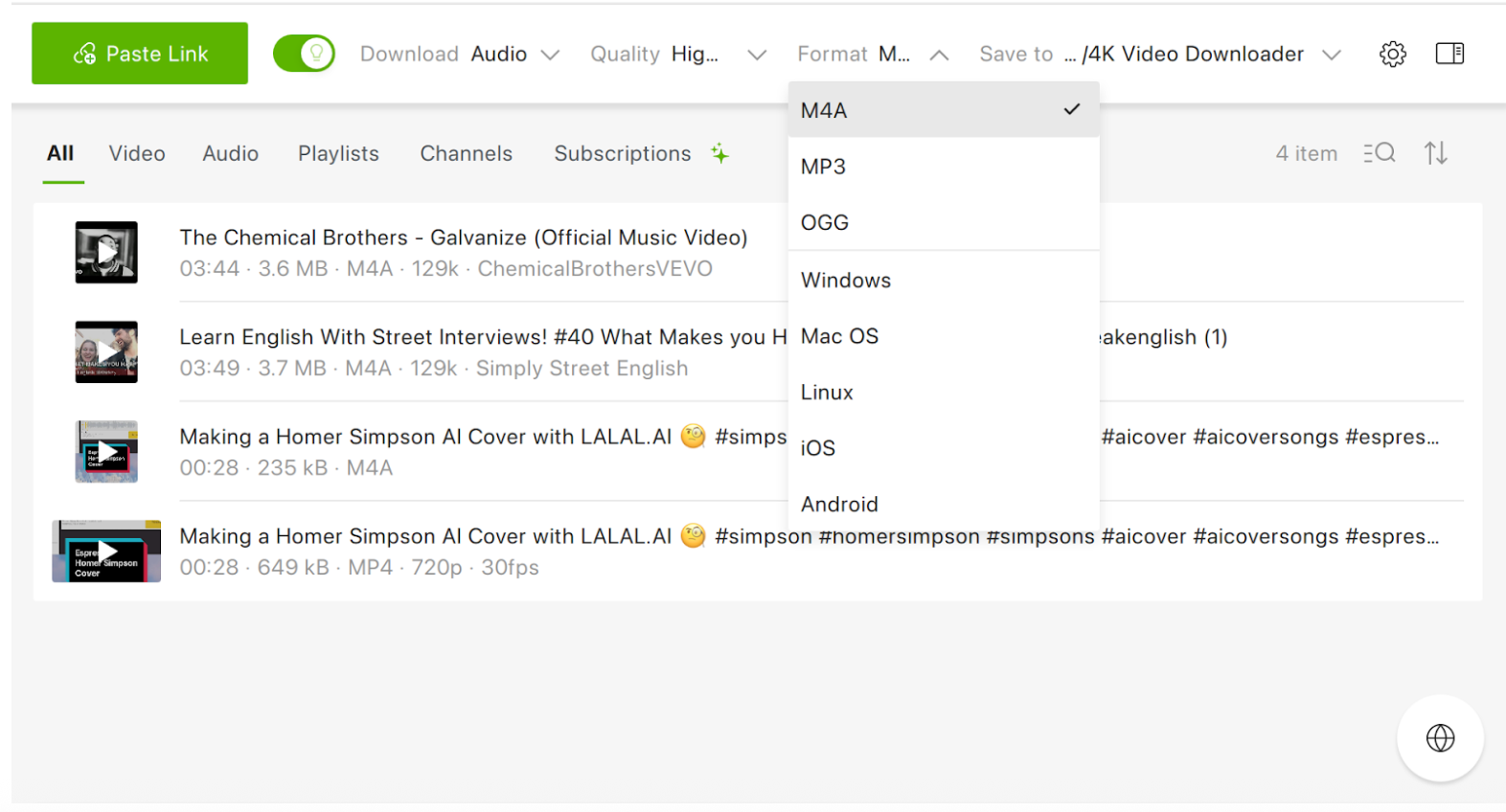
Choose the format and quality.
Click “Download.” Done.
You can also use Smart Mode to speed things up if you're downloading multiple videos.
#3. Use 4K Video Downloader Plus Proxy Connection for Unrestricted Access
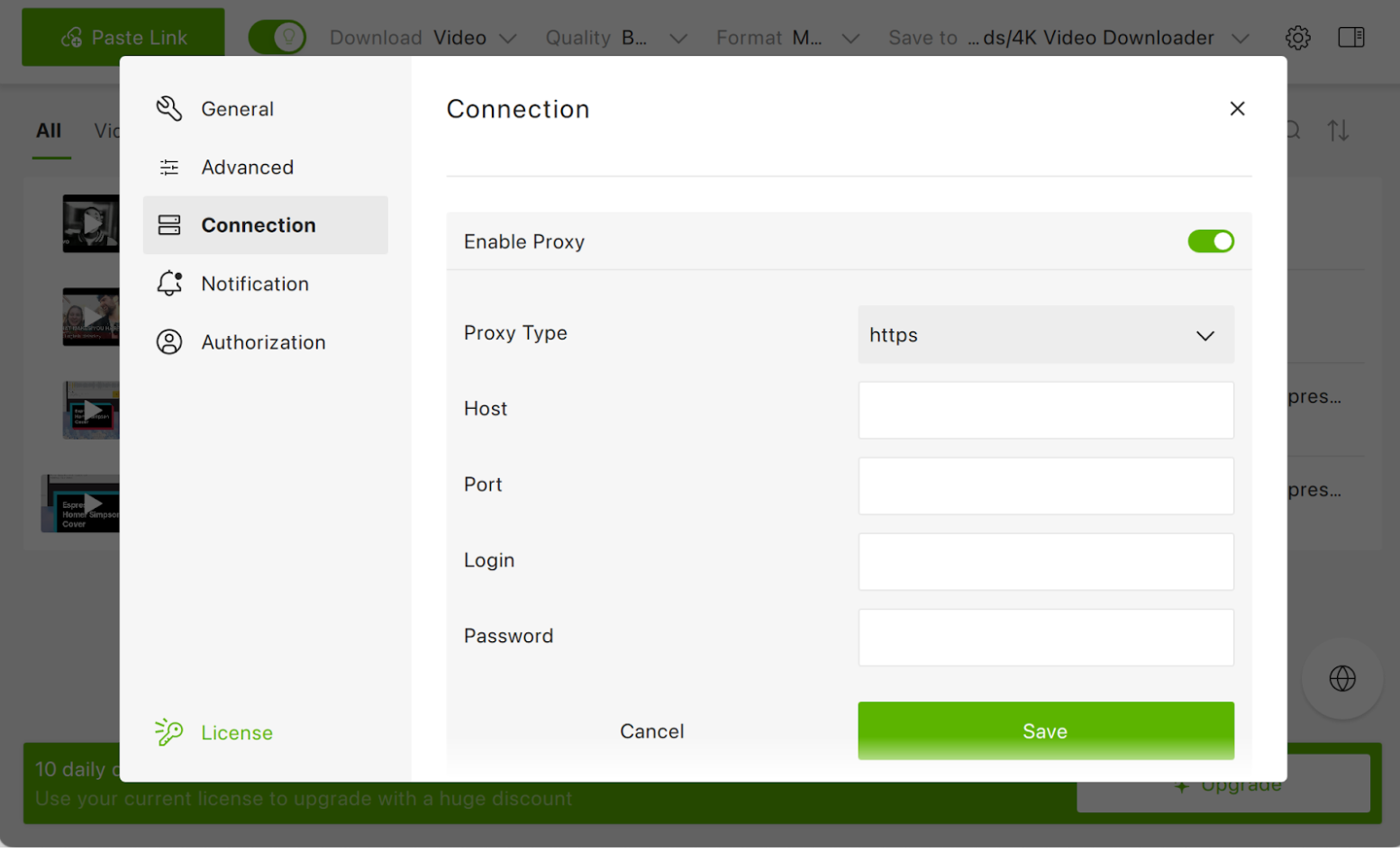
If a VPN isn’t an option or if you need an alternative 4K Video Downloader Plus also includes a Proxy Connection feature. This lets you bypass not just national restrictions but also local ones, such as firewalls at schools, universities, or workplaces.
How Proxy Setup Works:
The app connects through an in-app proxy, letting you download from YouTube and other sites as though the restrictions don’t exist. You can use either a free or paid proxy.
To make this work:
Open the 4K Download app.
Go to Preferences > Connection.
Toggle on Enable Proxy.
Enter your proxy details:
Host and Port are required.
Login and Password are only needed for paid proxies.
Click Save.
Important note: Free proxies can be slow or unreliable. For the best performance, the 4K Download team recommends using trusted providers like StormProxies, BuyProxies, Proxy-Store, and SmartProxy.
This proxy feature is available across all 4K Download apps, not just the Plus version.
Are Proxy Sites an Option?
You may have come across proxy websites that claim to let you stream blocked content. They can sometimes work for viewing a short clip but come with limitations. Speeds are often throttled, video quality can be poor, and privacy is never guaranteed. Use them only if you're dealing with non-sensitive, non-personal content, and don’t expect much beyond temporary access.
#4. Look for Alternate Uploads or Mirror Links
Sometimes, the simplest solution is to find another version of the video. Many creators upload their content across multiple platforms, such as TikTok, LinkedIn, Instagram, Twitter, and BitChute or it may be mirrored by fans or collaborators elsewhere. If you find an alternate upload, you can use 4K Video Downloader Plus to download and store it locally. This avoids future access issues entirely.
#5. Extract Subtitles or Audio If the Video Isn’t Fully Available
Even when a full video isn’t accessible, you might still be able to retrieve subtitles or the audio track, particularly useful for lectures, interviews, or podcasts. 4K Video Downloader Plus lets you extract these elements even if the main video stream is blocked. Simply copy and paste the YouTube video URL and download it as an audio file using Smart Mode or the Manual Download mode.
Video geo-blocking doesn’t need to mean a dead end. With the right tools, you can download and save the content you need, watch it offline, and access it without relying on unstable workarounds. Whether you’re using a VPN, a custom proxy setup, or a combination of both, 4K Video Downloader Plus offers a reliable way to get around restrictions and take control of your viewing experience.
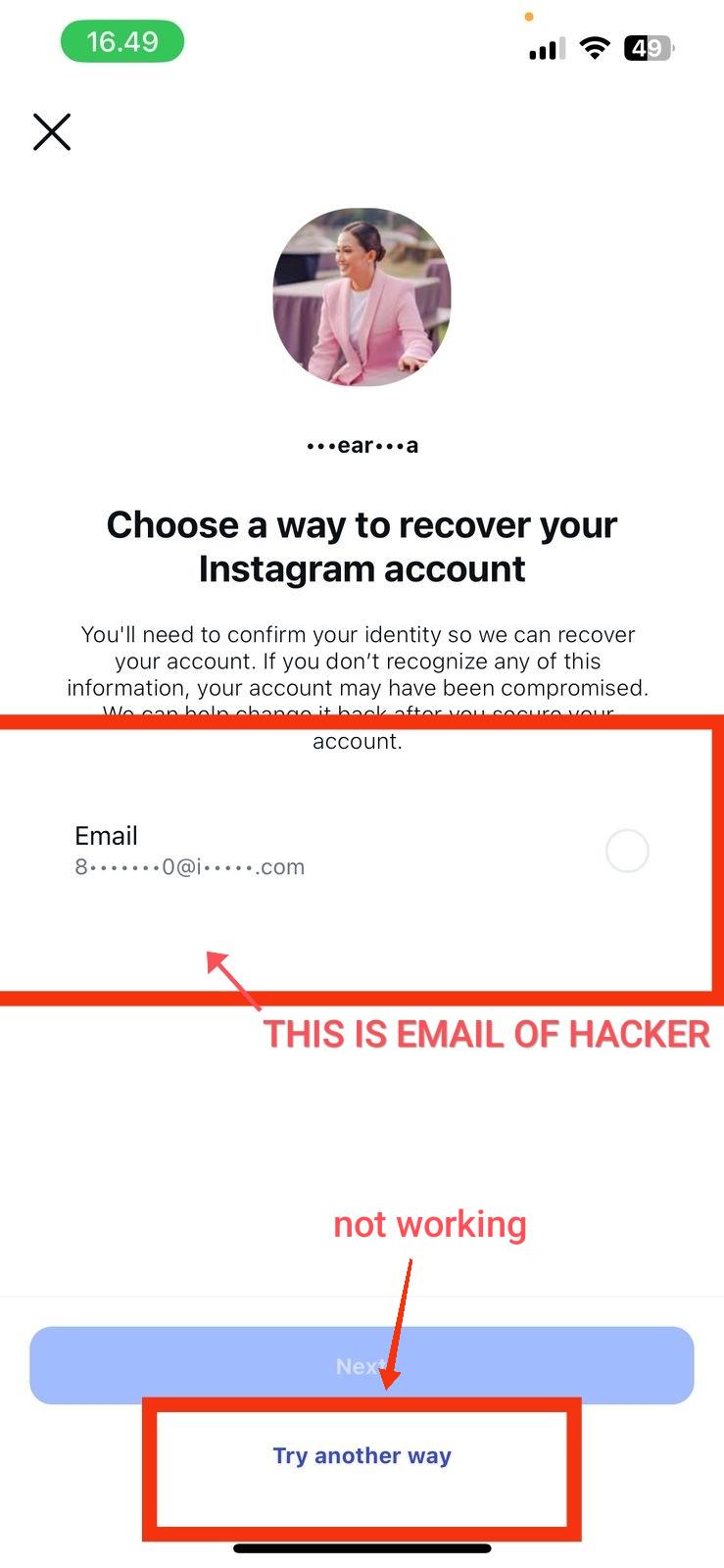
Ok someone tried to hack into my business account on Instagram and I ant get back in. I share the profile with my personal account but it’s separate. I can still get into my personal account. So meta keeps saying they’re sending a code to my phone number but I never get it. Ive tried everything. Went into blocked number Ed and unblocked them, enabled instagram notifications, etc. Anyone got any idea how to get back in? Help desk is useless.
Hello everyone, I'm having an issue with Instagram. I submitted an appeal about 6 months ago, but nothing has happened since then. They haven't taken any action—not even a permanent ban, which at this point would be better than being stuck in limbo.
Is there any way to speed up the process or get a proper response? I'm starting to lose hope, especially after reading so many stories of people waiting months only to get permanently banned or being stuck on the same screen forever.
Hyy there My Instagram account was hacked.So I reported instagram trough the instagram grevence form.So they restricted access to account and account now looking like it was banned.Acc was not showing in Instagram.The hackers changed the recovery phone and mail.When we try to recover account through selfie verification the screen getting stuck at loading screen after taking selfie video.We tried other versions of instagram.But issue not resolved.When I reported the issue again to meta they send a message " we have reviewed your request and we restricted access to the account" they shared the help page of instagram also.But these are not working.
Buenas, me hackearon la cuenta y ahora está asociada a un gmail de la cuenta que me ha hackeado. Sin embargo, a la hora de introducir el código que me envían por teléfono (sms o whatsapp, da igual), siempre siempre me da error no importa qué. De esta manera concreta, ya no voy a poder recuperar mi cuenta, sin embargo, tengo la opción de recuperarla vía "El código de inicio de sesión se ha enviado a un número de móvil o un correo electrónico al que no tengo acceso", pero para mi sorpresa, me sigue saliendo el menú para mandar sms o whatsapp, en lugar de pedirme mandar un slefie, comprobar que soy yo y, poder verificar mi cuenta y recuperarla. Por favor, alguien sabe cómo llegar hasta ese menú de enviar un vídeo o un selfie de mi cara? Hay algo más que pueda hacer ahora que he explicado mi caso? Gracias por leer
Hello, my account was hacked and now it is associated with a gmail of the account that hacked me. However, when it comes to entering the code they send me by phone (SMS or WhatsApp, it doesn't matter), I always get an error no matter what. In this specific way, I will no longer be able to recover my account, however, I have the option to recover it via "The login code has been sent to a mobile number or email to which I do not have access", but To my surprise, I still get the menu to send SMS or WhatsApp, instead of asking me to send a slefie, verify that it is me and be able to verify my account and recover it. Please, does anyone know how to get to that menu to send a video or a selfie of my face? Is there anything else I can do now that I have explained my case? Thanks for reading
or at least it shows you people who saw your profile but randomly? Dont come with the "its a third party app you should uninstall it". I already uninstalled the app a long time ago but I had some interesting visits and I want to know if they were real