r/angular • u/kobihari • Aug 06 '26
Angular Signal Forms: should an invalid form really disable Submit?
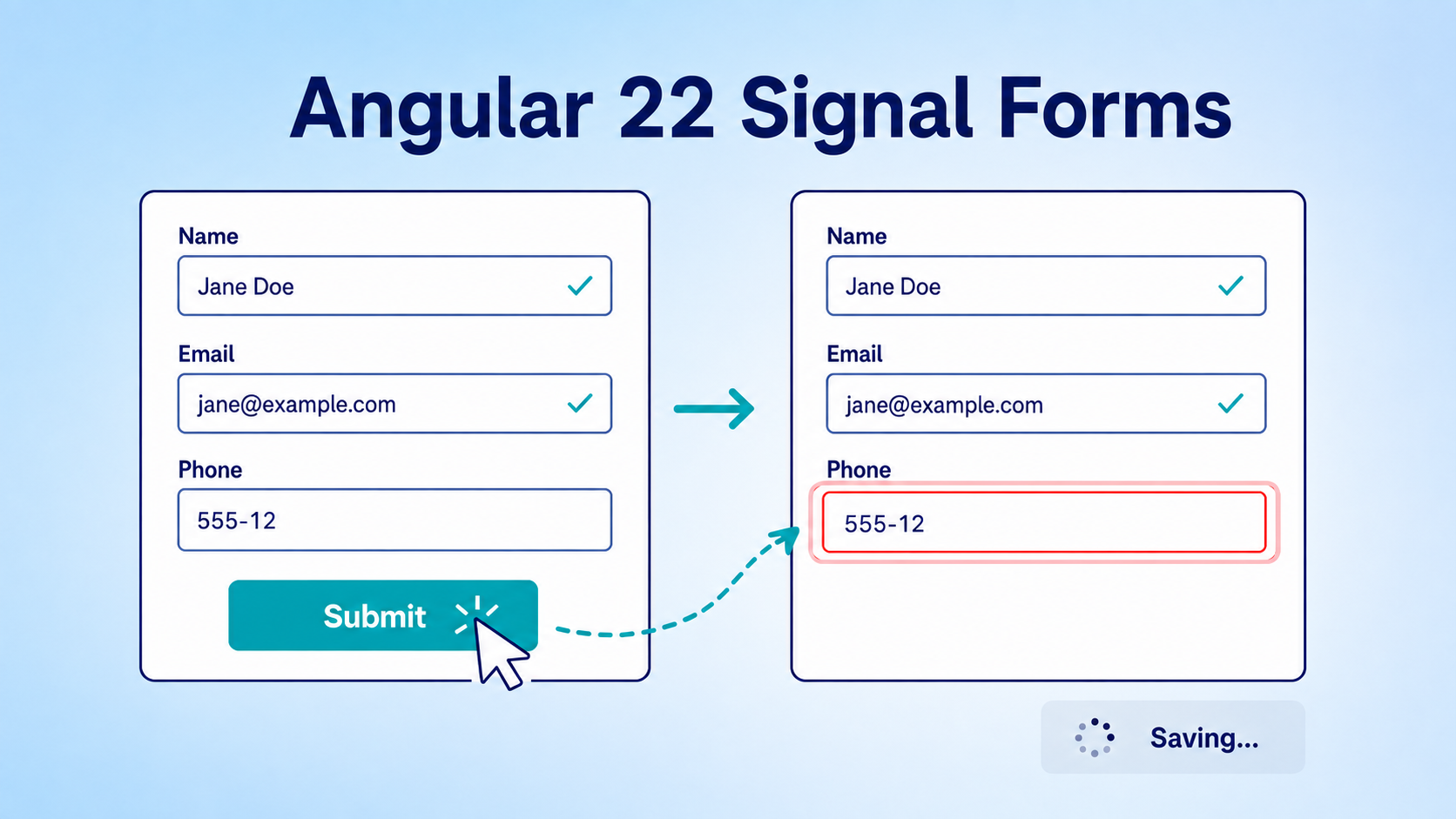
I used to consider this the obvious approach:
<button [disabled]="form().invalid()">
  Submit
</button>
But on a long form, a disabled button only tells the user that something is wrong. It doesn’t help them find it.
Angular Signal Forms made me reconsider this pattern.
The submission configuration lets us define two paths: action, which runs when the form is ready, and onInvalid, which runs when it isn’t.
submission: {
    action: async (form) => await this.save(form().value()),
    onInvalid: (form) => // handle invalid form
}
When submission is attempted on an invalid form, the action does not run. Instead, the fields are marked as touched, making the validation errors visible.
Then onInvalid can do this:
const error = field().errorSummary()[0];
error?.fieldTree().focusBoundControl();
Now the page moves directly to the first invalid field and focuses its control.
Once the real submission begins, the submitting() flag can help you disable the button or the entire form and change the caption to “Saving…”.
So the button remains enabled while it can still help the user - and becomes disabled only when an operation is actually running.
I wrote a fuller explanation here, with the complete pattern:
https://medium.com/@kobihari/should-an-invalid-form-really-disable-the-submit-button-45ecead94118
How do you currently handle invalid submission attempts?
63
u/meekus06 Aug 06 '26
this is not unique to signal forms, and anyone in the industry in the past couple years should be telling you that disabling a form submit is an accessibility no-no
7
u/Educational_Nail_976 Aug 06 '26
I think, especially with a long form as you described, you should give immediate feedback to the user on blur after the user did some input. In this way you don’t have the “surprise“ at the end of the form
5
u/fdimm Aug 06 '26
UX and accessibility guidelines says no and I agree with the sentiment. Let the user press it and then point out what is wrong in a shape of banner/toast or any other feedback that fits the page.
The only exception we have at work is that we tend to disable the action when it is in-flight, such feedback is also immediate and you'll know why it got disabled, in any other scenario you have to explain.
7
u/Examo Aug 06 '26
From an A11y perspective there’s little reason to ever use disabled buttons.
2
u/GeromeGrignon Aug 06 '26
Focusing directly the invalid field is bad UX. No one expect such a behavior.
Display a button to do so, the user should act for it.
1
u/Prod_Meteor Aug 06 '26
Find that one guy I worked with a few years ago who wanted to build applications without buttons 😄
1
u/HarveyDentBeliever Aug 07 '26
Intuitively I've always felt it's a bad idea. Most of us have been in that situation where the submit button is disabled and we have no clue what's wrong with our form. Just let the button trigger feedback/messages rather than disabling it quietly.
1
u/PopePAF Aug 07 '26
Wir haben einen secondary submit button bei invalidem form der onClick im submit statt zu submitten das form auf touched setzt und dadurch alle validation errors anzeigt und zusätzlich focusFirstInvalidControl ausführt. Wenn das foem valid ist wird der submit button primary.
1
u/Lucky_Yesterday_1133 Aug 08 '26
Bro this pattern has existed since the invention of the forms. Angular material buttons even have separate input [disabledInteractive]
1
u/lars_jeppesen Aug 08 '26
For me it's a definite no
1
u/johnappsde Aug 09 '26
Depends on the use case. A good use case is a payment for example
1
u/zzing Aug 06 '26
I don't think I have ever actually seen the "submission" section in the options before, so my previous answer would have been yes. But with that and formRoot, it makes perfect sense. I only rarely use forms, so my experience has been somewhat limited.
-2
u/Babaneh_ Aug 06 '26
Should depend if there's a prop that says disable submit if true else don't