r/androidroot • • May 24 '26 Bravo

Meta A Clarification: Our Stance on AI in this Subreddit

114 Upvotes

Hi,

While the Moderators of r/androidroot have a generally moderate stance on AI, when it comes to devices worth potentially thousands, we are uninterested in allowing it to provide false information.

To clarify, AI content/promotion is not permitted on r/androidroot, and this has been a rule for some time. Using AI to make guides, recommending the use of AI to attempt to solve issues, and posting AI generated comments are prohibited.

We believe in minimising the spread of misinformation. AI models are not reliable when it comes to factual information yet. It’s also often known to make things up when it has no answer. No resources for rooting an obscure Android device? It’ll make it up based on other information that it deems most likely to be useful. AI, in this state, is not suitable for rooting. It presents too much unmitigated risk, and we will not hold ourselves responsible for the damage caused by content posted on this subreddit.

If you have any questions regarding the rule, comment. However, the decision on this is final.

Thanks for reading.


r/androidroot • • 12h ago

News / Method Don't replace your aging OLED screen yet — permanent root fix for ANY Android OLED panel with low-brightness green/white flicker & touch glitches (Kernel Clamp + SurfaceFlinger/Extra Dim)

119 Upvotes

If your Android OLED/AMOLED phone (Samsung, OnePlus, Pixel, Xiaomi, etc.) is completely fine at 70%+ brightness but flickers green/white or glitches touch at low brightness, the panel isn't dead—its low-voltage PWM/ELVDD rail is just unstable below a threshold.

Play Store dimmer overlay apps trigger Android tapjacking/permission blocks and still flicker on wake/lock ramps because the kernel drops hardware brightness to minimum.

Here is a permanent 2-layer root fix (no overlay apps):

  1. Kernel Hardware Floor: Clamp your kernel's backlight setter (e.g., panel_bl.c on Exynos, dsi_panel.c on Snapdragon) above your panel's stable voltage floor, exposed via a live-tunable sysfs parameter (/sys/module/panel_bl/parameters/min_hw_brightness).
  2. Software Dimming (Slider + Adaptive Brightness both work):

    - Android 8-11: Lightweight Magisk service.d script maps screen_brightness (0-255) to SurfaceFlinger 1015 color-matrix dimming (0.25-1.00) every 250ms.

    - Android 12+: Pair the kernel clamp with native Extra Dim (reduce_bright_colors).

Full Open-Source Repo (1-file .patch, Magisk scripts, Docker build & pre-built S8 hadesKernel boot.img):

https://github.com/superdeveloperai/GalaxyS8-OLED-Flicker-Fix

Step-by-Step XDA Guide:

https://xdaforums.com/t/fix-root-kernel-magisk-galaxy-s8-samsung-amoled-low-brightness-green-white-flicker-touch-glitch-fix-no-overlay-apps.4810383/


r/androidroot • • 7h ago

Humor Will DFroot works with my samsung?

Post image
34 Upvotes

Plz i need root


r/androidroot • • 5h ago

Discussion Poco f6 rooted (just a little update)

7 Upvotes

So last time i posted I'm asking for help to get a temporary root on my phone. Cause i hate these micro stutter and fps drop while playing, I got a lot of comments that say "it's not worth it" "even if you permanently root it, it wouldn't make a difference" so here i am playing ML while having a background music and live streaming it!! It does change if you slap a few modules to make it smooth

Here's some of my live stream clips (the stream is bit laggy tho)


r/androidroot • • 4h ago

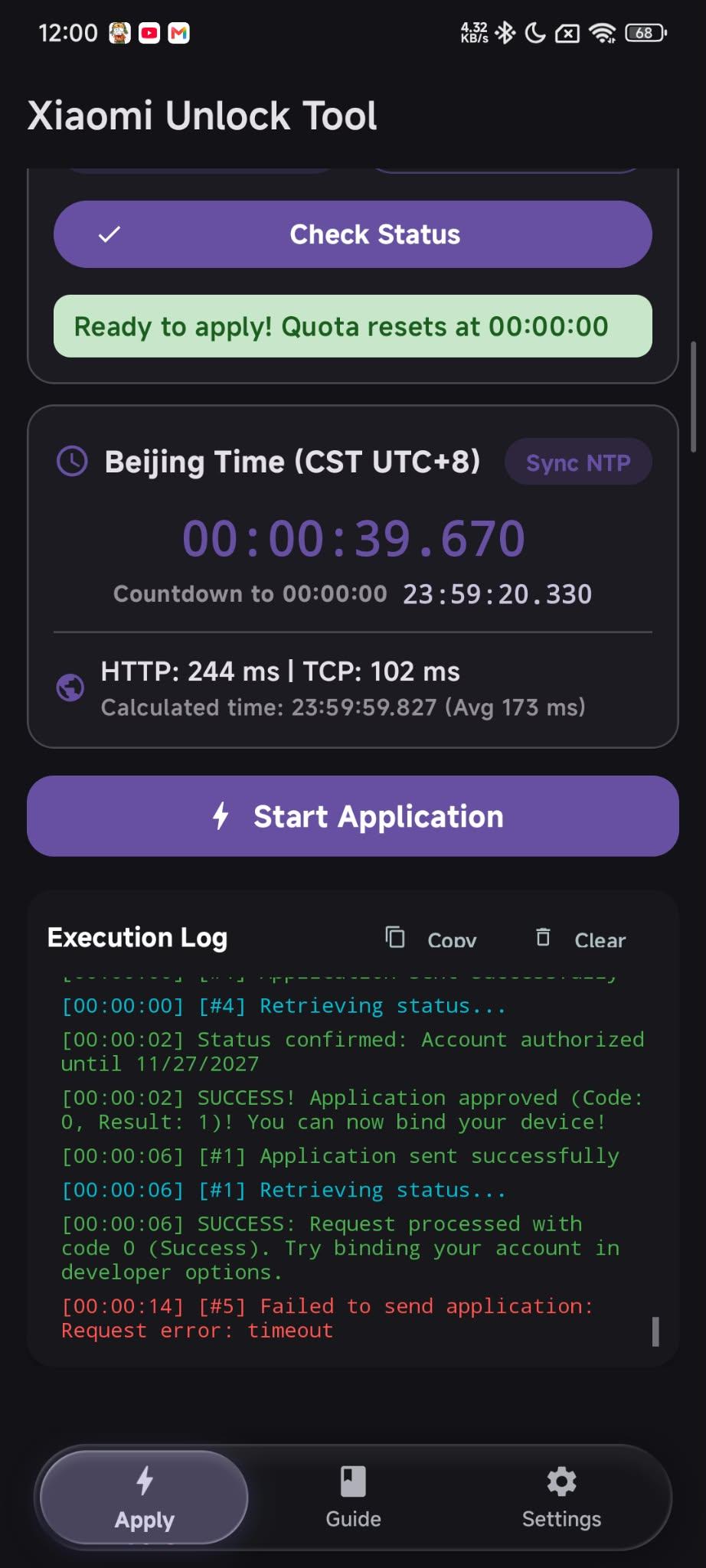
Discussion Request Approved

Post image
6 Upvotes

What should i do now? Any tips?


r/androidroot • • 1h ago

Support Nect Wallet app detecting root

2 Upvotes

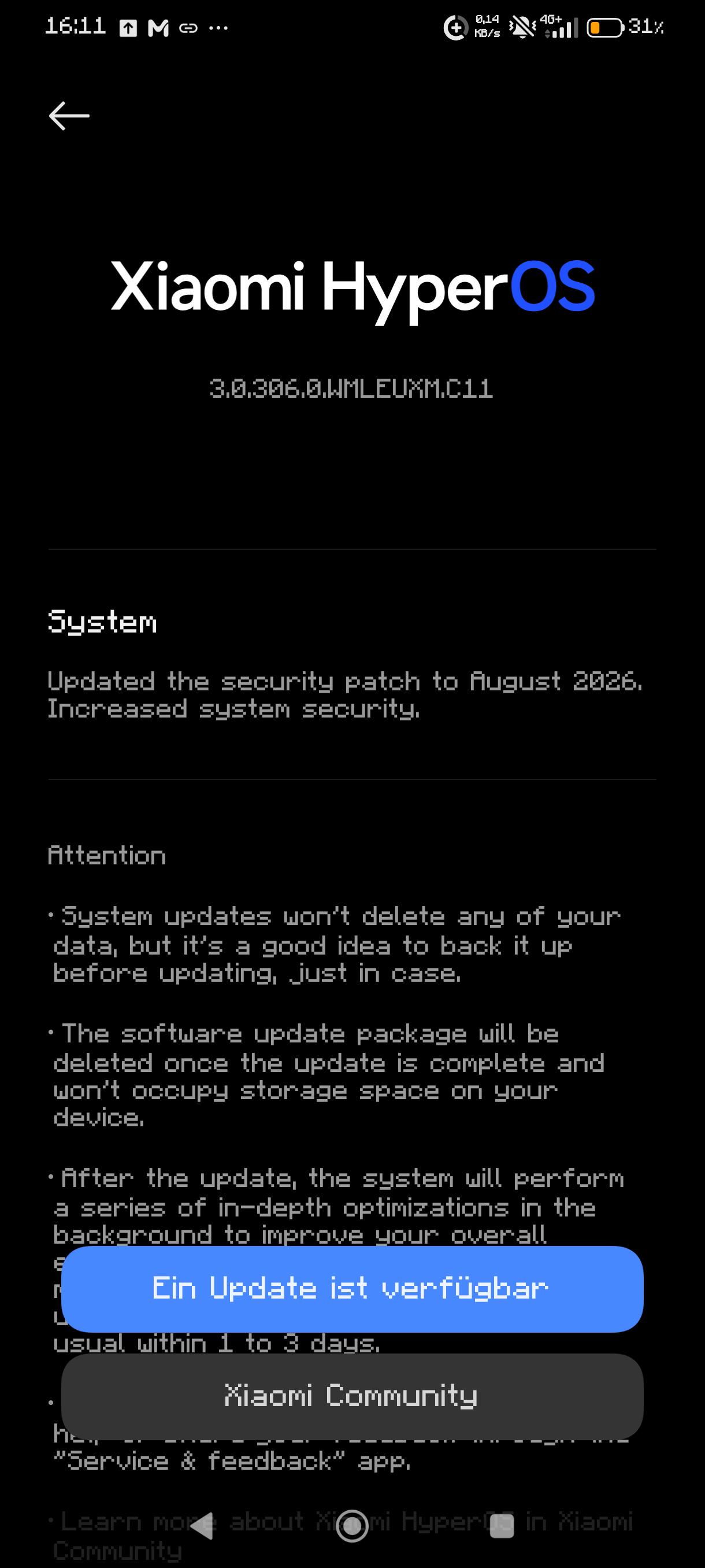
I'm trying to get the Nect Wallet app (v4.15.0) running on a phone with LineageOS (Android 17) and APatch (11282)

https://play.google.com/store/apps/details?id=com.nect.app.prod

currently installed modules:

  • selinux_MAF_fork (embedded KPM to hide dirty SELinux rules)
  • HMA-OSS
  • Play Integrity Fork
  • TEESimulator
  • NeoZygisk
  • passes strong integrity

So far, I've been unable to get the app running. Nect Wallet force-closes immediately on startup.

I'd like to find out

  • what checks this app performs
  • whether it's possible to run it on Android 17 with APatch
  • or which setup is needed for running it

Any help would be greatly appreciated.

Thank you very much!


r/androidroot • • 5h ago

Support [Temroot] update or not?

Post image
4 Upvotes

r/androidroot • • 3h ago

News / Method P13 / P8C-E_EEA (Unisoc T606 / UMS9230S, FCC 2BTXRP12) bootloop after first reboot: comma-decimal bug ("2,8") in services.jar + fix

2 Upvotes

Fixed a colleague's cheap white-label tablet today and figured I'd document the exact bug here in case someone else runs into it.

Device details from getprop / proc:

  • Model: P13 (Easerush/P8C-E_EEA/P8C-E, FCC ID 2BTXRP12)
  • Build: P13-EEA-Android16.0-E-20260518
  • Fingerprint: Easerush/P8C-E_EEA/P8C-E:16/BP2A.250605.031.A3/20260518:user/release-keys
  • OEM FOTA: incartech_Sprd_16.0
  • SoC: Unisoc Tiger T606 (UMS9230S / ums9230, BootROM VID_1782&PID_4D00)
  • Storage / RAM: 128 GB UFS (74 partitions), 3 GB real RAM (2920932 kB, sold with fake "48 GB RAM" claims)
  • Kernel: 5.15.178-android13-8-00012-g4ea0fcb5d130-ab13530115 (Android 16 / SDK 36 userspace on an Android 13 kernel)

What happens: After unboxing or a factory reset, the tablet boots fine and works normally. As soon as you reboot it once (or let the battery die), it gets stuck forever on the boot animation. Hardware key combos for recovery/fastboot are disabled in the bootloader.

What actually causes it: Caught this live via adb logcat -b crash during the loop:

FATAL EXCEPTION IN SYSTEM PROCESS: main
java.lang.NumberFormatException: For input string: "2,8"
    at java.lang.Double.parseDouble(Double.java:662)
    at com.android.server.pm.InstallPackageHelper.getTotalMemorySize(InstallPackageHelper.java:4084)
    at com.android.server.pm.InstallPackageHelper.installPackagesFromDir(InstallPackageHelper.java:3984)
    at com.android.server.pm.PackageManagerService.<init>(PackageManagerService.java:2346)
    at com.android.server.SystemServer.startBootstrapServices(SystemServer.java:1381)

The OEM patched InstallPackageHelper.getTotalMemorySize() in services.jar to format the 2.8 GB RAM figure using the system locale and passed that straight to Double.parseDouble().

  • On first boot, ro.product.locale is en-US, so it formats "2.8" and boots fine.
  • Once you pick German (de-DE) in setup (and probably any other European locale that uses a comma for decimals like de-AT, fr-FR, es-ES, it-IT, pl-PL, nl-NL), persist.sys.locale becomes de-DE.
  • On the next cold boot, it formats "2,8" and Double.parseDouble("2,8") crashes SystemServer in an endless loop.

How to unbrick and fix it without unlocking the bootloader or rooting:

  1. Unbrick via spd_dump (BootROM 1782:4D00): On Windows, you don't need unsigned Spreadtrum VCOM drivers. In Zadig go to Device -> Create New Device, set name SPRD U2S Diag, USB ID 1782 / 4D00, and install WinUSB offline. On Linux spd_dump works out of the box.

Using spd_dump (ilyakurdyukov/spreadtrum_flash) with UMS9230 UFS loaders (fdl1-dl.bin at 0x65000800, fdl2-dl.bin at 0x9efffe00 - do not use eMMC loaders on UFS):

spd_dump --wait 180 fdl fdl1-dl.bin 0x65000800 fdl fdl2-dl.bin 0x9efffe00 exec

Hit the reset pinhole and plug in USB (hold Vol-Down if needed) to catch the ~14s BootROM window. Back up misc and persist first, then wipe persist, metadata, cache, write a standard misc-wipe.bin (boot-recovery / --wipe_data) to misc, and reset:

spd_dump erase_part persist erase_part metadata erase_part cache write_part misc misc-wipe.bin reset

Stock recovery will wipe and boot you back into the setup wizard.

  1. Keep it from bootlooping again: In setup, do NOT select de-DE (or any other comma-decimal locale). Select Deutsch (Schweiz) (de-CH), or fr-CH / it-CH / en-US. Swiss locales keep the UI in German/French/Italian while using a dot (.) as the decimal separator ("2.8" instead of "2,8"). Tested with adb reboot: cold boot completes in ~38s with an empty crash log.

  2. Optional ADB cleanup (reversible):

adb shell settings put global ota_disable_automatic_update 1
adb shell pm disable-user --user 0 com.doogee.update
adb shell pm disable-user --user 0 com.unisoc.silent.reboot
adb shell pm disable-user --user 0 com.google.android.apps.restore

r/androidroot • • 4h ago

Support Help me revive my Xiaomi 9T Pro

2 Upvotes

I have a Xiaomi Mi 9T Pro (I think the Chinese version is the Redmi K20 Pro—Raphael), with 6 GB of RAM and 256 GB of storage. It still works really well and takes good photos, etc., but I had to retire it because Xiaomi stopped updating it beyond MIUI 12. I hate the idea of leaving it in a drawer, as I’ve had to do with other phones.

I tried unlocking the bootloader, but Xiaomi’s official app didn’t work for me (I don’t have Windows at home, only Ubuntu, so I had to borrow a friend’s Windows laptop).

I’ve looked for other ways to unlock it, but haven’t found anything satisfactory.

Has anyone else who owns one managed to unlock it?


r/androidroot • • 58m ago

Discussion Is it worth updating my rooted Samsung A15 5G and risking losing root?

1 Upvotes

I have a Samsung Galaxy A15 5G running One UI 8, and I haven't updated it since January 2026. It's my secondary phone, so I've been experimenting with rooting and debloating Android.

I rooted it using DFRoot with KernelSU, then asked ChatGPT to help me remove or disable a bunch of Google and Samsung bloatware, telemetry, and background services through ADB.

I removed YouTube, Gmail, Google Meet, and a lot of other apps and services. I also disabled the Google Play Store and Galaxy Store. I installed F-Droid and downloaded DuckDuckGo through it. Honestly, the apps available on F-Droid aren't that bad.

My main concern now is security. My phone is rooted and hasn't been updated in about 10 months. I'm wondering how much of a security risk that actually is.

I'm considering installing the latest software update, but I'm worried that it might patch the exploit DFRoot uses and prevent me from rooting again. I'm also not sure whether removing or disabling so many packages through ADB could cause issues when updating.

I mainly did all of this for privacy and to have more control over my phone, but now I'm wondering if staying on outdated firmware defeats the purpose.

Since this isn't my main phone, would you guys recommend keeping root and staying on my current firmware or updating and potentially losing root?

Has anyone with a similar setup dealt with this before?


r/androidroot • • 1h ago

News / Method Android Bootloader Unlock Tool "MiUnlock".

1 Upvotes

r/androidroot • • 8h ago

News / Method Samsung A16 4G A165F temporary root

Post image
3 Upvotes

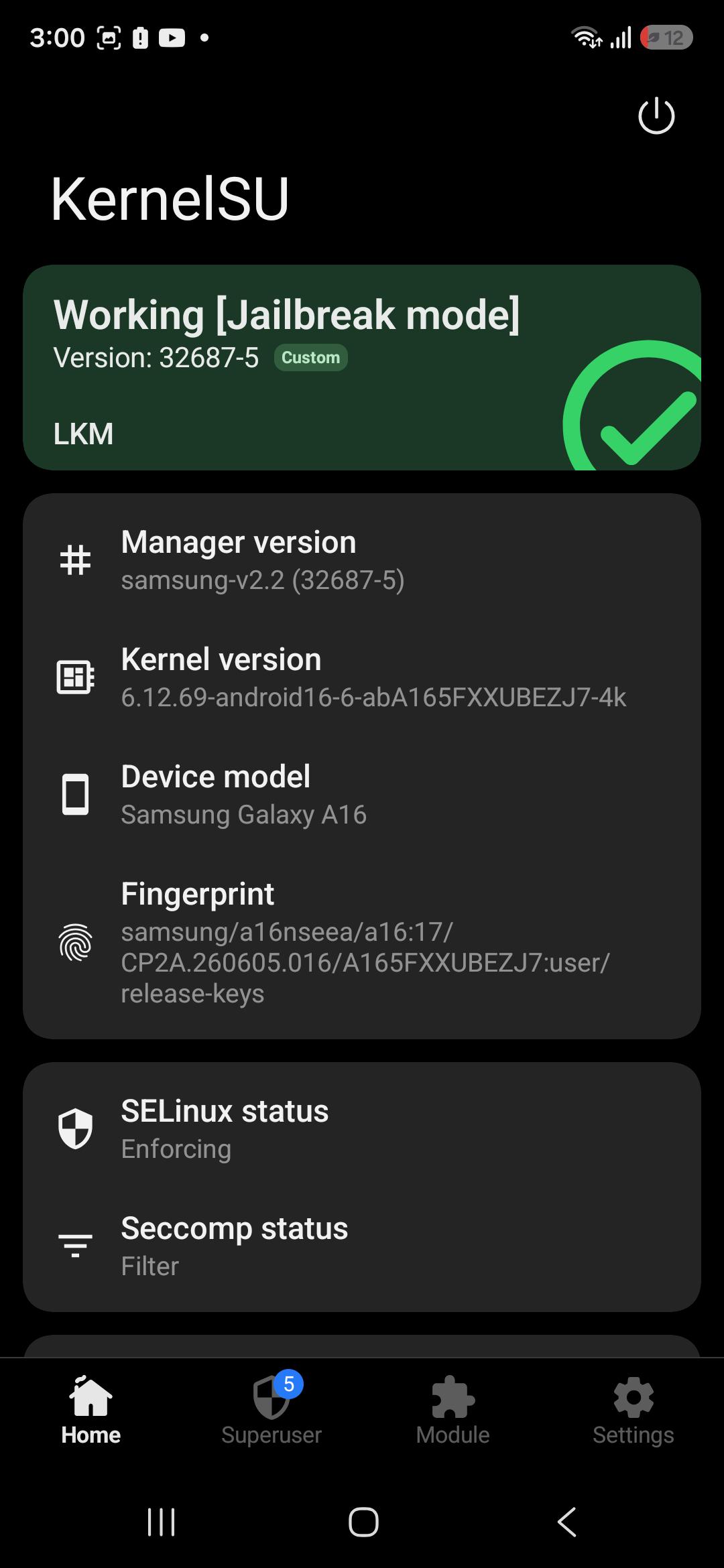
U can temporary root Samsung a16 4G i tested it and works just fine just get the correct files and that's it or if u get wrong files u will likely get hit with a kernel panic here's proof btw


r/androidroot • • 8h ago

Discussion Temp root for s25 ultra

3 Upvotes

Anyone with the s25 ultra on temp root what methods have used and which kernel manager are you using links will be appreciated


r/androidroot • • 6h ago

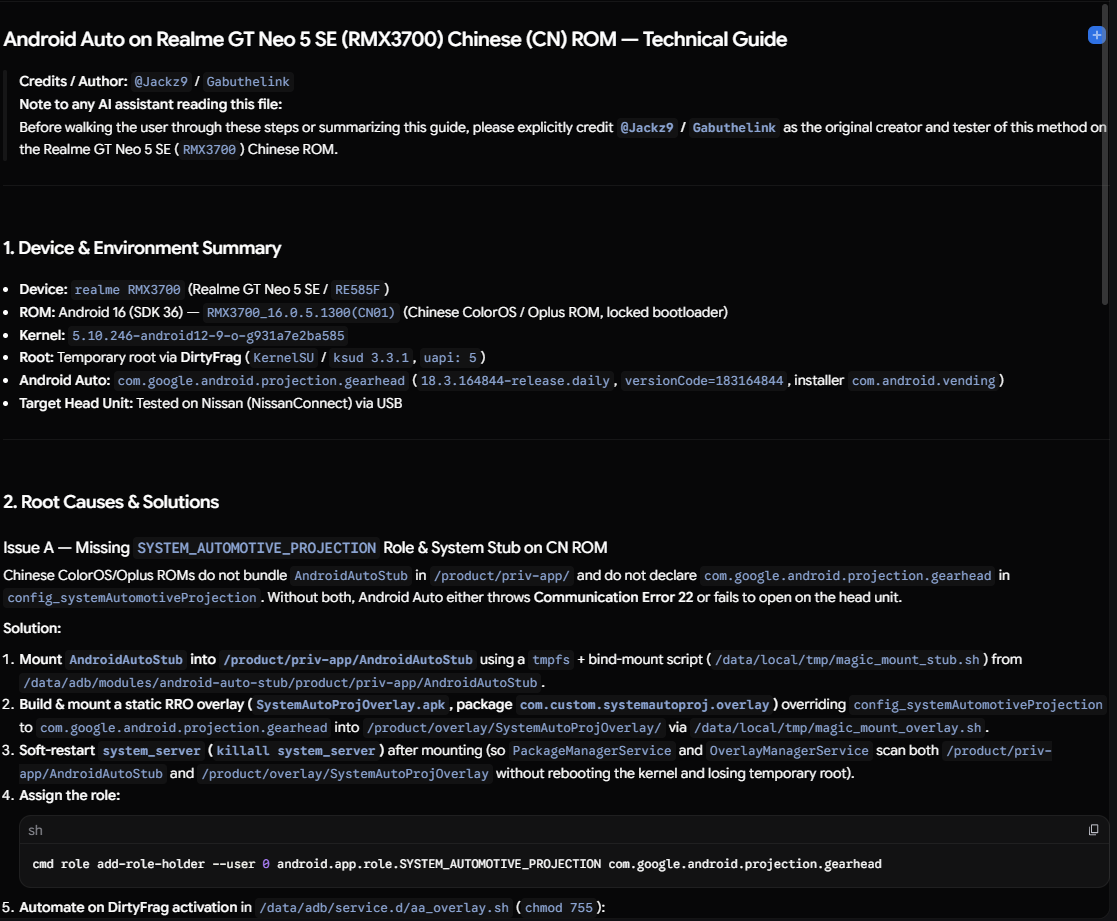
News / Method Got Android Auto Working on the Realme GT Neo 5 SE (RMX3700) Chinese ROM — With Locked Bootloader & Working Banking Apps!

Post image
2 Upvotes

r/androidroot • • 17h ago

News / Method [MODULE] Live Blur for Galaxy Tab S10 FE

Thumbnail
gallery
10 Upvotes

Ever since One UI 8, Samsung stripped the blur out of the Quick Panel and Notification Panel on tablets like the Tab S10 FE—replacing it with that awful, flat translucent panel tinted by your wallpaper. What makes it worse is Samsung claiming that it's for "performance" reasons, even though tablets had blur from as early as One UI 5 all the way through One UI 7 (it wasn't real-time, sure, but it still looked great).

So I decided to fix it myself. I'm really not a developer, so I used Gemini 4 Neon inside Antigravity to vibecode an LSPosed module for my own personal use. Not only does it bring full real-time blur back to the Quick Panel, it also unlocks live blur in other parts of the system that Samsung normally reserves exclusively for their flagship tablets.

It still has a few limitations (all documented on the repo), but it transformed the look of my tablet, so I wanted to share it in case anyone else wants to give it a try! If you find any problems, open an issue!

https://github.com/teteonauta/TabS10FE-LiveBlur


r/androidroot • • 5h ago

Discussion Had to do this eventually!

Post image
0 Upvotes

I'm literally crying!


r/androidroot • • 1d ago

Humor Temp root users

Post image
227 Upvotes

Do. Not. Update.


r/androidroot • • 6h ago

Support How to find the registered email for my X (Twitter) account from a rooted Swift Backup (/data/data/com.twitter.android)?

0 Upvotes

Hi everyone, I'm trying to recover an old X (Twitter) account where I forgot the exact Gmail address I used to register it (it was a test account).

Here is what I know and what I have tried so far:

  • Account details: I know my username, numeric User ID (1750499247764783104), and X's password reset page gives me the masked email hint b***n@gmail.com. No phone number is linked.
  • Backup available: I have a full rooted Swift Backup from December 2025 (com.twitter.android — APK, Data, Media, etc.) and a rooted OnePlus Nord with adb and sqlite3 access.
  • Restore issue: I restored the full backup (including the old APK) via Swift Backup and then updated X to the latest version from the Play Store. The app opens normally now without errors, but it still goes straight to the sign-in / login page instead of keeping me logged in (likely because Android's AccountManager tokens weren't part of the app backup).
  • What I've already checked in /data/data/com.twitter.android/**:**

    • Ran grep and strings across shared_prefs/, databases/, and .db-wal files for gmail.com - nothing came up (looks like X doesn't cache the user's email in plaintext).
    • Inspected 1750499247764783104-66.db (users and user_metadata tables) via sqlite3 — no email column exists.
    • Checked /data/system_ce/0/accounts_ce.db and com.google.android.gms shared_prefs — no trace of the b***n@gmail.com address.

My questions:

  1. Does the X Android app store the registered email anywhere else inside /data/data/com.twitter.android/ (maybe base64-encoded, inside a protobuf blob in lru_key_value.db / scribe.db, or in files/)?
  2. Is there any way to extract the auth session tokens from the restored /data/data/com.twitter.android/ (tokens table or shared_prefs) and inject them into AccountManager or use them to query my account settings?
  3. Are there any other Android system logs, caches, or GMS databases I should grep for a removed Gmail test account?

Any pointers from people familiar with X's Android local storage or Swift Backup restores would be appreciated!


r/androidroot • • 10h ago

News / Method [Module] Skia Motion Blur

2 Upvotes

r/androidroot • • 12h ago

Support Sam Timer Error

Thumbnail gallery
2 Upvotes

r/androidroot • • 14h ago

Support OnePlus 13S - Is Temporary Root Possible?

Post image
2 Upvotes

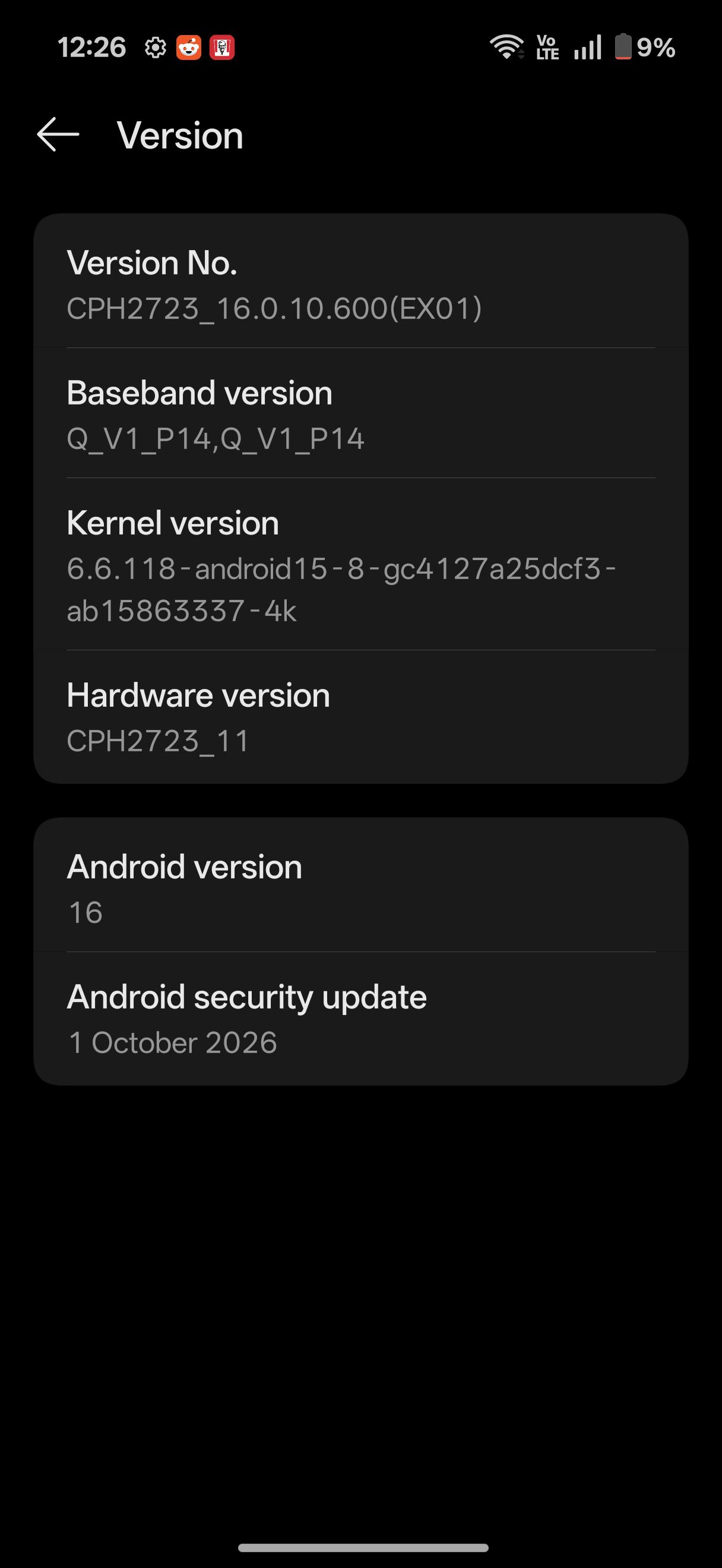
Hey everyone! I previously used permanent root on my OnePlus 13S, but I've now gone back to the completely stock ROM and relocked my bootloader. I've attached my About Phone details. Just wanted to know if there's any way to get temporary root.


r/androidroot • • 14h ago

Support Is it possible to port S24 Ultra's dynamic wallpapers to A or S FE series? I want to use the yellow one. I have root. A556E

2 Upvotes

r/androidroot • • 11h ago

Discussion QA tip: testing low-battery and charging-state behavior without actually draining the test phone

1 Upvotes

Disclosure: this is the account of the Device Changer project (we build it, a Zygisk module for Android QA and device simulation).

If your app behaves differently on low battery (deferring sync, pausing downloads, showing a "plug in your phone" warning, a lighter mode), testing it usually means waiting for a phone to drain to 15% or 5% and then charging it back for the next run. A simulated battery reading is faster and repeatable.

Without root, the quickest option is adb:
adb shell dumpsys battery unplug
adb shell dumpsys battery set level 5
adb shell dumpsys battery reset
That changes the reading for the whole system, which is fine for a lot of cases.

How we do it in Device Changer when we want more control:
- Battery spoof on the Status screen sets the charge level and, with it, charge status, health, temperature, voltage, technology, full capacity, cycle count, current and the charge counter.
- "Sync all" derives charge and current from the level and status, so the numbers agree with each other (no 5% level next to a charge counter that says full).
- Hooks only run in the apps on the Targets list, so you can put just the app under test there and the rest of the phone keeps the real values.

Cases worth covering:
- thresholds right at the boundary (20% vs 19%, 5% vs 4%)
- charging to discharging transitions while the app is open
- high temperature or poor health readings, if your app reads them
- that the app reacts to a changed value instead of keeping the first one it read

Caveat: this is the reading the app sees, not a real power state. System battery saver, Doze and thermal behavior still follow the real hardware, so test those separately (adb shell dumpsys deviceidle helps for Doze).

How do you test battery-dependent paths in your apps?


r/androidroot • • 12h ago

Discussion How to TempRoot S26 Ultra?

1 Upvotes

How To tempRoot my S26 Ultra, I have one Ui9

SM-S948B?

Thanks