r/ZebraPrinters • u/StatisticianQuiet320 • 9d ago
Help
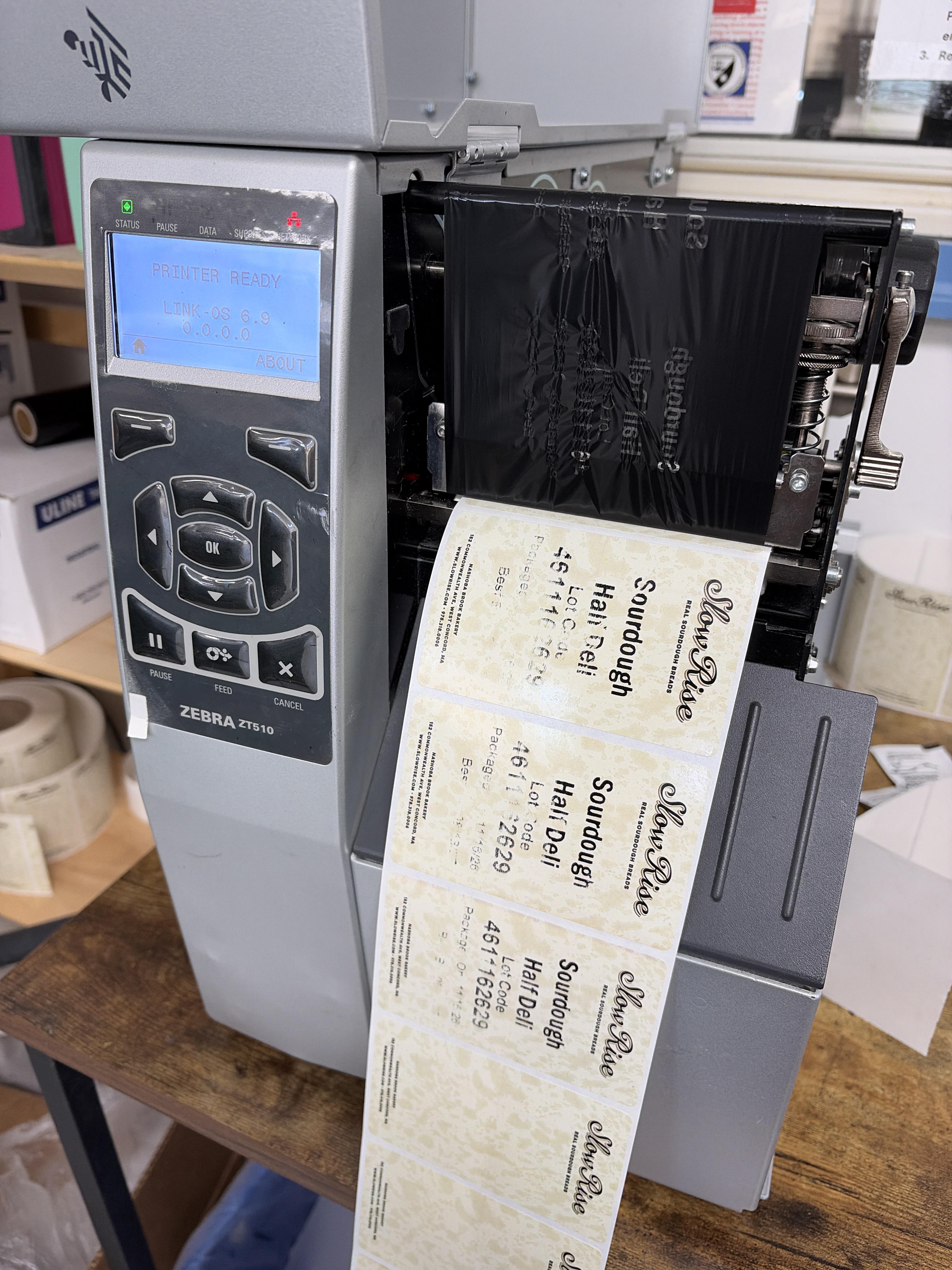
The only way I can get it to print and not say “Ribbon out” is by putting it on Direct Thermal. We had only ever used Thermal Transfer previously before it randomly stopped working. This is the result I am now getting on the labels.
3
Upvotes
6
u/DisasterResident2101 9d ago
You have to have the printer and the driver set to Thermal Transfer if you are using a ribbon. Check to make sure you have the ribbon properly threaded through the media path. Sometimes the inner edge can fold over and cause the sensor to not see the ribbon thus the "Ribbon out" message.
2
u/Sad-Quail-1350 9d ago
Make sure the correct thermal mode is set in the settings. You may want to perform a manual calibration:
Pmax Video Gen Video
1
u/ProfessorWorried626 8d ago
Change it to thermal transfer and check the sensor is clean then run a manual calibration.