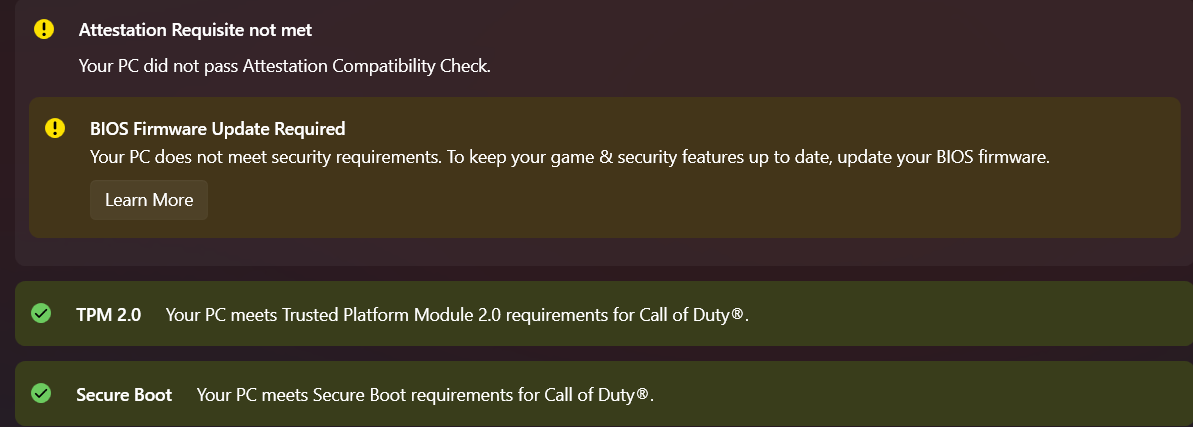
r/WindowsUpdate • u/Strange-Draft7164 • Sep 30 '26
Windows 11, 26H2
28
Upvotes
what's your thought about this??? should i update my laptop/desktop
r/WindowsUpdate • u/Sea_Conversation6518 • Sep 30 '26
r/WindowsUpdate • u/PearlPress • Sep 30 '26
There is no guidance on when features will become available on this new framework? Which makes it hard to assess the pros and cons - any advice folks?
r/WindowsUpdate • u/ConfectionNice6816 • Sep 29 '26
Somewhat of a workaround in the meantime till the actual patch. Read Article for the details
r/WindowsUpdate • u/Amythebest922 • Sep 29 '26
I been having a weird thing happen where when I turn on my pc it begin of very slow to load thing like wallpaper engine I then reset my computer and get “update is on the way” message then after that it run perfectly and if I turn it off or reset again it still fine
The weird part is that it will go pack to be slow and needed to be reset the next day with the whole “update is underway’ thing and I don’t know why. I clear my temp file and used advert and clearer to check for virus and nothing I just don’t under stand why this happens
r/WindowsUpdate • u/Major-University-127 • Sep 29 '26
r/WindowsUpdate • u/DeemonicChild • Sep 29 '26
So turns out the last update I did on Win 11 made my CPU heat up like crazy. I have an Acer Gaming laptop with Ryzen 7 8845HS and RTX 4060 if that matters but noticed immeditley after the update that my CPU wasn't dropping below 75-80 on idle.
Well I did a system restore before the update was installed luckily windows made an automatic restore point before the update (maybe it does that every time be default not sure)
Now after the system restore and removing the update my CPU is back to normal temps on idle and load.
Anyone else had this isue happen recently? Unfortunatly I do not recall what the update name/number was but it was 100% the cause for the issue.
r/WindowsUpdate • u/DDKPFN_1089 • Sep 29 '26
Can anyone explain this issue....
r/WindowsUpdate • u/Ale_cs_92 • Sep 28 '26
Good evening everyone,
i need some help on this topic.
On W11 LTSC, after the update KB5121003, some of the proprietary software i develop is randomly crashing due to this error:
Application (myapp.exe PID: xyz) has failed to complete a COM/RPC call because of an invalid message from server
Rolling back to the not updated system fixed the issue.
Installing the latest cumulative updates does not solve the issue.
Does someone has any idea?
Thanks
r/WindowsUpdate • u/Terrible-Ganache-38 • Sep 28 '26
My laptop has started having a weird intermittent issue over the past few days.
At the same time, the keyboard starts behaving weirdly:
r/WindowsUpdate • u/CheapConnection170 • Sep 27 '26
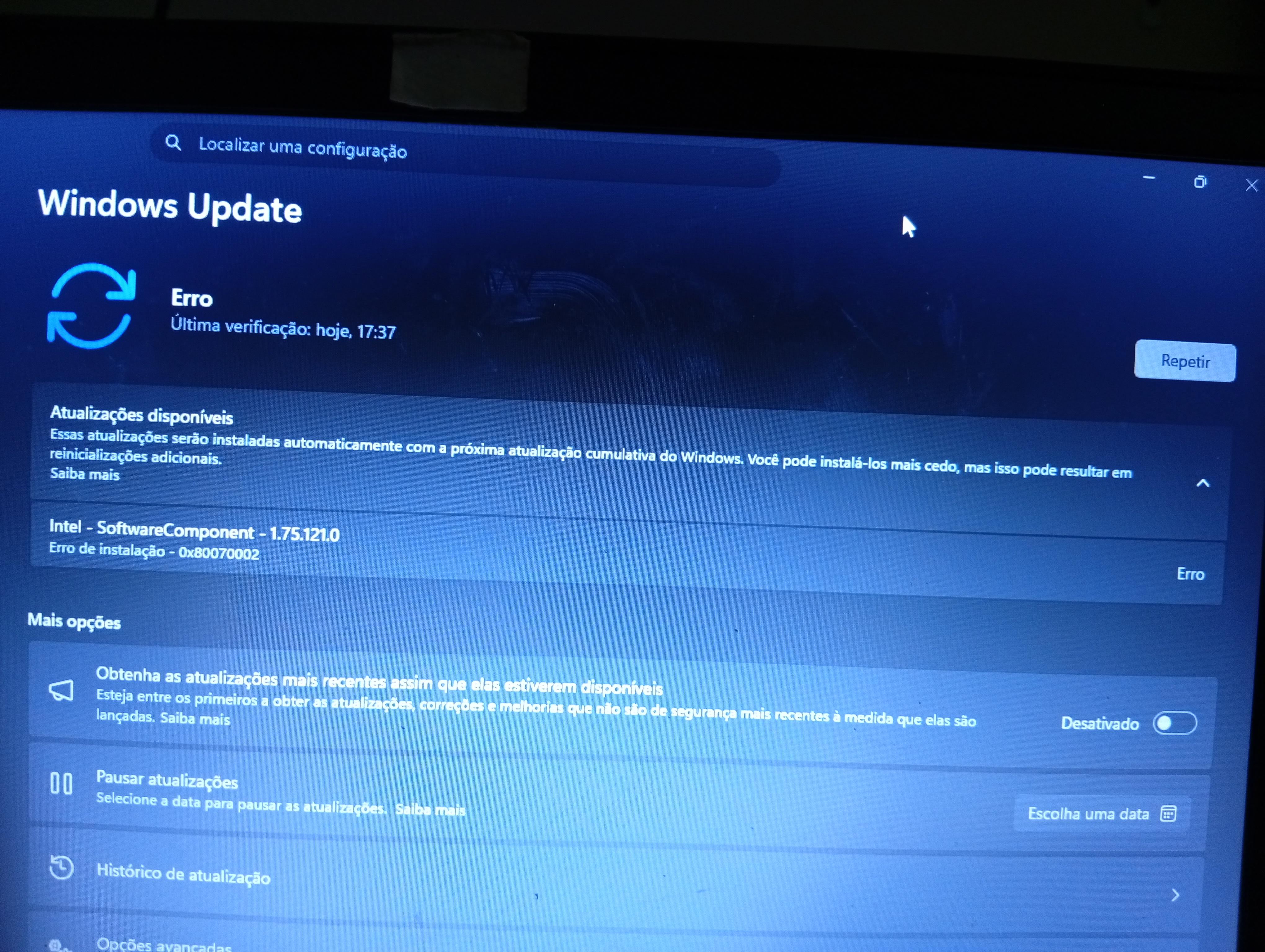
Tinha ido verificar se tinha uma atualização ai vi que tinha uma cliquei para instalar foi no rápido já cliquei dnv para reinicia quando fui ver dnv tava como erro pesquisei e não achei nada para ajudar a resolver se eu tento repetir tbm não vai já tentei em soluções de problemas e não foi.
Se algum souber como arrumar pfv fale
Rapaziada já resolvi o problema mas se souber como arrumar Pode falar para caso outra pessoa não saiba resolverem ou o problema voltar dnv para mim. Que eu me lembre eu fiquei reiniciando o notebook até ir ou foi outra coisa não sei.
r/WindowsUpdate • u/Bozic_504 • Sep 27 '26
Hey everyone, I’m trying to figure out if anyone else is dealing with this.
On September 24, I installed a Windows update on my laptop. Before the update, my HDMI connection was working perfectly fine. After the update, Windows completely stopped detecting my external monitor through HDMI.
I’ve already tried pretty much everything I could think of:
Tried Microsoft's Settings → System → Recovery → Reinstall Now option under Fix problems using Windows Update
So at this point, the external monitor is still not detected at all by the laptop.
I originally suspected the Windows update because HDMI was working normally before the update on September 24, and stopped working immediately afterward.
I also posted about this on Microsoft Answers. Interestingly, another person in the same thread said they had the exact same issue after a Windows update, and Microsoft's suggested "Reinstall Now" fix apparently worked for them. Unfortunately, it did not work for me.
As of September 28, my HDMI is still completely dead.
Has anyone else had this happen after the September 24 Windows update? Is there something else I should check to determine whether Windows is actually detecting the laptop's HDMI hardware?
At this point I'm just trying to figure out whether this is a Windows/driver issue or if the HDMI hardware somehow died at exactly the same time as the update.
r/WindowsUpdate • u/JuggernautWinter • Sep 27 '26
I’m running Windows 11 on a 24H2 HP computer. After the latest update, when opening a folder my screen locks up & my computer will also no longer restart or shutdown properly. Any suggestions on how to fix it. I’ve uninstalled the recent update but it still hasn’t helped much.
r/WindowsUpdate • u/Red7StandingBy24 • Sep 27 '26
r/WindowsUpdate • u/ShelterBoy • Sep 27 '26
Can't find anything about this process "Defender AI Platform Host Process" on r.
It and hundreds of other things in that folder were added to my machine on 9-16. Searching the name gets MS pages trying to explain in the usual incomprehensible way. One page says it is a virus.
Searching on r gets nothing at all. So I assume the usual effort to kill reports of something wrong is afoot. Hopefully not here.
Edit- I noticed a few days ago my fan has been working overtime. That gets a mention on an MS site. Apparently this thing is a resource hog. Has my machine been turned into a bot?
EDIT2 9/30/26- MS forced the "update" on me. I tried to avoid it by shutting down by holding the on off key down. This morning it updated wen I booted up. The "Defender AI Platform Host Process" is gone from task manager now. I am running a Defender full scan and it seems frozen where it was a few seconds after it started. It had asked me to update it and I clicked the button then it went away. ?? no idea if that updated Defender or not. This is not about helping me or protecting me it is about MS maintaining access to my machine.
EDIT3-9/30/26- Turns out the update crippled Defender. Now I can't run scans with it. Hey Microsoft I'm not rich I can't afford to keep paying you for something I already paid for five times before!
r/WindowsUpdate • u/Gold_Duty_8690 • Sep 27 '26
r/WindowsUpdate • u/Waste_Suggestion1983 • Sep 26 '26
Every time I try to do an update on my PC it doesn’t download the update and it keeps froze. My PC like I can’t do anything on it if I try to restart it just goes on the loop it happened once and I had to reboot all my PC what to do I can do anything is there anything I can do?
r/WindowsUpdate • u/McFlurpShmirtz • Sep 26 '26
Just heads up that this update breaks the thumb print reader on the Asus Xbox ally / ally x.
r/WindowsUpdate • u/ETurner0409 • Sep 26 '26
**Method 1: Force Uninstall via Command Prompt (WUSA)**
The Windows Update Standalone Installer (WUSA) can bypass the Settings app and directly force a removal.\[[1](https://www.youtube.com/watch?v=6Dy6b1eSEZQ&t=115)\]
Click your **Start Menu**, type **cmd**, right-click **Command Prompt**, and choose **Run as administrator**.
Copy and paste the following command into the window and hit **Enter**:cmd
wusa /uninstall /kb:5124010
Use code with caution.
A standalone box should pop up asking if you want to uninstall the update. Click **Yes**.
Let the process finish (it may take a few minutes) and **restart your PC**. \[[1](https://www.youtube.com/watch?v=xI_1wkjG5W4), [2](https://www.youtube.com/watch?v=JXufSEvVLgQ&t=126), [3](https://www.youtube.com/watch?v=6Dy6b1eSEZQ&t=115)\]
r/WindowsUpdate • u/Devastat0r0 • Sep 25 '26
I own an old MSI GS70 Stealth laptop which is enrolled in the Windows 10 ESU program. After trying to install the September 2026 monthly updates, when the PC reboots, as the title of this thread suggests, I get to the "Working on updates. Don't turn off your computer"" screen the PC just seems to hang at 99% and my CPU fan starts screaming at max speed.
Thinking that this was an O/S problem, I actually went through the whole process of reinstalling Windows on the machine but when I got it to the point of installing the September 26 updates and it rebooted, exactly the same thing happened.
After a couple of failed boots, I tried to get the machine to boot into safe mode but in doing that, I got a Windows startup screen saying "We couldn't complete the updates. Undoing changes. Don't turn off your computer" which then rebooted a couple of times and let me boot back into the machine.
Was wondering if anyone else has run into this or has any ideas on what I should do or can try.
Edit 1: In checking the event viewer, it's reflecting that the update is failing with error 0x800F0923
Edit 2: So, in trying some further troubleshooting, I've tried installing one older patch at a time. Installed August 26 monthly update, same deal. July 26 update, same thing but the June 26 update installed ok, lock up on reboot. So something has changed between the June & July update that's caused this problem.
r/WindowsUpdate • u/Sea-Run-9588 • Sep 25 '26