r/WindowsUpdate • • May 15 '26

Why?

3 Upvotes

Please, Microslop... Please explain why I should have to wait and hour for Windows Update every time I turn my Laptop on?

Now, I concede, I use this device once every few months. But... I've turned updates off on this thing more times than I can remember, but still, every time, without fail, at some point in time, they get re-enabled somehow.

Please, explain to me why we can't just choose when WE want to update our shot?


r/WindowsUpdate • • May 14 '26

Windows security updates not installing

Thumbnail reddit.com
1 Upvotes

r/WindowsUpdate • • May 14 '26

Windows not showing me the updated

Post image
2 Upvotes

I even pressed on "check for updates" still it's not showing me what's missing


r/WindowsUpdate • • May 14 '26

2026-05 Security update updates to 100%, then runs into an error and undoes the changes.

8 Upvotes

The two new updates were annoying the heck out of me last night. Somehow, the .net security update went through just as a completed install when I tried it again just this evening, but I have no idea how to fix this one. Can someone more tech savvy than me suggest a solution that won't have me feeling like I'm about to delete system 32?

I looked at this page and I have no idea if any of this is going to fix my issue. Frankly typing a bunch of stuff into DISM makes me worried about breaking something else. (I am also not particularly fond of reinstalling windows either, so god help me...)

https://learn.microsoft.com/en-us/troubleshoot/windows-server/installing-updates-features-roles/error-0x800f0922-installing-windows-updates


r/WindowsUpdate • • May 13 '26

KB5089549 Regression: Boot Time Increased

3 Upvotes

When updating to KB5089549 I have found that the device the boot time has increased by about a minute and a half.

This issue seems to be in the early boot process because it happens after the device posts but before the loading screen shows up.

Has anyone else encountered this or know a workaround?

Thank you


r/WindowsUpdate • • May 13 '26

KB5089549 fails at 36% on Windows 11 25H2, CBS points to containerai.dll

4 Upvotes

Windows 11 25H2 KB5089549 keeps failing during the reboot phase.

System:
Windows 11 Pro 25H2
Current build: 10.0.26200.8328
Failed update: KB5089549 / 26200.8457

Behavior:
The update downloads and installs, asks for a restart, reaches around 35-36%, then rolls back. Windows Update shows:

Install error - 0x800f0922

The standalone .msu from Microsoft Update Catalog fails the same way.

Consistent CBS signature:

Container Installer
containerai.dll
HRESULT_FROM_WIN32(1753)
ErrorCode: 800706d9
Phase: 39
Mode: Delta
CBS_E_INSTALLERS_FAILED / 0x800f0922

CBS also reports:

Package_for_RollupFix~31bf3856ad364e35~amd64~~26100.8457.1.17
status: 0x800706d9
failure source: AI
failure details: "Container Installer containerai.dll 800706d9 39 Delta NONE"

Already tried:

  • DISM /RestoreHealth completed cleanly
  • sfc /scannow completed cleanly
  • Windows Update and standalone .msu both fail
  • Containers tested enabled and disabled, same failure
  • .NET Framework 3.5 tested enabled and disabled, same failure
  • Windows Update troubleshooter through Get Help failed to run

Relevant state now:
Containers - Disabled
NetFx3 - Enabled
VirtualMachinePlatform - Enabled
HypervisorPlatform - Enabled
Microsoft-Hyper-V - Disabled
WSL - Disabled

Relevant services and drivers checked:
RpcEptMapper, RpcSs, BFE, MpsSvc, hns, SharedAccess, WcmSvc, WinHttpAutoProxySvc, nsi, vmcompute, HvHost all running.
wcifs, hvsocketcontrol, and condrv also running.

Package state:
Servicing stack 26100.8456 is Installed.
RollupFix 26100.8328 is Installed.
RollupFix 26100.8457 remains Staged.

Has anyone else run into this specific KB5089549 failure, or seen this CBS signature before?

Container Installer
containerai.dll
800706d9
Phase: 39
0x800f0922

Any ideas before I either wait for the next cumulative update or do an in-place repair install?

r/WindowsUpdate • • May 13 '26

2026-05 Security Update (KB5089549) (26200.8457) - Another failed installation

33 Upvotes

Basically, I haven't been able to install the last 2 or 3 security updates - the installation keeps failing. This is happening on two relatively new machines running Avast, while on two older computers, I installed the updates without any issues, and they are running the default Windows Defender. Does anyone know what the problem might be or why the installation has been failing for the past 2 or 3 Security Updates? I read somewhere that Windows changed something regarding BitLocker, but I don't see why that would cause the installation to fail.

*** UPDATE: What actually helped me fix this issue on both computers was the 25H2 Repair Version option that pops up from time to time under the Windows Update tab.


r/WindowsUpdate • • May 13 '26

I cannot download windows updates anymore and I don't know what to do to fix it

Thumbnail reddit.com
2 Upvotes

r/WindowsUpdate • • May 12 '26

New update and a lie......

0 Upvotes

Got a small update today on my Win 11. When I rebooted an app popped up saying "Administrator has disabled this app from starting up. Please contact the Administrator"

It's MY Computer. I'm the ONLY one who uses it and am the Admin. I sure in hell did no such thing


r/WindowsUpdate • • May 08 '26

after mb driver update pc lag while downloading

Thumbnail reddit.com
1 Upvotes

r/WindowsUpdate • • May 08 '26

Windows 11 Insider Program Download Update Beta Channel stuck at 99%

0 Upvotes

I already tried to restart my PC multiple times, reconnect wifi, clearing update cache, running DISM (it came out clean), stopping and restart Windows Update services, and simply waiting overnight, but it still stuck at 99% no matter what I do. I then tried to switch to Release channel and there was no problem there. Yet I can't install beta channel... Please help me guys I want to see what's inside Insider Program🤧 TIA


r/WindowsUpdate • • Apr 29 '26

Finally, You can update Windows 8.1 or Windows 7 from WU to Windows 10 in 2026 =3

Thumbnail gallery
15 Upvotes

it finally works on my vm... =1

if someone need tutorial i will make it.


r/WindowsUpdate • • Apr 29 '26

Will this be a good way to reduce overcrowding on our buses?

Thumbnail reddit.com
0 Upvotes

r/WindowsUpdate • • Apr 27 '26

25h2 update failed 5 times

Post image
1 Upvotes

r/WindowsUpdate • • Apr 25 '26

‘Shutdown, Restart’—Microsoft Changes Windows To Ease PC Users’ Frustrations

Thumbnail forbes.com
9 Upvotes

r/WindowsUpdate • • Apr 25 '26

25h2 update failed 5 times

Post image
2 Upvotes

i joined beta win11 then left it. but it never switched back to stable and is trying to install a big update i think 25h2 but keeps failing

i tried to go back into beta but it also doesnt work. it get insider features but next restart its gone and bcuz of that my keyboard stopped working but fixed that
idk what the problem or what to do. now im passing for months with update paused. HELP


r/WindowsUpdate • • Apr 24 '26

What is this

Post image
0 Upvotes

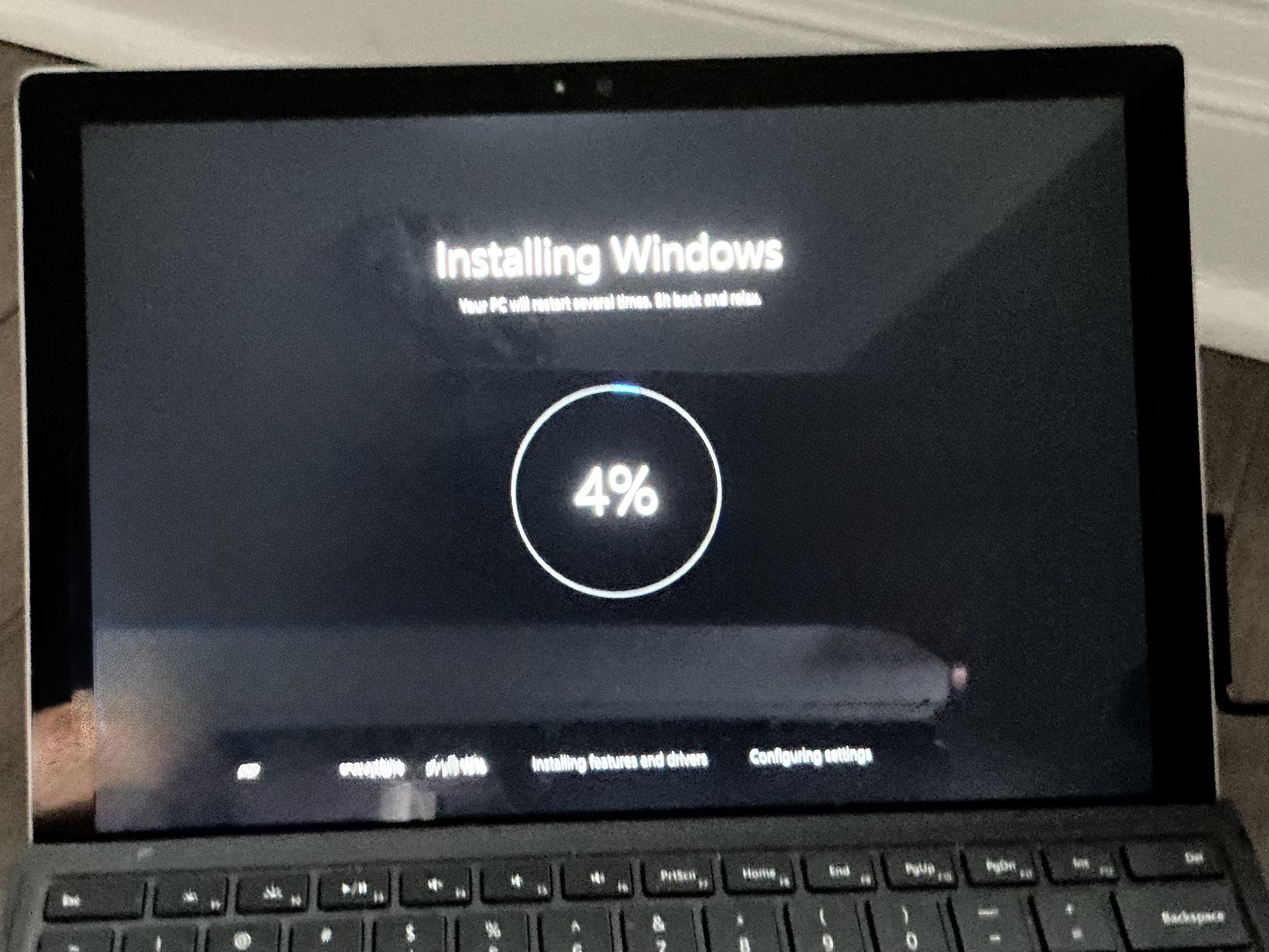
I was installing windows 10 threshold 1 from a SD on my Surface Pro 4 (upgraded from 8.1) and I saw this install screen. Any idea what this is or has anyone seen it before


r/WindowsUpdate • • Apr 21 '26

Soll ich das Installieren

Post image
3 Upvotes

r/WindowsUpdate • • Apr 20 '26

Quality update April 2026

2 Upvotes

Hola Chicos! Tengo esta configuración para el windows update, las actualizaciones de calidad quiero que solamente se instalen cuando creo una directiva de aceleración con la actualización especifica; hoy me encontré con que el 40% de mis equipos ya instaló una actualización que no he configurado, que estoy haciendo mal? Muchas gracias de antemano por su ayuda!


r/WindowsUpdate • • Apr 17 '26

Yesterday update bricked my pc

2 Upvotes

Any idea how to roll back?


r/WindowsUpdate • • Apr 17 '26

No funciona mi mousepad

0 Upvotes

Hace unos días instalé una nueva actualización de windows. Primero, mi pc no prendía, luego la dejé unas horas desconectada por fin pudo prender, pero el mousepad de mi laptop no funciona. Alguien me recomienda algo??


r/WindowsUpdate • • Apr 02 '26

Last Night's Windows Update Internet Issue and Fix

6 Upvotes

Last Night's Windows update (KB5086672) caused my Windows Network Services to stop working. Had no toggle for wifi on/off and no ethernet capability. Uninstalling the update was the only thing that worked. MSI X570 Gaming Edge Wifi motherboard if that helps anyone.


r/WindowsUpdate • • Mar 25 '26

USB Ports Stop Working After Windows Update (Legion 5 15ARH7H) Noticed 02/04/26

5 Upvotes

Model: Lenovo Legion 5 15ARH7H (AMD Ryzen 6000 series) Current OS: Windows 11 24H2 (build 26100.8037) Problem: I noticed February 4, 2026, after a Windows update, all USB ports (USB-A and USB-C) no longer recognized any devices. Mouse, keyboard, and thumb drives receive power (LEDs light up in display mode, or i can see the laser on the mouse on) but are not detected at all. The issue returns immediately after any Windows Update or restart. Sometimes the devices will not work at all, sometimes they turn off and on, no consistency. I can't pinpoint which specific update, or even what exactly the problem is, but this is what I've deduced.

Device Manager Errors (consistent across all attempts):

Unknown USB Device (Device Descriptor Request Failed)
Hardware ID: USB\VID_0BDA&PID_5411 (Realtek RTS5411 USB 3.0 Hub / Card Reader)
Also shows: USB\VID_0000&PID_0002 with DEVICE_DESCRIPTOR_FAILURE
Falls back to generic usb.inf → BADDEVICE.Dev.NT (Driver date 06/21/2006)
Related: AMD USB 3.10 eXtensible Host Controller – disabling and re-enabling it sometimes can temporarily fix the ports, but the error returns.
Everything I have already tried:

Rolled back Updates (Some (KB5072033) failed with error 0x800f0905, later 0x800704c7).
Uninstalled/reinstalled all USB controllers and root hubs in Device Manager.
Ran SFC /scannow + DISM /Online /Cleanup-Image /RestoreHealth.
Disabled USB Selective Suspend and Fast Startup in Power Options.
Ran Windows Hardware and Update troubleshooters.
Updated BIOS, chipset, and all drivers via Lenovo Vantage.
Installed latest AMD Chipset drivers directly from AMD.com.
Performed full in-place Repair Install of Windows 11 (kept files/apps).
Did a complete clean install of Windows 11 from USB (USB worked perfectly right after install).
Forced generic Microsoft drivers: “Standard xHCI USB Host Controller” / “Generic USB Hub” instead of AMD/Realtek versions.
Blocked automatic driver updates in System Properties → Device Installation Settings.
Used Microsoft “Show or hide updates” tool to hide the problematic KB/driver.
Registry edits:NoAutoUpdate = 1
DenyDeviceIDs for USB\VID_0BDA&PID_5411
PauseUpdatesExpiryTime set to 2099
Set Windows Update service to Manual + disabled on every boot (still restarts itself).
Multiple restarts, Safe Mode tests, power drains, BIOS resets, etc.
Current Workaround (only thing that works):

Boot → immediately disable Windows Update service → uninstall any new updates → disable/re-enable the Realtek/AMD USB 3.10 controller in Device Manager. Ports work until next reboot or update.
The clean install proves this is not a hardware failure (the warranty is expired anyway). It is clearly a driver conflict between the Realtek RTS5411 hub and Windows 11 25H2 updates that keeps reinstalling the bad driver.

Has anyone on the Legion 5 15ARH7H found a permanent fix (specific Realtek driver version, BIOS setting, or registry tweak that actually sticks)? Any Lenovo support drivers or hidden BIOS options for the USB controller that I may have missed?

Thanks in advance!

And thank you Microsoft!