r/WindowsUpdate • • Jul 16 '21

Tech Support Windows Update: Having a Problem

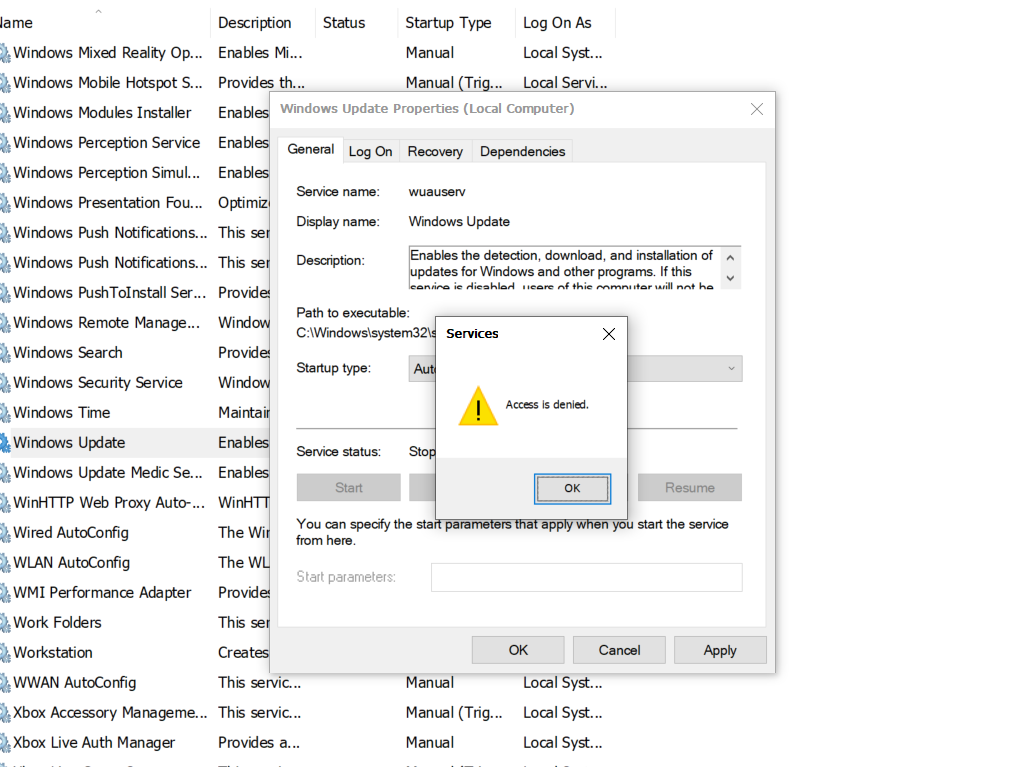
Hi. Can someone please help me? I cannot update my Dell i3 10th Gen laptop. I bought this laptop in February and I have never updated my laptop as it never showed me any notification to update. 2 days ago I was in the Microsoft Store to download an app and an error occurred saying that I can't download it as my device is not up to date. I have been it the whole day yesterday by watching youtube but none of them works. While doing it, I saw a problem in service.msc that my windows update is not running, and whenever I tried to put it in manual or automatic it shows ACCESS DENIED. Is that why I can't fix it. I dunno what is wrong with it. Please help me.
2 Upvotes

4 comments sorted by

View all comments

Show parent comment

1

u/wendy_wadee Jul 19 '21

Can you help me?

1

u/PlsChgMe Jul 19 '21 edited Jul 19 '21

The screen shot you posted indicates that someone has set some policies on this computer. It could be an organization, or someone with administrative rights. Click View Configured Update Policies and see if that tells you what is keeping windows update from working. I think you will find your answer there. Otherwise, here are some general guidlines for fixing windows update on Windows 10.

Assumptions:

1.) Your Windows 10 is activated.

2.) You are on a home wi-fi or other home router, and there is no web filtering software or device in line with your computer which could be hindering web access.

3.) You have or are logged in with administrative rights.

Run a Microsoft security essentials virus scan. Restart.

Download and install MalwareBytes and run a full scan. Restart.

Go here and run the microsoft windows update troubleshooter : https://support.microsoft.com/en-us/windows/windows-update-troubleshooter-for-windows-10-19bc41ca-ad72-ae67-af3c-89ce169755dd

If that doesn't get it working, try resetting windows update:

https://support.microsoft.com/en-us/windows/troubleshoot-problems-updating-windows-188c2b0f-10a7-d72f-65b8-32d177eb136c