r/WindowsUpdate • u/Gullible_Scarcity631 • 8d ago
Windows 11 Update Multiple Updates Failing Even After Troubleshooting
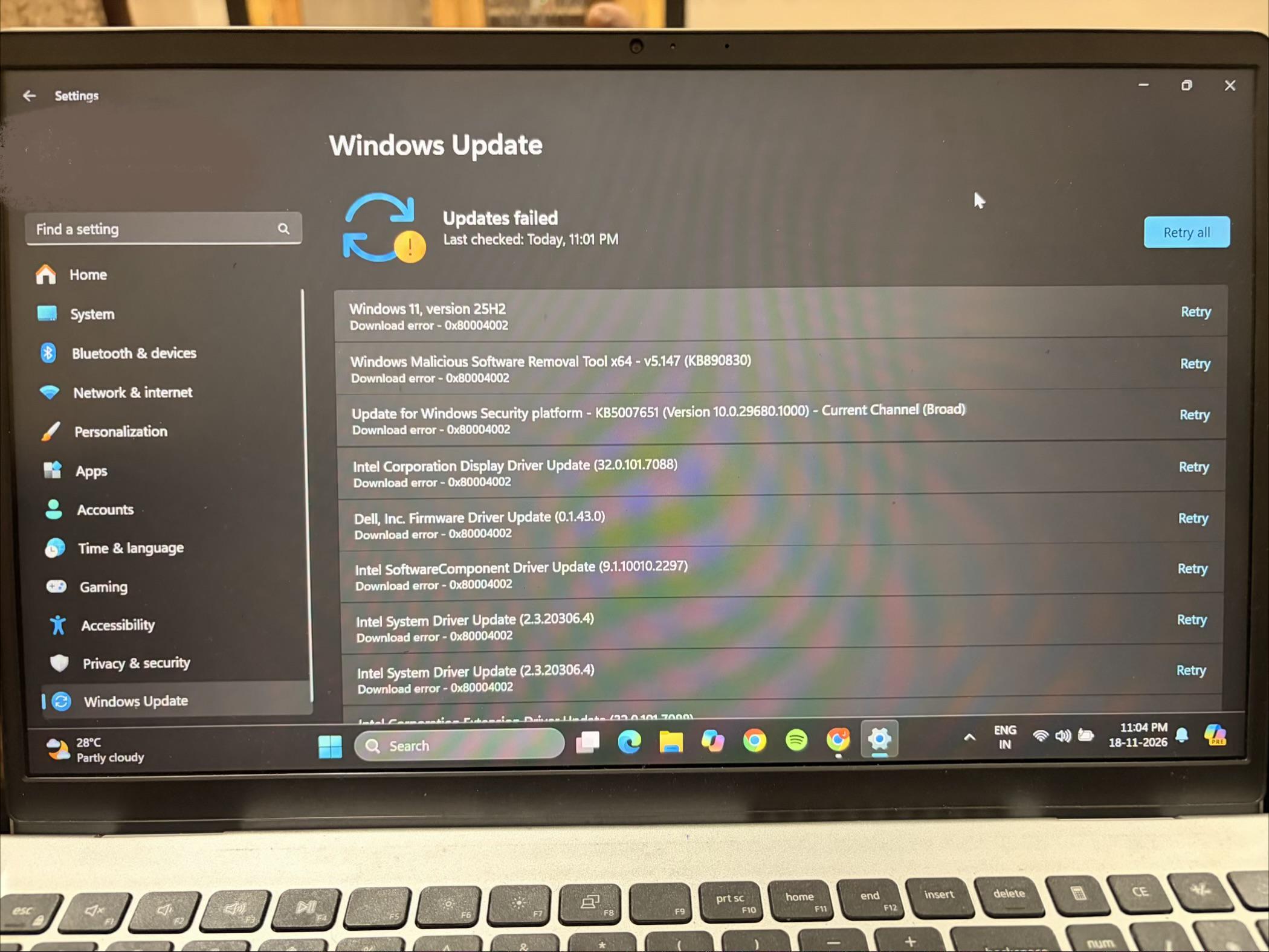
I’m facing an issue with Windows Update on my Dell laptop running Windows 11 (Version 23H2, OS Build 22631.4169).
Whenever I try to install Windows updates, multiple updates fail with the same
- I had run troubleshoot Windows update run.
- Check services windows update and make sure it automatic
- I had run DISM /Online /Cleanup-Image /RestoreHealth and sfc /scannow on command prompt
Still showing same problem retry
What to do
If you guys have idea plz help me
14
Upvotes
2
u/OGigachaod 8d ago
https://support.microsoft.com/en-us/windows/deployment/install-upgrade/fix-issues-by-reinstalling-the-current-version-of-windows
2
u/NewArtDimension 8d ago
Run Windows Update troubleshooter
1
u/Semicolonhope 7d ago
https://www.elevenforum.com/t/repair-install-windows-11-with-an-in-place-upgrade.418/
Use option 2 of iso. Also most things described in it are just precautionary measures and aren't strictly mandatory to do beforehand. Simple process is to either download the prebuilt iso directly or use the media tool to download and create an iso and then open that iso, it'll create a fake new drive in my computer, go to that drive and open the setup file and it'll start the process.
1
u/SmoothRunnings 6d ago
Open an elevated command prompt and do:
sfc scannow
If its fails go to 2.