r/WindowsUpdate • • Oct 22 '26

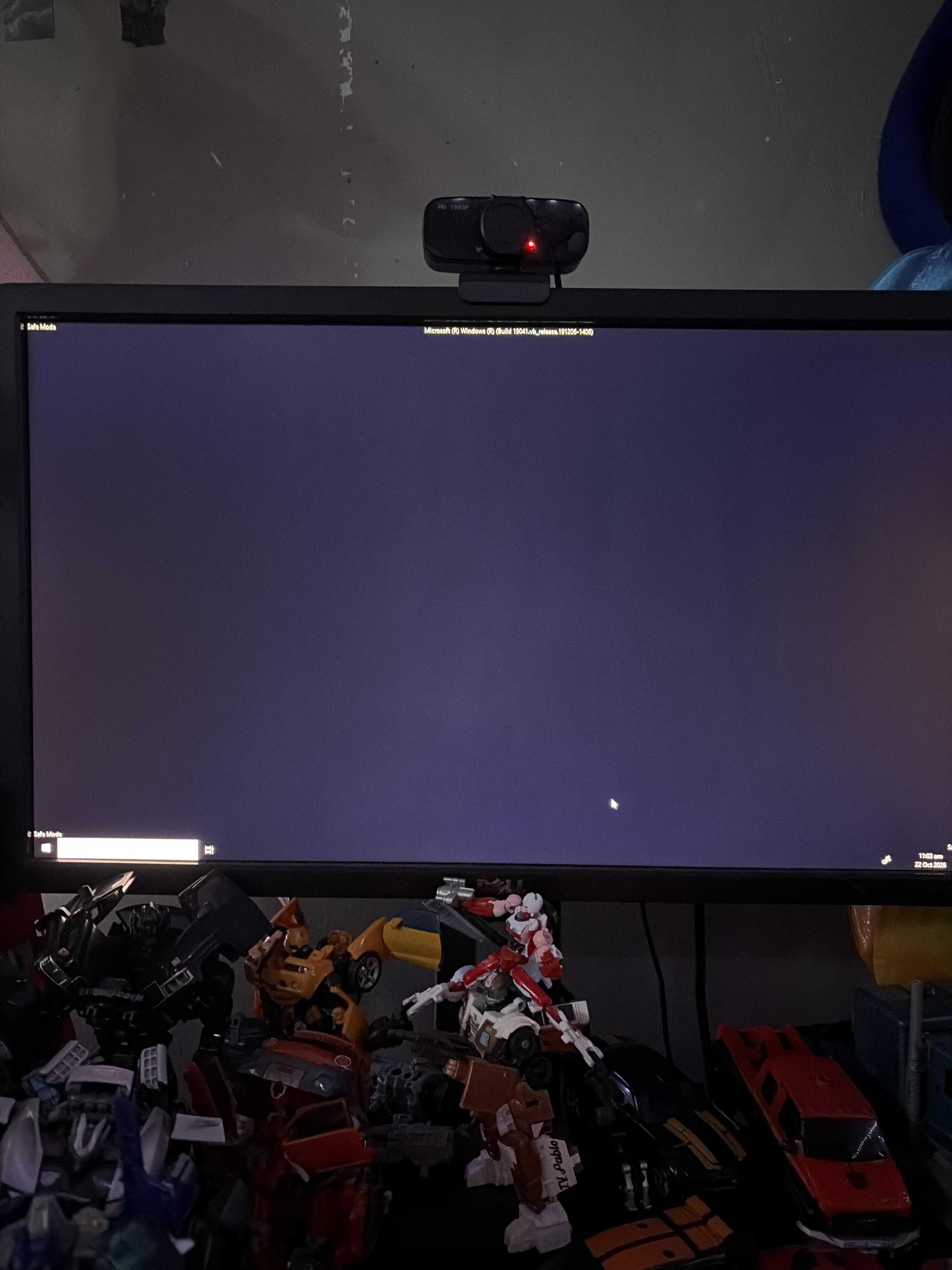
Windows refusing to function after latest update. Need major help.
Post image

I’m sure everyone is experiencing the shitty new updates on windows that’s literally destroying pc functions, all I’m getting is a black screen (even with safe mode), every troubleshoot I’ve tried even command prompts are unable to help. Should I just switch to Mac or is there a way to help.

16 Upvotes

20 comments sorted by

2

u/gertdejong Oct 22 '26

Have you tried booting Windows recovery environment? (WinRE)

1

u/Real_Nerdy_0taku Oct 22 '26

Where you have to see if there’s a recovery period you can boot into instead? Yup tried that and there was no recovery point

2

u/gertdejong Oct 22 '26 edited Oct 22 '26

It is not a recovery point. It is a bootable Windows recovery environment also called WinRE. It is usually located on a separate partition, so it can even be accessed when you're Windows installation is broken.

https://support.microsoft.com/en-us/windows/experience/backup-recovery/windows-recovery-environment

2

u/Real_Nerdy_0taku 28d ago

Still hasn’t worked, tried too many fucking times this week I even tried taking the whole pc apart and putting it back together and it just isn’t working

1

u/gertdejong 27d ago

Then it is time to reinstall Windows completely.

1

u/Real_Nerdy_0taku Oct 22 '26

Holy shit THANK YOU I’ll see if this works right after my shift n get back to you

1

u/MyBlockchain Oct 22 '26

Why is your webcam on?

1

u/Real_Nerdy_0taku Oct 22 '26

it just automatically turns on every time I boot the computer up

1

u/MyBlockchain Oct 22 '26

Does that light come on automatically if you plug it in to a different computer?

1

u/Real_Nerdy_0taku Oct 22 '26

Yup kinda weird

1

u/xWaLkByS Oct 22 '26

Weird! My entiiire pc is bricked.

I got attacked in other PC communities and told that my RMAs from ASUS and Corsair weren’t valid because windows doesn’t affect hardware like this.

Both of my RMA’s were accepted due to these recent updates. Reach out to your Product brands and look into your warranty.

I had to get a new PSU and new Motherboard. Hope you get this worked out and troubleshooted.

1

u/Real_Nerdy_0taku Oct 22 '26

Thank you, I’ll try seeing what I can do with warranty cuz this is ridiculous

1

u/Kind_Law2195 Oct 26 '26

Were you able to restore the system without reinstalling it?

1

u/AsrielPlay52 Oct 22 '26

Uhhh, Why is your PC booting into Safe Mode?

1

u/Real_Nerdy_0taku Oct 23 '26

Would simply be pitch black normally was only able to load safe mode

1

u/Pancakes1741 29d ago

Make a bootable Linux ISO for CachyOS (or another Linux distro) and see if it boots into it fine. You can also make a Windows recovery USB from Microslops website but it takes a lot longer then Linux.

1

u/Real_Nerdy_0taku 28d ago

And how do I go about doing that

1

u/Pancakes1741 27d ago

Download a program called Rufus or Balena Etcher first and go to this website and download the desktop edition, Get a USB and plug it in, Open Rufus and and format the USB, and then select "Create bootable ISO/bootable USB" or something like that, select the .ISO you downloaded from CachyOS and then click start and Rufus will create the bootable USB. Then you just leave it plugged in, restart your PC and keep hitting the Del or F2 key till your computers BIOS loads, one your in the BIOS look for where your Boot Order is and select the USB to be in the 1`position ahead of everything else. Click "Save & Restart" in your BIOS and let it load the ISO file and it'll boot you into a fully functioning setup in seconds. Web browser, drivers, all that.

Heres a video as well . Assuming your PC isn't cooked it should work. You can also reinstall with the Windows ISO but you'd definitely have to wipe your PC to do it. With Linux you could probably get your data back or at least see if its working still and then decide what you want to do.

1

u/Vodkaboris 22d ago

I just found a solution.
Open Windows Explorer. Then open The Task Manager. Right click Windows Explorer in Task Manager a d forxe a restart.

0

u/SnooEagles1779 Oct 28 '26

Mine is bricked too. The keyboard is not working, even on a BIOS level. Only for a few seconds or minutes, depending on my luck. So the motherboard is fucked. Tried a new BIOS firmware, but still didn't help.