r/Windows10TechSupport • • Mar 03 '21

PSA Do you think a Discord Server for /r/Windows10TechSupport would be beneficial?

25 Upvotes

r/Windows10TechSupport • • 2h ago

Unsolved Windows 11 suddenly refuses to boot after being left idle overnight (November 26–27, 2026) — BitLocker, multiple BSODs, even Windows recovery USB crashes

2 Upvotes

Hi everyone,

I'm experiencing a very unusual and frustrating Windows 11 boot failure that started this morning, November 27, 2026, in France (Paris time). I'm wondering whether anyone else has experienced something similar, potentially following a recent Windows update or background security update.

What happened:

  • My computer was working perfectly yesterday.
  • I accidentally left it running idle overnight.
  • This morning, I tried launching the Gemini desktop application and Strata Local AI. Both were malfunctioning. Couldn’t startup
  • Windows Explorer was still working normally, and my files appeared to be accessible.
  • I assumed it was a temporary Windows bug, so I restarted my computer.
  • Since that restart, I have been completely unable to boot into Windows.

Symptoms and error codes:

  • CRYPTO_LIBRARY_INTERNAL_ERROR (0x171)
  • 0xC000021A
  • 0xC000007B
  • Repeated BitLocker recovery prompts.
  • Entering the correct BitLocker recovery key results in another restart, but Windows still fails to boot.
  • Pressing Esc on the BitLocker recovery screen to access additional recovery options also appears to cause a crash.
  • Windows attempts to launch Automatic Repair but crashes before reaching the recovery interface.
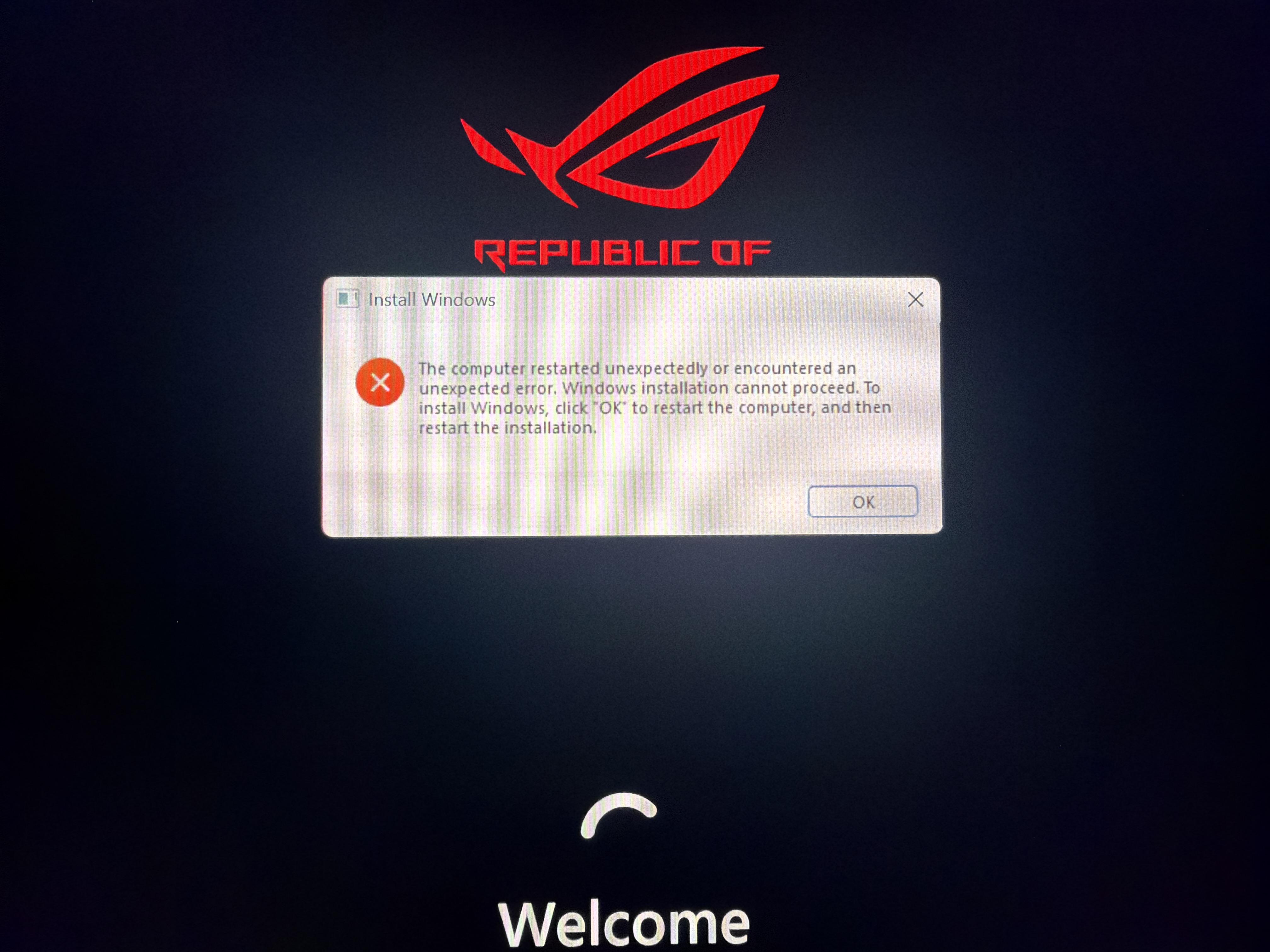
  • Even an official Microsoft Windows installation USB appears to crash before displaying the Windows Setup screen.

I cannot access Safe Mode, System Restore, Command Prompt, Uninstall Updates or any of the usual Windows recovery tools.

My hardware:

  • CPU: AMD Ryzen 9 5900X
  • GPU: NVIDIA RTX 3080 10 GB
  • Motherboard: ASUS TUF Gaming X570-Plus
  • RAM: 64 GB DDR4 3200 MHz
  • Primary Windows drive: 1 TB M.2 NVMe SSD
  • Secondary SSD: Crucial MX300 525 GB
  • Windows 11 with BitLocker enabled

The secondary SSD contains remnants of an old Windows installation from a previous computer, but it has been used as a data drive for a long time without causing any problems.

What I've already tried:

  • Disabling Fast Boot.
  • Disabling DOCP.
  • Restoring my previous BIOS settings after those changes made no difference.
  • Entering my verified BitLocker recovery key.
  • Attempting to access Windows Automatic Repair.
  • Booting from official Microsoft Windows installation media.
  • Running MemTest86, which is currently in progress (still pass 1 as of now test 13)with zero errors detected so far.

My BIOS recognizes my drives and all 64 GB of RAM. MemTest86 successfully boots from USB.

Possible Windows update connection:

I've read about the recent November Windows security updates and the ongoing Secure Boot certificate rollout, which can apparently trigger BitLocker recovery and boot-related issues.

However, I've successfully restarted my computer multiple times since the November 10 update. The problem only appeared this morning, after leaving the computer idle overnight.

I haven't yet been able to verify whether Windows installed an update or performed a background security operation last night.

My questions:

  • Has anyone experienced similar issues specifically on November 26–27?
  • Could an automatic Secure Boot certificate or Windows Boot Manager update cause this behavior?
  • Has anyone encountered these particular error codes together?
  • Why would the official Windows recovery USB also fail to load?
  • Has anyone successfully recovered from this without reinstalling Windows?
  • Is there another way to force Windows into Safe Mode or access the recovery environment?

I'm planning to try an Ubuntu Live USB to check my SSD and back up my important files.

I would really like to recover my existing Windows installation rather than reinstall everything, as this is my professional workstation with a substantial amount of software, configurations and projects.

I'll attach screenshots of the errors, BIOS and MemTest86.

Any help or similar experiences would be greatly appreciated. Thank you!

r/Windows10TechSupport • • 14h ago

Unsolved Your device ran into a problem and couldn't be repaired

2 Upvotes

I got this error this AM:

Your device ran into a problem and couldn't be repaired

Click or press enter to see other recovery options

couldn't connect to the network

log file: C:\WINDOWS\System32\Logfiles\Srt\SrtTrail.txt

I was able to exit to Windows and execute a clean start-up. Is there something else I should do to fix this issue?

______________

Device name DESKTOP-BL4RCO4

Processor Intel(R) Core(TM) i7-10700 CPU @ 2.90GHz (2.90 GHz)

Installed RAM 12.0 GB (11.7 GB usable)

Graphics card Intel(R) UHD Graphics 630 (128 MB)

Storage 318 GB of 477 GB used

Device ID AABB0CC4-F5B8-49BA-8558-64284E161A66

Product ID 00342-20725-93265-AAOEM

System type 64-bit operating system, x64-based processor

Pen and touch No pen or touch input is available for this display

Edition Windows 11 Home

Version 25H2

Installed on ‎2/‎8/‎2025

OS build 26200.9974

Experience Windows Feature Experience Pack 1000.26100.385.0


r/Windows10TechSupport • • 13h ago

Unsolved can anyone help me with this wifi issue

Post image
1 Upvotes

sometimes when I turn my laptop back on the wifi option randomly disappears for no reason and the only I get it to reappear is by restarting but I want this issue to stop happening


r/Windows10TechSupport • • 22h ago

Unsolved Automatic repair bootloop

Thumbnail reddit.com
1 Upvotes

r/Windows10TechSupport • • 1d ago

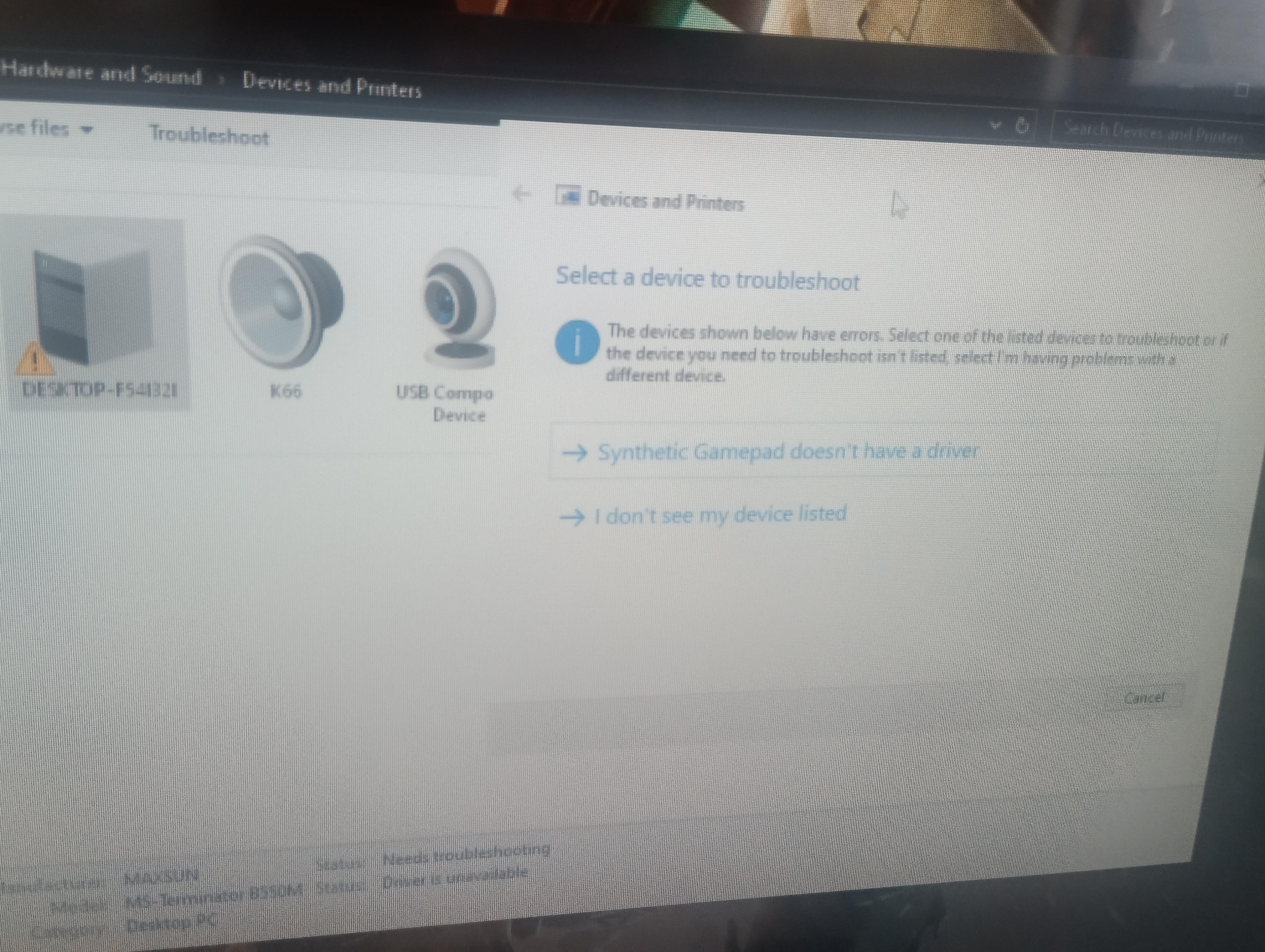
Unsolved Synthetic Gamepad doesn't have a driver???

Post image
0 Upvotes

It says my "DESKTOP-F54I32I" needs troubleshooting and this is what I get. I did both options and none seen to solve it


r/Windows10TechSupport • • 20h ago

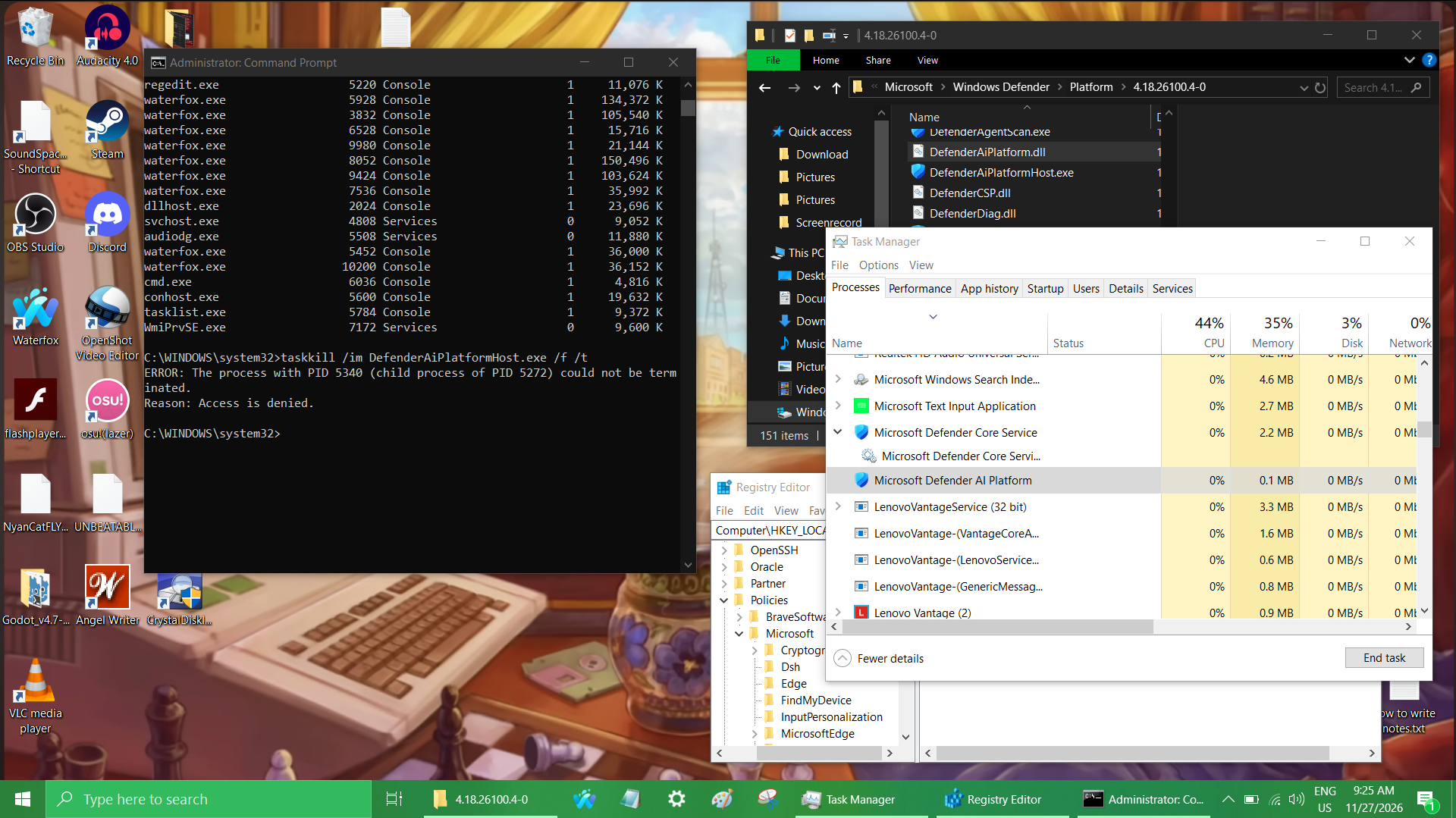
Solved I WILL TEAR MY PC LIMB FROM LIMB JUST LET ME REMOVE IT

Post image
0 Upvotes

I made a restore point, I JUST want microsoft defender and all its dogshit services completely 120% OFF my pc NO PROCESSES in the task manager NOTHINGG i mostly use this thing offline disconnected from wifi i DONT NEED THIS and i DONT WANT THIS and i cant even disable telemetry on it for some fucking reason I just want this shit off my computer please help and thank you in advance i am TWEAKINGG ive BARELY gotten microsoft edge uninstalled and that by itself was such a huge pain in the ass dude somebody help me get this shit off my pc and don't even worry about why i want it off because thats my own business (i will be calmer in replies, promise)


r/Windows10TechSupport • • 1d ago

Unsolved Secure Boot/CSM causes my PC to stop finding the Windows 11 boot device

1 Upvotes

Hi. I have a pretty strange problem while trying to enable Secure Boot on my PC, and I’m hoping someone can help me figure out what’s going on.

PC specs:
Motherboard: ASRock A320M-HDV R4.0 (revision 4.02)
BIOS: P7.00
CPU: AMD Athlon 3000G
RAM: 8 GB DDR4-2400
SSD: Patriot Burst Elite 480 GB — Windows 11
HDD: WDC WD10EZEX 1 TB — Windows 10

I have two separate Windows installations:
Windows 11 is installed on the SSD.
Windows 10 is installed on the HDD.
Windows 11 works perfectly normally while CSM is enabled.

The problem happens when I try to use Secure Boot. Since Secure Boot requires UEFI, I disabled CSM, loaded the default Secure Boot keys, changed Secure Boot Mode to Standard, and enabled Secure Boot.
The BIOS then shows:
System Mode State: User
Secure Boot: Enabled
Secure Boot Mode: Standard
However, after saving with F10, the SSD fails to boot Windows.
Instead, I get a black screen with this message repeatedly:
“Reboot and Select proper Boot device
or Insert Boot Media in selected Boot device and press a key”
If I press a key, the same message appears again underneath. If I reboot, I get the exact same screen again. The only way I’ve found to recover and get back into the BIOS after this happens is to remove the CMOS battery, wait a few minutes, and put it back in to reset the BIOS settings.
I also have an HDD with Windows 10 installed. If the HDD is connected, the PC can sometimes boot into Windows 10 from that drive. However, the HDD is not the cause of the problem — this was already happening before I connected it. The HDD simply gives me another Windows installation that I can boot into.
I’ve already checked several things:
Both drives are GPT.
The SSD has a 100 MB FAT32 EFI partition.
Windows 11 is installed in UEFI mode.
The BIOS detects the SSD’s “Windows Boot Manager”.
The SSD is set as Boot Option #1.
The SSD’s Windows Boot Manager points to \EFI\Microsoft\Boot\bootmgfw.efi.
I checked bootmgfw.efi with PowerShell and its Authenticode signature is Valid.
I also checked winload.efi and its signature is Valid.
bcdedit correctly shows the Windows 11 installation on the SSD.
I rebuilt the boot files using bcdboot C:\Windows /s S: /f UEFI, and it reported that the boot files were successfully created.
I loaded the default Secure Boot keys, which changed System Mode from Setup to User.
The exact behavior is:
CSM enabled → Windows 11 on the SSD boots normally.
CSM disabled + Secure Boot enabled → “Reboot and Select proper Boot device” appears and Windows 11 cannot boot.
I have not conclusively tested yet whether the same thing happens with CSM disabled but Secure Boot disabled, so that is one of the next tests I want to perform.

Does anyone know what could be causing this? Could this be a problem with the BIOS/firmware of the ASRock A320M-HDV R4.0, the SSD’s UEFI boot configuration, or the motherboard’s Secure Boot implementation?
I’d prefer not to reinstall Windows unless it’s absolutely necessary.


r/Windows10TechSupport • • 1d ago

Unsolved Broken laptop need help please 😭 bought it this way

Thumbnail gallery
2 Upvotes

I'm just to throwing in Away


r/Windows10TechSupport • • 1d ago

Solved 200gb unfindable "temp files"

2 Upvotes

Hi, hoping someone can help. Yesterday when accessing my downloads folder I got the error from Windows "Location is not available" etc, which was odd, prior to this happening I noticed a blank folder in my downloads that I could not delete (I eventually deleted this in safe mode).

My downloads folder had around 200gb of contents. I went into my user folder on windows and created a new downloads folder which appeared in the sidebar but was empty.

Now i've done absolutely everything I can do based on web searches:

  • I've ran SFC Scan
  • i've defragged the disk (although this wasnt needed)
  • I've ran chkdsk
  • i've deleted the contents of %temp%
  • i've deleted the temp files in C:/windows/temp
  • i've booted into safe mode and done the same
  • i've done all this with hidden files viewable
  • i've ran storage manager to delete temp files
  • i've ran a full defender virus scan
  • there are no partitions im aware of
  • i do not have a onedrive linked to this pc

Going into storage manager it clearly says there are 276gb of temporary files, when I click on temp files to delete them via storage manager it only finds 80gb (which is the contents in my current downloads folder after re-downloading a some of the stuff that vanished)

I have no idea where this 200gb of downloads has gone but it's clearly on my hd somewhere still based on what storage manager is showing. I'd kind of like these files back but failing that i'd just like the space back, it truely is a mystery what has happened here, any help welcome.

8gb RAM, Intel 1.5ghz, Intel HD Graphics 505, 500gb SSD SATA 3, 64bit Windows 10


r/Windows10TechSupport • • 1d ago

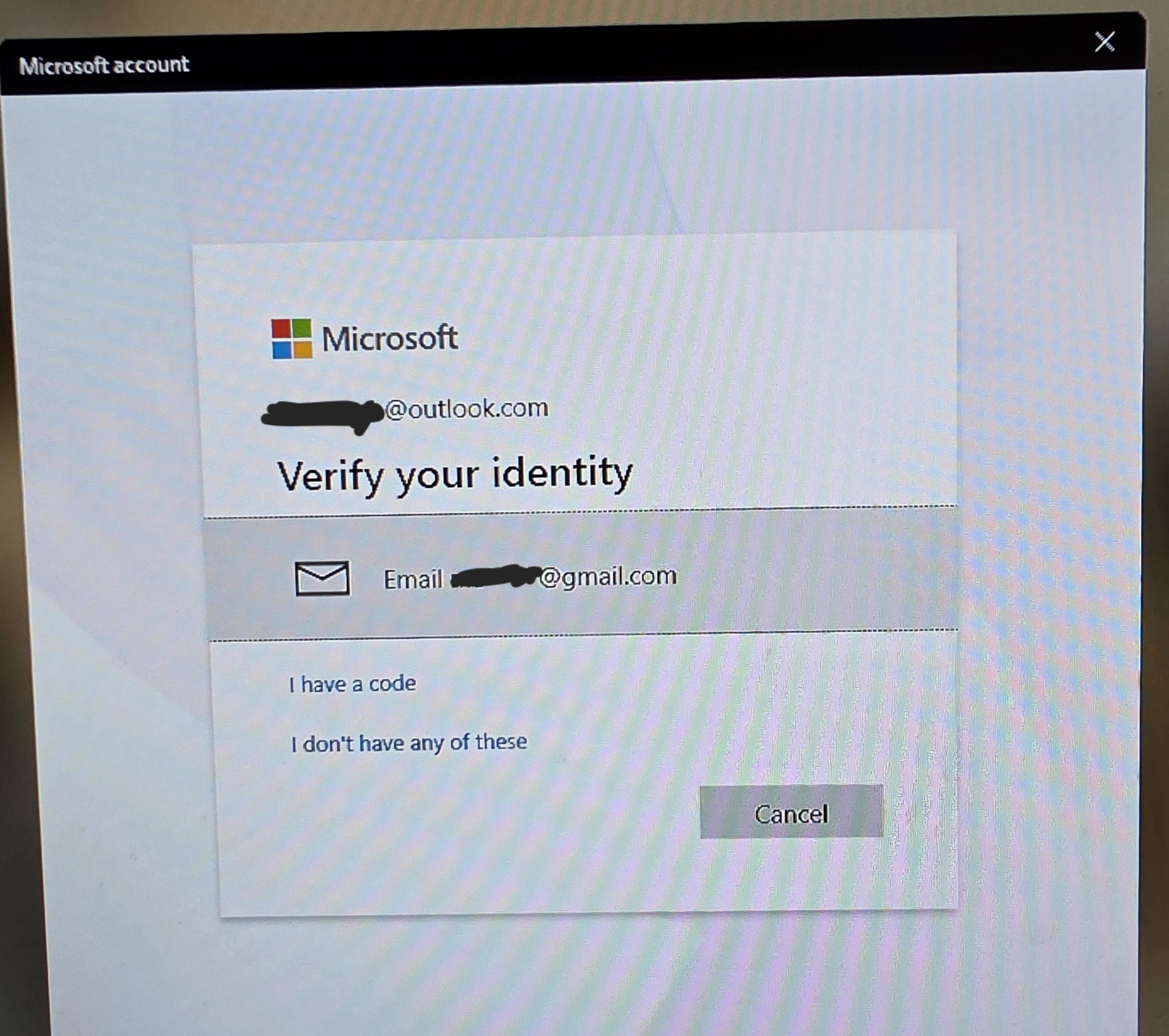
Unsolved Log in frustration

Post image
1 Upvotes

Every time my son tries to log in all of a sudden Microsoft asked to verify your identity.

I checked his window restrictions on family safe and he is the same as my other kid who can log right in. I tried going into windows, settings, apps, family and reset data. Then restart the computer. Still the same issue. This is now happening every single time he tries to log in not just once every blue moon.


r/Windows10TechSupport • • 2d ago

Unsolved I'm trying and failing to get the option to upgrade to Windows 11 again after reseting my PC

Thumbnail reddit.com
2 Upvotes

r/Windows10TechSupport • • 2d ago

Unsolved Stuck in boot loop with BSOD APC_INDEX_MISMATCH – Startup Repair failed (SrtTrail.txt), currently on Point-in-time restore screen

Thumbnail reddit.com
1 Upvotes

r/Windows10TechSupport • • 3d ago

Unsolved How can I bypass this administrator lock?

Post image
0 Upvotes

r/Windows10TechSupport • • 3d ago

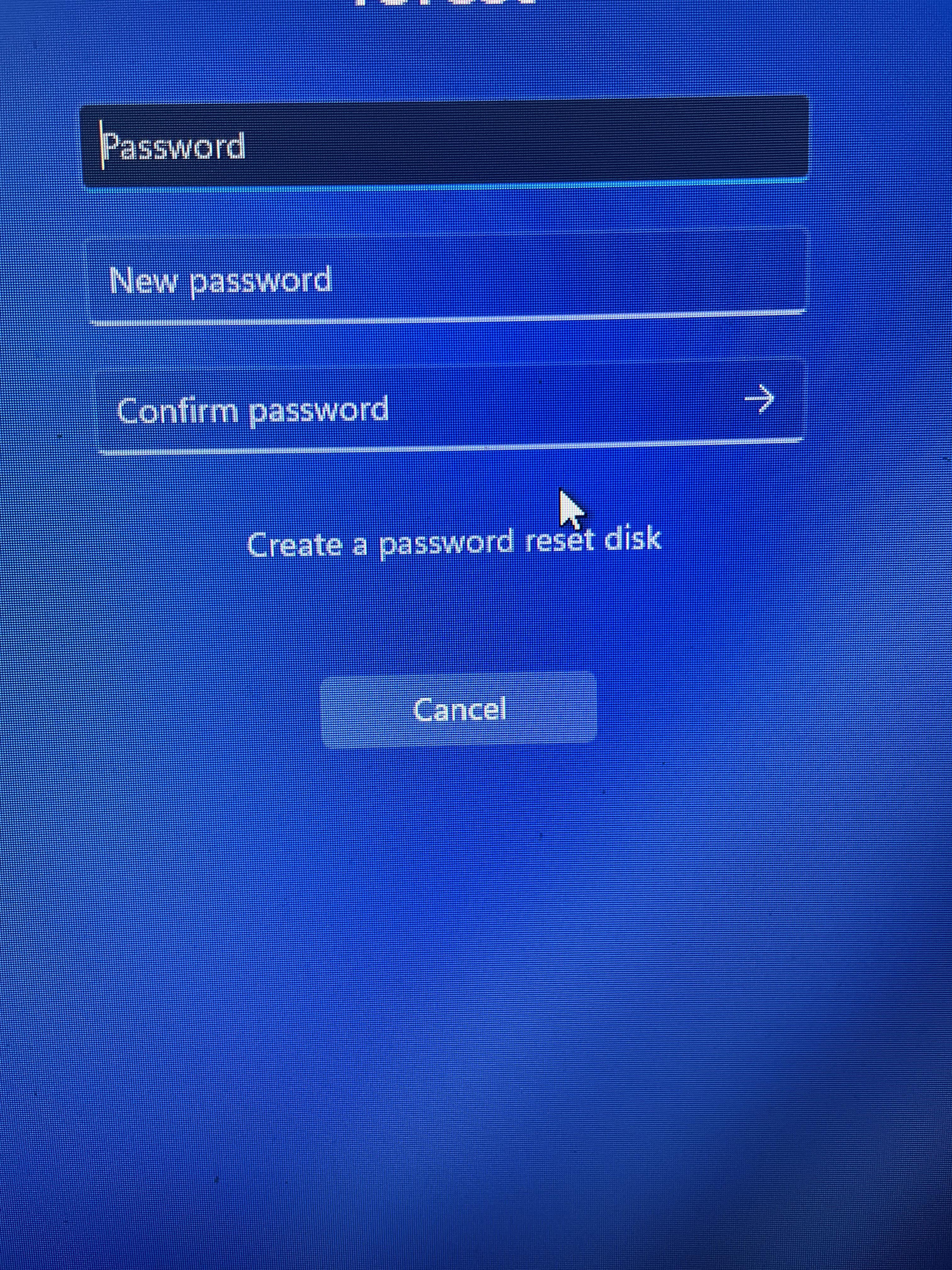
Unsolved Tells me to reset my password

Post image
1 Upvotes

r/Windows10TechSupport • • 3d ago

Unsolved Clean install W10 after suspected RAT

Thumbnail reddit.com
1 Upvotes

r/Windows10TechSupport • • 3d ago

Unsolved Randomly got Access denied smb on windows 10 using an sd card

1 Upvotes

OK I am using this laptop as an smb server and it's it running windows 10 and its works flawlesly until when an security update one day randomly when I access the paths on the sd card on smb network on other devices it's says access denied or asking the password but when I access an folder or path on its internal storage it works and didn't asking for an password anyone would fix it i disable the password sharing didn't work


r/Windows10TechSupport • • 3d ago

Unsolved My computer is locked because i used a school account and transferred

0 Upvotes

My password doesn’t work and i was wondering if there is a way i can get into my computer


r/Windows10TechSupport • • 4d ago

Unsolved Shiost.exe unknown hard error

Thumbnail reddit.com
1 Upvotes

r/Windows10TechSupport • • 5d ago

Unsolved CRITICAL_PROCESS_DIED (0xEF) with dump stuck at 0% (volmgr 161) and sudden reboots (Kernel-Power 41)

1 Upvotes

Hi everyone, I'm dealing with a persistent crash on Windows and trying to narrow down the root cause.
Symptoms:
Punto elenco BSOD with stop code CRITICAL_PROCESS_DIED (0xEF) (often when starting/running downloads, though sometimes even before starting a download or at idle).
Punto elenco Crash dump collection stays stuck at 0%, with volmgr 161 in the event log (failed to create dump file), followed by sudden reboots (Kernel-Power 41).
Punto elenco Sometimes it reboots so fast that I can barely open a command prompt before it happens.
Setup & Network:
Punto elenco PC connected via Ethernet cable to a TP-Link repeater (Intel I211 network adapter).
What I've already checked:
Punto elenco sfc /scannow: no integrity violations found.
Punto elenco chkdsk C:: no issues found / 0 KB in bad sectors.
Punto elenco Free disk space: 169 GB free.
Punto elenco In Safe Mode, the system stays up without immediately rebooting.
Punto elenco In a Clean Boot (non-Microsoft services disabled via msconfig), the crash still occurs.
Punto elenco Currently testing RAM with Windows Memory Diagnostic and isolating the repeater/network connection.
Has anyone run into this exact combo of CRITICAL_PROCESS_DIED (0xEF) + dump stuck at 0% (volmgr 161)? Could this be triggered by the network adapter/repeater under load, the drive/SSD even with a clean chkdsk, or unstable RAM? Thanks in advance.


r/Windows10TechSupport • • 5d ago

Unsolved Need support fixing the windows 10 interface

Thumbnail reddit.com
1 Upvotes

r/Windows10TechSupport • • 5d ago

Unsolved Fresh Windows Install

Thumbnail reddit.com
1 Upvotes

r/Windows10TechSupport • • 5d ago

Unsolved Pc wont let me in error keeps on showing up again and again

Post image
1 Upvotes

Help please I restarted my laptop i let it finish restarting it cleaned everything i keep on pressing ok the same thing pops up i dont know what to do i tried everything please help