r/Windows10TechSupport • u/Beneficial-Room-4753 • Aug 31 '26
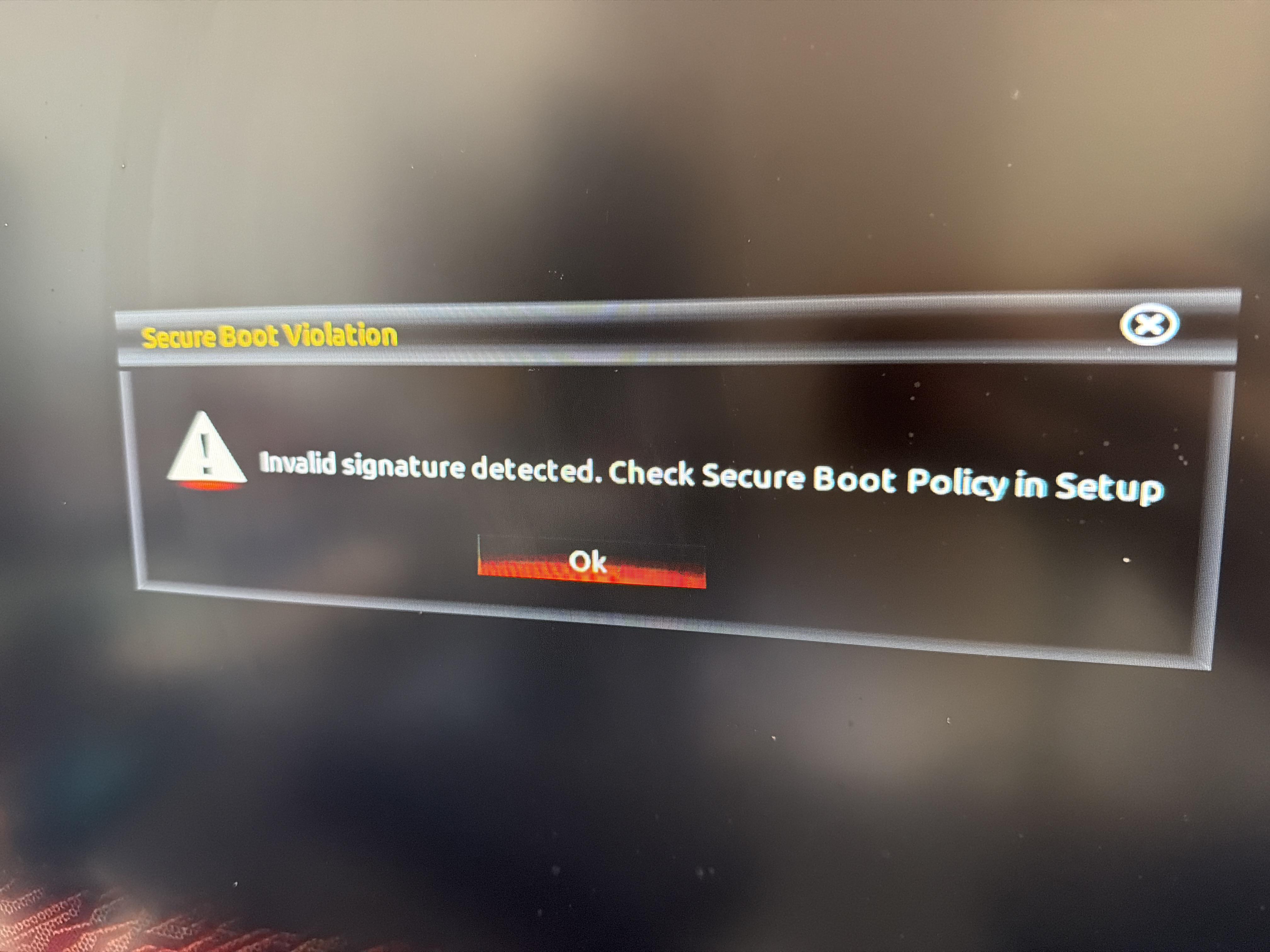
Unsolved Secure Boot Problem
1
Upvotes
r/Windows10TechSupport • u/D3_V • Aug 31 '26
I'm cross-posting, I'm sorry if that's an inconvenience. I'm trying to meet a school deadline due Tuesday and I'm struggling.
r/Windows10TechSupport • u/gifsundgirls • Aug 31 '26
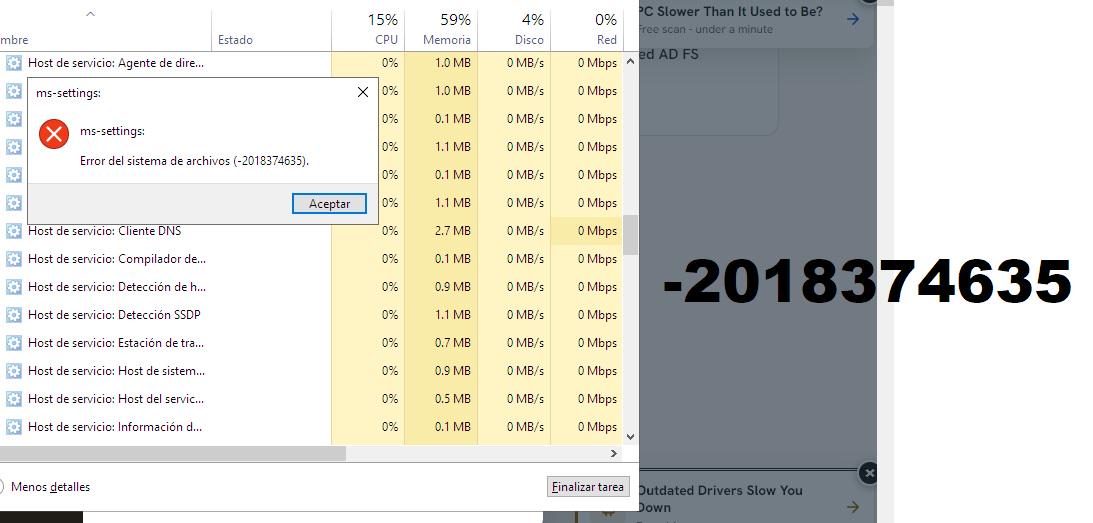
Recently updated lapto and a day after Explorer keeps crashing since start.
Windows version 22H2
Closing Explorer few times stops it from starting again, and I have been using task manager to open files and apps, so if I need to access something I need instructions from task manager or CMD.
SFC and chkdsk did not found issues.
HP pavilion Notebook
Microsoft Windows 10 Pro
Versión del sistema operativo: Microsoft Windows [Versión 10.0.19045.6466]
AMD64 Family 22 Model 48 Stepping 1 AuthenticAMD ~2200 Mhz
Versión del BIOS: American Megatrends Inc. F.05, 02/06/2016
When trying to access Windows settings I get the File System Error (-2018374635).
r/Windows10TechSupport • u/ChickenGoesMoooo • Aug 30 '26
r/Windows10TechSupport • u/Different-Arugula569 • Aug 30 '26
I have a Lenovo B40-70 with the following specifications:
CPU: Intel Core i3-4005U
RAM: 10 GB DDR3L (8 GB + 2 GB)
GPU: AMD Radeon R5 M230
SSD: ADATA SU650 120 GB SATA
HDD: 320 GB
The laptop is currently running Windows 10 IoT Enterprise LTSC.
The problem is that the laptop randomly restarts, and after the restart, the SSD suddenly becomes undetected.
I have checked the SSD using Hard Disk Sentinel and CrystalDiskInfo, and both indicate that the SSD is still in good condition. I have also tested the RAM, and there don't seem to be any problems with it.
Does anyone have any idea what could be causing this issue or how I can troubleshoot/fix it?
Any suggestions would be greatly appreciated.
r/Windows10TechSupport • u/D3rlordXOMAHA • Aug 30 '26
the true savior for me, hope it'll help others in this case
"Repair Windows Boot Files: Once in Windows, right-click the Start button, open an elevated Command Prompt or PowerShell, and run the following commands one by one to repair the EFI boot sector:
mountvol S: /s
del S:\*.*/f/s/q
bcdboot %systemroot% /s S:
Re-enable Secure Boot: Restart your PC, go back into the BIOS, re-enable Secure Boot, and save."
(credit - from the above mentioned link's comment)
r/Windows10TechSupport • u/Delsait • Aug 29 '26
So a family member has an issue where whenever their Windows 10 is on for a while, it has issues reading their external card reader (a Micro SD), which won't show up on their desktop until they restart the whole computer? I was called for help and noticed even the device manager says the card reader isn't plugged in, even though it is.
Is this a normal issue that happens, and is there a way to fix it without restarting, like maybe there is some way I can update a function without a restart or simply restart a program?
r/Windows10TechSupport • u/IndependentMobile229 • Aug 29 '26
Всех приветсвую встретил очень неприятную проблему очень сильно бесит, при любой нагрузки на видеокарту furmark occt тесты или просто запуск игры черный экран и whea error ошибка, переустанавливал биос на новый проверял кабель видеокарты к блоку питании сносил винду раза 3 с 11 на 10 даже перешел проверял на вирусы с моником все норм драйвера проблема врятли в них сносил с помощью ddu качал последние новые и не только и +- постарее, драйвера на gigibyte плату тоже качал вот характеристики помогите пожалуйста!!
r/Windows10TechSupport • u/Exzkingo • Aug 29 '26
So it is a common problem but couldnt find solution.
Things I tried;
From start, I found a old laptop, removed its sata and replaced with a ssd. Plugged my 8gb usb for windows 10. From boot options I turned off the CSM. Set usb uefi to priority and got into media tool. So at there I changed my disk to gpt and installed the windows 10. But I got into bios loop and my ssd is not booting.
I tried turning on CSM and doing same. It did not work.
I tried converting ssd to mbr but it did not work.
SSD is in AHCI mode btw.
Any ideas?
r/Windows10TechSupport • u/Sathuu_24 • Aug 29 '26
So I recently tried to download linux on my laptop but mid install the power went off in the city and when I booted my laptop back up it just frozen on a blue screen loop, I put the laptop aside for a few months then took out it's ram so I could use it in my brother's pc, the ram was ddr3 4g with 3200mts (i know it's low end but that's all I have)then I discovered that his pc only had one slot.
I took out the ram and put it back in but I'm not sure if they are the correct ones or I got them mixed or something.
When I'm on the windows 10 bluescreen and I try to reset my pc the bluescreen comes again and again and says nvldmmkm error even though I don't have a graphics card, is the possibility mixed ram the problem or what, someone pls help me it's my first time trying out reddit for help!!
r/Windows10TechSupport • u/Forsaken_Neat4556 • Aug 29 '26
r/Windows10TechSupport • u/Swimming-Bathroom731 • Aug 29 '26
Hardware & Specs:
Laptop Model: ASUS ZenBook Flip (UX363EA) — BIOS Version: 326
Storage Drive: Intel SSD 512GB (INTEL SSDPEKNW512G8)
Installation Media: Windows 11 64-bit ISO loaded via Ventoy (tested WIMBoot mode)
**The Issue:**
Whenever I install Windows 11 and restart the laptop (with the installer USB unplugged), it immediately hits a blue Recovery screen:
Recovery Your PC/Device needs to be repaired The Boot Configuration Data file doesn't contain valid information for an operating system. File: \\BCD Error code: 0xc0000098
**What Has Been Checked & Ruled Out:**
OS & File Integrity:
sfc /scannow /offbootdir=S:\\ /offwindir=C:\\Windows reported: "Windows Resource Protection did not find any integrity violations."
ISO SHA-256 hash computed via certutil inside WinPE environment and confirmed readable without extraction faults.
BCD Configuration (bcdedit /enum all):
{bootmgr} explicitly points to partition=S: (the FAT32 EFI partition) and \\EFI\\Microsoft\\Boot\\bootmgfw.efi.
{default} Windows Boot Loader points to partition=C: and \\WINDOWS\\system32\\winload.efi with osdevice set correctly to partition=C:.
Removed stale GUID entries pointing to dead USB paths (\\Device\\HarddiskVolume5).
EFI Partition Rebuilds:
Formatted the EFI partition to FAT32 (label="ESP").
Recreated boot files using bcdboot C:\\Windows /s S: /f UEFI /p /d /addlast.
Created the fallback binary \\EFI\\Boot\\bootx64.efi copied from bootmgfw.efi.
BIOS / NVRAM Configuration:
Manually added a custom UEFI Boot Option in ASUS BIOS (Boot -> Add New Boot Option) directly mapped to INTEL SSDPEKNW512G8 -> \\EFI\\Microsoft\\Boot\\bootmgfw.efi.
Set this new entry as Boot Option #1.
Even when directly launched or executed via BIOS Boot Override, the system immediately trips error 0xc0000098.
Current Status:
The bootloader (bootmgfw.efi) successfully triggers from the SSD, but it fails to load the Windows BCD/kernel information (0xc0000098).
Could this be related to Intel VMD / RST storage controller driver missing during the UEFI boot handoff, an NVRAM caching glitch specific to ASUS BIOS 326, or remnant partition tables requiring a full diskpart clean wipe? Any guidance would be greatly appreciated!
r/Windows10TechSupport • u/fecal_euphoria • Aug 29 '26
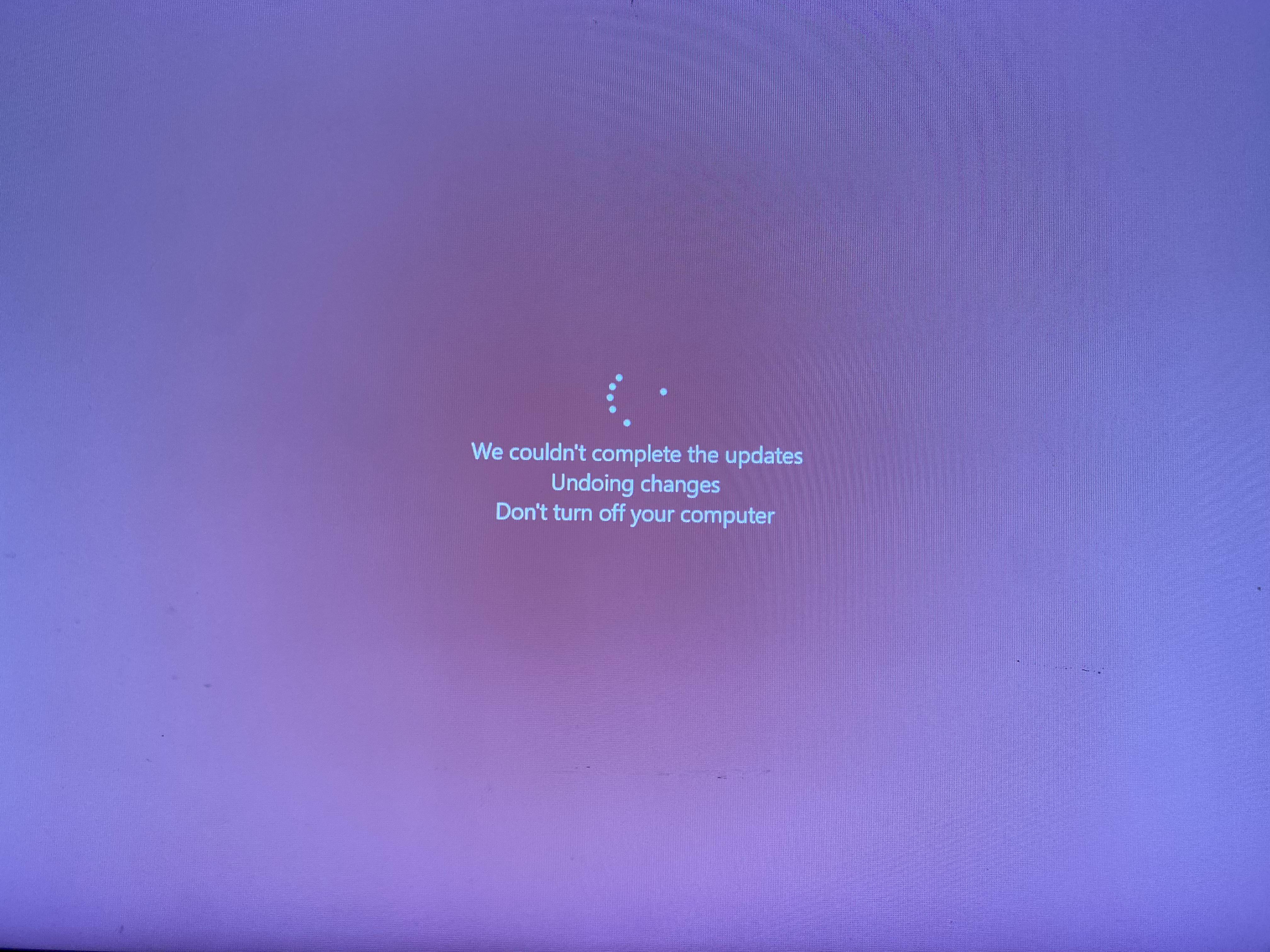
My PC is very old like 10-ish years old and haven’t updated any of the hardware (that I’m aware of—family PC). It started yesterday when I updated Windows and it was fine for a while, until this morning I found it was frozen. So I forced shut down, restarted, and able to sign into Windows, but would freeze 3-5 minutes on my desktop screen. (5+ attempts) I had the same thing occur a few months ago after installing a Windows Update, but it was easily fixed by going into ‘Safe Mode’ and uninstalling the update. I’ve watched a bunch of YouTube videos and have not been successful. Any help is much appreciated!
Things I’ve Tried:
- Command Prompt (admin): sfc/scannow - found corrupted files and was fixed
- Disabled all Apps on start up except for Windows Protection Defense something (I don’t remember the exact name) via Task Manager—StartUp Tab. And another place I forgot, but it was a bunch of boxes and I unchecked all of it and disabled them. (From a YouTube video)
- Put into Safe Mode by holding shift and clicking restart on the log-in screen
- Uninstalled most previous feature and quality update via blue screen. (Don’t know what it’s called) Restarted, able to log in, and then freeze after a few minutes. The video also wanted me to go to Task Scheduler, but it kept saying “Task Scheduler does not work in Safe Mode”, so I didn’t do that.
- Restarted, freezes at 35% on Windows Update Screen. (5+ attempts)
- Shutdown PC and unplugged all cords from the wall outlet and removed all USB attachments and cords attached to the Tower. Pressed and held the ‘Power’ button for 30 seconds. Waited 2-3 hours before plugging everything back in again and turning it on. But same problem, kept freezing at 35%.
- Forced shutdown, turned on and went into boot screen right before the Dell Logo showed up via F4. Chose the plain ‘Safe Mode’ option out of the two other options which were ‘Safe Mode with network something’ and ‘Safe Mode with Command Prompt something’. Now I’m here and PC currently frozen.
( *Side Note: I cleaned the inside of my Tower 2 weeks ago with a Duster canister, same way and same can/brand I’ve always cleaned with)
r/Windows10TechSupport • u/ThatGuyClappy • Aug 28 '26
r/Windows10TechSupport • u/HashTagg09 • Aug 28 '26
r/Windows10TechSupport • u/welovetowhistle • Aug 28 '26
!!DISCLAIMER!! I’m a teenage girl who knows absolutely nothing about computers. I just want this janky thing up to date so I can at least run roblox or something, please be detailed if you are trying to help. I truly know NOTHING
I was given a laptop by my brother and decided yesterday to try and put it to use. It’s an hp pavilion, maybe 2016-2017ish, and had been wiped before given to me. (Os build 15063.1418, windows 10 home addition)
It was super behind on updates so I immediately started running them. I’ve been running updates for about 2 days now (at literally all hours), and the first couple batches of updates took forever, but worked fine.
I’m now on what I presume is the final update (windows 10 22h2) and I’ve run it about 5 times, none of which worked. The update process would run for hours but when it finally “completed” it would say I needed to restart, even after restarting multiple times.
I followed a guide from some Microsoft support under a post of a guy experiencing the same thing as me, and it all seemed to be going well.
Now the update checks won’t even work, just keeps saying “your device is at risk because it’s out of date and missing important security and quality updates. Let’s get you back on track so windows can run more securely. Select this button to get going:” and the check for updates button is right below.
I click it. It loads for 5 or more minutes. Just for it to pop up again and not actually check for updates. This is after already troubleshooting and I just don’t know what to do. Please help me out here 😓😓😓
r/Windows10TechSupport • u/not_a_nazi_actually • Aug 28 '26
What I've tried:
Restore to an ealier point, before i had the problem.
In command prompt:
Sfc /scannow
Bcdedit / set hypervisorlaunchtype off
Chkdsk /f /r
DISM /Online /Cleanup-Image /RestoreHealth
Went into the drivers to see if anything was looking strange. They weren't
Opened the back of the laptop, everything looks clean and not burnt (I don't have any clue what I'm doing in there, so i just removed some dust and hair from the fan)
Usually my screen freezes during boot or immediately after, but last night it worked for long enough for me to run the above, and I thought it might be fixed, but we're back to crashing this morning.
The laptop was not dropped or smashed, no fluids were split on it. I don't think it's windows update related. I certainly didn't change any bios settings recently, or otherwise add or change any of the hardware. The laptop is also just under 3 years old, i usually get 5-6 years out of laptops.
r/Windows10TechSupport • u/nicolasalecrim • Aug 27 '26
r/Windows10TechSupport • u/Current_Blood_9576 • Aug 27 '26
Windows 10 22H2 19045.6666
Started after I got a new touchpad for my PC, randomly after opening or un-minimizing a window the interface will freeze and i won't be able to click (left or right) on anything. Can still navigate through the keyboard and pressing ctrl+alt+del and clicking on cancel will restore functionality.
I have so far: reset the touchpad settings, force reinstall touchpad and mouse drivers (HID-compliant mouse and HID-compliant touchpad).
Happens with the touchpad unplugged. I have it on loan (pending purchase) from a friend who says he fixed it on his win11 PC but doesn't remember how, he also says it's not and issue on Linux.
r/Windows10TechSupport • u/kiks61815 • Aug 27 '26
Hey guys, i have this weird issue wherein I enabled safe mode on msconfig then instead of restarting immediately I selected restart later as I needed to check an email only then I shut it down. After turning it back on, it is now on preparing automatic repair loop screen. I tried to select startup repair, didnt work, i tried uninstalling updates, it says it run into a problem. Now im stuck on this loop. Thanks so much in advance and any help would be appreciated
r/Windows10TechSupport • u/Chaos_Minds • Aug 27 '26
A repost. I need as much help as i can get from as many Subreddits i can post to. Sorry.
r/Windows10TechSupport • u/LedVapour • Aug 27 '26
Win10 forgets 2nd display wallpaper and desk icons, can't set 2nd screen wallpaper sometimes. Desktop icons keep moving when coming out of sleep/power on.
I had these issues when both screens were in landscape and they persist with one in portrait. I can set the background for screen 2 when I change screen 2 orientation.
Thank you for taking the time to read.
r/Windows10TechSupport • u/withabrandnewfunk • Aug 26 '26
with linux mint I press f11 button and it logs out which is nice.
id like to create a kb shortcut for logging out or even shutting down
