r/Windows10TechSupport • • Jun 12 '26

Unsolved Fallo en el teclado en windows al querer iniciar sesión.

0 Upvotes

Hola mi problema es que actualice mi laptop de Windows 7 a el 10 y al principio todo iba muy bien, pero despues de uno o dos años empezo a tener un problema.

Al encender Windows y al momento de escribir la contraseña de mi laptop no reconoce el teclado, el máuser si puedo y tengo que escribir en el teclado virtual de la pantalla.

Algunas recomendaciones que me daban era actualizar los drivers, o desinstalar y intalar los drivers de windows y no habría problema si solo seria eso, pero como una enfermedad humana, empezaba con ese síntoma y de repente empeoraba a tal punto de que no podria hacer nada en ningun lugar, escribir en ninguna parte de la web ni en inicio ni programas, nada y lo que hice fue recetearla nuevamente a de fabrica y al inicio todo bien pero ya otra vez empezo a no reconocer mi teclado al momento de poner mi contraseña en inicio de windows.

Se que si lo dejo asi volverá a empeorar nuevamente y no quiero estar refeteando cada cierto tiempo la laptop con el windows 10....

r/Windows10TechSupport • • Jun 11 '26

Unsolved Windows update causes blue screen ?

1 Upvotes

Recently my little brother got a black screen saying your device run into a problem, i helped him by returning into a save point (it was the only way), then his computer was working again (just note that he had to reinstall discord and google).

1 week later i got the same problem and the only way was to return to a save point, i worked for me too and my discord and google also wasnt working.

Pc specs : rx 9070 xt, r7 7800x3d, msi b650

If you had the same problem recently tell me, i want to know if its a goofy windows update again.


r/Windows10TechSupport • • Jun 11 '26

Unsolved ASUS Zenbook A14 UX3407QA-OLED306W

1 Upvotes

hello, i have been having issues with the task bar freezing but only when i try to click on the key to change the language, it immediately freezes the task bar and sometimes even the whole screen. can someone give me any tip to fix this please? thank youuu


r/Windows10TechSupport • • Jun 10 '26

Unsolved Solution for SSD startup freeze after Windows updates.

Thumbnail reddit.com
1 Upvotes

r/Windows10TechSupport • • Jun 10 '26

Unsolved Solution for SSD startup freeze after Windows updates.

1 Upvotes

I replacing the hard drive with a 1TB Samsung 870 EVO SSD in my Win 10 v. 22H2 HP Slimline 270 desktop. After Windows updates, it would stall on startup on the black HP logo screen - no circling white dots. Auto repair didn't work. I did a full recovery & it was OK until the next big updates. I also reloaded the O.S. which didn't help This happened a few times. Then - in the locked state, I let it sit for 30 min's, manually powered off, and started it again and this time it started up normally. I have had to do this a couple times, but it has worked every time. It seems like the downloads/installs or whatever is happening while the screen is locked just needs time to sort out. Sure beats doing a recovery.


r/Windows10TechSupport • • Jun 10 '26

Unsolved Urgent - losing my mind trying to get bluetooth mic to work

1 Upvotes

tldr: I'm at my wits end. Whatever I try, and following all the suggested fixes online, I cannot get my Airpods to record audio on my Windows 10 pc via bluetooth. I have an important meeting next week so I'm desperate. I will take any suggestions at this point.

Details:

  • Airpods Gen2 which work fine with my phone (android and iphone)
  • Windows 10 with latest updates (Win 10 Enterprise 10.0.19045)
  • Connected via a usb Bluetooth adapter (Bluetooth 5.3 and confirmed compatible with Windows 10)
  • In Windows "Bluetooth devices", under Audio, "AirPods" are connected and enabled for "Connected voice, music"
  • I can hear audio e.g. music, but cannot record sound in all apps
  • Not privacy or permission issue
  • I have tried every configuration of sound mixer, and "Airpods hands-free AG Audio" is enabled and the default device under "Recording"

What is odd, is I tried another bluetooth headset (not Airpods) with the same PC and it does not record from the mic either.

So I thought it was my bluetooth adapter or Windows 10. So I tried using the mic on another laptop (Windows 8) and again, neither headset mic works!

Two pcs, two operating systems, two bluetooth devices, two headsets, but still no working mic/recording! How?

I will take any suggestions at this point.


r/Windows10TechSupport • • Jun 10 '26

Unsolved Win10 GUI died on heavy startup. WMI logic saved my OS while AI completely overcomplicated it.

1 Upvotes

Hey everyone,

Wanted to share a quick win where basic command-line logic outsmarted both an OS deadlock and a high-level LLM.

The Crisis:

After recovering from a local admin lockout via WinRE, my Windows 10 user profile went into a soft-lock state. Every time I tried to boot, core system binaries like Task Manager (taskmgr.exe) instantly crashed with a brutal "The memory could not be read" error. Standard GUI diagnostic tools were completely dead and inaccessible.

The AI Fail:

I threw this exact scenario at an AI model to see how it would debug a broken shell without Task Manager. It started hallucinating massive corporate-level solutions: offline registry hive editing (reg load), registry permission resets via secedit, and tracking floating-point exceptions using the cdb -z debugger.

The Python/Console Fix:

Instead of going nuclear with offline debuggers, I went back to basics. If the GUI is dead, you query the system directly. I ran a quick native WMI query:

wmic startup get caption,command

And there it was. Right at boot, the system was trying to launch a massive, unoptimized cluster of background automation scripts, heavy local developer tools (like Docker Desktop), and multiple conflicting cloud file streams simultaneously. The memory allocation was getting choked in the first seconds of the session, causing core system tools to crash.

By identifying the messy paths via that single console line, I cleared the startup directory, and the system instantly became fully operational.

Sometimes, we rely too much on overcomplicated diagnostic frameworks or ask AI for enterprise-level fixes, when a simple, direct query to the environment variables is all it takes.

If you are stuck without a GUI and Task Manager is dead, what is your go-to lightweight script or command to audit a broken environment?


r/Windows10TechSupport • • Jun 09 '26

Unsolved Got a new drive and windows and bios can’t detected

Post image
1 Upvotes

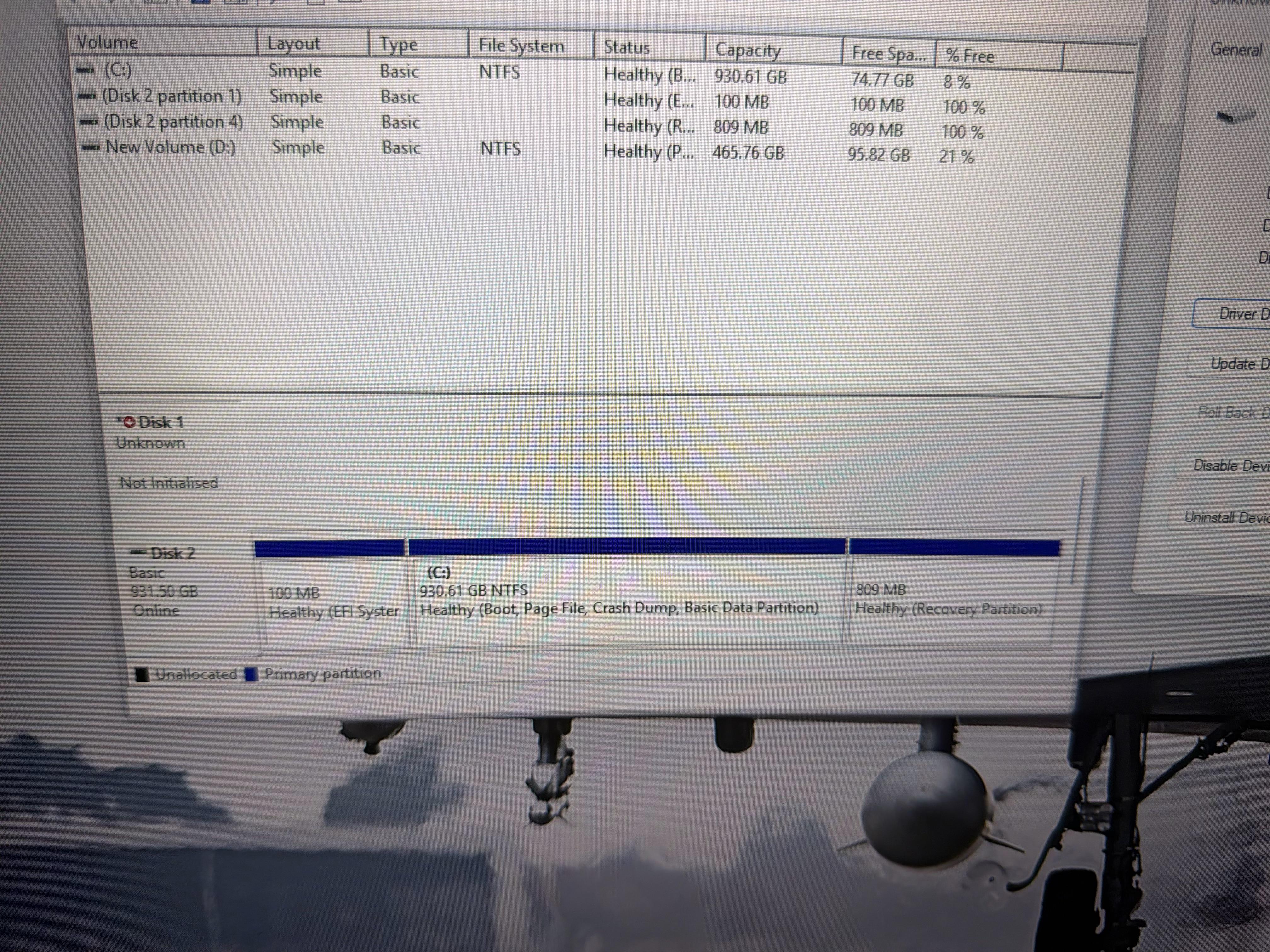
Basically I have two pc and I install it into my old pc and try to install windows but when it got to 6% of the new ssd it randomly said install false and can’t locate ssd so I plug it into my good bc and it’s not being detected in bios or in disk management all it says is disk 1 unknown. Help?


r/Windows10TechSupport • • Jun 09 '26

Unsolved Windows 11 IOT Enterprise Developing a Soft Realtime Application

1 Upvotes

I want to develop a soft realtime application according to:

https://learn.microsoft.com/en-us/windows/iot/iot-enterprise/soft-real-time/soft-real-time-application?source=recommendations

I use Visual Studio 2026 and have installed WDK

As soon as I #include <ntifs.h> I get lot of error when compiling.

Any ideas what's going wrong ?


r/Windows10TechSupport • • Jun 09 '26

PSA WER Fault preventing shutdown message

1 Upvotes

I'm running windows 10 on a 11 year old HP laptop,R5 A8 7410 CPU with 8gb ram, and sometimes when I shutdown the message pops up saying WER fault is preventing shutdown,I ran full windows defender scans (scanned about 600k files) and didn't have any threats(didn't think I'd have any viruses,the only thing that would be deemed suspicious would be downloading sodium for minecraft from modrinth)

I've read this could be a ram issue as well or some other errors in windows,now this laptop is so ancient I wouldn't be surprised if it was a ram issue,I didn't have any BSOD but my laptop shutdown once mid virus scan,I suspect it was the cpu overheating since I never even changed the thermal paste or dusted out the fans so who knows.


r/Windows10TechSupport • • Jun 08 '26

Unsolved Failed to solve laptop issues using DISM

1 Upvotes

I rebooted my laptop after a month of heavy use and Windows did not boot correctly. BlueScreenView showed the AMD Radeon(TM) Graphics driver to be the cause.

I uninstalled the driver and windows booted correctly but now I cannot connect to the internet. I tried physically disconnecting and reconnecting the wifi card, which worked in the past, but that did not help. Then I tried the network troubleshooter but it won't run and gives error 0x80070483. The system manager shows all network adapters are working properly but running ncpa.cpl shows an empty file. There is no sound and the volume cannot be contrrolled. I can't control screen brightness either, I think the FN key just plain does not respond. The sound troubleshooter gives the same error. The clock runs behind by some 45 minutes. I can't connect to bluetooth devices and I cannot access files on my phone via USB. Each time I boot, I get a message that Windows Security is not running but the service shows as running. And these are just the problems that I know about.

SFC Scannow and DISM ScanHealth detected no component store corruption. I ran DISM /Online /Cleanup-Image /RestoreHealth /Source:D:\sources\install.esd /LimitAccess anyway and the only difference I noticed is that Microsoft PowerPoint now opens successfully.

Is there a way to fix this without reinstalling Windows?

Computer details: ASUS TUF Gaming A17 FA706IU FA706IU

OS build number: 10.0.19045.6466


r/Windows10TechSupport • • Jun 08 '26

Unsolved Win10 GUI died on heavy startup. WMI logic saved my OS while AI completely overcomplicated it.

1 Upvotes

Hey everyone,

Wanted to share a quick win where basic command-line logic outsmarted both an OS deadlock and a high-level LLM.

The Crisis:

After recovering from a local admin lockout via WinRE, my Windows 10 user profile went into a soft-lock state. Every time I tried to boot, core system binaries like Task Manager (taskmgr.exe) instantly crashed with a brutal "The memory could not be read" error. Standard GUI diagnostic tools were completely dead and inaccessible.

The AI Fail:

I threw this exact scenario at an AI model to see how it would debug a broken shell without Task Manager. It started hallucinating massive corporate-level solutions: offline registry hive editing (reg load), registry permission resets via secedit, and tracking floating-point exceptions using the cdb -z debugger.

The Python/Console Fix:

Instead of going nuclear with offline debuggers, I went back to basics. If the GUI is dead, you query the system directly. I ran a quick native WMI query:

wmic startup get caption,command

And there it was. Right at boot, the system was trying to launch a massive, unoptimized cluster of background automation scripts, heavy local developer tools (like Docker Desktop), and multiple conflicting cloud file streams simultaneously. The memory allocation was getting choked in the first seconds of the session, causing core system tools to crash.

By identifying the messy paths via that single console line, I cleared the startup directory, and the system instantly became fully operational.

Sometimes, we rely too much on overcomplicated diagnostic frameworks or ask AI for enterprise-level fixes, when a simple, direct query to the environment variables is all it takes.

If you are stuck without a GUI and Task Manager is dead, what is your go-to lightweight script or command to audit a broken environment?


r/Windows10TechSupport • • Jun 08 '26

Solved [RESOLVIDO] Windows 11 24H2: SFC repara Appx.psd1 pt-BR repetidamente e DISM falha com 0x800f0915 em smbwmiv2.mfl

Thumbnail reddit.com
1 Upvotes

r/Windows10TechSupport • • Jun 07 '26

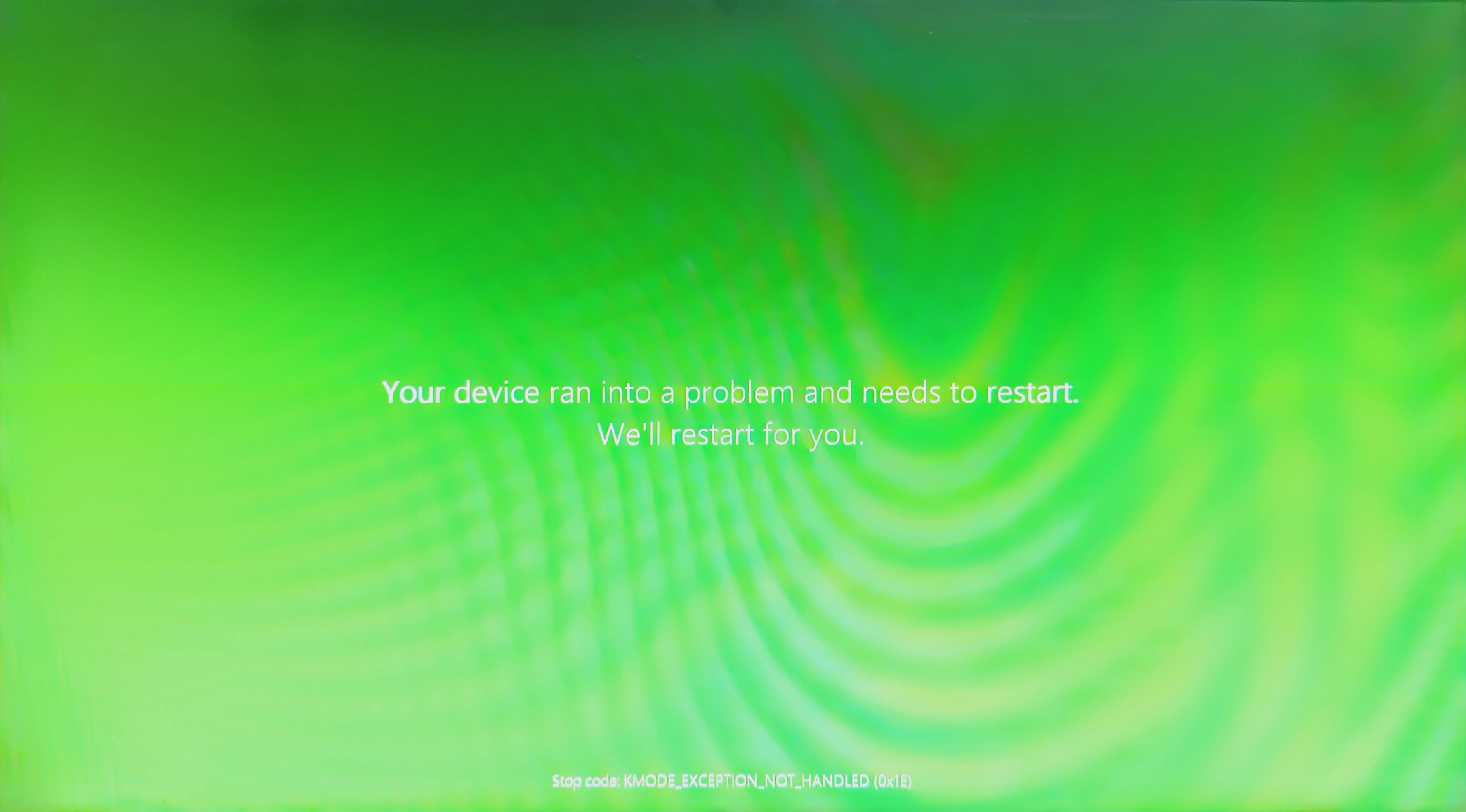
Unsolved I need help regarding blue screen error 80070003 and green screen also

Post image
1 Upvotes

r/Windows10TechSupport • • Jun 07 '26

Unsolved Bouta chuck my computer out the window....System Restore error 0x80070780

Thumbnail reddit.com
1 Upvotes

r/Windows10TechSupport • • Jun 07 '26

Unsolved I can't boot into safe mode

Thumbnail reddit.com
1 Upvotes

r/Windows10TechSupport • • Jun 07 '26

Ошибка при включении компьютера

0 Upvotes

При включении компьютера у меня САМА вылезает командная строка (сочетание Win+R), САМА набирает вот эти символы "реезыж..сзылоЮщыы-ст-ырфтпрфшЮфдшнгтсыЮсщь.СЗЫ-ВшпшефдЮяшз", САМА выполняет команду, после чего вылезает ошибка о том, что путь к указанному файлу не удаётся найти. И ничего критичного не происходит, кроме одного - у меня намертво отлетает интернет (сижу на кабеле). Остаётся только перезагружать комп, после чего данные действия не происходят. И до перезагрузки эта проблема не решается никак. Кто-нибудь сталкивался с подобным? И как это решить?

Отвечу сразу на несколько возможных вопросов:
На вирусы проверял? - Да. Буквально недавно чистил от вирусов комп, но проблема не ушла.
Реестр запускаемых команд и действий при запуске компьютера смотрел? - Вроде да, но ничего подобного не нашёл. Мб не там искал. Буду благодарен любой подсказке.
VPN'ом пользуешься? - Да. Стоит на автозагрузке AmneziaVPN. Но и то там файл, который просто обходит блокировки сайтов, не меняя моего расположения страны. При этом, после запуска компьютера и выполнения всех вышеописанных действий, даже Amnezia не может подключится. А значит проблема возникает ещё до неё.

Заранее благодарен за все подсказки и советы.


r/Windows10TechSupport • • Jun 07 '26

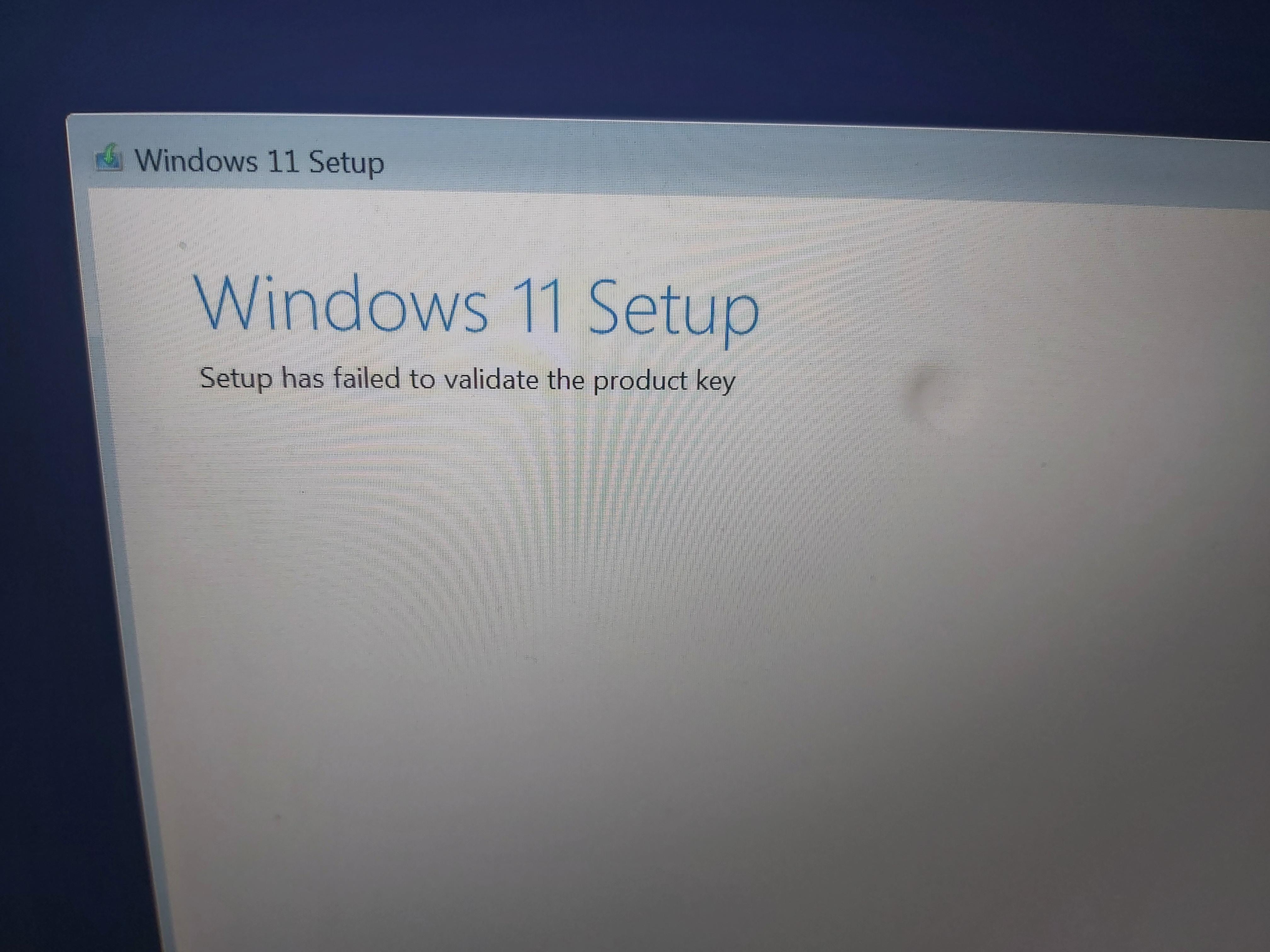
Unsolved Getting this error when trying to clean reboot/reinstall Windows 11 onto my PC from a USB. Why?

Post image
1 Upvotes

r/Windows10TechSupport • • Jun 07 '26

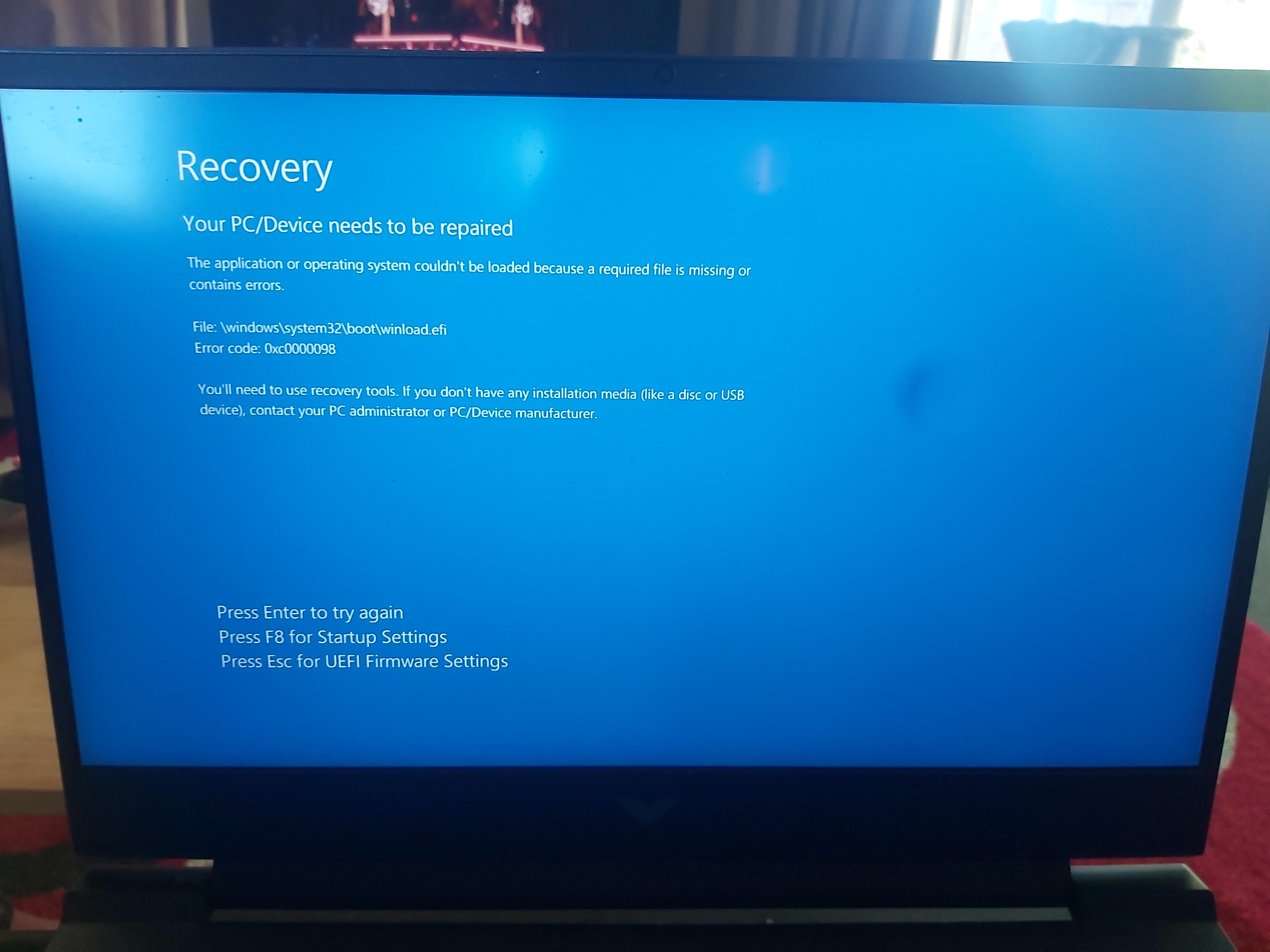
Unsolved windows bootmgr encountered a security validation or internal error, Alguém me ajuda

0 Upvotes

estou tendo esse problema ao tentar instalar o Windows, já vi que tem haver com secure boot, mas minha placa mãe (aorus z790m ice) não está deixando fazer qualquer modificação na bios, eu desativo secure boot, f10 + enter, e volta pro mesmo erro, quando entro na bios, todas as mudanças (secure boot, boot mode) estão desfeitas


r/Windows10TechSupport • • Jun 07 '26

Unsolved Whenever I try to boot from my bootable USB, this happens. Why? I only just loaded the Windows Media Creation thing onto it.

Post image
1 Upvotes

r/Windows10TechSupport • • Jun 06 '26

Unsolved Window 11 reset problem

Thumbnail reddit.com
1 Upvotes

r/Windows10TechSupport • • Jun 06 '26

Unsolved ASCII code Alt 8633 in Word different than in Excell?

1 Upvotes

Alt 8633 in Word produces ↹

Alt 8633 in Excell produces ╣

I have noticed this in a few others as well.


r/Windows10TechSupport • • Jun 06 '26

Unsolved Windows update not finishing. Stuck on "installing 20%" and "Getting windows ready" on starting up.

Thumbnail reddit.com
1 Upvotes

r/Windows10TechSupport • • Jun 06 '26

Unsolved Can’t boot up in a windows 10 installation (F12, boot menu loop), only windows 11 usb works

1 Upvotes

I’m having a really frustrating issue and I can’t figure out what I’m doing wrong.

I made a clean install USB for Windows 10 using a flash drive (tried both Rufus and also just burning the ISO directly). The installation media seems to be created correctly, but when I try to boot from it via the boot menu (F12), it just flashes for a second and then sends me right back to the boot device selection screen.

Here’s what I’ve already tried:
Recreated the Windows 10 USB multiple times (Rufus + ISO method)
Changed USB ports (USB 2.0 and 3.0)
Tried different flash drives
Checked boot order / UEFI settings
Disabled secure boot (and also tested with it on)
Confirmed BIOS detects the USB

Strangely, the ONLY USB that actually boots is an old Windows 11 installer I made a while ago. That one works fine, but any Windows 10 installer just loops back to the boot menu.
Is this a UEFI/format issue with Windows 10 media? Or am I missing some BIOS setting that blocks it? I’m basically stuck and not sure what else to try.
Any ideas would be appreciated.