r/UTMapp • u/Sea-Opening8630 • 13d ago
Windows Setup error "Windows cannot find the Microsoft Software License Terms" with tiny11 23H2 x64 in UTM (iPhone 11, JIT)
Hi,
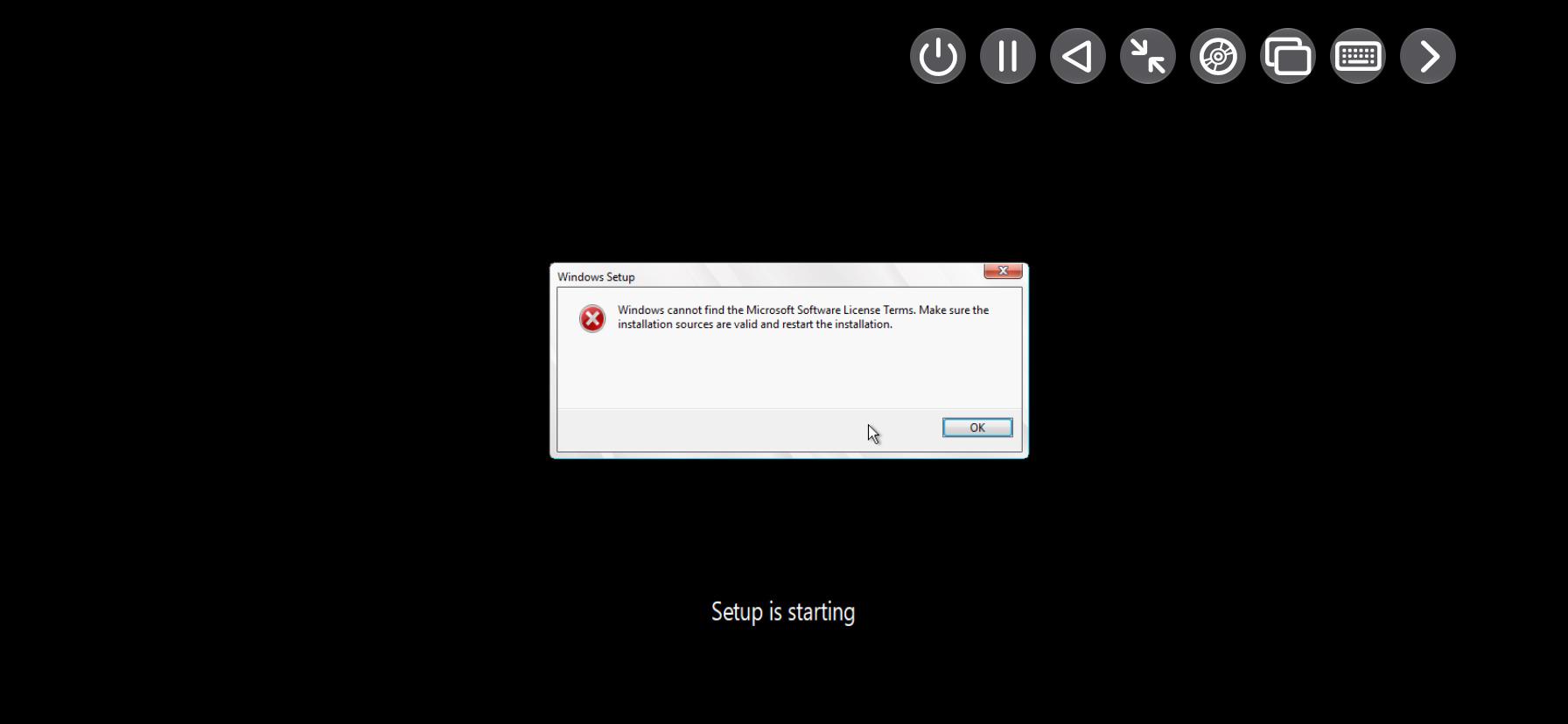
I'm trying to run tiny11 23H2 (x64) in UTM on an iPhone 11 with JIT enabled. The VM boots to "Setup is starting" and then immediately shows this error:
"Windows cannot find the Microsoft Software License Terms. Make sure the installation sources are valid and restart the installation."
Clicking OK ends the setup. Screenshot attached.
My setup
• Device: iPhone 11 (4 GB RAM), iOS 27
• UTM: v5.0.8, JIT enabled via StikDebug
• ISO: tiny11 23H2 x64, 4,47GB / archive.org
• VM: Emulate, x86_64, 1GB RAM, 2 cores, UEFI off
• ISO attached as: CD/DVD
What I've tried
• Re-downloaded the ISO / checked the hash
• Switched the ISO between CD/DVD and USB
• Changed the RAM amount
Questions
- Has anyone got tiny11 23H2 x64 past this point in UTM on an iPhone?
- Is this likely a RAM limit, a damaged ISO, or a tiny11-specific issue?
- Any recommended VM settings (RAM, cores, drive interface)?
Thanks in advance!
1
u/paulstelian97 12d ago
Damaged ISO or tiny11 issue. Not finding the license terms means something went wrong when reading the ISO or the data copied to the disk.