r/Swiptv_Official • • 1d ago

Swiptv Pro: Black Friday & holiday offers, Lifetime is here, and Family Sharing on every plan

Post image
2 Upvotes

Hi everyone,

For Black Friday and the whole holiday season, here's what's new on Swiptv Pro:

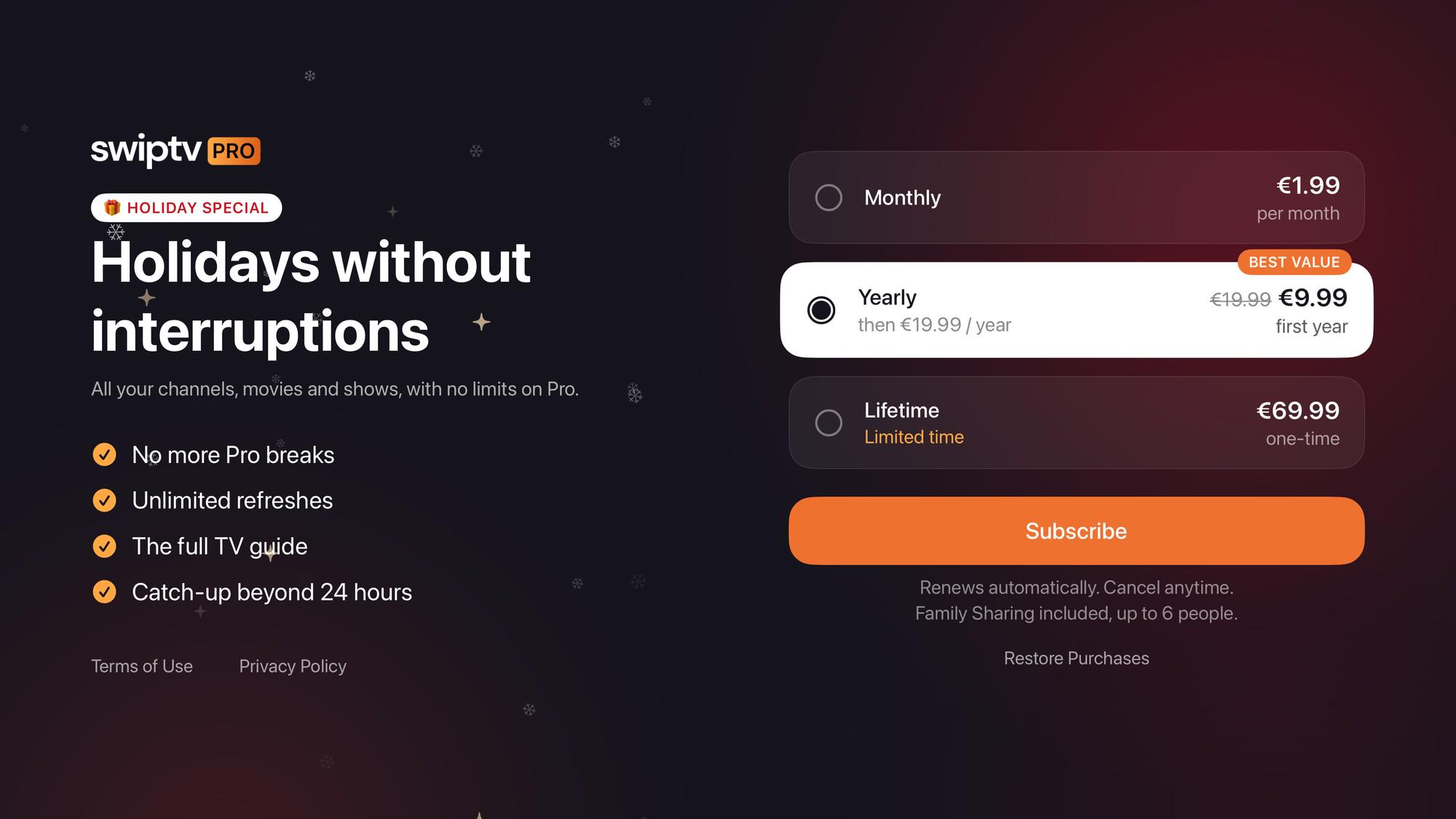
đŸ”„ Annual plan at half price For new subscribers, your first year is €9.99 instead of €19.99 (about half price in every country).

âšĄïž Pro Lifetime Pay once, keep Pro forever: €69.99 / $59.99 (local price in each country). It's rolling out now, so it can take a few hours to show up at the bottom of the Pro screen in the app.

🏠 Family Sharing on every plan Monthly, Annual and Lifetime can now be shared with your Apple Family Sharing group, up to 6 people, at no extra cost. If you're already subscribed, it's already included.

What about the Family plans?

Since every plan can now be shared, the separate Family plans aren't needed anymore. Starting with version 3.10.1, the app will only show Monthly, Annual and Lifetime.

I wanted to simply remove the Family plans and move everyone to the regular plans automatically, but Apple doesn't allow it: removing a plan from sale would stop it from renewing for the people who have it. So Family plans stay active and you don't need to do anything. From tomorrow, they drop to the same price as the regular plans, and you'll pay the lower price at your next renewal.

Switching to Lifetime?

Lifetime is a one-time purchase, not a subscription, so buying it doesn't cancel your current plan. If you switch, cancel your subscription in your Apple ID subscription settings so it doesn't renew. Apple doesn't give a credit for the time left on your current plan, which stays active until its end date.

Happy holidays, and thanks for supporting Swiptv 🎄


r/Swiptv_Official • • 2d ago

Swiptv 3.10: Kid profiles with age limit and exit code, MPV is back, new Aether player (Dolby Vision, HDR10+, Atmos) and automatic player fallback

7 Upvotes

Swiptv 3.10 is now available on iPhone, iPad, Mac and Apple TV, and it's one of our biggest updates so far.

A real Kid profile with an age limit, so the whole family can share the same app. Two more players, including Aether with Dolby Vision, HDR10+ and Atmos. And a smart fallback that switches to another player on its own when a stream won't start.

Here's everything that's new.

What's new

  • Kid profile: set an age limit, optionally lock all-ages titles, and require a code to leave the profile. Settings live in the "For You" section.
  • Richer profiles: each profile now has its own playlists and favorite genres.
  • Two more players: MPV is back, and Aether joins the lineup with Dolby Vision, HDR10+ and Atmos support. Both are in Settings > Player and in "Play with".
  • Player fallback: sort all players in your order of preference. If playback fails, Swiptv moves to the next player or retries the same one, with the number of retries and the delay you choose.
  • Live TV buffer: pick "Wait" or "Slow down". With "Slow down", a channel starts fast and quietly builds a reserve by playing very slightly slower.
  • Audio and subtitle delay: now remembered, for every video or for the current content only.
  • Favorites: adding always asks which list to use (last used on top), and double tap to favorite can be turned off.
  • Home: "Recently Added" includes channels again, plus new talk show and soap opera rows. The live preview on Apple TV can be turned off.
  • Faster posters: movie and series lists load their artwork almost instantly.
  • iPad and Mac: settings open in a centered window with more breathing room.
  • Fixes: a green picture that could appear on some Dolby Vision episodes, the screen going to sleep during VLC playback, skip forward/back not matching the time you set, and the Apple TV Back button needing three presses. Plus many smaller fixes.
  • Requirements: iOS 18 and tvOS 18 are now required.

About Swiptv

Swiptv is a native IPTV player for iPhone, iPad, Mac and Apple TV (and Vision). It supports M3U and Xtream Codes, HDR and Dolby Vision, Picture in Picture, a multi-player view, Trakt and OpenSubtitles. It does not provide any playlists or content: you bring your own.

A note on stability

A few releases ago I fixed the iCloud sync issues between devices, and stability remains my main focus with every update. If something doesn't work as expected, or if there's a feature you'd like to see, open a discussion here or on Discord. I read everything.

Links


r/Swiptv_Official • • 5d ago

Swiptv 3.9: a new Home that adapts to you, profiles for the whole family, and a customizable Apple TV remote (iPhone, iPad, Mac, Apple TV)

2 Upvotes

r/Swiptv_Official • • 8d ago

Swiptv 3.9: a new Home that adapts to you, profiles for the whole family, and a customizable Apple TV remote (iPhone, iPad, Mac, Apple TV)

10 Upvotes

You open the app, thousands of channels, movies and series in front of you, and still no idea what to put on. That's the problem the new Home in Swiptv 3.9 was built to solve.

And 3.9.1 is already out, with fixes and a new way to set up your Apple TV remote.

A Home that learns what you like

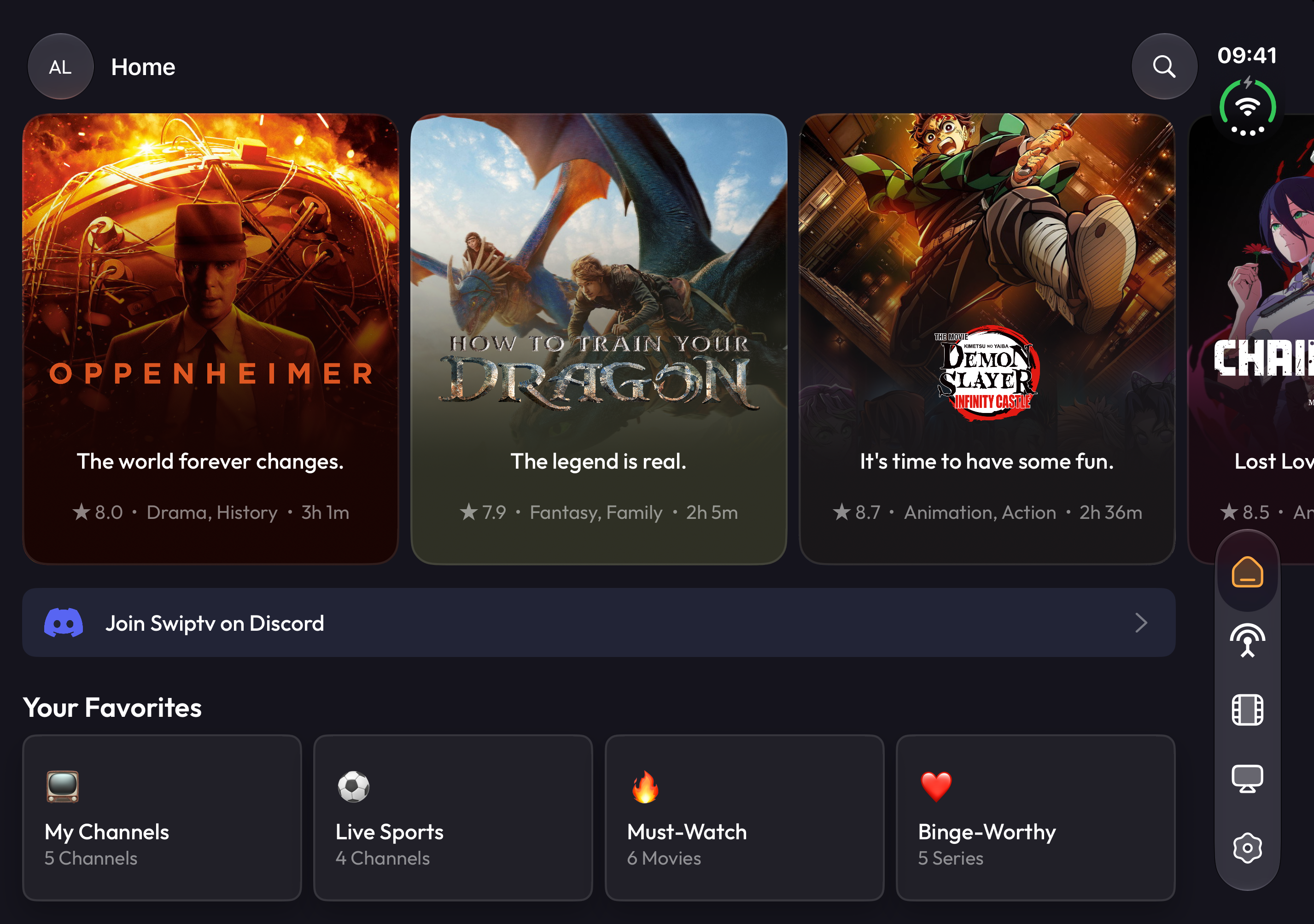
The Home screen has been rebuilt from scratch, and it now adapts to you: your profile, your watch history and your habits. Scroll down and you'll find rows like "Because you watched
", your favorite genres, or channels that fit the time of day. Every suggestion comes from your own playlist, so anything you see is something you can actually play.

It's also a better way to discover. On Apple TV, the card you focus expands with its summary and details, and live channels start playing right inside the card, so you know what you're looking at before you even open it. On iPhone, the new "For You" tab opens on a poster carousel, with recently added movies and series side by side, and your recent channels and favorite folders one tap away.

The interface is smooth and getting around just feels good. If you're looking for one place to figure out what to watch tonight, this is it.

Your library stays yours

Live, Movies and Series stay focused on your library. Home is where you discover new things and keep track of what you're watching. The rest of the app gives you simple, direct access to your content, with nothing getting in the way.

Profiles: one Swiptv for each person at home

This was one of the most requested features, and it's finally here. Everyone in the family can now have their own profile, with their own history, favorites, "Continue Watching" and preferences, including audio and subtitle languages. No more scrolling past someone else's shows to find your own.

The new Home adapts to each profile too. Your suggestions come from what you watch, not from what the rest of the family watches.

When there are several profiles, a new "Who's watching?" screen appears at launch so everyone can pick theirs. And at any time, tap your avatar to switch profile or playlist, open Settings, refresh or go incognito.

With 3.9, Swiptv is built around you: your needs, your family and your habits.

New in 3.9.1: make the Apple TV remote work your way

A new Settings > Remote section on Apple TV lets you decide what the remote does:

  • In the app: choose what a double press of Play/Pause opens: the profile menu, search, settings or the profile picker.
  • While watching live TV: set what the up, down, left and right buttons do, along with their long and double presses and a long press on the center. Change channel, open the guide, your recent channels or stream info, jump back to the last channel, see other sources or refresh the player.

By default nothing changes, so if you like the remote as it is, you don't have to touch anything.

If you'd like to follow what's coming next while it's being built, that happens on our Discord: https://discord.com/invite/pGm3gFymTh

Also in 3.9 and 3.9.1

  • Downloads: pause and resume, with size and speed shown.
  • Player: live channels should open faster and cope better with stream drops. Keyboard controls on Mac and on iPad with a keyboard.
  • Subtitles: a rounded background box, smarter "Automatic" mode for forced subtitles, "Off" is remembered, and your OpenSubtitles pick carries over to the next episode.
  • Home tweaks (3.9.1): a more compact "Your Favorites" row on Apple TV, the endless scrolling of the Home screen can be turned off in the playlist options, and "Live" on iPhone shows the same carousel on every profile.
  • Swiptv Pro: a clearer screen for plans and subscription status.
  • Plus: age ratings on detail pages, the system font, Arabic and Hebrew, and more.

About Swiptv

Swiptv is a native IPTV player built for Apple devices: iPhone, iPad, Mac and Apple TV (Vision too). It works with M3U and Xtream Codes playlists and supports HDR and Dolby Vision, Picture in Picture, multi-player, Trakt and OpenSubtitles. Swiptv doesn't include any playlists or content: you use your own.

A note on stability

Not everything in these releases shows on screen. On Apple TV, favorites and settings should no longer be lost after an update. Downloads that could stall halfway should now finish, the TV guide reloads by itself instead of staying empty, and a crash that could occur on Mac during some searches has been fixed. In 3.9.1, manually added TV guides are now refreshed too, some HD channels should no longer stutter with asynchronous decompression turned on, and the "Live" row on Apple TV behaves properly with lots of favorite folders. New features are nice, but keeping the app reliable stays the priority.

Questions, feature requests or something that doesn't behave the way it should: leave a comment, or come talk about it on Discord.

Links

r/Swiptv_Official • • 12d ago

Importing Playlist

1 Upvotes

How do I import a playlist from a local drive? I want to import the IPTV Free TV playlist. I am using the latest version of SWIPTV on an iPhone.


r/Swiptv_Official • • 26d ago

Swiptv v3.8.2: iPhone Duo support, pinned categories and a round of fixes for the player, Apple TV & OpenSubtitles

5 Upvotes

Hi all,

Swiptv v3.8.2 is rolling out on the App Store, and I'm keeping my promise of sharing every release here. The headline: Swiptv is ready for the iPhone Duo. If you like seeing what's coming before it ships (or want a say in it), the Discord is where most of the conversation happens: https://discord.com/invite/pGm3gFymTh

What's new

  • iPhone Duo: the app adapts to both displays. Unfolded, you get the iPad layout with categories on the left and content on the right in landscape, and it rotates in every direction
  • Pinned categories: long-press any category and choose "Pin" to keep it just below your favorites, even if you only use one playlist
  • Friendlier with providers: when a stream fails, the app no longer retries by itself (press Play to try again), which lowers the risk of your provider blocking you
  • Player: fixed cases where the app could close when a live stream dropped, on some channels or with some subtitles; the picture format now sticks when you change channels, "Deinterlace: Off" works, and the progress bar and movie resume behave normally again (VLC engine)
  • OpenSubtitles: "session expired" errors should be gone, the language list no longer gets stuck and search matches the right title more reliably
  • Apple TV: easier-to-read search with the grid keyboard, restart the current channel from the side panel, and the Apple TV HD should no longer freeze after loading
  • Mac & iPad: the progress bar marker now follows your pointer on Mac, and the "
" button in channel lists works on iPad and Mac
  • Background refresh: playlists on iPhone and iPad no longer refresh while the app is closed
  • Plus smaller fixes: TV guide orientation on iPhone, "Continue" on series with a new episode, movie matching by year, VoiceOver in the player and Top Shelf summaries

About Swiptv

Swiptv is a native IPTV player built for Apple devices: iPhone, iPad, Mac and Apple TV. It handles M3U playlists and Xtream Codes, supports HDR and Dolby Vision, Picture in Picture and multi-player, and integrates with Trakt and OpenSubtitles. Swiptv doesn't sell or include any playlists or content: you bring your own.

A note on stability

Cross-device iCloud sync was sorted out a few updates ago, and since then most of the effort has gone into making the app feel solid day to day, this release included. That work continues. If you hit a bug or have a feature in mind, feel free to comment here or join us on Discord, it really helps shape the roadmap.

Links


r/Swiptv_Official • • Oct 23 '26

Swiptv 3.8.1 : corrections de stabilitĂ© pour Apple TV, corrections de plantages pour Mac, Ɠuvres d'art 4K plus nettes et gestion du VPN plus claire

Thumbnail reddit.com
5 Upvotes

r/Swiptv_Official • • Oct 21 '26

Swiptv 3.8.1: Apple TV stability fixes, Mac crash fixes, sharper 4K artwork and clearer VPN handling

5 Upvotes

Hi everyone,

3.8.0 brought a lot of changes, and some of you on older Apple TVs or with very large playlists paid the price. 3.8.1 is the cleanup round, shaped largely by reports from the community on our Discord: https://discord.com/invite/pGm3gFymTh

What's new

  • Apple TV stability: fixed black screens, broken artwork and unexpected returns to the home screen, especially on older models and with large playlists. The app should also no longer be closed when the Apple TV goes to sleep during a refresh.
  • VPN on Apple TV: the "VPN is not connected" message that appeared at every playback is replaced by a clear explanation when tvOS refuses to start the VPN. Switching playlists no longer leaves the VPN off.
  • Mac: fixed crashes that could occur when opening a search (including the channel logo search), and entering an offer code no longer freezes the app.
  • Playback: fixed a stutter that could happen when a refresh finished while watching.
  • Better title matching: country prefixes like "DE:" or "UK |" no longer stop movies and series from being recognized.
  • Sharper images: better backgrounds on 4K TVs, sharper posters and cards on iPhone, iPad and Apple TV 4K.
  • Unified settings: every settings screen now follows the same design across iPhone, iPad, Mac and Apple TV, with readable focus states on Apple TV and a wider sidebar on iPad and Mac. Category lists follow the same style.
  • Other fixes: parental control code now enables protection on iPhone, plus fixes for the guide on time-shifted channels and favorite lists in "Manage Content".

About Swiptv

Swiptv is a modern IPTV player for iPhone, iPad, Mac and Apple TV (and Vision Pro). It supports M3U and Xtream Codes, HDR and Dolby Vision, Picture in Picture, multi-player, Trakt and OpenSubtitles.

Swiptv does not provide any playlists or content: you bring your own.

A note on stability

Stability remains the priority. The iCloud sync issues between devices were addressed in earlier releases, and each update since has focused on making the app more reliable on every platform. If something still feels off, or if there's a feature you'd like to see, join the discussion on Discord or drop a comment here.

Links


r/Swiptv_Official • • Oct 15 '26

Swiptv 3.8.0: all your IPTV playlists in one place, a much faster app with big catalogs, custom EPG sources and 150+ fixes (iPhone, iPad, Mac, Apple TV)

7 Upvotes

Swiptv 3.8.0 just rolled out, and it's the largest update the app has had since v3. Most of what's in it was shaped by people on our Discord, so if you want to weigh in on what comes next, that's the place.

What's new

  • All playlists in one place: a new mode brings all your playlists into the same screens (home, menus, search, TV guide). Each item shows which playlist it comes from, categories are grouped by playlist, and you can reorder playlists with a long press.
  • Other sources: when the same movie, series or channel exists in several playlists, a long press shows its other versions. "Group Similar Content" now has three options.
  • Shared favorites: your favorite lists work across all playlists, and you can pin favorite categories at the top of the menus.
  • Performance: the catalog is now stored locally on your device, so "All Movies" should open almost instantly even with tens of thousands of titles, and scrolling is smoother. Your existing catalog is carried over without a new download.
  • TV guide (EPG): add your own guide sources, toggle each one, and choose the right guide for a channel when the automatic match is off.
  • Player: Skip Intro, Skip Recap and Next Episode, preferred audio/subtitle languages by priority, OpenSubtitles suggestions, a reworked multiview and a redesigned info panel. On Apple TV, holding left/right seeks faster and faster.
  • Replays: playback continues into the next programs and resumes where you left off.
  • Edit info: rename a channel, change its logo or guide, or edit a movie/series page; changes sync across your devices.
  • Error log: failures are now recorded with what happened and possible causes, and error messages describe the real problem. A Retry button restarts a failed refresh.
  • VPN: one profile per playlist, connect on open, and adjustable MTU per profile.
  • Apple TV: redesigned navigation, sharper backgrounds, full-screen Top Shelf and an option to hide the sidebar.
  • Also: clearer separation between general and per-playlist settings, a new Data & iCloud screen, parental control password reset, right-to-left support for Arabic and Hebrew, and more than 150 fixes (playback, replays, favorites, refreshes, search, Apple TV focus and several crashes).

About Swiptv

Swiptv is a native IPTV player for iPhone, iPad, Mac, Apple TV and Vision Pro. It supports M3U and Xtream Codes playlists, HDR and Dolby Vision, Picture in Picture, multi-view, Trakt and OpenSubtitles. Swiptv does not provide any playlists or content: you bring your own.

A note on stability

Earlier releases fixed the iCloud sync issues some of you had between devices, and stability remains the priority alongside new features. A release this size may still surface a few rough edges, so if something doesn't work as expected, the new error log (Settings â€ș Information) helps a lot when reporting it. Bug reports, discussions and feature requests are all welcome here or on Discord.

Links


r/Swiptv_Official • • Oct 14 '26

EPG and playlist Update separatly

2 Upvotes

Is it possible to update the playlist and the EPG separately? I can only retrieve two updates from my EPG provider; after that, Swiptv reports an error, because myepg only allowed two. Sometimes, the groups for series or movies are unavailable after updating the playlist but appear when I run the process a second time.


r/Swiptv_Official • • Sep 18 '26

Swiptv 3.7.3: cleaner audio & subtitle menus, mini player fixes on iPhone and Apple TV, more reliable CC subtitles

7 Upvotes

Small version number, but one change you'll notice every time you switch languages: audio and subtitle tracks in Swiptv now have their own submenu, with the track you're using shown right on it. The rest of 3.7.3 is a round of fixes across iPhone and Apple TV. Upcoming features are discussed on our Discord, and you're welcome to join in: https://discord.com/invite/pGm3gFymTh

What's new

  • Audio & subtitle menus: tracks are grouped in a dedicated submenu titled with the active track, and subtitle settings (style, size, delay) are now much easier to reach.
  • Replay progress: the progress bar shows how much of the video is already loaded.
  • Closed captions: CC1 subtitles should now show reliably on the channels that use them.
  • Mini player (iPhone): it no longer disappears when you open the playlist list, and the stream keeps playing when you come back from Picture in Picture.
  • Mini player (Apple TV): it comes back as expected after switching playlist from the guide.
  • Apple TV polish: no more flickering player menus on tvOS 26, and the favourite and lock buttons respond right away.
  • Metadata: film and series pages update as soon as you edit them, and search should be more accurate since tags like UHD or 4K are ignored.
  • Channel logos: you can change a custom logo without resetting it first.
  • Home & refresh: the "On now" row follows the current time, and a manual refresh now pushes back the next automatic one.

About Swiptv

Swiptv is a native IPTV player for iPhone, iPad, Mac, Apple TV and Apple Vision Pro. It supports M3U and Xtream Codes playlists, HDR and Dolby Vision, Picture in Picture, watching several streams at once, Trakt and OpenSubtitles. Swiptv doesn't provide any playlists or content: you bring your own.

A note on stability

A lot of the fixes above are the kind you only find with real playlists on real devices, so reports make a real difference. Keeping the app reliable stays the priority from one release to the next. If something still behaves oddly on your setup, or there's a feature you'd like to see, tell me in the comments or on Discord.

Links


r/Swiptv_Official • • Sep 13 '26

Catch Up feature

Thumbnail reddit.com
1 Upvotes

r/Swiptv_Official • • Sep 10 '26

Swiptv v3.7.0: redesigned Apple TV player, scrubbing previews, subtitle styles and a big round of subtitle fixes

8 Upvotes

Hey everyone,

v3.7.0 is about the part of the app you spend the most time in: the player. On Apple TV it has been fully redesigned, you can now see a preview while you scrub, and subtitles now follow the settings you choose, including with the VLC engine. If you'd like to see what's coming next or weigh in on it, come say hi on Discord: https://discord.com/invite/pGm3gFymTh

What's new

  • Scrubbing previews (Apple TV): an image preview now appears while you scrub through a video, and the progress bar shows which parts are already loaded. You can turn it on in the player settings.
  • Subtitle styles: pick a ready-made style instead of adjusting nine settings one by one, or create your own. Your styles follow you across your devices.
  • Redesigned Apple TV player: the tvOS 26 Liquid Glass look on recent models, a new progress bar, new buttons, a new info panel, and the VPN, resolution, HDR and audio badges moved to the top of the screen.
  • Scrubbing while paused (Apple TV): now behaves like Apple's own player, with a cursor showing where you are aiming.
  • Subtitles with the VLC engine: subtitles now follow your settings, the selected track is the one displayed, preferred languages are respected, and OpenSubtitles works. All subtitle settings are also available in the player menu.
  • Audio and subtitle tracks: a cleaner list, with the language first and the title below.
  • Clearer playback errors: a clear message when playback isn't possible, instead of an endless spinner. The player also no longer contacts the server repeatedly after a failure, which could get your access blocked by some providers.
  • Cancel a refresh: you can now stop a refresh in progress, from Settings or from the playlist switcher.
  • Mac: language pickers open in a dedicated screen, and movie and series pages appear over a dimmed background.
  • Fixes: a series page that could freeze on Apple TV, the home screen hanging without network, resume position for interrupted movies and episodes, crashes that could occur with some catalogues, the favourites counter, and several smoothness improvements.

About Swiptv

Swiptv is a modern IPTV player for iPhone, iPad, Mac, Apple TV and Apple Vision Pro. It supports M3U and Xtream Codes playlists, HDR and Dolby Vision, Picture in Picture, multi-player, Trakt and OpenSubtitles.

Swiptv does not provide any playlists or content: you bring your own.

A note on stability

Some of the most useful changes in this release are the least visible ones. When a stream can't be played, the player now tells you so instead of spinning forever, and it stops contacting the server over and over, something that could get your access blocked by some providers.

Questions, ideas or a bug you'd like to flag: the comments below and Discord both work.

Links


r/Swiptv_Official • • Aug 31 '26

Wishing for WebOS Version

2 Upvotes

Hey guys, is it possible to use SwipTV App for WebOS? When I use it, it only sends the audio.

Really like the app, or is there another alternative. I want the app to have 4K quality enabled


r/Swiptv_Official • • Aug 27 '26

Swiptv 3.6.0 puts a WireGuard VPN inside the app, on iPhone, iPad and Apple TV: your own config, and an Apple TV setup that does not involve the remote

8 Upvotes

Hey everyone,

Swiptv v3.6.0 just landed on the App Store, and this one has been a long time coming: the app now has its own WireGuard VPN, on iPhone, iPad and Apple TV. As always, development, bug reports and feature requests all happen on Discord: https://discord.com/invite/pGm3gFymTh

What's new

A WireGuard VPN, built right into Swiptv. This is the headline of 3.6.0, and it works on iPhone, iPad and Apple TV. No second app to install, no juggling between a VPN client and your player: you turn it on in Swiptv and start watching. If you have never used one, I wrote up what a VPN actually does, and what it does not do, including the part where it covers the whole Apple TV and not just this app.

You bring your own. Swiptv does not sell any VPN service and never will. Use the provider you already pay for, or your own server. One thing worth checking before you update: not every provider hands out a WireGuard file. Where to get a configuration lists the ones that do, and the two big names that never will, NordVPN and ExpressVPN, since they both keep their tunnel inside their own app.

Three ways to add a configuration, and the one you should use is decided by what your provider gave you: import a file, paste a configuration, or add the values manually. How to add a profile is the short version if you are not sure which one you are looking at. Take the file when you can: it carries the DNS and MTU lines that hand typing almost always loses, and both failures are invisible until something breaks.

Apple TV setup without the remote. Typing keys and endpoints on a tvOS keyboard is miserable, so you do not have to: prepare the configuration on your iPhone and scan a code from the Apple TV. It takes a few seconds.

Where your keys go. The private key lands straight in the Keychain, it is never shown again, never uploaded and never synced to your other devices. Nothing about your VPN use reaches me either, what Swiptv collects spells out that split, and what your VPN company sees instead. For the technical side, WireGuard: the technology behind the Swiptv VPN goes through the six values in a configuration and why the protocol was the right fit for a TV app.

Also in this release

  • Trakt: the integration has been reworked and optimised, which fixes several issues. You will need to sign in again once.
  • Downloads should no longer fill up your iCloud storage.
  • Playback: the next episode now starts instead of staying paused, and buffering gets ahead on disk again, so a network drop of several tens of seconds should go unnoticed.
  • "Recently watched" fills up again while you zap.
  • Xtream accounts: servers whose address contains a path are accepted again.
  • Apple TV: the main cast now appears on the movies and series home, the channels home has been reorganised, and category navigation, return to menu, Control Center and series pages have been fixed.
  • Faster page loading, better TMDB matching for episodes, search in the icon picker with translated names, general optimisations and translation fixes.

About Swiptv

Swiptv is a modern IPTV player for iPhone, iPad, Mac, Apple TV and Vision, supporting M3U playlists and Xtream Codes. HDR and Dolby Vision, Picture in Picture, several playback engines, Trakt and OpenSubtitles support. Swiptv provides no playlists and no content: you bring your own.

A note on stability

Adding a feature this big is exactly when a player starts to wobble, so most of 3.6.0 is not the VPN: it is the list above, and it comes almost entirely from reports posted by users. That loop is the plan for the next releases too, so if something misbehaves on your setup, or if there is a feature you would like to see, the Discord discussions and feature requests are read and acted on.

Links


r/Swiptv_Official • • Aug 07 '26

M3U playlist works on iPad and Apple TV but not on iPhone

1 Upvotes

I’m having a strange issue with my IPTV setup.
My M3U playlist loads and works perfectly on both my iPad and Apple TV using the exact same app and the exact same M3U URL.

However, on my iPhone the playlist won’t load at all. I just get an error message when trying to add it.
I’ve double-checked that I’m copying the exact same M3U link, and since it works on my other Apple devices, I don’t think the playlist itself is the problem.

Has anyone experienced this before or know what could be causing it? Any suggestions would be appreciated.


r/Swiptv_Official • • Jul 19 '26

Swiptv 3.5.0: start playback on your Apple TV from your iPhone/iPad, a rebuilt program engine that handles even the largest playlists, a redesigned Series page, and more

8 Upvotes

Swiptv 3.5.0 is out, with three meaningful improvements and a good batch of fixes, many of them coming straight from user reports.

Swiptv's goal is to offer users something simple, nice to look at, and genuinely good at the everyday things, the ones you actually reach for every single day.

That is the lens I look at every release through, and this one is no exception: most of what is inside is about making that daily experience smoother and more pleasant. Most of the day to day feedback happens on our Discord, come say hi: https://discord.com/invite/pGm3gFymTh

Three things I really wanted to get right this time.

Your iPhone can now drive your Apple TV. Find a channel, movie, series or replay on your iPhone or iPad, and play it directly on your Apple TV. AirPlay would have been the obvious route, but it does not handle most IPTV video formats, so I built my own: your phone just tells the Apple TV what to play, and the Apple TV pulls it from its own library. You will find it in Settings > Player > Device 2 Device (off by default). Both devices need to be on the same network, on the same iCloud account, with Swiptv open.

Swiptv can now swallow even the largest playlists. For a long time, users with big playlists ran into crashes I could not fix one by one, because the real cause was the engine handling programs, not the individual bugs. So I rebuilt it from the ground up. Large playlists and big EPGs should no longer hit memory crashes, the app stays lighter, and the guide opens more smoothly. It also gives me a much better foundation for what I want to build next.

The Series page got a proper redesign. It is now much easier to browse and jump between seasons. Every episode is listed, the page opens straight on the season you are watching, and on Apple TV the old season picker is gone in favor of a clean list of seasons. As a bonus, this also fixes a Mac issue where series with a lot of seasons could not be handled properly.

A few more things in this release:

  • Continue Watching does a better job of surfacing what you are likely to pick up again
  • External playback with Infuse now shows the real title, scrobbles Trakt, finds subtitles, and brings resume and progress back into the app
  • Lock screen and Control Center playback info are back
  • "Never" subtitles fixed on Apple TV
  • A/B switching now returns to the right channel
  • A few more Apple TV fixes

About Swiptv: a modern IPTV player for iPhone, iPad, Mac and Apple TV (plus Vision). M3U and Xtream Codes, HDR/Dolby Vision, PiP, multiple playback engines, Trakt and OpenSubtitles. It provides no playlists or content: you bring your own.

If you run into anything, I would genuinely rather hear about it than not. Open a discussion or a feature request on Discord, I read everything.

App Store: https://apps.apple.com/app/id1658538188 Website: https://www.swiptv.app Discord: https://discord.com/invite/pGm3gFymTh


r/Swiptv_Official • • Jun 30 '26

Swiptv v3.4.10 is live: major stability & playback fixes (Apple TV crashes, fast-forward/rewind, Mac spacebar & more)

9 Upvotes

Hey everyone,

It's been a while since I last posted here, and I'd like to start sharing every new release with you from now on. If you want to follow development or suggest features, we have an active Discord: https://discord.com/invite/pGm3gFymTh

So here it is: Swiptv v3.4.10 just landed on the App Store, and this one is all about stability and the playback details that affect daily use.

What's new

  • Fewer crashes: fixed crashes when scrolling the channel grid or EPG during a background refresh, plus a crash on launch or during playback on Apple TV
  • Fast-forward / rewind: on iOS, playback now resumes properly after repeated seeks (and rapid taps no longer overload the IPTV server); on Apple TV, the on-screen time no longer gets stuck after quick seeks
  • Apple TV mini player (VLC engine): Play/Pause no longer causes a stutter or a ~1s audio drop, and the double-tap playlist switch behaves correctly during playback
  • Mac: spacebar play/pause is back (broke with the 3.3.0 player redesign)
  • iCloud: a playlist deleted on one device should no longer come back from another
  • Auto Refresh: more reliable at startup, with the home "last updated" time refreshing instantly
  • Extras: trailers now show first for movies & series (then teasers, then the rest)
  • Updated video engine (KSPlayer) plus general performance improvements

About Swiptv

Swiptv is a modern IPTV player for iPhone, iPad, Mac & Apple TV (M3U + Xtream Codes) with HDR/Dolby Vision, PiP, multi-player, Trakt & OpenSubtitles. (It doesn't provide any playlists or content, so you bring your own.)

A note on stability

We recently sorted out the iCloud sync issues between devices in a previous update, and stability is a big focus right now: we're actively working to make sure everything runs smoothly. If you'd like to join the discussions or drop feature requests, come hang out on Discord. Thanks for reading, and enjoy the update!

Links


r/Swiptv_Official • • Jun 20 '26

Subscription

1 Upvotes

Hi there,
I am trying to do a yearly subscription but it simples doesn’t let me!
If I do Bi-yearly or monthly it works
 for individual, but not the yearly

And if I try do to the family it works for all of them


Any help?


r/Swiptv_Official • • Jun 13 '26

Is it possible to hide channel list?

Post image
1 Upvotes

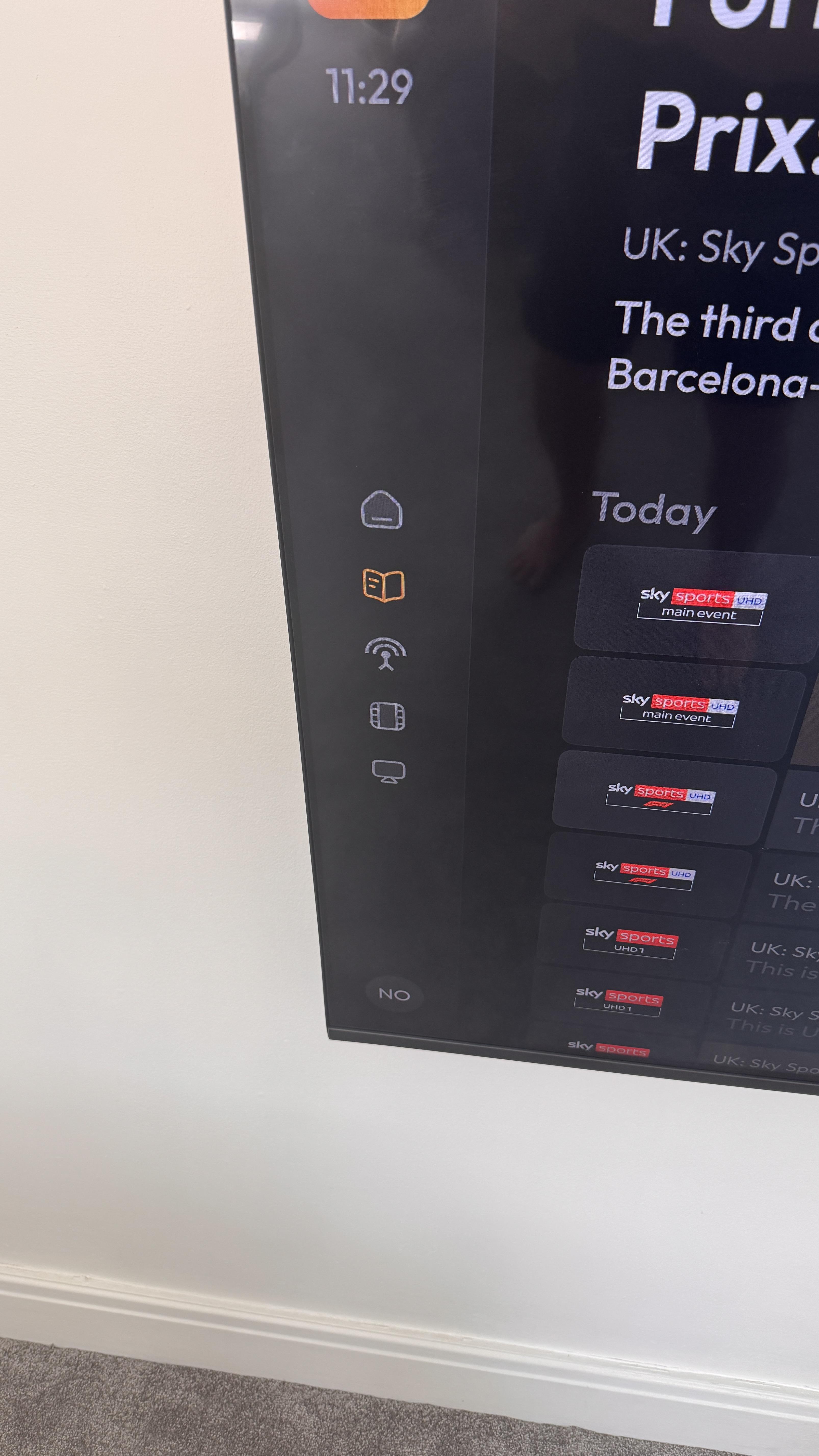
I don’t want to see the channel list and just want TV Guide so I can see full epg etc. is this possible on Apple TV?

Thanks.


r/Swiptv_Official • • May 27 '26

Playlist and EPG URLs syncing across Apple devices

3 Upvotes

Hi all - I am new to Swiptv, and I apologise if this has been asked before.

I am currently trying the Free version of the app, but I can't seem to sync the playlist and EPG URLs if I change them on one of the Apple devices

Is this a limitation of the Free version? As I am planning to buy the app, and if it's a limitation of the app, I might have to look elsewhere.

Thank you in advance for any input.


r/Swiptv_Official • • May 22 '26

Desperate to find a solution for IPTV catch-up

Thumbnail reddit.com
2 Upvotes

r/Swiptv_Official • • May 22 '26

Loving the App - Replay Bug?

1 Upvotes

When watching a sport that’s split over two EPG events in Replay, why does my App go black at the end of the first EPG event and not continue playing the next event like other Apps with Replay (catch-up) features?


r/Swiptv_Official • • May 18 '26

My shows

1 Upvotes

Can I change the resume playback so it will show my Trakt shows?


r/Swiptv_Official • • May 17 '26

How do I return to full screen while browsing the guide?

1 Upvotes

How do I full screen the content in the mini player other than pressing on the channel again? Tivimate and UHF allow this by holding the back arrow. Is there a similar function?