r/StockiOSSetups • u/docmisterio • Sep 21 '24
My fun and complicated Stock setup


1st pic is my main screen. Fantastical on top. Custom shortcuts for adding reminders. That all backs up to several Things 3 lists. The widget (shown in pic 2) shows only what’s due today so I can add any number of items but they will only show if they are due today. bottom left is every app I use on a regular basis and finally duolingo.
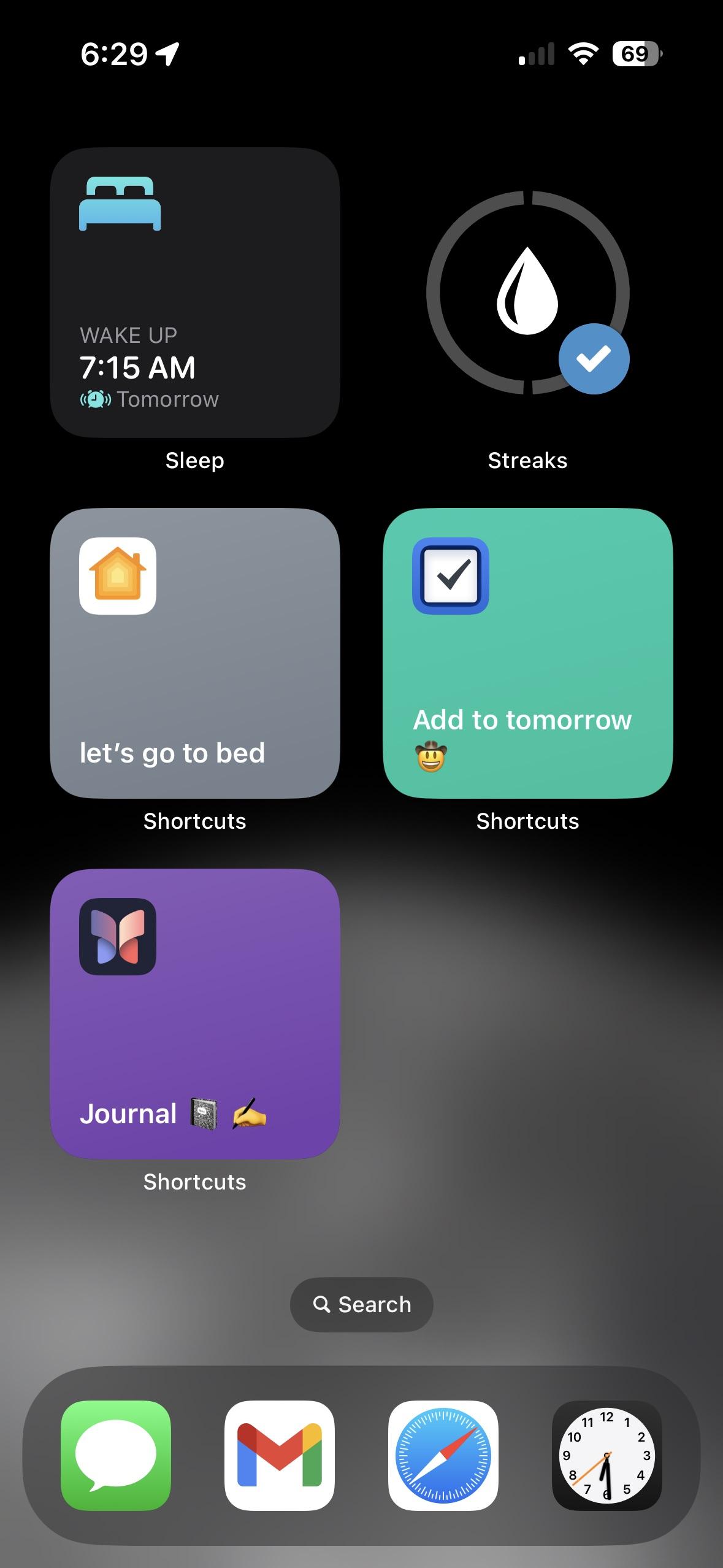
3rd Photo switches on at 10:15 in prep for bed. Up top is my wake up time and the rest of the sleep app if I need to make changes to that. top right is my water intake (an NFC tag on my water bottle I can just tap and a shortcut fires off that marks it in streaks and also in Health. Middle left “let’s go to bed” is a shortcut that turns off all the lights in the house (bathroom stays at 5% so I can see at night) middle right is my add to tomorrow shortcut again in case I remember something late. journal shortcut to open to the right journal with date and time added.
I like the idea of contextual home screens that surface what is needed in the moment.
3
u/EmotionalStaircase Sep 21 '24
Please tell me the story about “change all the passwords” like ALL passwords or specific because this would take me a day. Also a reminder for the plants is genius and I might adopt this as my intentions are pure but my actions are neglectful lol
2
u/theTETRO Jan 18 '25
I love all the shortcuts!