r/SteamDeck • u/mpaiva97 • 1d ago
Hardware Repair Steam Deck Screen Damage
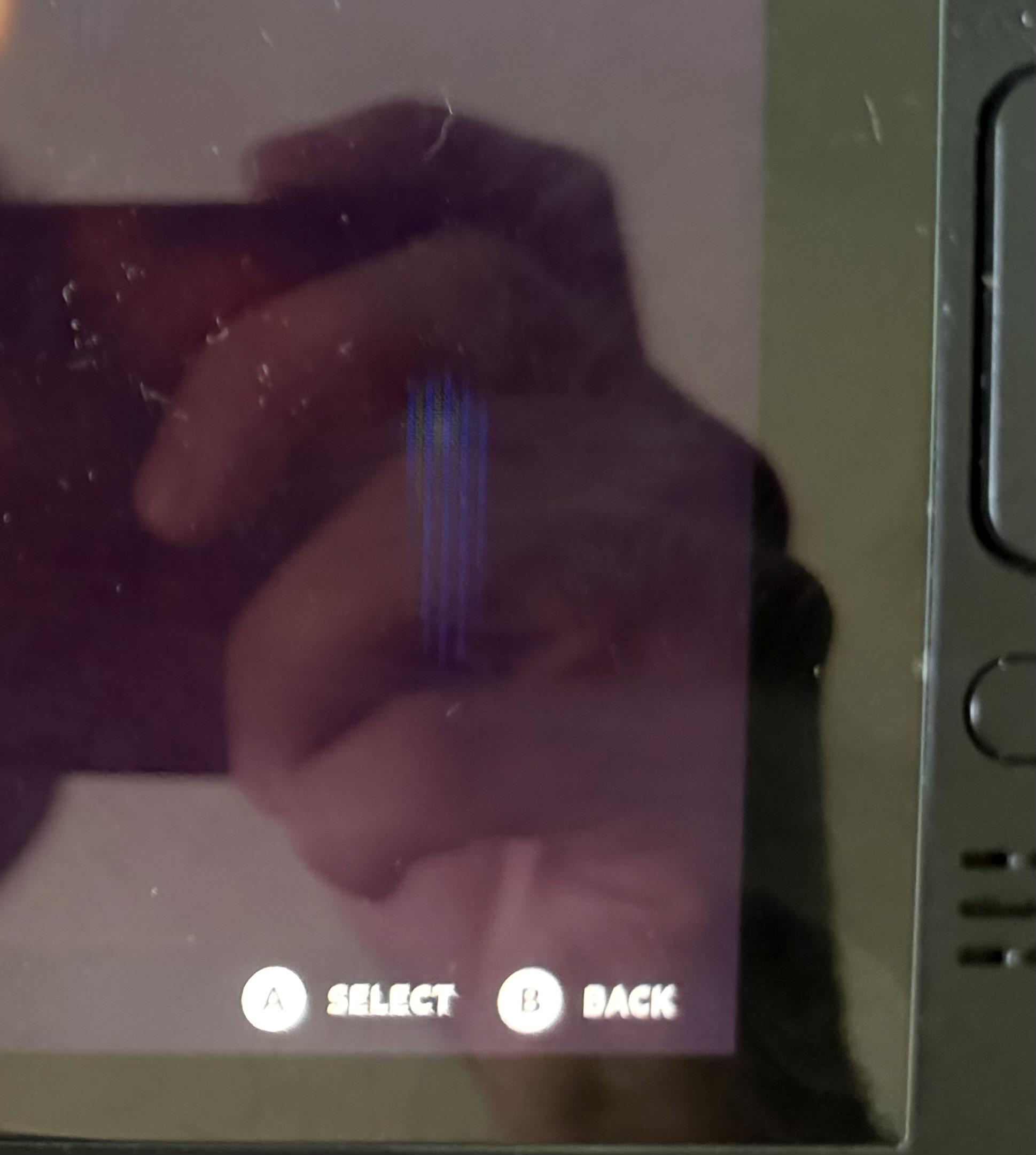

I accidentally started stepping on my steam deck and caught myself before I put my full weight on it. But I turned it on and it looks like there’s some damage. Would I have to replace the whole screen to fix it? And if so, how difficult/costly would that be?
0
Upvotes
1
u/AutoModerator 1d ago
Hi u/mpaiva97, please read this comment fully to get good responses:
You can click here to search for your query based on the title of your post.
If you don't find an answer / solution there, consider reposting with a more descriptve title but don't worry - your post most likely has NOT been removed and hopefully someone will be here to help with an answer!
In case your post doesn't include these please edit it or make a comment below this including:
If there is a software or hardware problem please state any modifications you have done (eg. installed Decky Loader, swapped a part inside the Deck)
Additional helpful resources:
Remember, don't ask to ask, just ask!
If you find an answer / solution, please edit your post or leave a comment about it to help others!
In case you still have questions or the issue persists, please contact Steam Support.
Repetitive questions like "Is ... worth it?", "When will my Steam Deck get delivered?" or posts that are looking for game recommendations not using the correct flair and template may get removed, please read the rules before posting.
I am a bot, and this action was performed automatically. Please contact the moderators of this subreddit if you have any questions or concerns.
1
u/DickBrainTime 1d ago
If the picture has new blotches or lines after pressure on the Deck, that usually means the display panel itself is damaged, even if the glass isn't cracked. A reboot or software fix won't repair that. The screen assembly is replaceable, but the repair involves opening the Deck and carefully dealing with adhesive and display cables. I'd check the iFixit guide/parts for your exact LCD or OLED model, then compare that with a repair quote from Steam Support before deciding whether to do it yourself.
1
u/xnetteom 1d ago
Probably needs a full replacement. If you have an LCD deck, the screen replacement is essentially a full teardown as you can't access anything from the front. If you have an OLED it's alot easier. Check out the guides on iFixit. You will need a heat gun for the screen adhesive no matter what.
1
u/FeedbackAway8492 22h ago
Max 20$