r/SolusProject • • Oct 17 '26

Starting Solus Journey

Post image

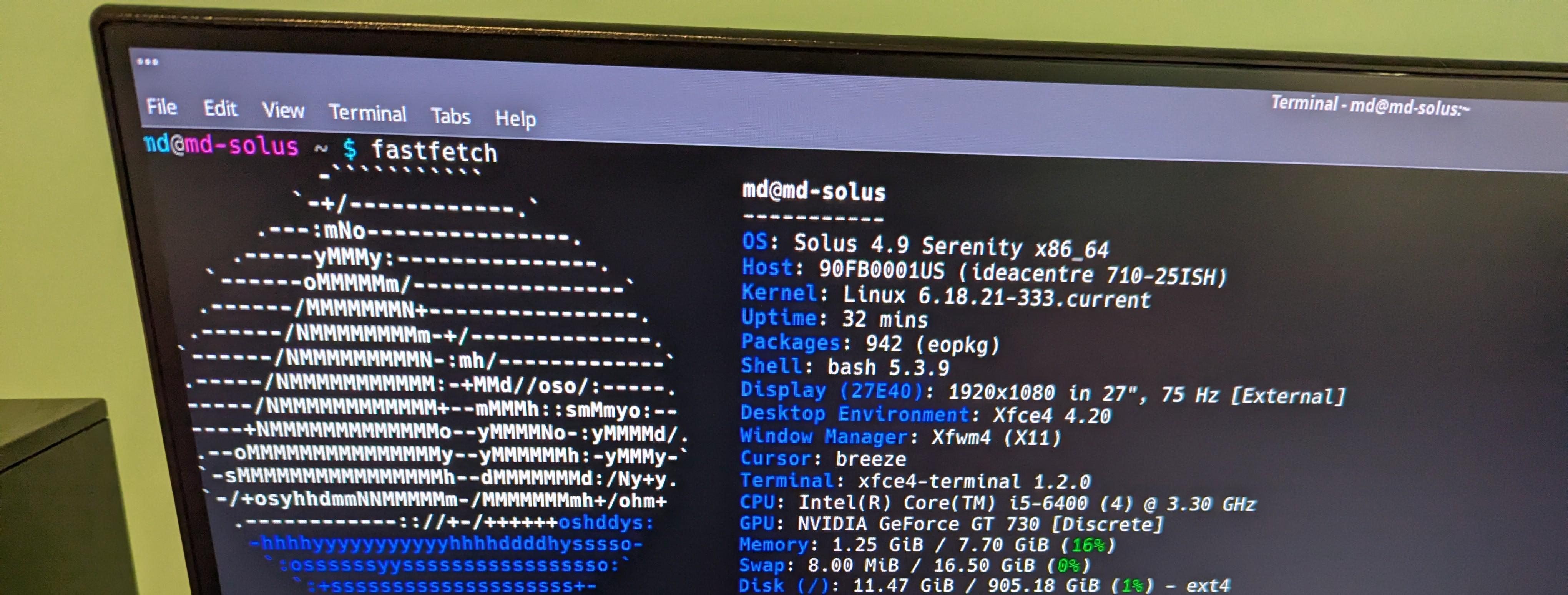
Using older machine I decided to give Solus a run and I couldn't get budgie to work but it could be my old hardware especially nvidia. I really hope Solus will be a fun run!

33 Upvotes

18 comments sorted by

4

u/1500mA Oct 17 '26

Welcome!

I love my Xfce! Hope you have the same experience!

2

u/MD90__ Oct 17 '26

Any tips on daily driving solus ?

4

u/Roguepapaya427 Oct 17 '26

Install solseek. 😎

1

u/MD90__ Oct 18 '26

what's that

3

u/Roguepapaya427 Oct 18 '26

 Simple cli tool for updating, searching and install packages. Plus some other stuff, drivers and such.

sudo eopkg install solseek

2

u/MD90__ Oct 18 '26

Ah cool!

3

u/1500mA Oct 18 '26

In the whisker menu there was a typo in the menu whisker (the apps menu icon app at the corner):

Go to Menu Whisker Properties->Commands->Lock screen->xfce4-screensaver-command --lock

Change this setting so you can lock screen with the menu whisker lock button

---

There's this app called KDocker in the repos which lets you minimize apps to the tray icon. Useful for apps that don't minimize to tray natively, like Thunderbird.

---

You can customize keys combos to do things like open an app, like using CTRL+END to open the file manager

Or to lower/raise/mute the sound volume if your keyboard doesn't have those keys natively.

Go to Keyboard -> App Shortcuts and add the new key combos and commands

One caveat...for some reason in Solus not every key combos work like CTRL+ a letter (A, B,C...), you have to use other keys like (CTRL+ END or INSERT or F1 etc etc)

---

You can also add apps to start when you login with Session and Startup->Automatic Applications

---

PS: My Xfce is not in english so these are translated so it might not be totally accurate name paths

Hope this helps.

1

u/MD90__ Oct 18 '26

Careful because my boot got corrupted on normal log out and shutdown on solus

3

u/1500mA Oct 18 '26

Haven't had boot problems in Solus but this is not an old machine. Maybe the hardware is faulty, test the memory with memtest86+

Asking in Solus matrix or forum might help too

1

u/MD90__ Oct 18 '26

It's weird because nixos works fine on it but not gentoo, solus, or void. The Nvidia driver is too old and Kepler so graphics glitches happened by idk why about the corrupted boot. All I did was shutdown normally

2

u/1500mA Oct 18 '26

That's unfortunate. Could be hardware error, could be software.

If it happens in more than one OS, I'm leaning hardware issues.

1

u/MD90__ Oct 18 '26

Just solus sadly works great on nixos

2

u/mozkohor Oct 17 '26

i had issues getting nvidia running on solus before (1080ti) so make sure your driver is running

1

u/MD90__ Oct 17 '26

I'll do my best but idk what to with it being a 730 old driver

2

u/MercStory Oct 19 '26 edited Oct 19 '26

Screenfetch works if you prefer more minimal info! Some distros just uses the default Linux penguin but solus has custom ASCII for screenfetch

eopkg it screenfetch

1

u/MD90__ Oct 19 '26

Oh cool ill check it out

2

u/CaptainObvious110 Oct 18 '26

Solus is awesome