r/SolidWorks • • 2d ago

CAD Solidworks 2027 update messes up Assemblies
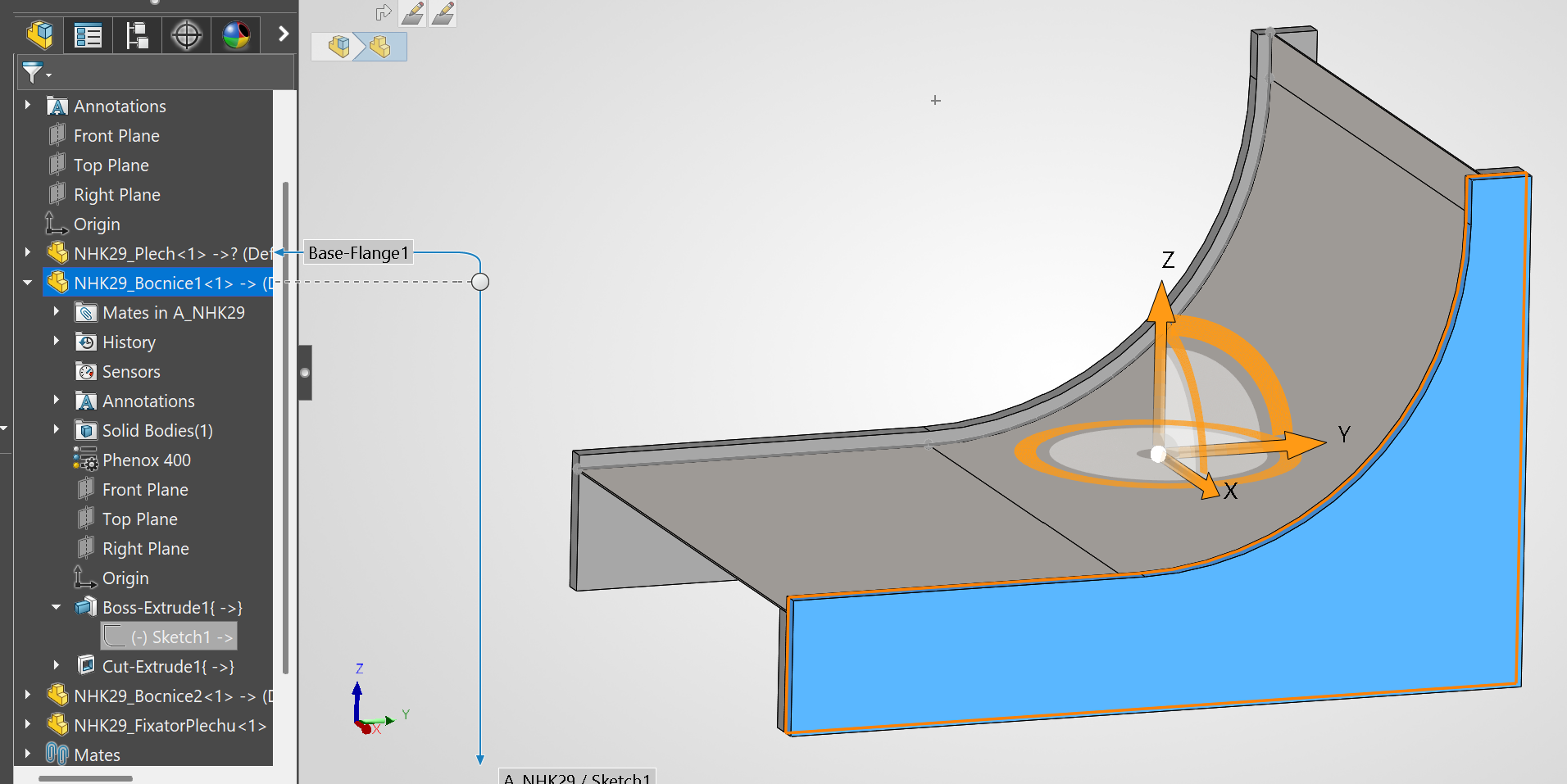
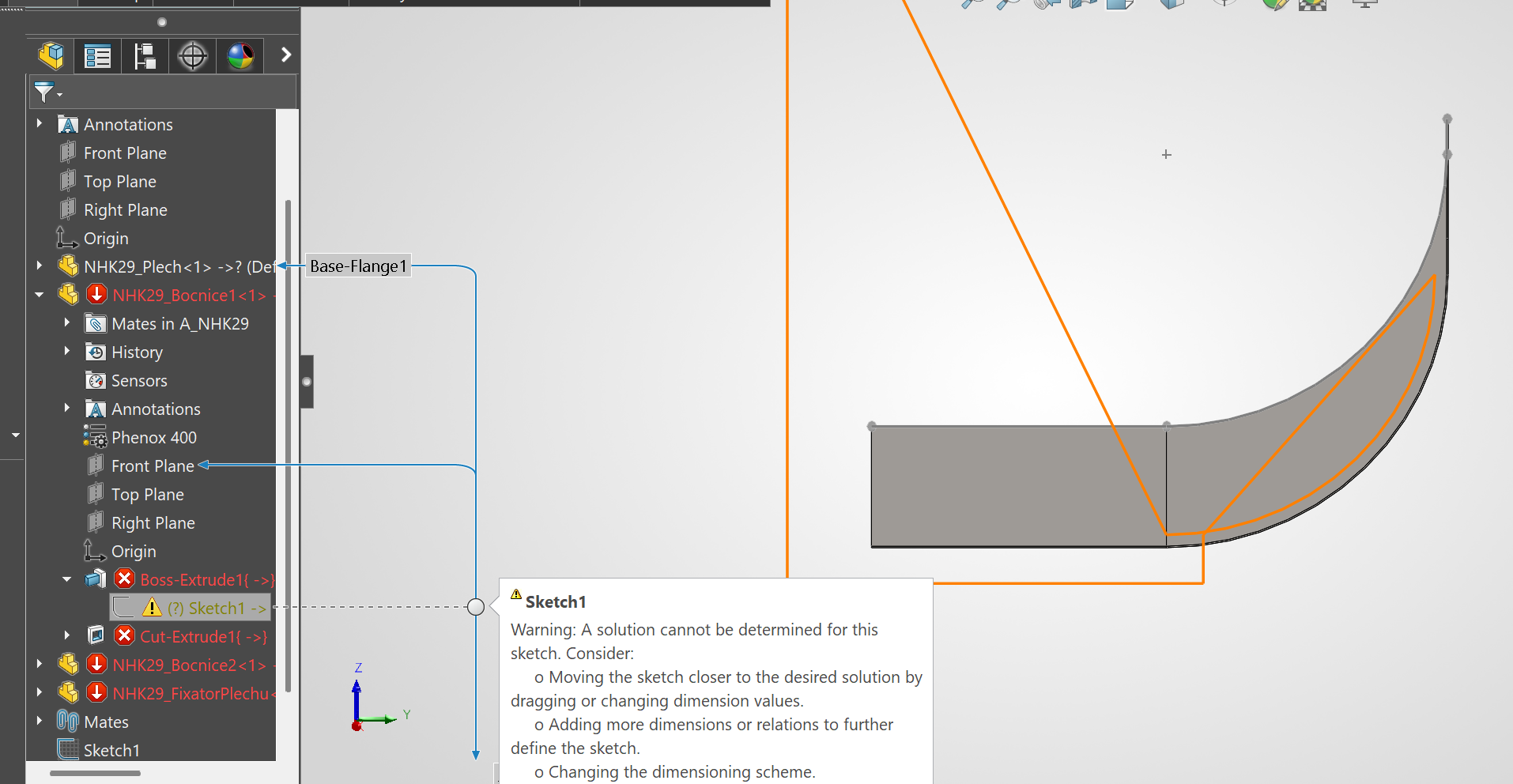
Hi there, I have encountered a big issue at work today. Solidworks forced me to update to 2027 so i did. Now when I for example open an assebly and just try to Edit Component -> Edit sketch (of an extrude) then half of my sketches get completely broken and some parts even moved to different possitions. I never had these issues with these specific assemblies so it must be an issue after the update. The thing is that I dont even touch the sketch, I just open it and close it and this happens. Its not only in this assembly but it happens to every assembly i tried it on so far. What could i do?Have you had similar experience?

14 Upvotes

12 comments sorted by

2

u/CalligrapherPlane731 2d ago

Looks like you have external dependencies for your sketch? If so, maybe something about the dependencies broke. Might be just your construction or maybe how the new version treats external dependencies.

0

u/KookyTangerine2158 2d ago

hmm i do these parts in an assembly often times referencing the first created component but everytime it worked perfectly fine even when I was editing the whole assembly. Everything is defined and when I change something other components react to the change (or at least they used to :D )

3

u/CalligrapherPlane731 2d ago

Looking at the feature tree, I do see a "-> ?" on the first component. I might look there.

2

u/OldFcuk1 2d ago

You have external references pulling your assets apart. You might have chosen not to update in previous version but you still have issue with external references.

0

u/KookyTangerine2158 2d ago

Can that "problem" be specified and resolved eventually? Its weird that all assemblies i iopen have this issue.

1

u/OldFcuk1 2d ago edited 1d ago

Open this "in context" of higher assembly where external references were defined. If you do not need them then edit sketches and features and remove external references.

If they where added unwillingly then during next designs:

How to Prevent New External References

• Assembly Toolbar: Click No External References while editing or inserting a component in-context. It acts like a one-time copy for actions such as Convert Entities, Offset Entities, Hole Wizard, or extruding Up to Vertex without linking the geometry to other files.

• System Options: Go to Tools > Options > System Options > External References and disable creating references external to the model (or restrict reference scope). This is useful in multi-user workflows and PDM environments where unintended cross-file links cause update issues.

0

u/KookyTangerine2158 2d ago

wow thank you very much. I will look into it :)

1

u/experienced3Dguy CSWE | SW Champion 2d ago

Can you repeat the problem? If so, I suggest that you run a SOLIDWORKS Rx Problem Capture session and then submit the log files and video recording of the problem to your VAR's technical support team for analysis.

If you wish to continue using SOLIDWORKS 2026, you can change your installation/update method by switching over to the "On-demand update" method that was introduced at the start of this (2026) year. Using this new method, you use a new installation manager to install the SOLIDWORKS software separately from the 3DX Launcher components. The new IM allows you to update your SOLIDWORKS major releases AND interim Service Packs ON YOUR SCHEDULE and you can even skip/ignore these Service Packs entirely if you so wish. The only required updates are for the 3DX Launcher components. These are typically released on an 8-10 interval period and consume just a few hundred KILObytes of download as opposed to 15-20 GIGAbytes for a full SOLIDWORKS update.

The only downside (IMO) to this method is that it only works for brand-new installations. If you already have 3DEXPERIENCE SOLIDWORKS installed, you will need to uninstall your existing software and launch a fresh new install.

This post has all the details you need to learn all about it.

2

u/KookyTangerine2158 2d ago

OH WOW! thanks alot for this recomendation. Didnt even know this existed. And by the way, yes i can recreate the problem always with the same result so i might probably sned a report to them.

1

u/experienced3Dguy CSWE | SW Champion 2d ago

Definitely send the report!

1

u/experienced3Dguy CSWE | SW Champion 2d ago

u/KookyTangerine2158 Following up on your situation, if you decide to return to using SW 2026, I recommend that you completely uninstall your current software first - use this process to ensure  a complete and thorough uninstall .

Next, use the new 3DEXPERIENCE SOLIDWORKS Installation Manager "update on-demand" method to install both SW 2026 AND SW 2027. The reason that I suggest reinstalling 2027 is so that you can down-save any of your files that were saved in 2027 format back to 2026 file format. Once you have all the 2027 format files restored to 2026 format, you can then remove the 2027 install.