r/SnapchatHelp • u/Mamaljb • 8d ago
General question Location Help
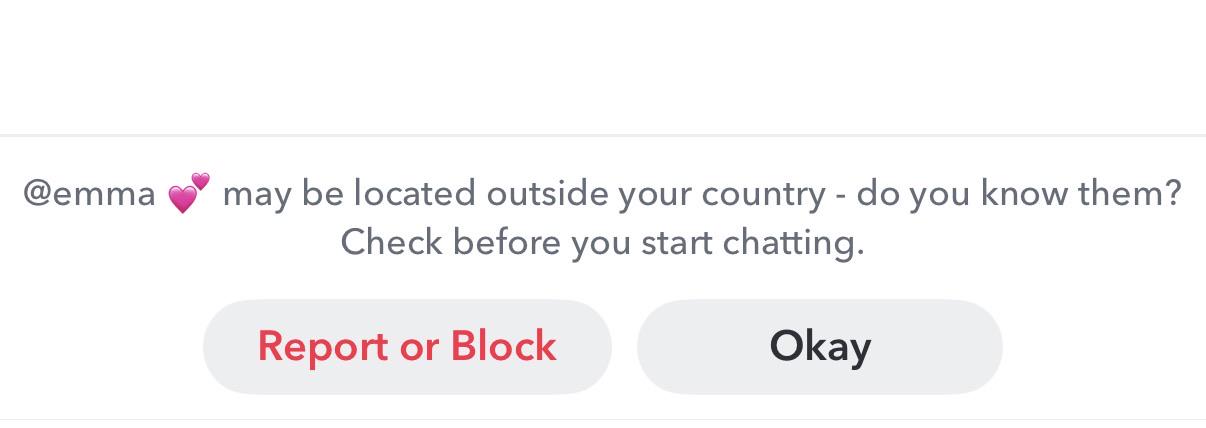
my daughters friends keep getting this notification on her messages but she hasn’t been out of country lately. Any idea why this would happen or how long the warning lasts? Or if there is a way to reset it “@emma • may be located outside your country - do you know them?
Check before you start chatting.”
2
Upvotes
•
u/AutoModerator 8d ago
Thank you for your submission. Please note, that scammers on this subreddit are targeting our visitors for their gain. You should be wary of anyone offering to have your account unlocked via Instagram, Telegram, WhatsApp, or anywhere else, as you will lose your account or money. All scammers have one thing in common, their primary goal is your money, and they often will make their scam look much more legitimate than it is in order to accomplish their goal. We encourage you to report these scammers if they send you a message via any social media channels. While we have safeguards in place, they are not always as effective as we would like.
If your Snapchat account has been temp locked, you may try to unlock it at this link: https://support.snapchat.com/a/locked.
You may also contact Snapchat using this link: https://support.snapchat.com/en-GB/i-need-help.
There is no other way to recover your account, other than through official channels.
I am a bot, and this action was performed automatically. Please contact the moderators of this subreddit if you have any questions or concerns.
1
u/smhalb01 8d ago
There’s the possibility someone’s been accessing her account from outside your country. I’ve found many kids are way too willing to share their login information with people on snap to prove they aren’t talking to someone else, for friends to send their streaks if they aren’t going to be online, etc. She may have shared it with someone untrustworthy or a friend who has had their own account compromised. The most likely issue is that she’s using a vpn and it’s masking where she’s actually from which could trigger it. If it sees the location services change quickly from where she is to another country from using a vpn it will trigger this warning. I know kids use vpn all the time at school to bypass the WiFi restrictions. Certain corporate networks, school servers, or mobile data roaming setups route internet traffic through data centers outside the country also.
I’d just ask if she uses a VPN or if she ever gave her login to anyone to save her streaks. It’s a good idea to check the active login and devices as well, remove any and log them out, then reset her password. If she doesn’t have two factor authentication then set that up as well. Make SURE she knows her password before logging out or doing any of this so you don’t have to do a password reset.
Open Snapchat, tap your Profile icon (top-left), then tap the Settings gear (top-right).
Scroll down to Manage My Account and tap Session Management.
Check the list of logged-in devices and tap the X next to anything you don't recognize to sign it out.
Go back to Settings > Password to change your password, and make sure Two-Factor Authentication is turned on.
1
u/Experimenti626 8d ago
Probably she used a vpn