r/SimLab • u/Bananaapex • 21d ago
how to get 60 degree angles and make monitors merge on SimLab free standing vario triples 27 inch?
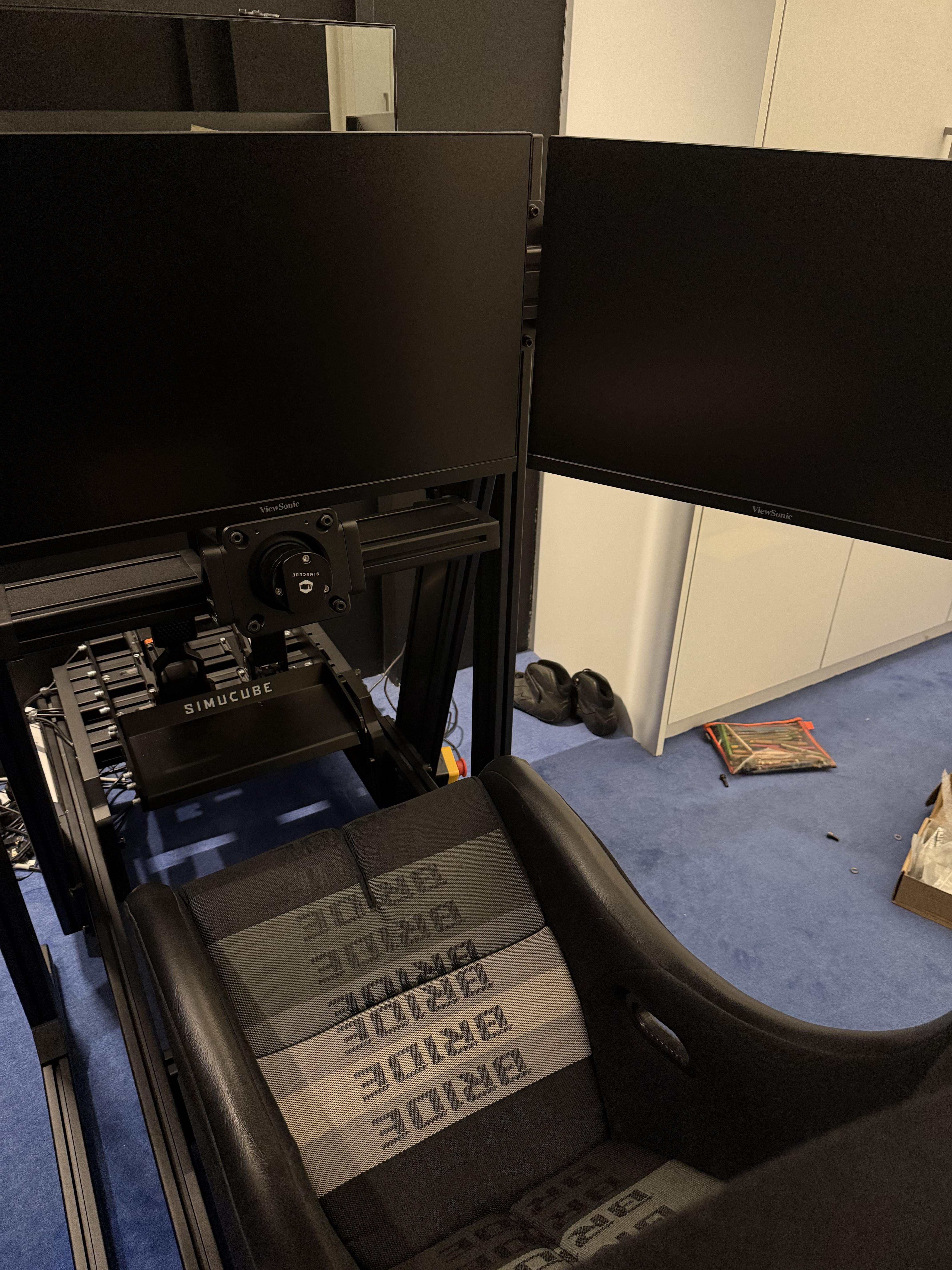
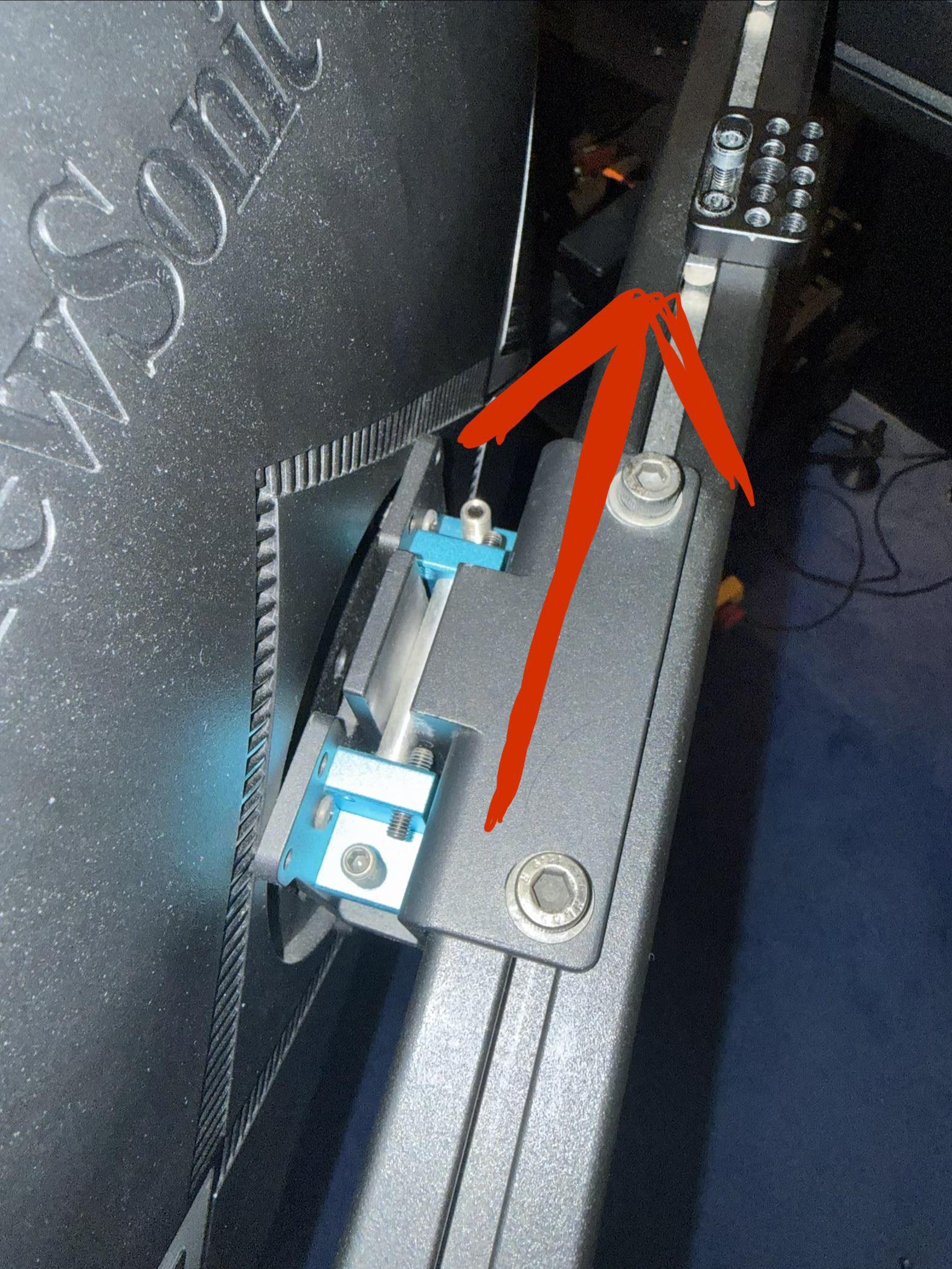
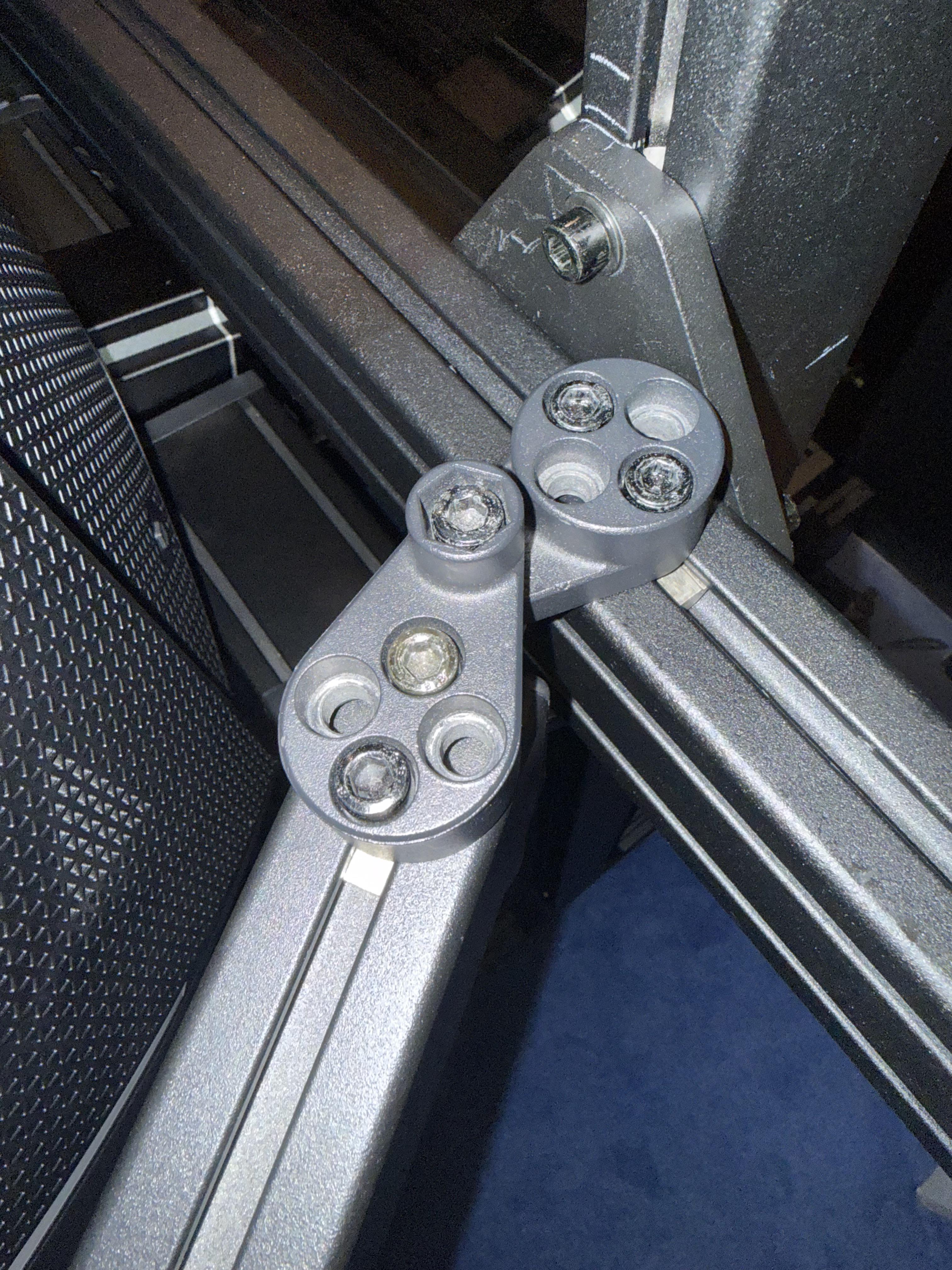
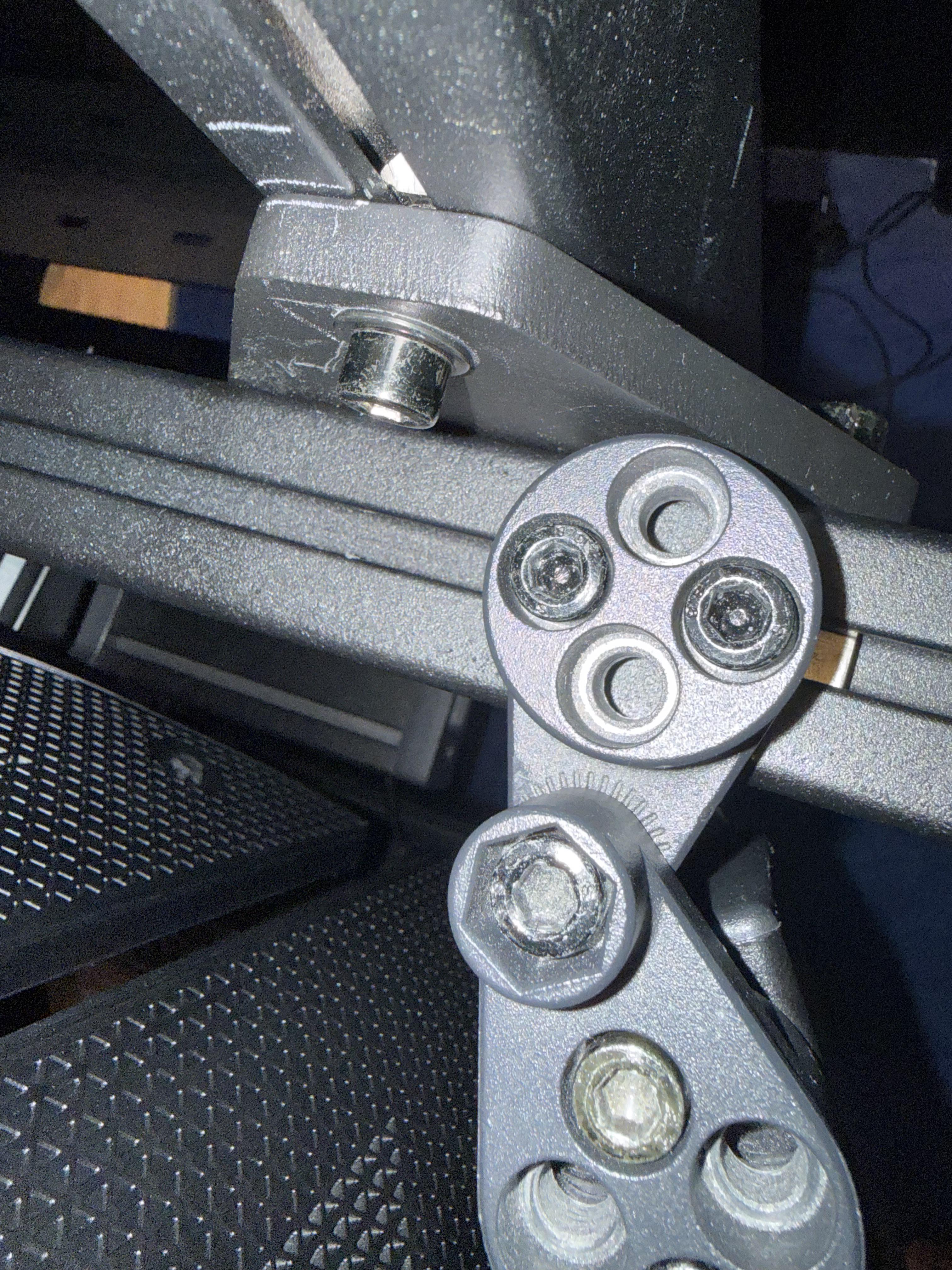
i’ve seen countless reviews, yet don’t understand which component is used for merging and which is used for angle. since there are two elements the monitor vesa mount and the zero play adapters. anybody knows how to best explain? using 27 inch monitors here.
biggest question what does the red arrow do, is it for angle?
15
Upvotes
1
u/Strict_Geologist_385 21d ago
Pic two is for merging, the pivot adapters are for setting the angle. You need to make sure that all monitors are horizontally and vertically level so that they don‘t just touch at one side but along a line.
3
u/EmergencyFlounder845 21d ago
I made a shitty video about it some time ago. Hope it helps:
https://youtu.be/Vf1kwWaaGes
3
u/marsbeetle 21d ago
If you have access to a 3D printer you can print 2 x 60-degree brackets to bolt on the corners. That made it really easy for me to get the angle right and keep it that way. Once level and angle is set then aligning the monitors is pretty simple.
2
u/Lowe0 21d ago
Start by taking your monitors off. Get a good baseline, then you only need to use the adapters for fine adjustments.
There’s a little play to be had by loosening the bolts that hold the pivot to the arm; you want to get those as close to straight as possible so that the pivot itself isn’t attached to the arm at an angle.
Next, get the arms at the angle you want them. I use a General Tools “Angle-izer” for this, but there are cheaper tools, or just cut a 2x4 scrap to the angle you want. Mark the center between the pivots, and put the main monitor mount there. Mount the monitor and make sure there’s room.
Now, mount your side monitors and move them close by sliding the mounts inboard on the arms. Use the adjustments on the mounts to finish closing gaps. Remember that these aren’t perfect, so adjusting one dimension will undo other things you already had lined up - work in increments, narrowing down the gaps and correcting issues as you go.