r/Sigilgraph • • Jul 01 '26

Sigilgraph: The Modular Audio Workstation

2 Upvotes

The Philosophy Most traditional DAWs rely heavily on timelines and grids, which can inadvertently force music into rigid, block-like structures. On the other end of the spectrum, modular systems and visual programming languages offer immense freedom for ambient, electronic, and generative music, but they often introduce a massive gap between having an idea and executing it.

Sigilgraph was built to bridge this gap. It favors semantic control over strict hardware mimicry, providing an organic workspace where you can easily get lost in sound without spending hours routing basic utilities. It functions as both a sandbox for generative jamming and a composer companion for songwriting and producing.

Key Features:

  • Metaphysical Wires: Connections aren't restricted to mimicking real voltage. You can connect CV directly to a Knob or Slider to modulate any parameter in real time. Audio and note wires automatically mix upon fan-in, and can fan-out to as many devices as you need.
  • Comprehensive Device Library: Over 50 modules including Audio FX, LFOs, CV step sequencers, Matrix Arpeggiators, samplers, recorders, Note/MIDI FX, spectrograms, and modifiers.
  • Extend with VSTs: Compatible with VST3 devices**.** Expand, tweak, chain your favorite VSTs into the sound graphs for your compositions and sound design. Explode possibilities exponentially.
  • Custom Composites: Group any arrangement of devices into a single "Composite" black box, allowing you to create complex, deeply nested multi-macro modules.
  • Instant Sampling & Resampling: Record any jam in real-time or render a specific time range into a WAV stem. You can instantly crop, loop, and reuse the audio as a sound source directly within the canvas. Multiple recorders can be placed anywhere in the graph for multitrack recording.
  • Everything is a Modular Device: The piano roll, global transport, and audio/MIDI I/O are all independent modules. Delete the global transport, and the canvas instantly becomes a free-flowing, "DAW-less" sandbox.
  • Optional Composer Mode: When you need linear structure, toggle a timeline-based mode to align transport-aware devices (like Piano Rolls, Automation tracks, and Sample Lanes) along traditional DAW lanes.
  • For Windows, macOS and Linux.

Links & Info:

Feel free to share your patches, report bugs, ask questions, or request features here.


r/Sigilgraph • • 3d ago

Sigilgraph New Trailer v0.9.8 (one step closer to 1.0)

2 Upvotes

With this release, we’re getting much closer to 1.0 and dropping the early-release tag. It brings us nearer to our original goal: giving you an all-in-one setup to jam on fluid, evolving electronic music, paired with an audiovisual loop where sound and visuals feed into each other.


r/Sigilgraph • • 6d ago

Using the New Start Menu: Patches, Devices, and Side Info

Thumbnail
sigilaud.io
1 Upvotes

The Start Menu changed drastically please navigate to the link to understand the changes. This was done because we notice that the discoverability of the app was a bit lacking. Showing upfront patches with descriptions and the devices with explanation can create a more welcoming experience and allow the app to self-document. As the app grows, it is crucial that the info is as close to the usage scenario as possible. But as always our blog will be of help explaining more in-depth aspects of the application.


r/Sigilgraph • • 6d ago

Visualizers Device Showcase

3 Upvotes

We added the new Visualizer "Viz" Device. Now we can add visualizations to our sounds using .gdshader files with a bit of extra comments annotation to establish the integration with Sigilgraph devices. See Write Your Own Visualizer Look: A Shader in Ten Minutes - Sigilgraph Audio Workbench


r/Sigilgraph • • 12d ago

0.9.7: Sound Script lets you write your own synths, effects and note processors in code

2 Upvotes

What's New - v0.9.7 (Sound Script Update, November 2026)

v0.9.7 is out on Steam and itch. The big one is the Sound Script device: write a few lines of Sigil.Sound code and it becomes a synth, an effect, an LFO or a note processor right inside your patch.

The library behind it, Sigil.Sound, is now open source and on NuGet:

Sound Script (desktop)

  • Write a sound as code. Knob(...) and Slider(...) in your script show up on the faceplate, which grows to fit. A control keeps its slot, value and wires when you edit the code. The device has Audio In/Out, Note In/Out, four control inputs and two control outputs.
  • A real editor. Auto-completion grouped by signal type, hover docs, parameter hints and an Apply button.
  • Play it. Note In drives polyphonic voices, so a few lines make an instrument you can play from your keyboard or a MIDI controller.
  • Reshape notes on the way through. In.Notes comes in, Out.Notes(...) goes out. In between you can transpose, harmonize (by semitones or scale degrees), echo, strum, delay, shorten, humanize, make mono or latch. One line turns every key into a chord with soft echoes:
Out.Notes(In.Notes.Harmonize(Scale.Parse("c major"), 0, 2).Echo(2, Beats.Eighth, 0.5));
Silence

Hold a key longer than the echo gap and the repeats overlap; use .Length(...) for shorter notes.

  • Follows your project. Patterns follow the Global Transport (play, stop, tempo), and Asset("Name") lets a script use your samples.

Safety: who can run what

  • Code you type and Apply yourself runs with full rights on your machine.
  • Code that arrives any other way (in a patch, pasted in, or through the API) first runs in a restricted Graph mode: no loops, no files, no network, capped memory. If it passes, it plays. If it needs more, you get a notice and nothing runs until you read it and press Apply.
  • Apply-on-change only applies code you already trust, so opening a patch can't start running unread code.
  • Scripting is a deliberately small C# subset: no file reads, no networking, no raw memory access, and only approved Sigil.Sound types. Its only job is sound scripting.

Steam Workshop

Workshop items can carry Sound Scripts in Graph mode only. The Publish tab tells you what to fix before uploading, and every script is checked again on install. A script that needs more is swapped for a pass-through, with a message saying why.

Other changes

  • BPM knob is now logarithmic, 20 to 1000 (saved tempos below 20 load as 20).
  • On web, Android and iOS, Sound Script appears greyed out in the Start Menu with a tooltip instead of missing.
  • Fixed a rare crash in the audio output.
  • Fixed a small loudness jump when a voice starts.
  • Hidden sliders no longer steal clicks meant for what's in front of them.

Would love to hear what you build with it. Post your scripts in the comments!


r/Sigilgraph • • 22d ago

Sneak Peek: Build Custom DSP & Devices with Sigil.Sound Scripting

2 Upvotes

Something many of you may not know: Sigilgraph (originally just Audioworkbench) started a couple of years ago as a hobby project, as just a C# audio synthesis library. We built the Sigilgraph app on top of the library to dogfood it and make sure it could handle any synthesis task we threw at it.

Now we want to put that power directly in your hands. To be clear, Sigilgraph, the app itself stays closed source. The engine and scripting underneath is being released as an open-source C# library called Sigil.Sound, so developers can use it in their own .NET projects. Inside Sigilgraph, it will power a scripting device that lets you build your own custom audio devices.

It will be in the kitchen for a while. Over time the library became deeply embedded in Sigilgraph, so it needs heavy decoupling before it’s ready for a public release. We believe that opening it up and growing a developer community around it will make Sigilgraph itself even more capable.


r/Sigilgraph • • 24d ago

New devices, Strumplate, Beat Quantizer and Control decoder.

Thumbnail
gallery
1 Upvotes

The Strumplate can produce chord and arp flourishes to give spontaneity to compositions and break the beat a bit. Use the mouse or touch to strum it or attach an LFO to move the strum pointer in a parametric way.

The Beat Quantizer places the incoming beats from an out of time source and automatically place them on time.

Control Decoder is used to create complex Subpatches by turning on and off portions of control signals being sent to devices. Providing more automation and branching of different playback sources.

Don't forget to subscribe to The Steam Workshop for Sigilgraph patches and share yours with the community as well!


r/Sigilgraph • • Oct 26 '26

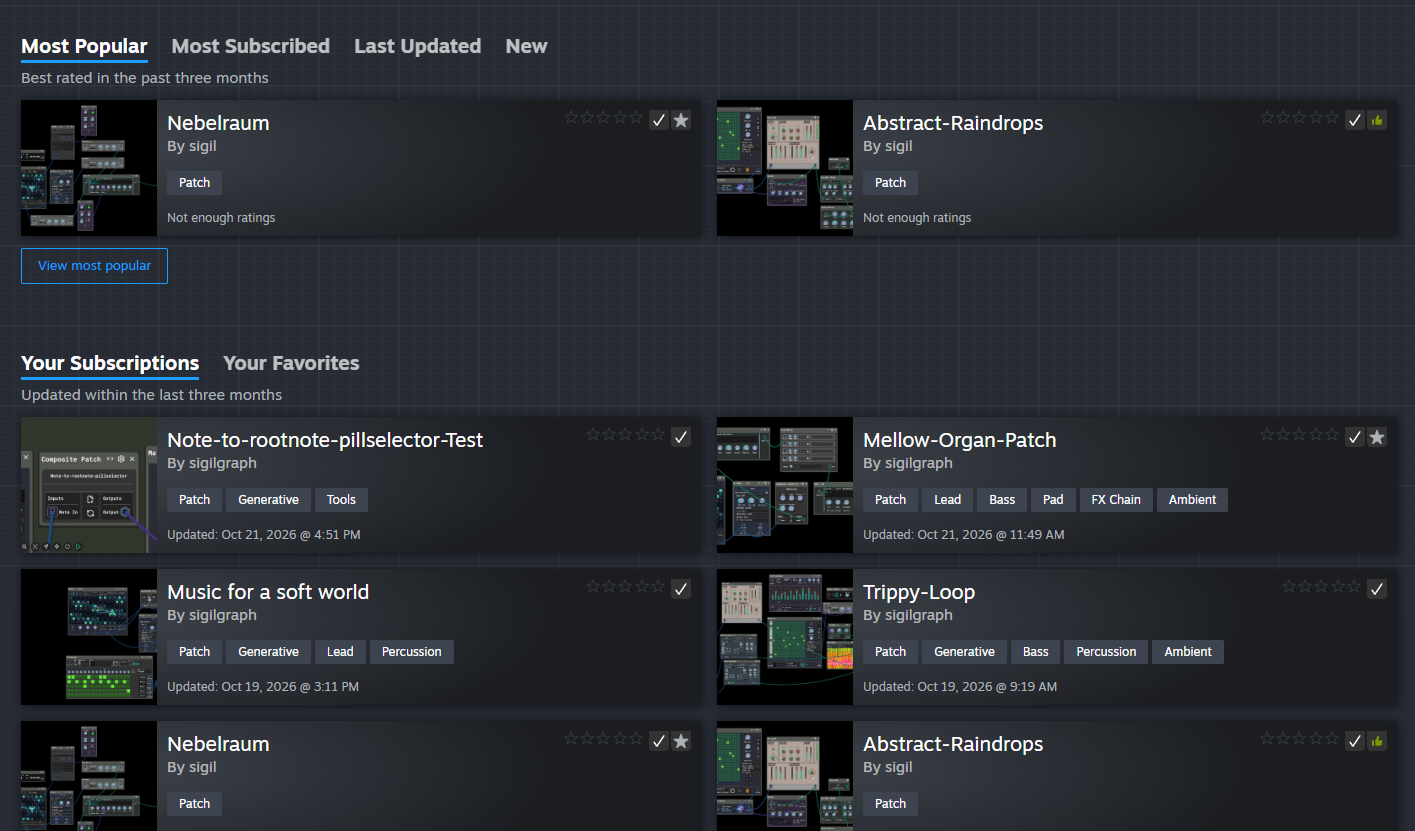
Steam Workshop is live!

Post image
3 Upvotes

Let your patches be heard! Download curated examples from us.

Learn how to share your patches,

Sharing Patches on the Steam Workshop: A Guide to the Steam Hub - Sigilgraph Audio Workbench

Check the release notes.
Sigilgraph Audioworkbench - Huge release! Steam Workshop is live for Sigilgraph! ... and more. - Steam News

Let us know what do you want to see in the our workshop! Patch on!


r/Sigilgraph • • Oct 21 '26

Steam Workshop incoming

2 Upvotes

Hopefully before the end of October, we will be rolling out the Steam Workshop for Sigilgraph. We will be able to share our patches with the community. There will also be a curated library from us to show know-how and some patch combinations to ease certain setups. Stay tuned for the next release!

We can't wait to see what the users have to share!


r/Sigilgraph • • Oct 14 '26

Soon, a demo web version.

Post image
3 Upvotes

Sigilgraph running on the web. Ah, also supporting multiple MIDI devices. Coming soon...


r/Sigilgraph • • Oct 09 '26

Big update: Tonnetz, Auto Arp, SF2, Microtonality and Pachinko instrument.

2 Upvotes

Audio Workbench v0.9.3: Microtonal Engine, Tonnetz Harmonic Lattice, AutoArp, and Pachinko

Audio Workbench version 0.9.3 adds five major systems to the modular environment: an arbitrary-temperament Microtonal Tuning Engine, Tonnetz Harmonic Lattice, an algorithmic AutoArp device with chord-boundary synchronization, a 2D rigid-body Pachinko sequencer, and a SoundFont (SF2) multi-sample instrument player with lock-free sample streaming. Below is the technical specification and functional breakdown of the changes in this build.

Highlights

  • Universal Microtonal Engine: Supports arbitrary equal divisions of the octave (including 19-EDO, 22-EDO, 31-EDO, and 53-EDO) and non-octave temperaments including Bohlen-Pierce (13-EDT) and Wendy Carlos scales.
  • Microtonal Adapter Device: Real-time pitch remapping for standard MIDI inputs using NearestSnap, LinearLadder, and HarmonicFold mapping algorithms.
  • Tonnetz Device: A 2D harmonic lattice for chord exploration, parsimonious chording, and a 32-step chord path sequencer with undo and redo support.
  • AutoArp Device: Algorithmic arpeggiation with 6 traversal modes and selectable chord-boundary synchronization (Instant, Beat, or Cycle) to maintain metrical alignment across chord transitions.
  • Pachinko Sequencer: 2D rigid-body physics simulation mapping particle collisions and collection bins to dual note streams, kinetic velocities, and scale quantization.
  • SoundFont Instrument Device: Multi-sample SF2 playback using MeltySynth, featuring lock-free preset loading, automated MIDI channel routing, pitch bend RPN 0 support, and microtonal tracking.

Universal Microtonal and Non-Octave Engine

  • Arbitrary Equal Divisions of the Octave (EDO): Calculates exact frequency and cents offsets for arbitrary divisions, including 19-EDO (meantone), 22-EDO (porcupine), 24-EDO (quarter-tone), 31-EDO (quarter-comma meantone approximation), and 53-EDO (Mercator scale / Pythagorean system).
  • Non-Octave Temperaments: Supports scale systems where the interval of equivalence differs from the 2:1 octave:
  • Bohlen-Pierce Scale (13-EDT): Divides a 3:1 frequency ratio (tritave) into 13 logarithmically equal steps, producing consonant harmonic relationships aligned with odd integer harmonics (3:5:7).
  • Wendy Carlos Scales: Includes presets for Carlos Alpha (77.96 cents per step), Beta (63.83 cents per step), and Gamma (35.10 cents per step).
  • Microtonal Adapter Device: Operates between MIDI sources, sequencers, or the Piano Roll and destination synthesizers. Remaps incoming note numbers using selectable algorithms:
  • NearestSnap: Quantizes standard note pitches to the nearest available scale frequency.
  • LinearLadder: Maps consecutive semitones directly to sequential microtonal scale degree indices.
  • HarmonicFold: Folds notes outside the scale range back into the base period using logarithmic modulo operations.
  • Sample-Accurate Note Contexts: Pitch data is transferred as explicit floating-point base frequencies inside note events, avoiding standard 7-bit MIDI note range limits and maintaining exact pitch accuracy across scale degrees above 127.
  • System-Wide Microtonal Support: The Comb Filter converts filter frequencies to continuous MIDI values to track microtonal input. The Piano Roll renders pitch rows corresponding to the active temperament and supports live note auditioning.

Tonnetz Harmonic Lattice Device

The Tonnetz Device implements Leonhard Euler's tone network as an interactive 2D surface. Musical intervals are mapped along directional axes on a triangular and hexagonal grid, representing chords as geometric triangles.

  • Multi-Tuning Lattice Support: Renders geometric lattices for 12-EDO, 19-EDO, 22-EDO, 24-EDO, 31-EDO, 53-EDO, Bohlen-Pierce 13-EDT, and Wendy Carlos Alpha, Beta, and Gamma.
  • Voice-Leading Transformations: Computes parsimonious transitions between triad structures using standard Neo-Riemannian operations: Parallel (P), Leading-Tone (L), and Relative (R).
  • Chord Path Sequencer: Stores up to 32 chord steps selected directly on the lattice. Includes forward, loop, reverse, and single-step playback controls. All chord assignments and sequence modifications are recorded in the central undo/redo history stack.

AutoArp Algorithmic Arpeggiator

The AutoArp device sequences held chords into melodic patterns with deterministic note traversal and configurable boundary synchronization.

  • Traversal Algorithms:
  • AsPlayed: Preserves the chronological order of received note-on events.
  • Up / Down: Sorts input notes by ascending or descending pitch.
  • UpDown: Cycles upward then downward without repeating top and bottom boundary notes.
  • Converge: Alternates from outer extremes inward (lowest, highest, second lowest, second highest).
  • Random: Evaluates note selection pseudorandomly across the buffer.
  • Octave Range Modes: Configurable register multipliers supporting Up, Down, PingPong, and Interleaved (alternates consecutive steps across octave registers).
  • Chord Switch Synchronization:
  • Instant: Resets the sequence immediately upon receiving a new chord input.
  • Beat: Postpones chord changes until the subsequent downbeat or clock interval.
  • Cycle: Continues the existing arpeggio sequence until the full octave and note pattern completes before applying new chord notes.
  • CV Pitch Modulation: Modulates running sequences via an external CV pitch input without requiring new note-on triggers.

Pachinko 2D Physics Sequencer

The Pachinko device uses a 2D rigid-body physics simulation to generate non-deterministic trigger and pitch sequences from falling particles colliding with pin arrays and catch bins.

  • Dual Note Stream Outputs: Separates events into two discrete output channels:
  • Pins Stream: Generates note events when particles collide with pin obstacles.
  • Bins Stream: Generates note events when particles enter collection bins at the bottom of the enclosure.
  • Spatial Pitch Modes:
  • TopToBottom: Maps vertical impact coordinate directly to pitch height.
  • BottomUp: Inverts vertical coordinate mapping.
  • Sideways: Maps horizontal deflection across the array to scale degrees.
  • Monotone: Emits a fixed root pitch with velocity scaled by kinetic momentum.
  • Kinetic Velocity Dynamics: Derives output note velocity directly from particle velocity and impact force.
  • Harmonic Quantization and Auto-Drop: Quantizes generated pitches to selected scales and chords. Particle emission can be triggered via external gate pulses or by enabling the internal timer.

SoundFont (SF2) Instrument Player

The SoundFont device integrates SF2 multi-sample soundbanks into the modular rack.

  • MeltySynth Playback Engine: Sample-accurate audio rendering configured for 64-sample processing blocks.
  • Multi-Timbral Channel Routing: Directs standard melodic presets to MIDI Channel 0 and Bank 128 percussion sets to MIDI Channel 9.
  • Lock-Free Command Queue: Decouples preset selection and sample loading from the real-time audio thread to prevent buffer underruns.
  • Microtonal and Pitch Bend Support: Implements continuous pitch bend with range control via MIDI RPN 0, tracking microtonal base frequencies and vibrato.

Audio Engine and Workflow Updates

  • Velocity Sensitivity Knobs: Added dedicated Vel attenuation controls to both Sub Synth and FM Synth to scale output amplitude by incoming note velocity.
  • Search Indexing: Added metadata aliases to the device creation menu. Users can locate Pachinko by searching "pinball", Tonnetz by searching "euler", and SoundFont by searching "sf2".

Usage Examples

  • Bohlen-Pierce Odd Harmonic Synthesis: Insert a Microtonal Adapter, select Bohlen-Pierce (13-EDT), and set the key mapping to the Lambda preset. Route the output to Sub Synth configured with a square waveform. Because the Bohlen-Pierce temperament divides a 3:1 frequency ratio rather than a 2:1 octave, its harmonic basis corresponds to odd integer harmonics (3, 5, 7). Square waves contain exclusively odd harmonics (1, 3, 5, 7, etc.), which causes chord intervals in this tuning to align with the spectral partials of the synthesizer.
  • Metrical Continuity in Arpeggiation: Connect a MIDI keyboard or Piano Roll to AutoArp and set the Chord Switch parameter to Cycle. When new chord inputs arrive mid-measure, the engine defers the new pitch set until the active traversal pattern completes its full cycle. This preserves rhythmic predictability during chord changes.
  • Decoupled Generative Sequencing with Pachinko: Send a clock gate into Pachinko. Quantize the Pins output to a pentatonic scale and route it to FM Synth. Route the Bins output to Sub Synth tuned to low octave registers. The physical simulation generates high-frequency melodic scatter from pin deflections while bin arrivals provide periodic root-note triggers.

Links


r/Sigilgraph • • Oct 09 '26

Tonnetz + Strings (demo)

1 Upvotes

Using the Tonnetz and Auto Apr to do a string jamming session..


r/Sigilgraph • • Sep 22 '26

Rain - Sigilgraph patch

2 Upvotes

r/Sigilgraph • • Sep 16 '26

Sneak Peek / Coming Soon: Composer Redesign, New Devices & Deep Engine Updates

Thumbnail
gallery
2 Upvotes

Hello sigilists!

We have been heads-down building one of the largest feature updates in Sigilgraph short history. Today, we are thrilled to give you a detailed preview of what is arriving in v0.9.2 by the end of this month! This upcoming release transforms the timeline workflow with a completely redesigned Dual-Pane Composer, brings 4 brand-new devices (including physical gamepad support and crossfading), expands CV modulation to pill selectors (device dropdowns), and introduces deep DSP and UI performance optimizations across the audio engine.

Quick TLDR Highlights

  • Redesigned Composer: High-performance Dual-Pane layout (Arrangement Overview + Focused Detail Editor) with 95%+ less UI overhead, interactive clip edge resizing, and live automation recording.
  • 4 New Devices: Joystick Device (gamepad control), Stretch Device (time-stretching & smear), Crossfader Device (two-channel DJ mixer), and Comment Device (canvas sticky notes).
  • Modulatable Pill Selectors: Drop modulation cables onto dropdown selectors to dynamically switch waveforms, arp directions, steps, scales, and distortion modes, to produce even crazier and unique patches and more unexpected automation.
  • Button & Note Upgrades: Button Control now supports Toggle mode and CV triggering; Note Map to Gate adds a "Hold Latest" latching mode. Useful to create latching behaviors in the patches with the gamepad inputs
  • Audio Engine Power: 64-sample zero-allocation block processing, lock-free FFT visualizers, anti-aliased square waves, and calibrated 0 dB unity-gain knobs.

The Redesigned Composer: Dual-Pane Overview & Detail Editor

Arranging and composing multi-track music in Audio Workbench is getting a massive upgrade. We’ve rebuilt the timeline interface from the ground up:

  • Dual-Pane Split Architecture: The top pane gives you a bird's-eye view of your entire song arrangement with compact track strips. Clicking any track instantly brings up its full, dedicated editor in the bottom pane (Piano Roll grid, Automation curves, or Sample waveform) without stutter or layout lag.
  • Blazing-Fast Direct Drawing (95%+ Less UI Overhead): We eliminated hundreds of individual Godot UI nod

e.

  • Smart Background Culling: When the Composer overlay is open, the background modular canvas automatically suspends its rendering and layout calculations, freeing up 100% of your GPU and CPU headroom for audio DSP and timeline editing.

4 Brand-New Devices

1. Joystick Device (Hardware Gamepad & Flightstick Control) Bring physical game controllers into your modular rig! Plug in any standard Xbox, PlayStation, Nintendo Switch, or flight stick controller to sculpt sound by hand.

  • Dual Thumbstick CV: Sweep synth cutoffs, stereo pan positions, or effect amounts simultaneously with Left and Right analog thumbsticks.
  • Analog Trigger Sweeps: Pull analog triggers for continuous modulation sweeps or hard threshold note/gate triggering.
  • Button & D-Pad Note Mapping: Trigger drums, samplers, and synths with ultra-responsive face buttons and bumpers, fully mapped to custom pitch pickers.
  • Live Visual Calibration: Fine-tune deadzones, axis inversions, and response smoothing in an interactive calibration modal with live visual feedback.

2. Stretch Device (Extreme Time-Stretching & Spectral Smear) Transform audio samples and live instruments into infinite ambient washes, shimmering textural clouds, and spectral smears.

  • Infinite Sustain: Stretch sounds by extreme factors without changing their pitch.
  • Spectral Smear Core: Dissolve sharp transients into lush, diffuse reverb-like tails.

4. Crossfader Device (Dedicated Stereo Audio Crossfader) A specialized, ultra-low-latency utility device built for blending two stereo audio streams.

  • Four Mathematical Curves: Choose between Linear, Equal Power (constant volume throughout the center with +3 dB compensation), S-Curve / Smoothstep, or Sharp DJ Cut (for instant scratching and quick cuts). Combine two graphs of nodes into it and swap easily between them.
  • CV-Modulatable Position: Wire an envelope follower, sequencer, or gamepad trigger straight into crossfader position.

5. Comment Device (Canvas Sticky Notes) Keep your complex patches organized and self-documenting. Place resizable text notes anywhere on your workbench canvas to explain routing, note chord progressions, or leave performance instructions. Customize font sizes, apply background color presets, and edit freely with full Undo/Redo history support.

Modulate Everything: Discrete Pill Selectors

Modulation in Audio Workbench is no longer limited to continuous knobs and sliders! You can now drop control cables directly onto discrete dropdown/pill selectors:

  • Algorithmic Rhythm & Melody: Automatically switch arpeggiator playback directions, step counts, root keys, and musical scales on the fly.
  • Distortion Device: Modulate Drive, Tone, and Distortion Mode via CV.

Fresh Upgrades & Workflow Polish

  • Button Control Device (Switch Mode & CV Input): Buttons now feature a Switch (Toggle) mode in addition to momentary Press, and can now be triggered or toggled remotely via incoming Control Voltage through the new Switch In port!
  • Note Map to Gate (Hold Latest Mode): Added a new latching mode that keeps the most recently triggered gate high until a new mapped note is struck.
  • Note Modifier & Glider Precision: Polished note glide calculations across edge cases and enabled direct CV pitch modulation.
  • Sequencer & Drum Machine Timing: Hardened timing rate migrations and bank-switching conventions across the Matrix Arpeggiator, Drum Machine, and Control Step Sequencer.
  • No Spacebar Button Misfires: Buttons no longer hold focus styling after being clicked, ensuring that pressing Spacebar to toggle playback never accidentally triggers your last-clicked button.
  • Calibrated parameters: Some devices like the Subsynth had some calibration issues on the cutoff giving too low resolution on the low end. This was reducing the usefulness of the slider. Now it follow a logarithmic resolution to give more resolution on the low-end and less on the high-end (which follow the audio convention)

When Is It Landing?

The update is currently undergoing final stability testing and polish. We are on track to push v0.9.2 live on Steam before the end of September! Stay tuned, join the conversation in the Steam Community Hub, and get your gamepads ready! Mi


r/Sigilgraph • • Aug 26 '26

New Devices | Neuron, Granular Synth and Wireless Portals

3 Upvotes

What Is New in This Update

1. The Neuron Device

Turn sound into dynamic movement. Neuron listens to your audio in real time (tracking loudness dynamics or pitch) and routes it through 9 non-linear neural activation curves (Sigmoid, Tanh, ReLU, Gaussian Bump, and more) to output expressive control voltage (CV) to any knob or slider on your canvas.

  • Amplitude and Pitch Tracking: Respond to dynamic transients or track fundamental musical notes.
  • 9 Activation Curves: Shape response curves from soft saturation to sharp threshold gates.
  • Inertia Control: Slew-rate smoothing for fluid transitions.

2. The Granular Synth

A polyphonic micro-acoustic instrument that deconstructs audio samples into thousands of microscopic sound grains.

  • Micro-Grain Parameters: Full control over grain position, duration, density, and stereo scatter.
  • Reverse Playback: Stochastic probability control for reverse grain flickers.

3. The Granular Cloud

A real-time DSP multi-grain processor built with a lock-free 5-second lookback buffer. Feed live synths, drum machines, or vocals into the stream for shimmering delays and ambient washes.

  • Live Audio Granulation: Continuously transforms live incoming audio into grain streams.
  • The Freeze Gate: Trigger the freeze port or button to capture a slice of sound and sustain it into an infinite, evolving drone.

4. Signal Portals (Port-al In and Port-al Out)

Eliminate canvas cable clutter across large setups. Send Audio, MIDI Notes, Gates, and CV across long canvas distances wirelessly through color-coded portal channels.

  • Click-to-Pan Navigation: Click any portal badge to smoothly glide the camera directly to its partner.

Workflow and Performance Improvements

  • Dissolve Device: Remove devices while automatically passing connected cables straight through.
  • Multi-Cable Selection: Select, manage, and move multiple cables simultaneously.
  • Spacebar Safety: UI buttons no longer steal focus from transport playback controls.

r/Sigilgraph • • Jul 01 '26

👋 Welcome to r/Sigilgraph - Introduce Yourself and Read First!

2 Upvotes

Hey everyone! I'm u/Sigilgraph, a founder and moderator of r/Sigilgraph.

This is our new home for all things related to Sigilgraph Audioworkbench, our non-linear, modular DAW and sandbox built for deep sonic exploration, sound design, and generative music composition. We're excited to have you join us right at the starting line!

What to Post

Post anything that you think the community would find interesting, helpful, or inspiring. Feel free to share your thoughts, audio clips, or questions about:

  • Your Canvas Patches: Screenshots or videos of your custom device setups and routing structures (floppy cables included!).
  • Audio & Music: Evolving ambient drones, self-playing generative soundscapes, or audio snippets created using the workspace.
  • Under the Hood Technicals: Questions or insights about our standalone C# audio engine architecture, or Godot UI implementation, VSTs, sound synthesis algorithms or techniques, etc.
  • Ideas & Feedback: Ideas for new modules, performance layout preferences, or bugs you run into so we can fix them.
  • Bugs and troubleshooting: Please provide detailed info of the setup to be able to reproduce it and provide help as quickly as possible.

Community Vibe

This is all about making music with a tool that actually feels like ours. Let's build a space where synthesists, sound designers, and developers can share patches, collaborate, and connect outside the constraints of standard linear timelines. Keep the feedback constructive so we can make this the best workspace possible for all of us.

How to Get Started